

Run workflows on private incidents
To run a workflow against private incidents, open the workflow’s Advanced settings and set Run on private incidents. You have three options: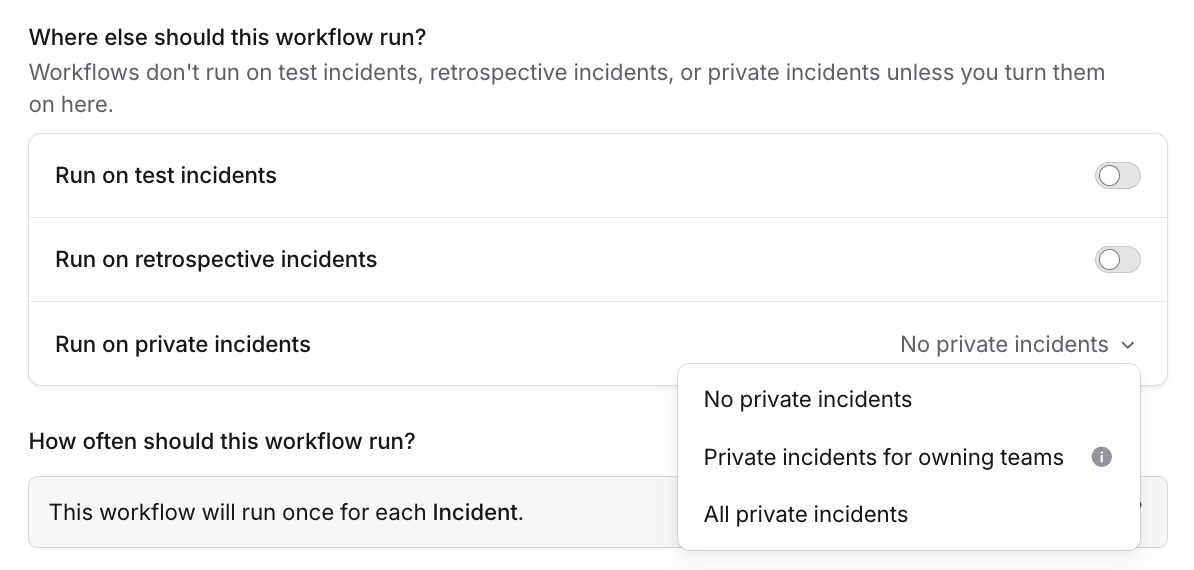
- No private incidents (the default): the workflow only runs on public incidents.
- Private incidents for owning teams: the workflow also runs on any private incident that at least one of its owning teams can access. This follows each team’s own access, not your team hierarchy, so a grant to a parent or child team doesn’t count.
- All private incidents: the workflow runs on every incident, public and private.
Steps that act on private incidents
Some steps are designed specifically for private incidents. On public incidents they do nothing, so the workflow needs Run on private incidents enabled to use them. Because each of these steps widens who can see a private incident, adding one to a workflow requires the matching permission to save the workflow, on top of being able to edit workflows.Adds a user as a member of a private incident, granting them access whether or not there’s a channel. If there is a
channel, they’re added to it.Requires the Manage private incident membership permission.
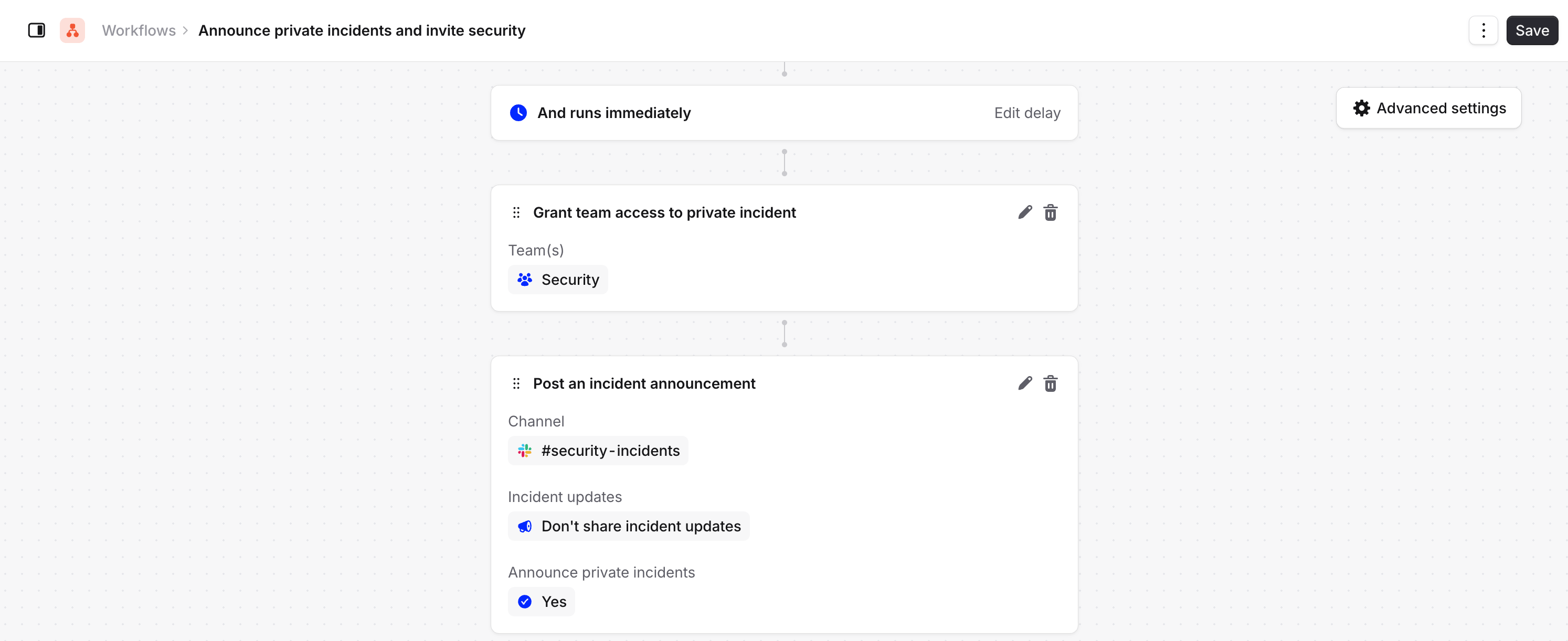
Grants one or more teams visibility of a private incident. Members of the team can view the incident and join the
channel, but they’re not added automatically. Useful for granting a team access based on incident conditions, like
giving your security team access to anything tagged as a security issue.Requires the Manage private incident team access permission. See confidential
incidents for the other ways to set default team access.
Announces an incident in a Slack channel. By default it skips private incidents; turn on Announce private
incidents to include them. You can also choose how incident updates are shared once it’s announced.Requires the Manage announcement rules that run on private incidents permission. See announcing private
incidents.
What people without permission see
Anyone can see a workflow that runs on private incidents, but only people with the right permission can change it. Without it, we show a banner explaining that the workflow runs on private incidents, and disable the actions to edit it.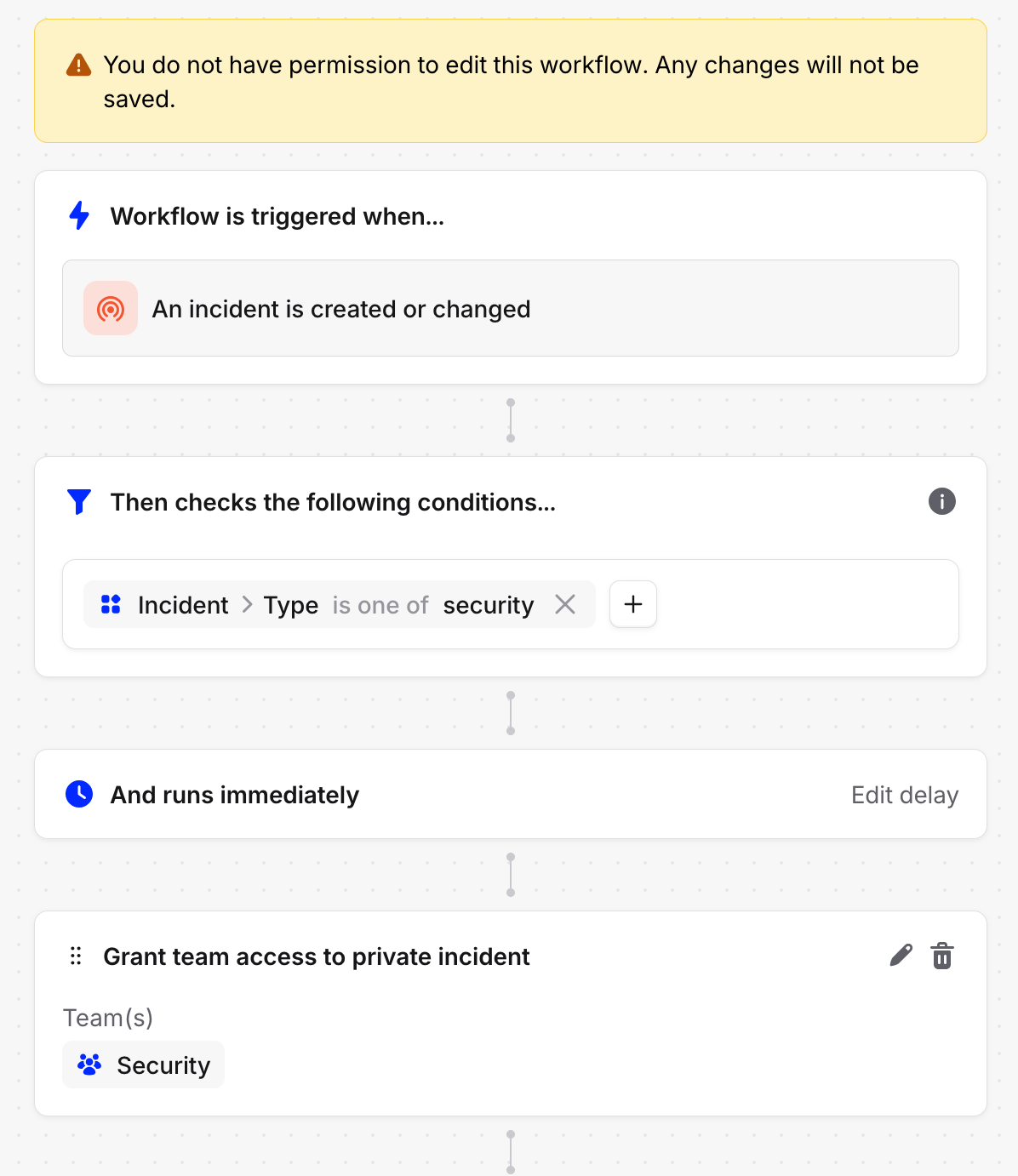
Related
- Private incidents: make incidents private and manage access
- Announcing private incidents: announce private incidents safely
- Workflows: build and configure workflows