The incident creation modal includes a feature that displays recent incidents to help prevent duplicate incident reports. This feature automatically shows relevant recent incidents when you use the /inc command under specific conditions.

How it works

The duplicate prevention feature will display recent incidents in the incident creation modal when all of the following conditions are met:
  • Recent incidents were created within the last 10 minutes
  • The previous incidents are in Triage or Active state
  • You use the /inc command without any additional text following it
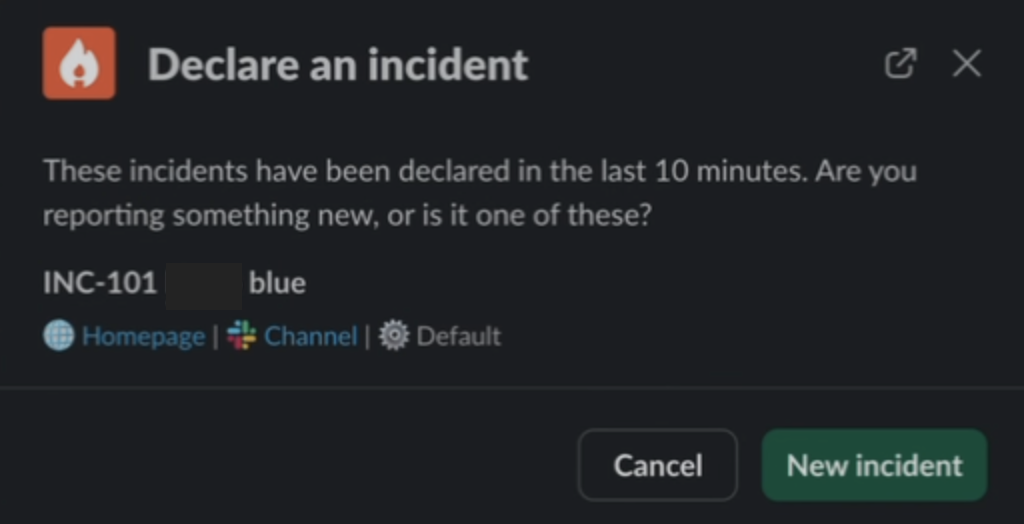
When these conditions are satisfied, you’ll see a list of recent incidents that might be related to the new incident you’re about to create, helping you determine if a similar incident already exists, sample screenshot below: image.png

Important notes

The 10-minute time window is a product-wide setting and cannot be customised on a per-workspace basis. This timeframe is designed to catch incidents that are likely related while avoiding showing outdated incidents that may no longer be relevant. If you have use cases that require a longer time window for duplicate detection, you can contact support to submit a feature request with details about your specific needs.