What are customer pages and when do I need them?
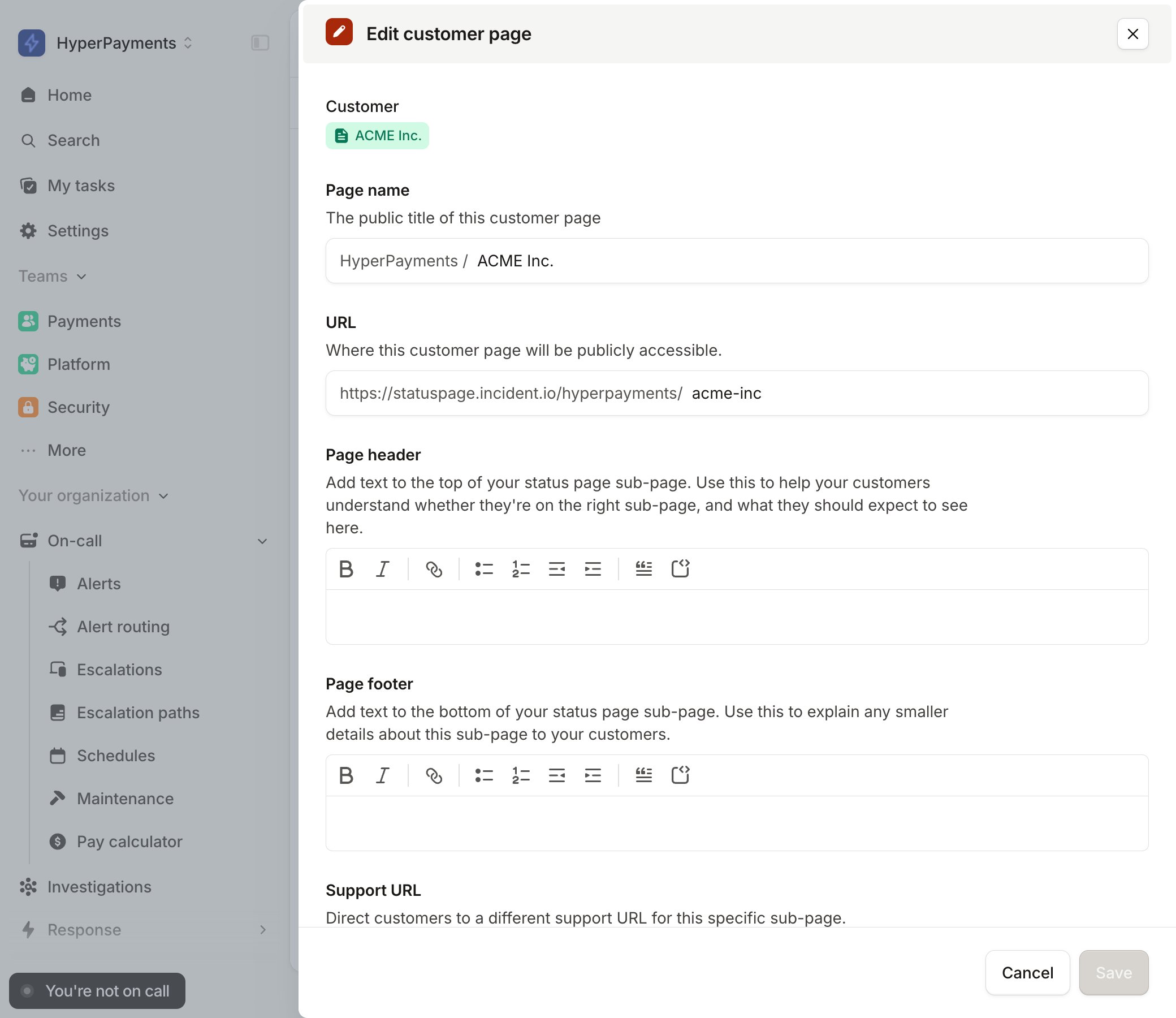
Customer pages give you the ability to provide your customers with a dedicated, authenticated status page, managed centrally. Customer pages are managed like our sub-pages, but add a layer of authentication onto each page to limit access to a specific customer. You may want to use customer pages if only a subset of customers are impacted by an incident. For example, if you run dedicated infrastructure for customers, or maintain components for a small set of high-value customers, you can use customer pages to give those customers a dedicated space, that always shows them when their experience of your product is experiencing issues.How do I setup customer pages?
Like our sub-pages, customer pages are powered by Catalog. When setting up your customer pages, you can either use an existing catalog type, or create a new one. Creating a customer page works just like creating sub-pages.Managing access to customer pages
Access to customer pages is controlled by email address, using a sign-in link. This means users must have a valid email address which can receive emails. Access is checked by the email domain, so if you specify example.com on your allowlist, anyone with that email domain, such as john@example.com, can access the customer status page.Configuring the domain allowlist
Customer pages are access controlled by an email domain allowlist, controlled through the catalog. On the customer’s catalog entry, use the Email domains attribute to specify one or more domains. Anyone with an email address matching that allowlist will be able to login to the page.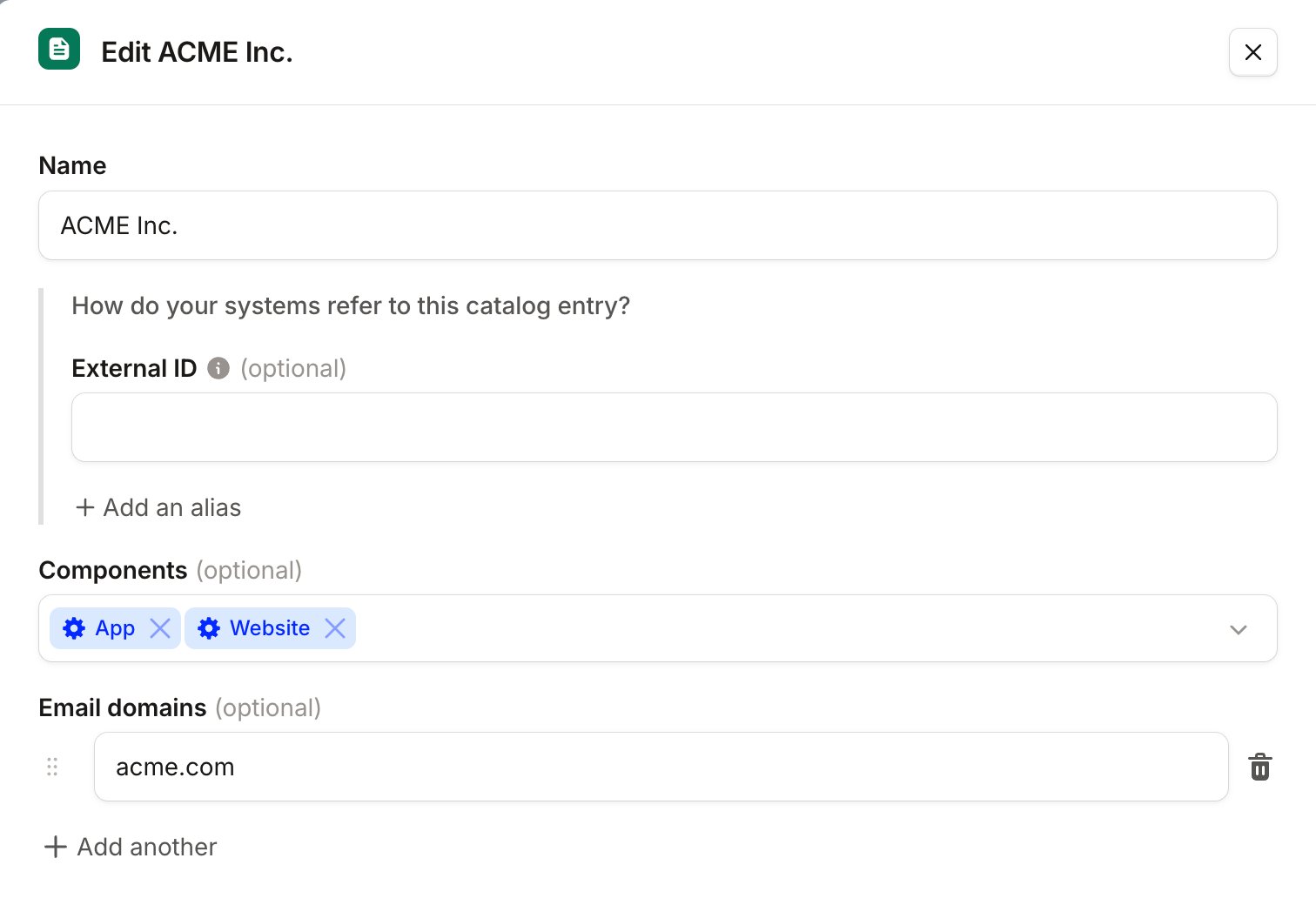
Sharing the page with your customers
The URL to a customer page is not publicly visible anywhere. For your customer to access your page, send them a link to their status page. You can see the URL of your page either by visiting the page, or by going to edit the page in your settings.