

#security-incidents channel where every private security incident is announced, so members can see what’s happening and self-join the ones they need to, all without exposing the incident to the wider organization.
You can announce private incidents across three surfaces: announcement rules, workflows, and using /inc announce.
Permissions
Configuring an announcement rule or workflow to announce private incidents requires the Manage announcement rules that run on private incidents permission. People without it can still create and edit ordinary announcement rules and workflows. They just can’t turn on private-incident announcements, or edit a rule or workflow that already has it enabled. Announcing manually with/inc announce is available to anyone who’s already a member of the incident. See user roles and permissions.
Announcement rules
Announcement rules decide where incidents get announced. To control whether a rule announces private incidents, set its private-incident scope when you create or edit it in Settings → Announcements. You have three options: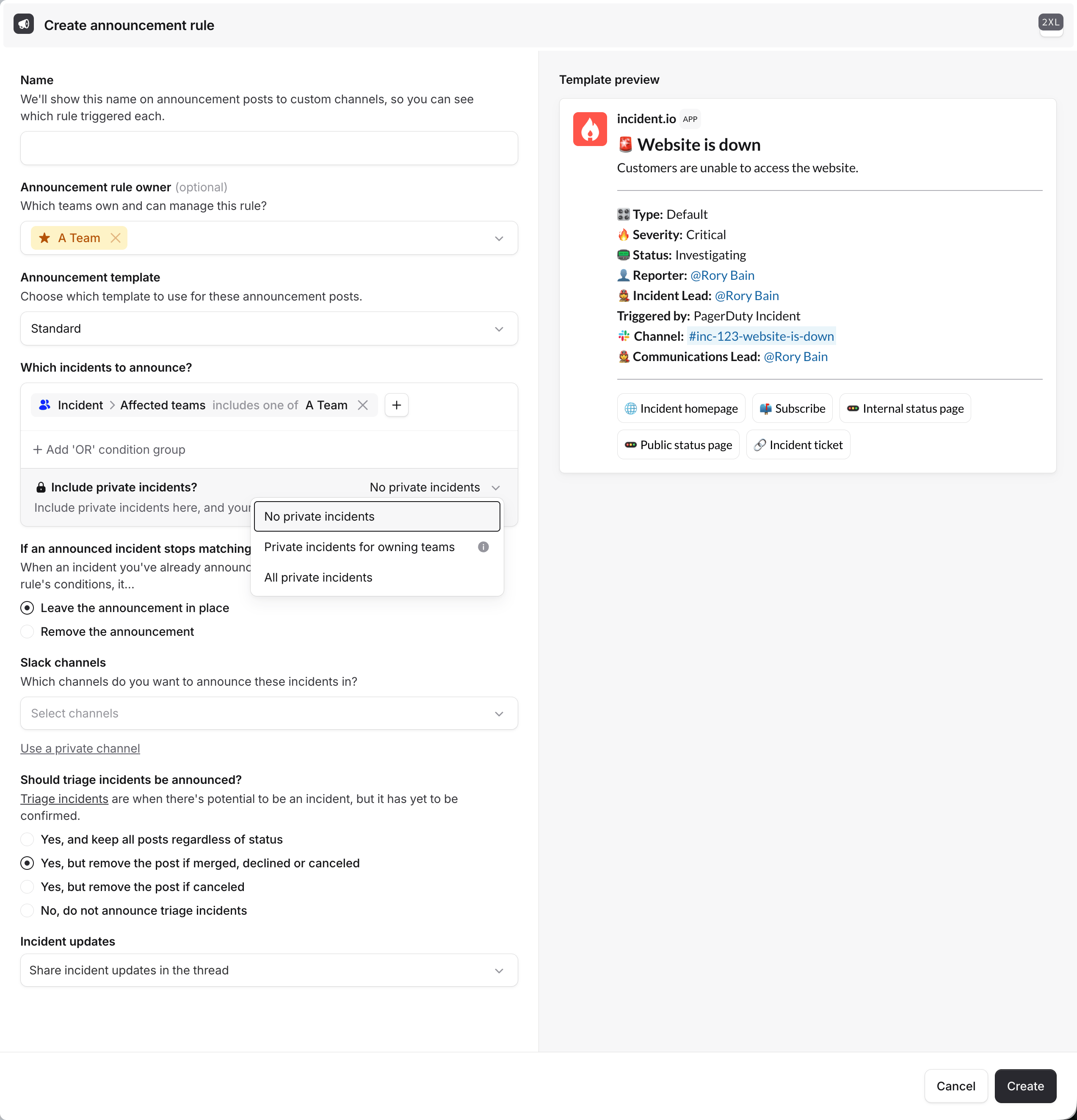
- No private incidents (the default): the rule only announces public incidents.
- Private incidents for owning teams: the rule also announces any private incident that at least one of its owning teams can access.
- All private incidents: the rule announces every incident, public and private.
Workflows
Use the Post an incident announcement workflow step to announce incidents as part of a workflow. By default the step skips private incidents; turn on Announce private incidents to include them. This is useful when you want to announce based on conditions, or alongside other automated actions (like granting a team access at the same time). See workflows on private incidents./inc announce
To announce a private incident manually, run /inc announce in the incident channel and choose where to post it. This is handy for one-off announcements that aren’t covered by a rule, like looping in a specific team’s channel as an incident develops.
Control how updates are shared
When you announce an incident, you also choose how its status updates are shared afterward. This matters even more for private incidents, where you may want the announcement to be discoverable without streaming every update into the channel.
You can set this on announcement rules and on the Post an incident announcement workflow step.
Related
- Private incidents: make incidents private and manage access
- Workflows on private incidents: announce and grant access via workflows
- Announcement rules: control where incidents get announced
- Announcement posts: customize what an announcement contains