Adding an update
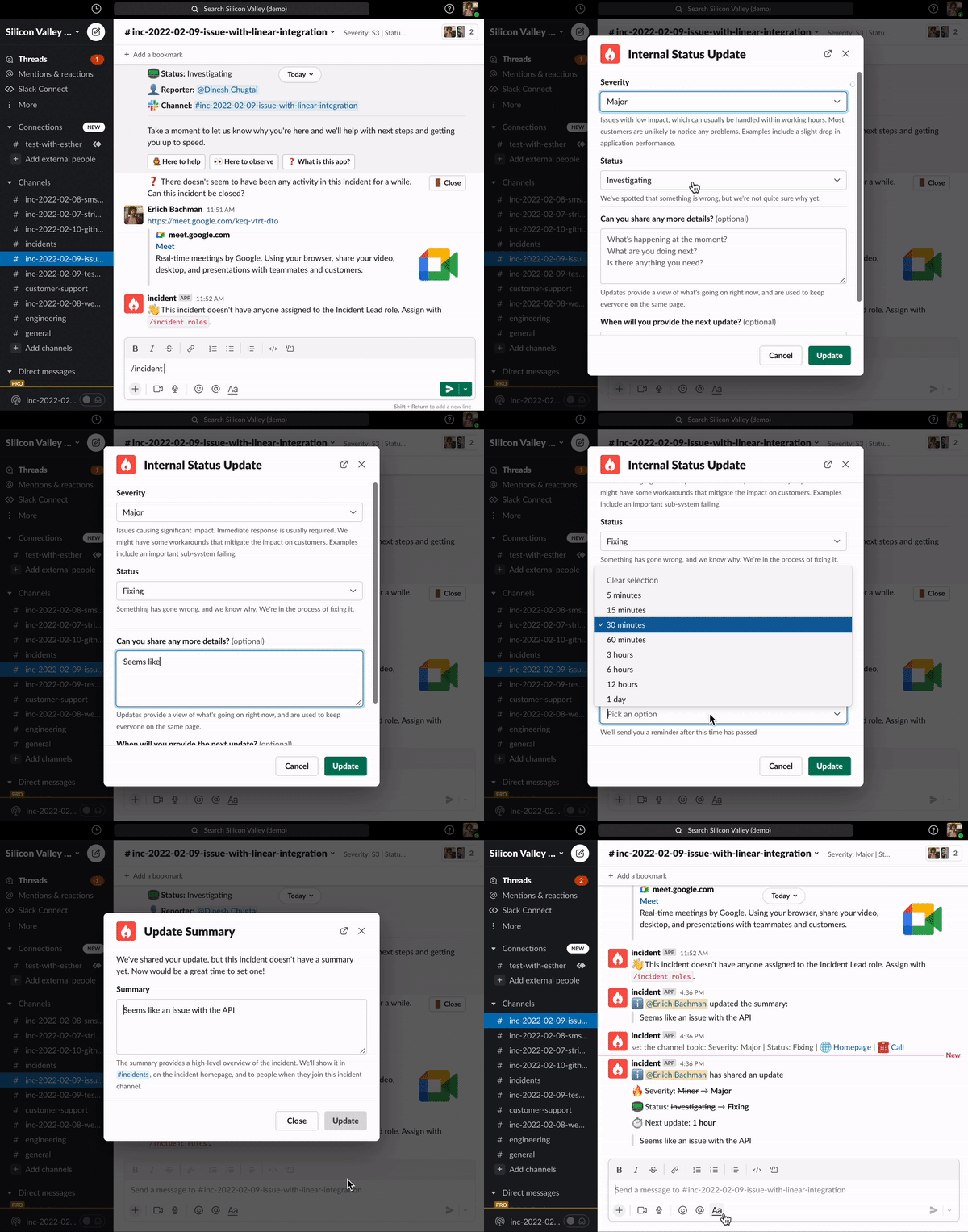
To create an update, simply type/incident update in an incident channel.
You’ll be presented with a modal that:
- Asks if there’s any changes with the severity or the status of the incident
- Allows you to provide a short message to update people with what’s going on (’ Can you share any more details ’)
- Lets you set a reminder for your next update: no need to remind yourself manually! We will come back and remind you when an update is due.
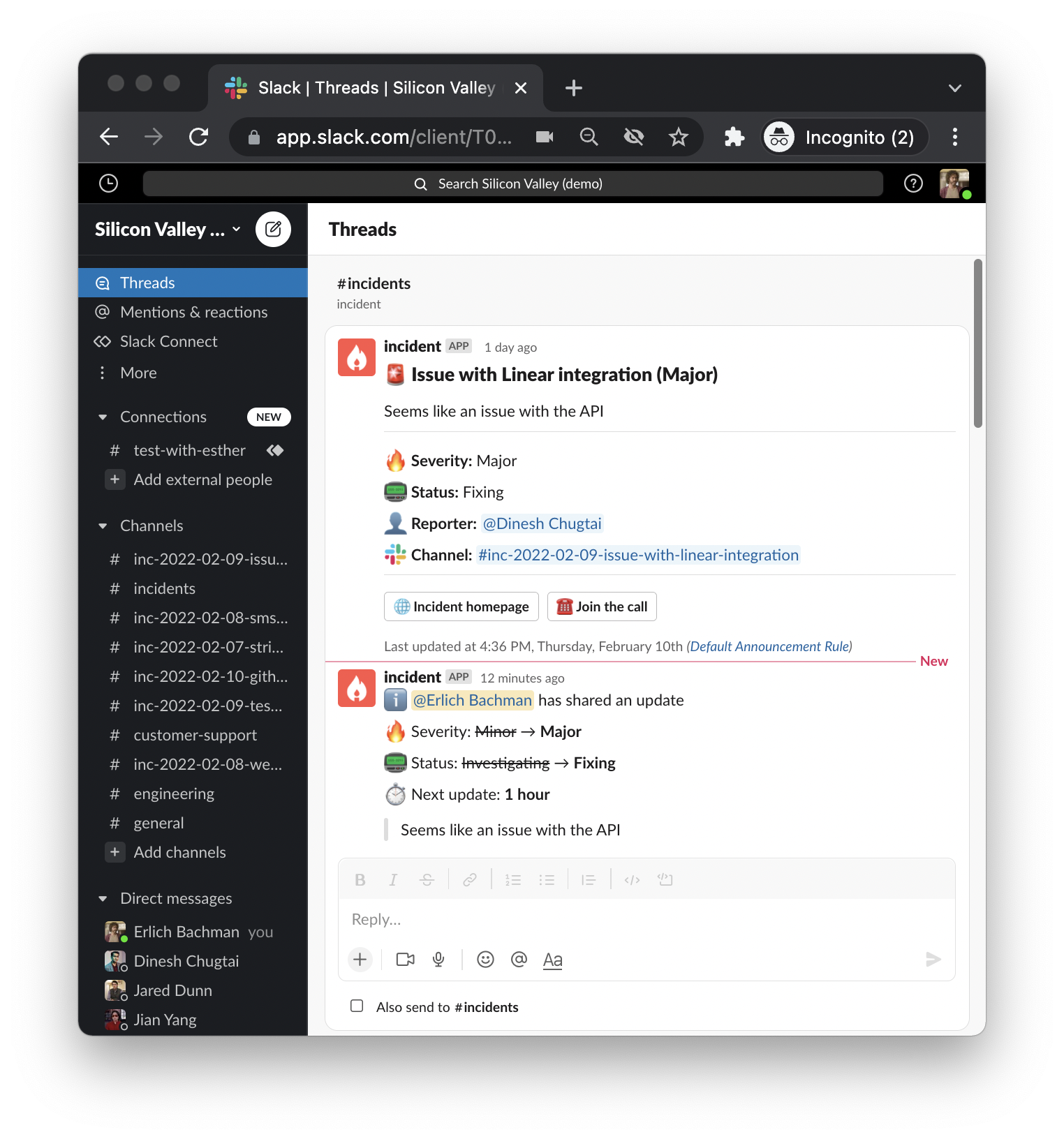
Using Updates to trigger automations
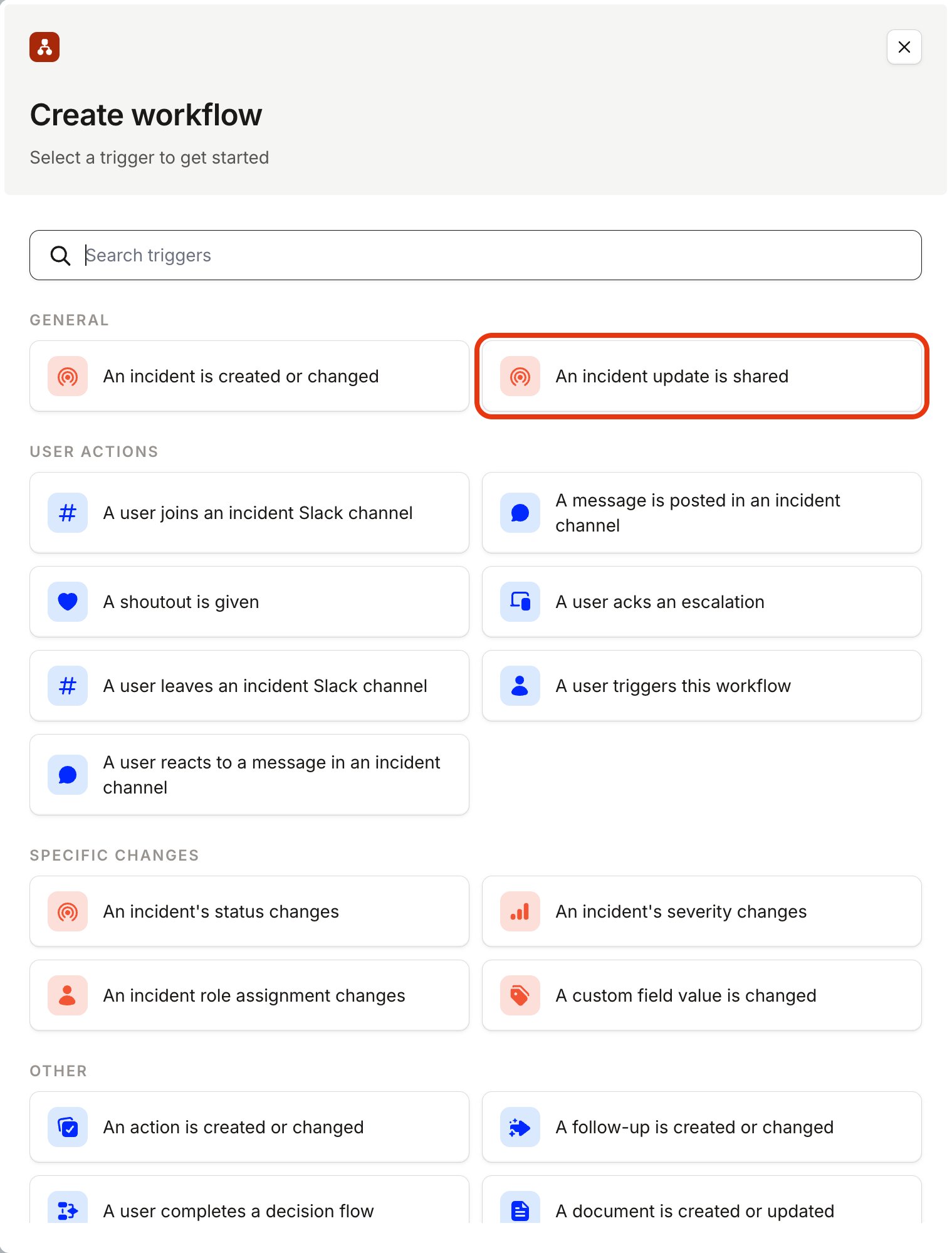
You might want to automatically send an email enclosing your update to, say, senior management, affected partners or the Account Executive of the affected client. You can do all this (and more) with a Workflow - just select ’ An incident update is shared ’ as a trigger!