Automatically create a call link
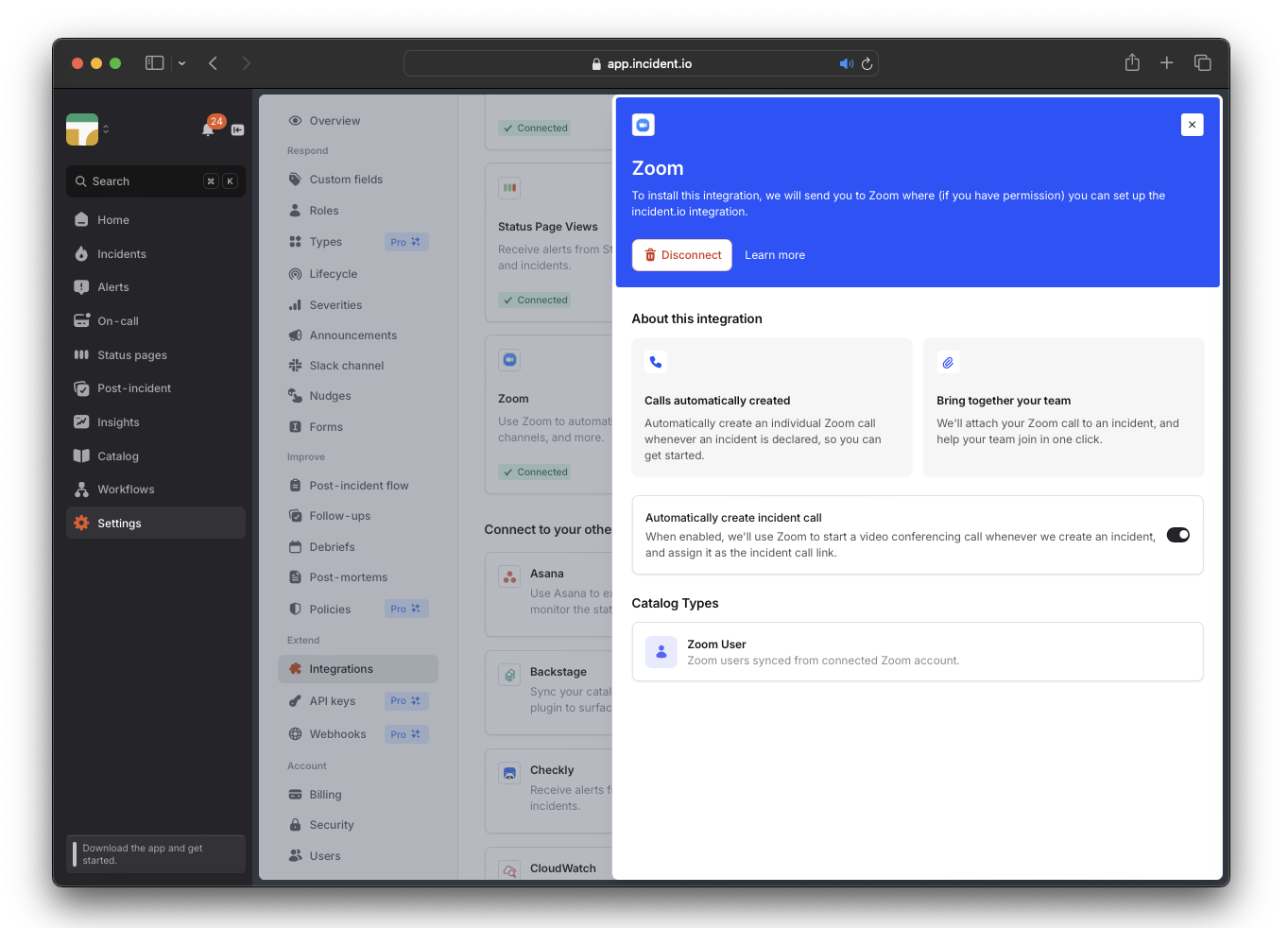
We can automatically generate and pin a dedicated call link for each new incident via the Zoom or Google Meet integration. Once you’ve set up Zoom or Google Meet, toggle on theAutomatically Create Incident Call setting in the Zoom or Google integration.
Copy-pasting an existing link
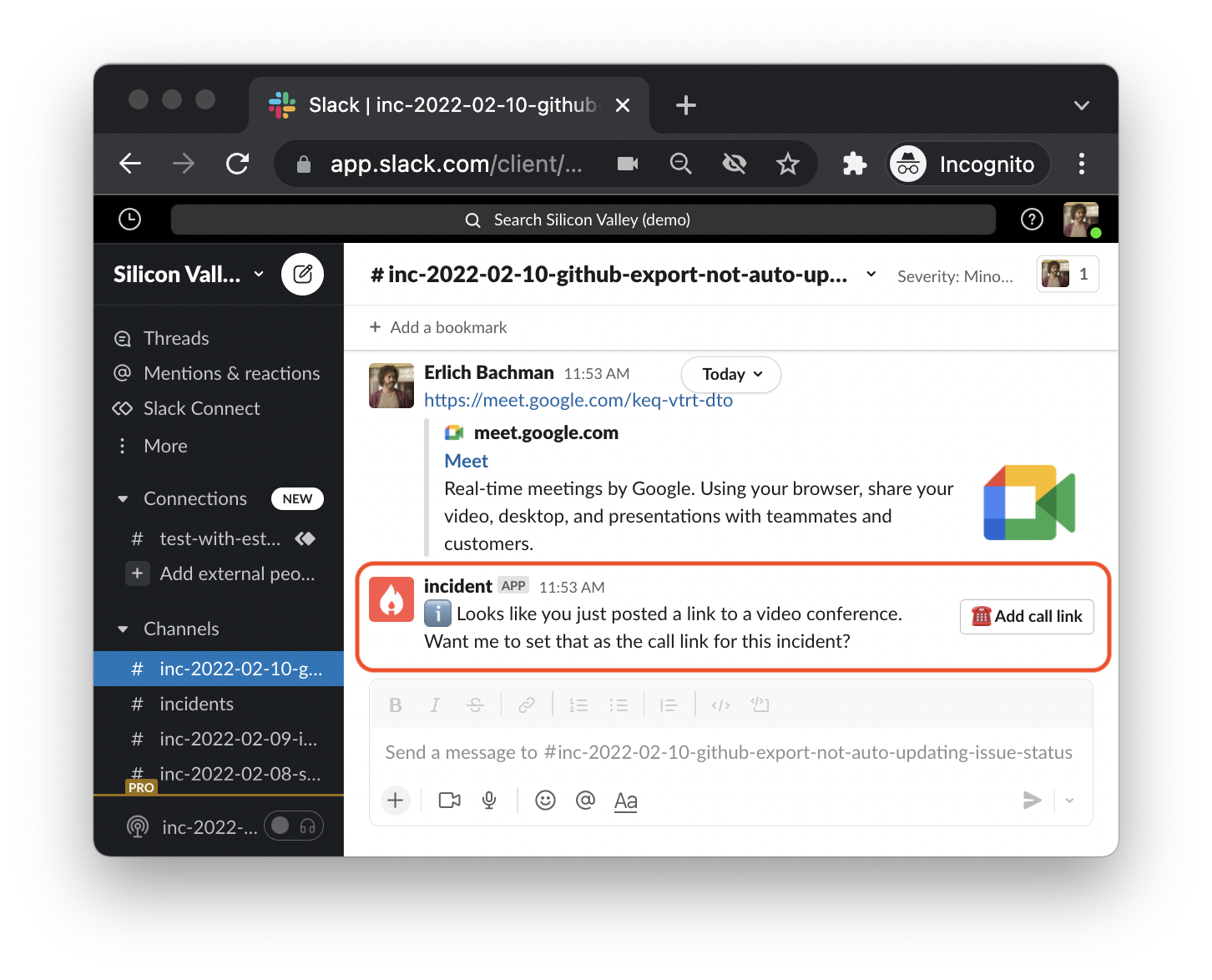
If you already have a Zoom/Google Meet video call link, paste it into an incident’s (#inc-... ) channel.
We will recognize it as a call link, and ask you if you’d like to pin it as the go-to link for everyone working on the incident.
You can also use /incident call for this !
Using the same fixed link for all incidents
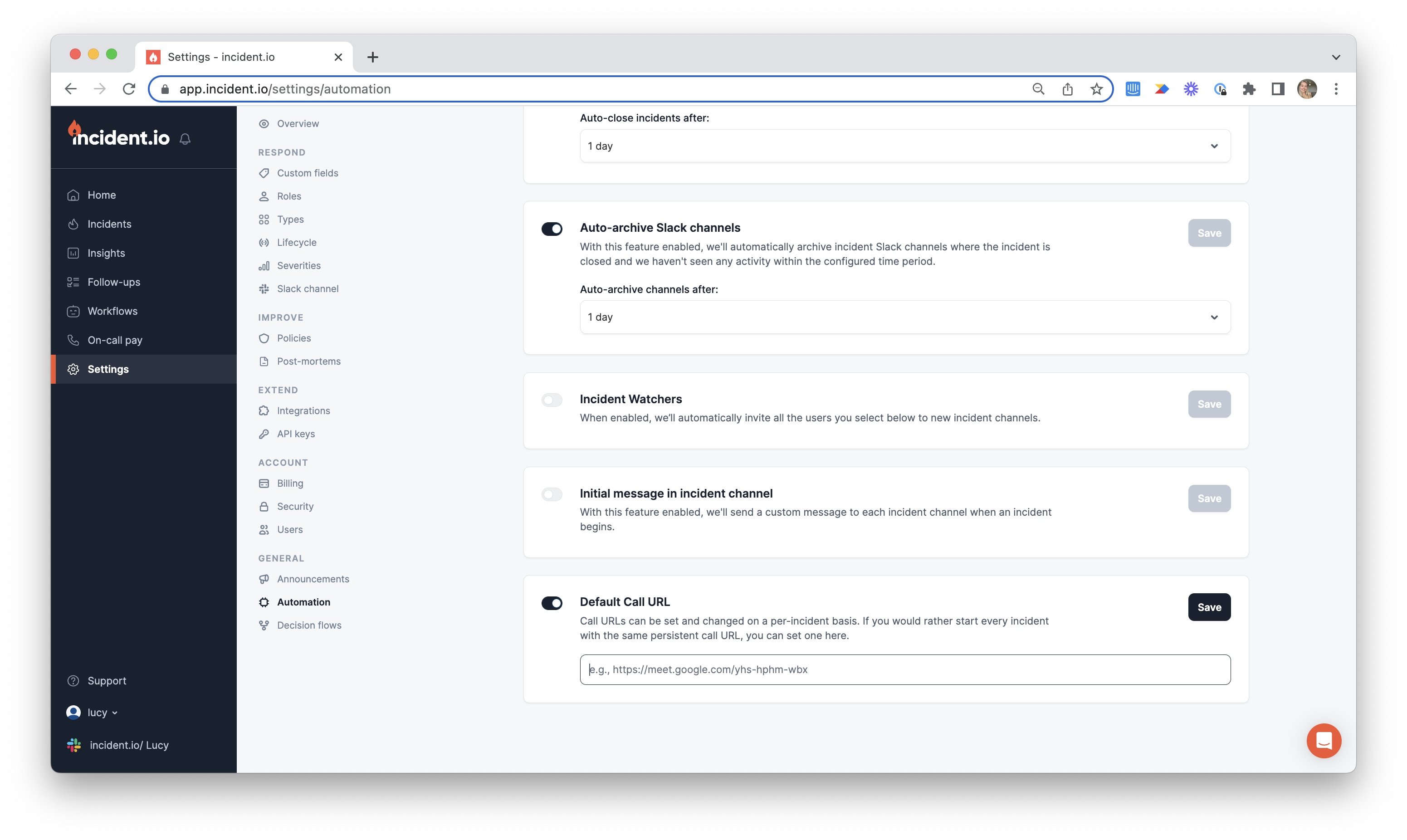
If you have a unique call link you use for all your incidents, you can attach that link as a default from the Automation page within Settings