

Snooze a suggestion
Open the … menu on the message and choose:- Snooze for 15 minutes
- Snooze for 1 hour
- Snooze for 3 hours
- Snooze for this incident
What runs by default
Every Slack organization starts with these, already on. The clock starts when a suggestion’s conditions first match, not when the incident is declared.
Many of these carry conditions as well as timings, so you won’t see all of them on every incident. If your plan includes AI suggested updates, you get those in place of the update and triage prompts.
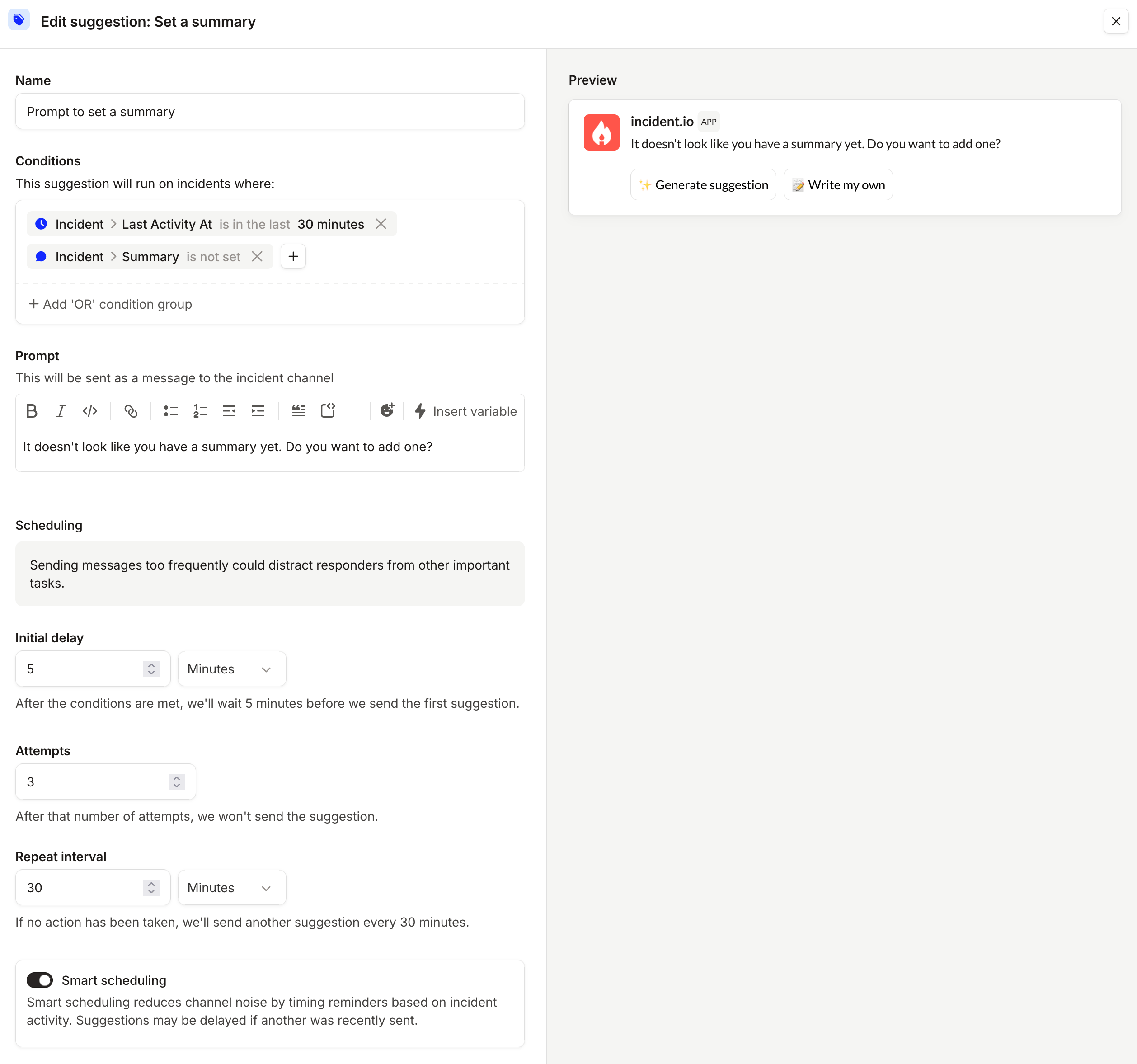
By default, we run suggestions using smart scheduling, which is designed to minimize the noise within your incident channels. We do this by adapting the schedule that the suggestion is run on based on activity within the incident. For example: if another suggestion was just sent, we might delay the next one by a few minutes.
Customize and turn off suggestions
Turn any suggestion off from Settings → Suggestions. The menu next to it offers Disable, which keeps the configuration for later, and Delete, which removes it. Both work on every plan, on the defaults you start with as well as any you add. On Pro and Enterprise, you can also create suggestions and edit the ones you have:- Prompt: the message we post in the channel, including variables such as the incident lead
- Conditions: which incidents it runs on, using incident attributes like type, severity, role assignments and custom fields
- Initial delay, Repeat interval and Attempts: when it first arrives, how often it comes back, and how many times per incident
- Smart scheduling: on or off