

Suggested updates
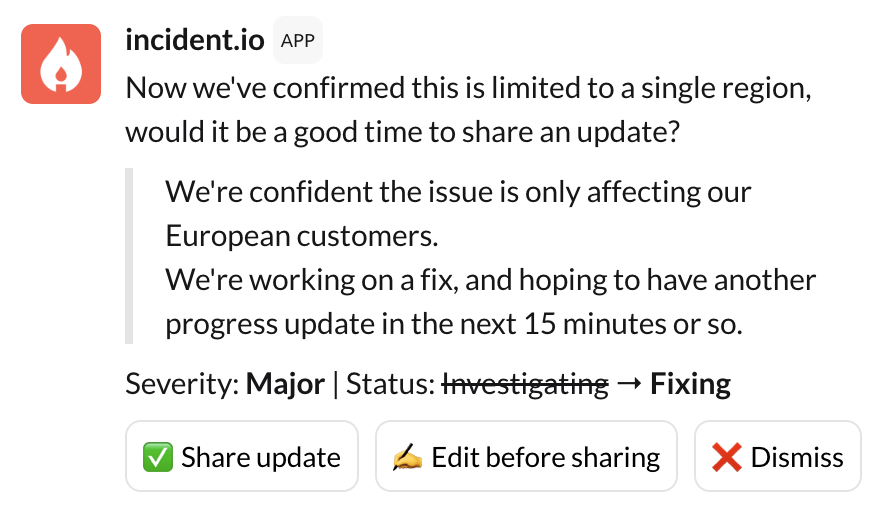
@incident draft me a new update
Suggested summaries
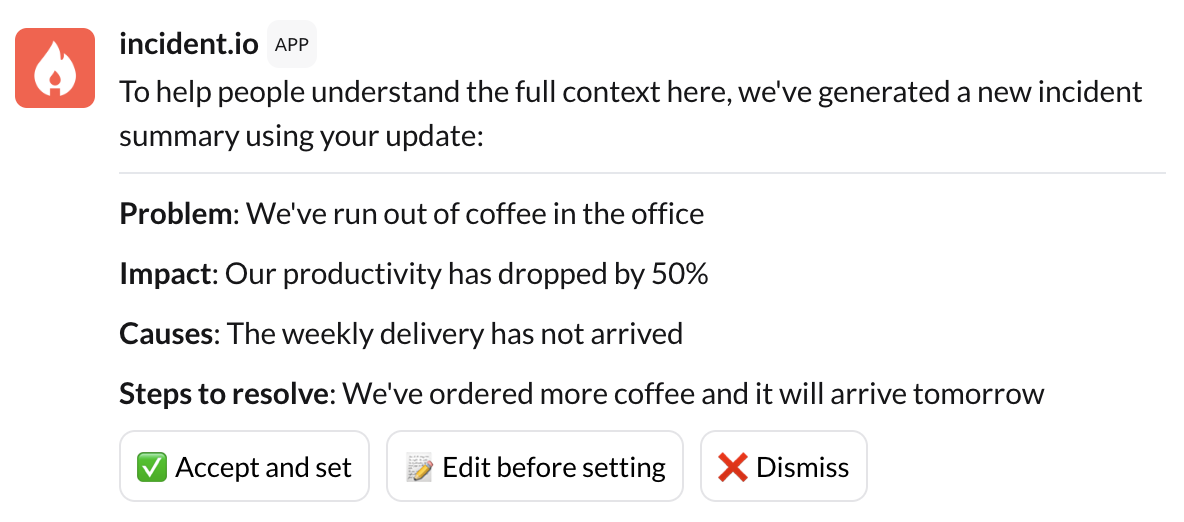
@incident draft me a new incident summary
Suggested follow-ups
Suggested follow-ups are given when an incident is resolved. We look back through the channel and spot anywhere follow-ups were discussed. We then match these against actions and follow-ups that are already created. If we spot any that we think are missing we’ll bring them up as suggestions within the channel. You can then easily create follow-ups off the back of these suggestions.At declaration time
When creating an incident from a Slack message using the quick action (three dots menu), AI can automatically generate a title and summary based on the message content. This requires AI features to be enabled in your account settings.Suggestions in the dashboard
Suggestions also surface in the dashboard chat, appearing as notifications that you can interact with inline. The same three suggestion types are available — updates, summaries, and follow-ups — configured via the same Settings > Suggestions page as for Slack and Teams.Configuring suggestions
Suggested summaries and follow-ups are available to Team, Pro and Enterprise customers. They are “on” by default. To check if they are enabled, head to Settings > Suggestions. Suggested updates are available to Pro and Enterprise customers, and can also be configured from Settings > Suggestions.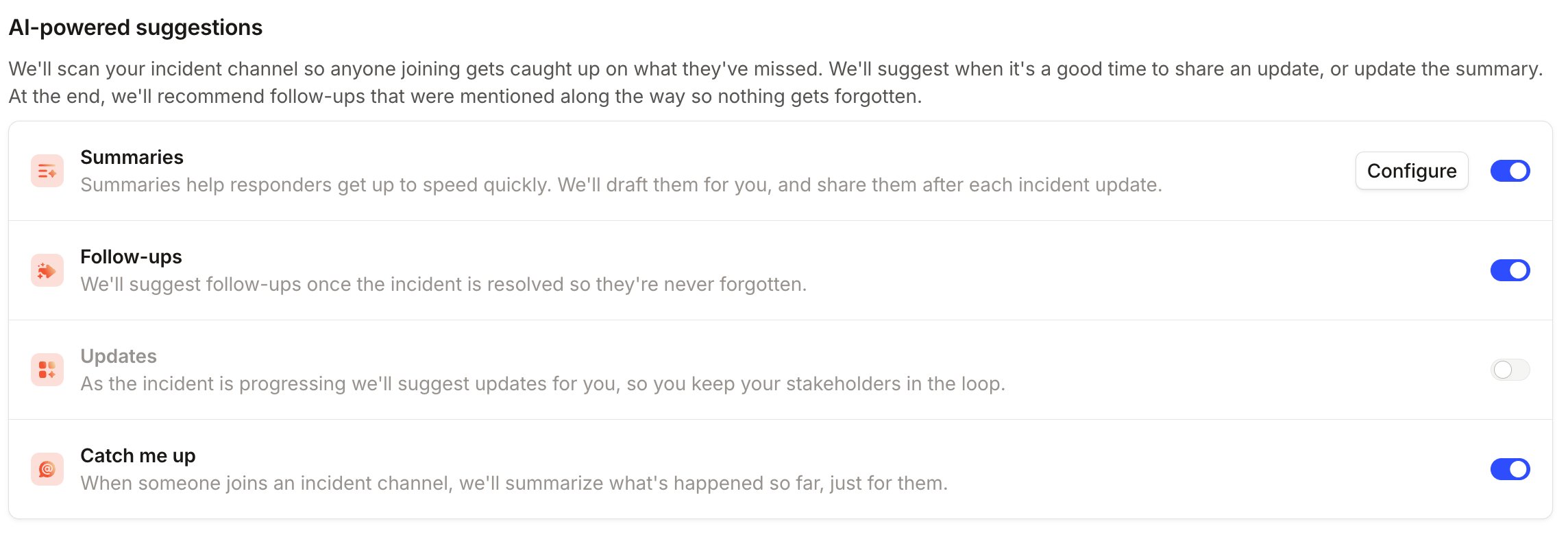
FAQs
What's a rule based suggestion?
What's a rule based suggestion?
Rule-based suggestions (previously “nudges”) allow your team to build custom suggestions that prompt incident responders to take action, based on a set of configurable rules.To learn more about rule-based suggestions and how to configure them, see Rule-based suggestions.
How do you use AI?
How do you use AI?
Please find more details in this article.