

- Templates control what your announcement posts look like: the fields, actions, and emojis that appear in the post.
- Rules control which incidents get announced, and where.
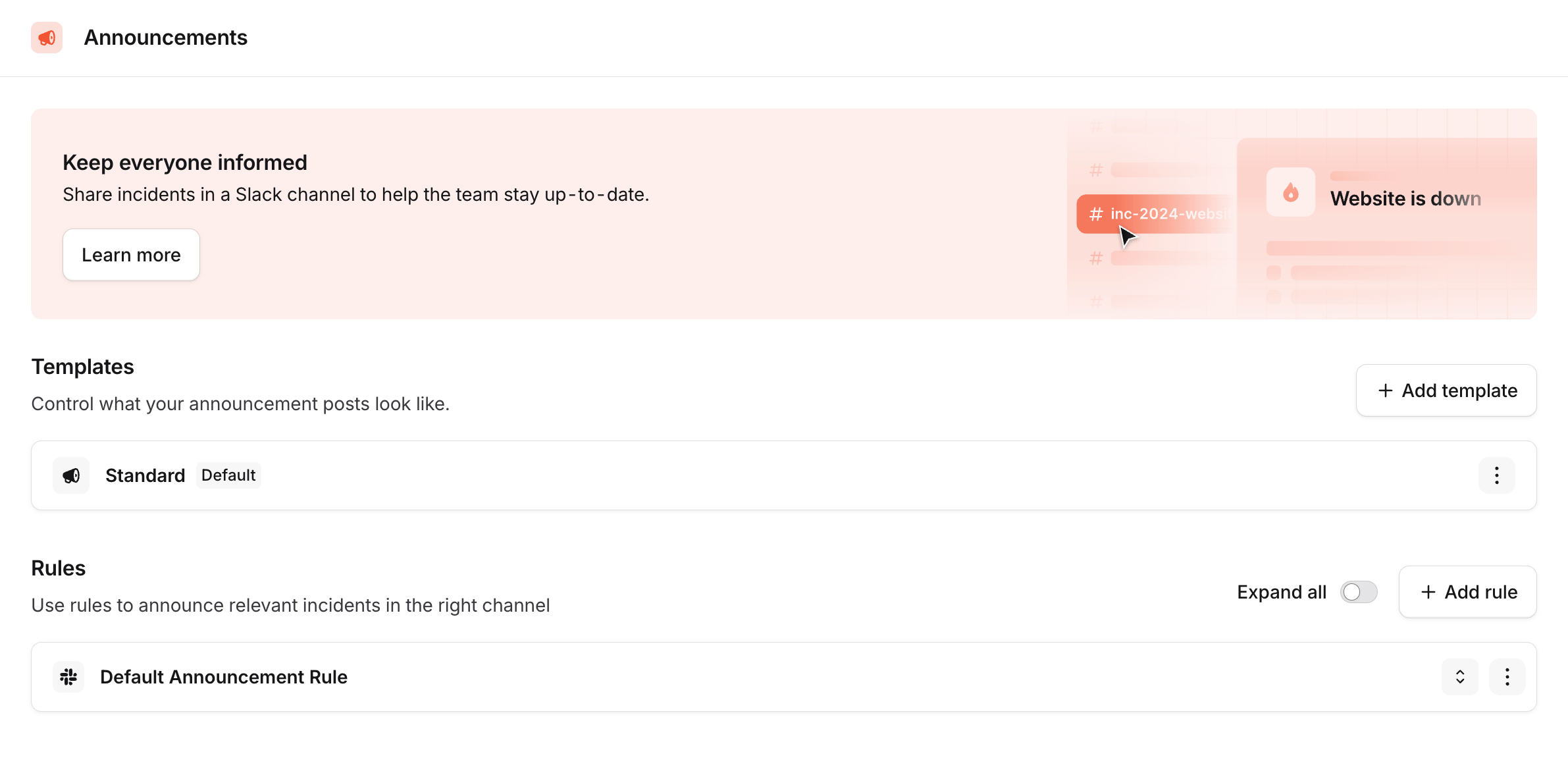
The Announcements settings page, with your Templates and Rules
Templates
A template controls what an announcement post looks like. Every account starts with a single template, which is marked as your Default. This is the template used whenever a rule (or workflow) doesn’t specify one. Click a template to edit it. You can add or remove fields and actions, reorder them, and configure which emojis appear next to each field, with a live preview of the post as you go.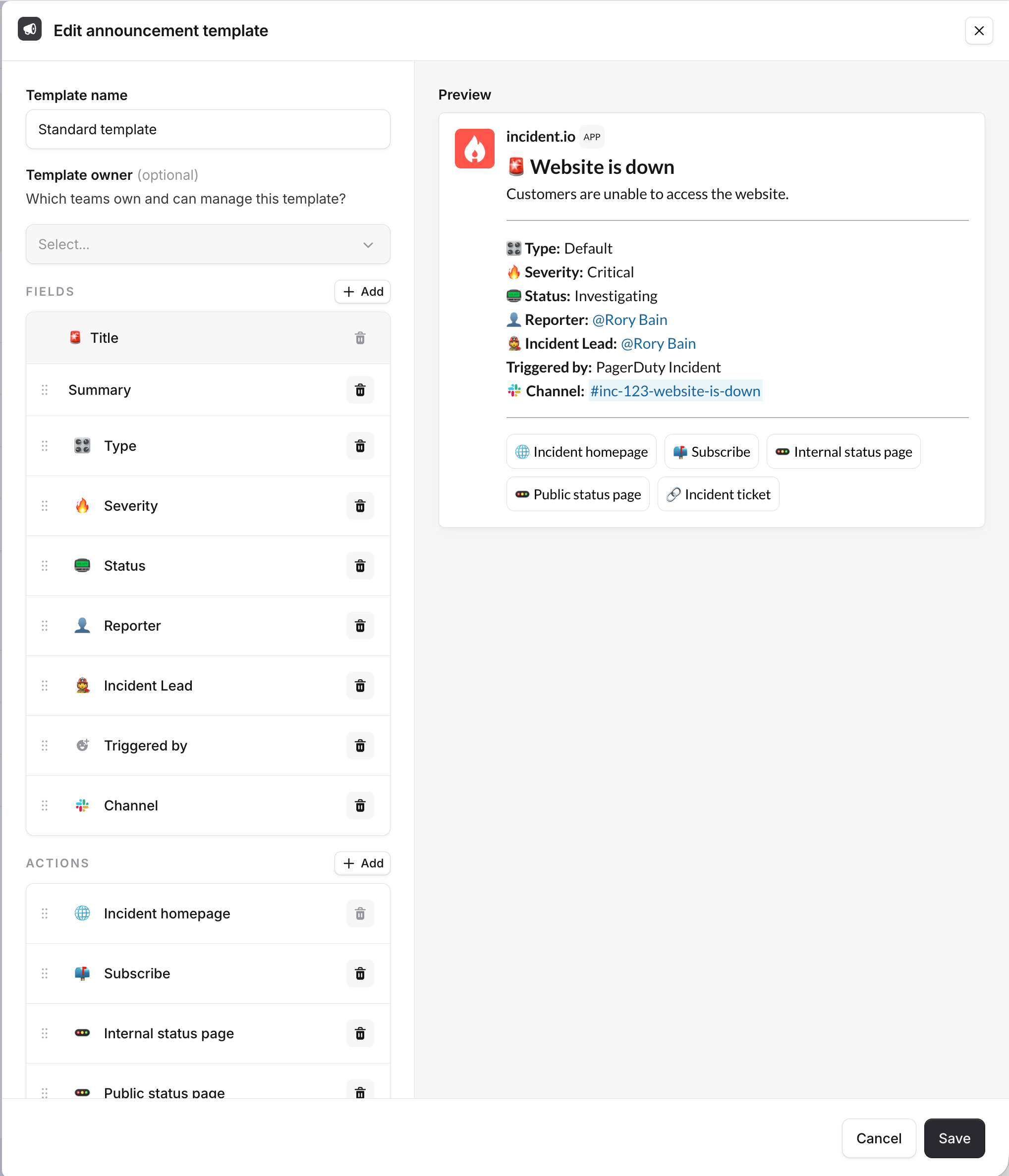
Editing an announcement template, with a live preview of the post
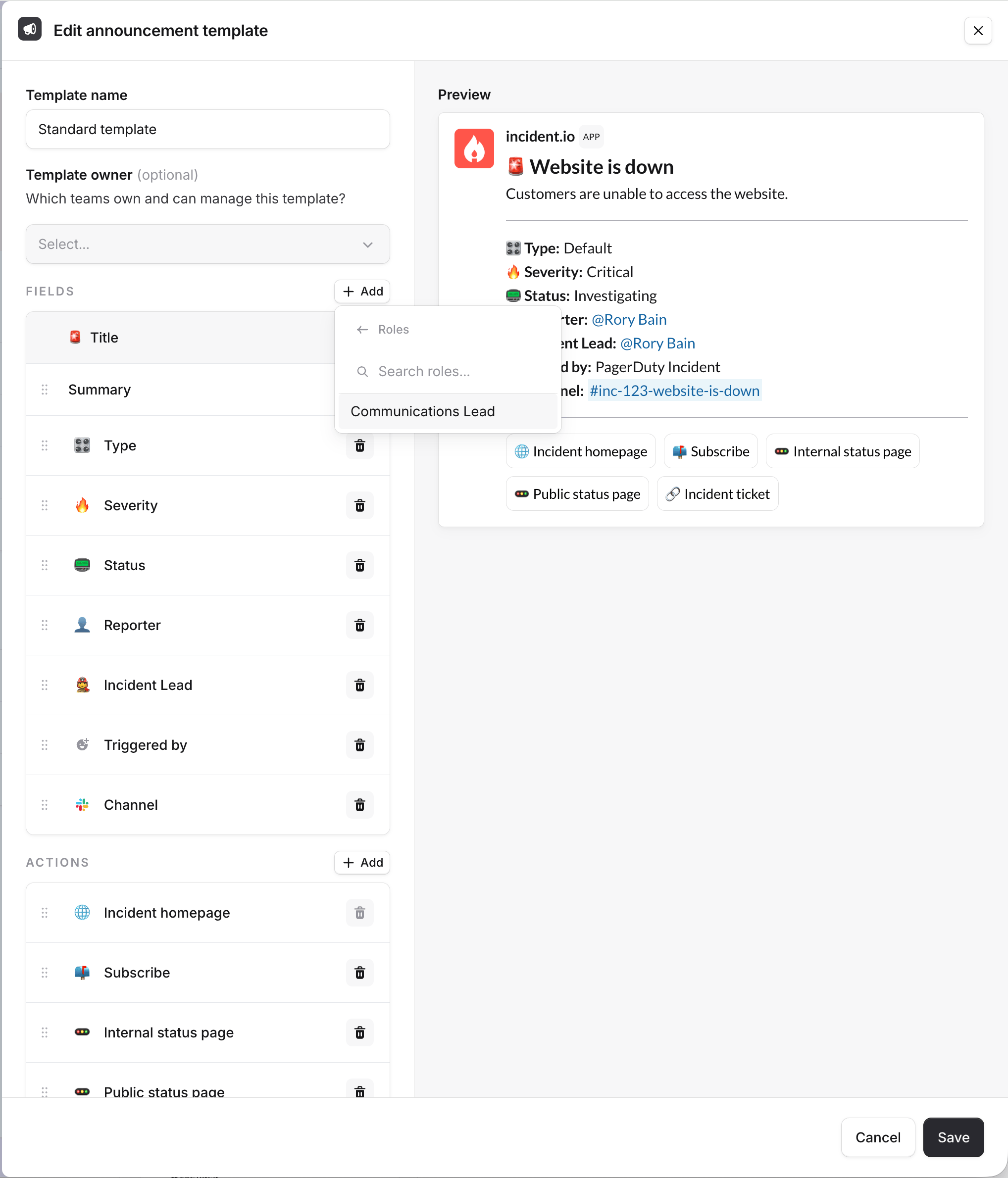
Adding a field to a template
Using more than one template
You’re not limited to a single template. Click Add template to create additional templates. This is useful when you want variations for specific purposes, such as a stripped-back post for a particular audience, or a template paired with a specific announcement rule so different incidents are announced differently.You can also choose a template in the Post an incident announcement step of a workflow. Leaving it
blank falls back to your default template.
Rules
Rules control which incidents get announced, and where. By default, we announce every new incident and its updates in a single channel. In Slack, that’s your#incidents channel.
Click a rule to edit it. You can change which channel it posts to, add conditions so it only fires for specific incidents (for example, announcing critical incidents in #customer-support too), and pick which template it uses.
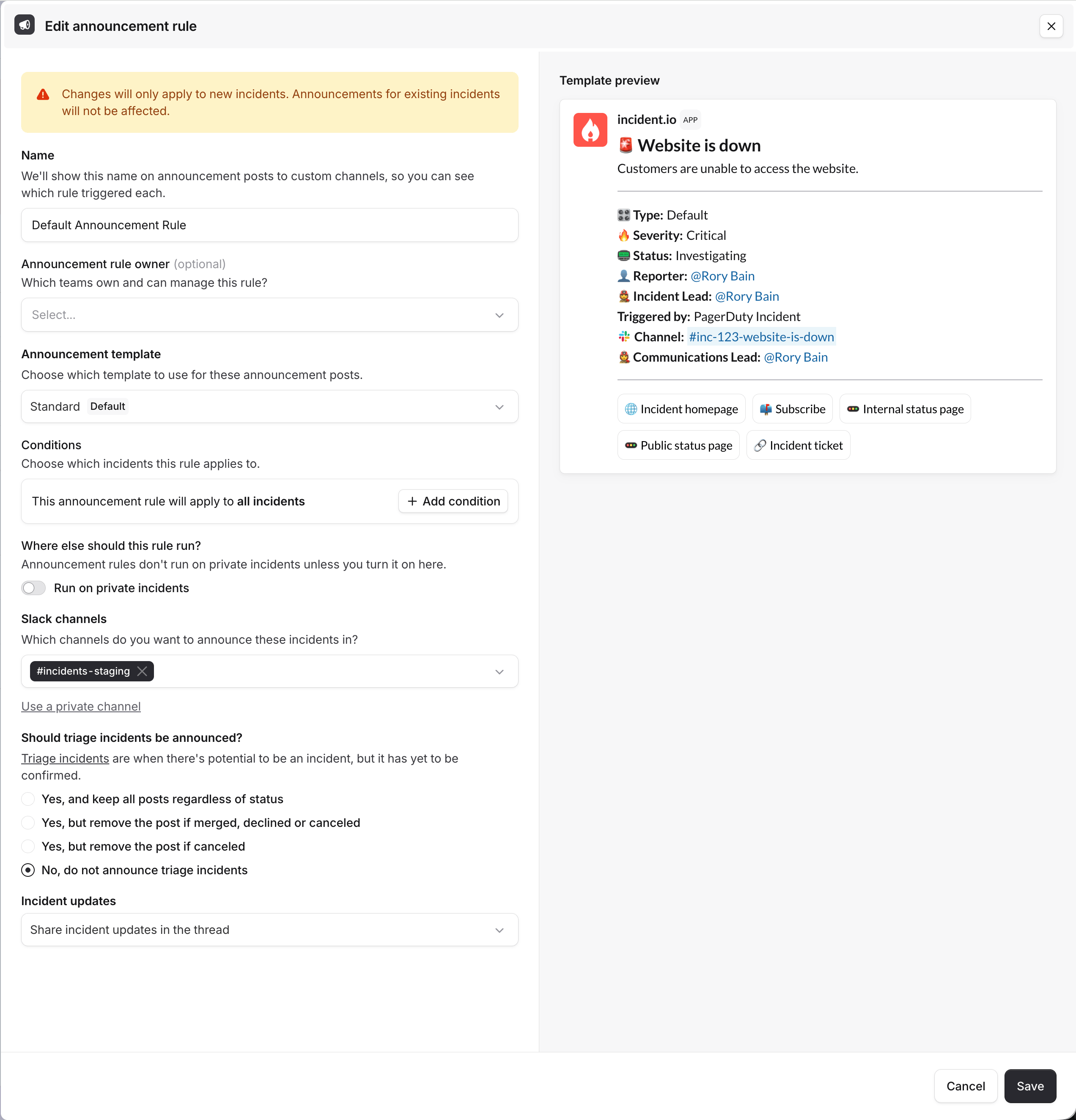
Editing an announcement rule, with a live preview of the post
Don’t delete whichever channel you’re using for default announcements. On Slack, if you already had an
#incidents
channel when you installed our app, we’ll have created a channel called #incident-io-incidents instead, which you
can rename to whatever you’d like.Team ownership
You can give one or more teams ownership of a template or a rule:- Templates: set the Template owner field when you create or edit a template. Your default template can’t be team-owned, and choosing which template is the organization default stays an account-level action.
- Rules: set the Announcement rule owner field in the rule’s create or edit drawer.
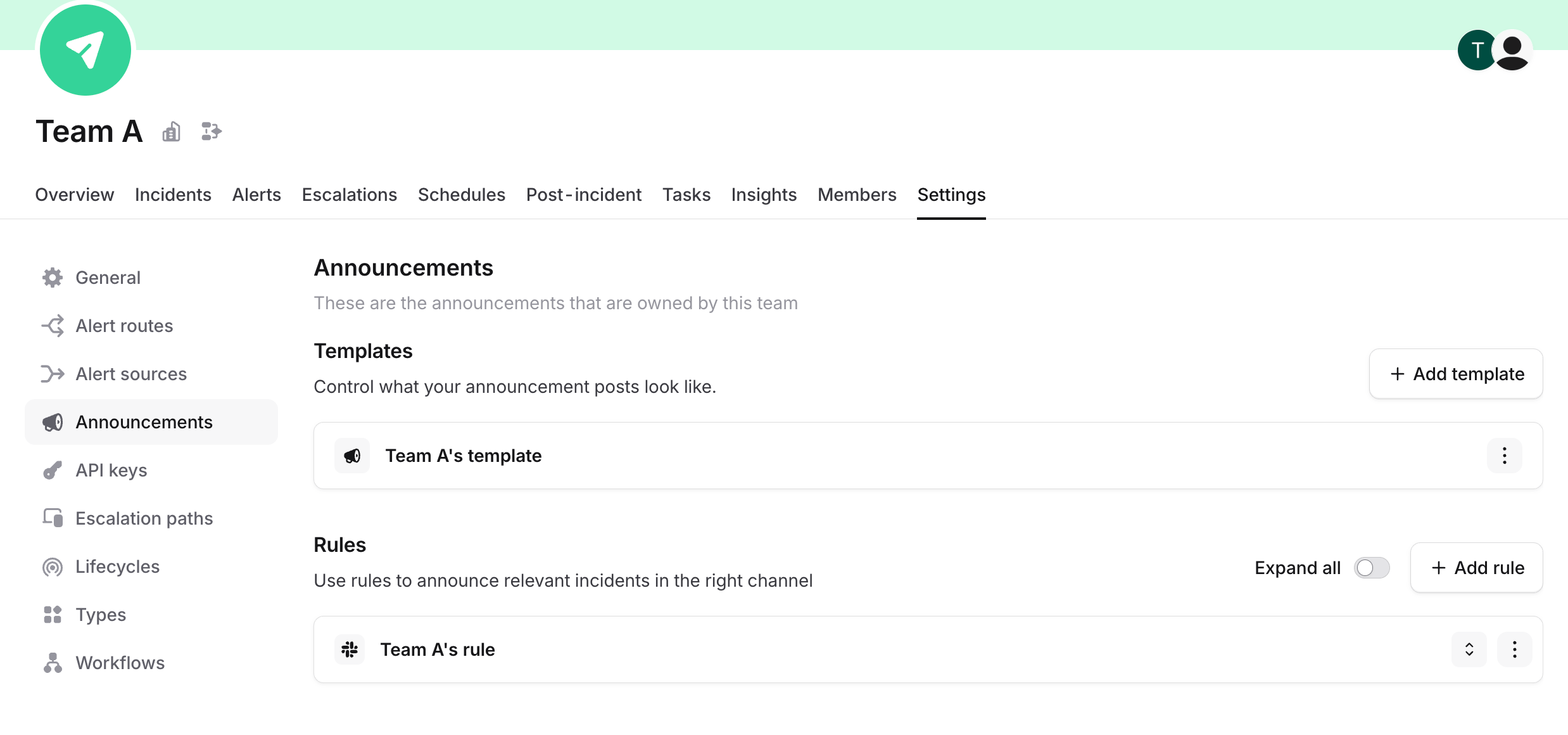
A team's owned announcement templates and rules, on their team settings page
FAQs
What's different on Microsoft Teams?
What's different on Microsoft Teams?
Not much. Templates and rules are configured in the same place and work the same way on both platforms.The main difference is the default announcement channel: on Slack it’s your
#incidents channel, whereas on Microsoft Teams it’s the General channel of your Incidents team. See Announcement channels for more.Can I @mention a Slack user group in an announcement post?
Can I @mention a Slack user group in an announcement post?
The announcement builder does not currently support free-form text or @mentioning Slack user groups directly in the announcement post.If you need to notify a specific team when an incident is announced, consider these alternatives:
- Announce to the team’s Slack channel: Use a rule to post directly to the relevant team’s channel.
- Invite the user group via a workflow: Set up a workflow to automatically invite the Slack user group to the incident channel.
- Auto-subscribe to certain incidents: Encourage folks to auto-subscribe to incidents belonging to their team.