

- To create a custom bookmark, first navigate to Settings → Slack Channel.
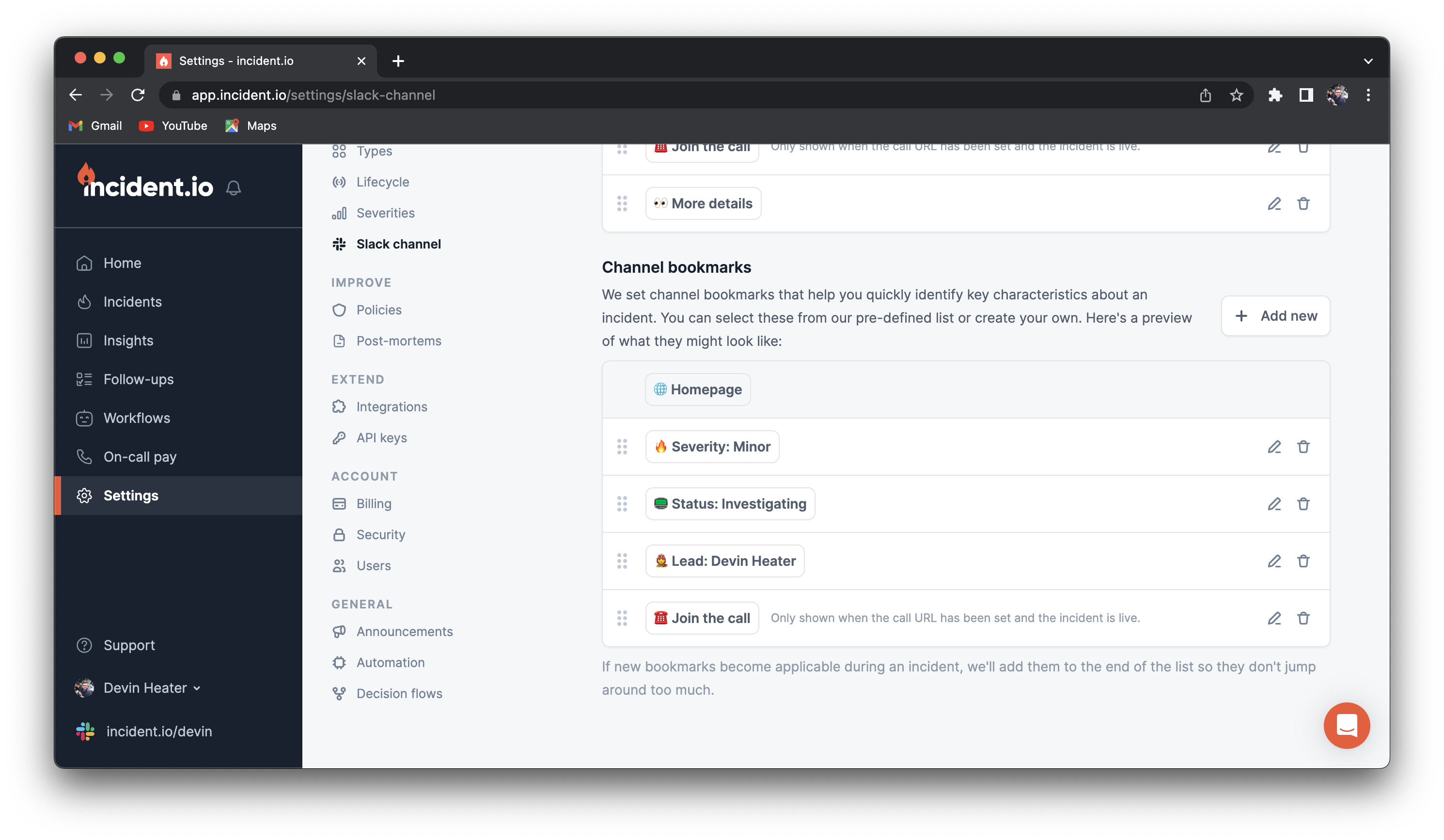
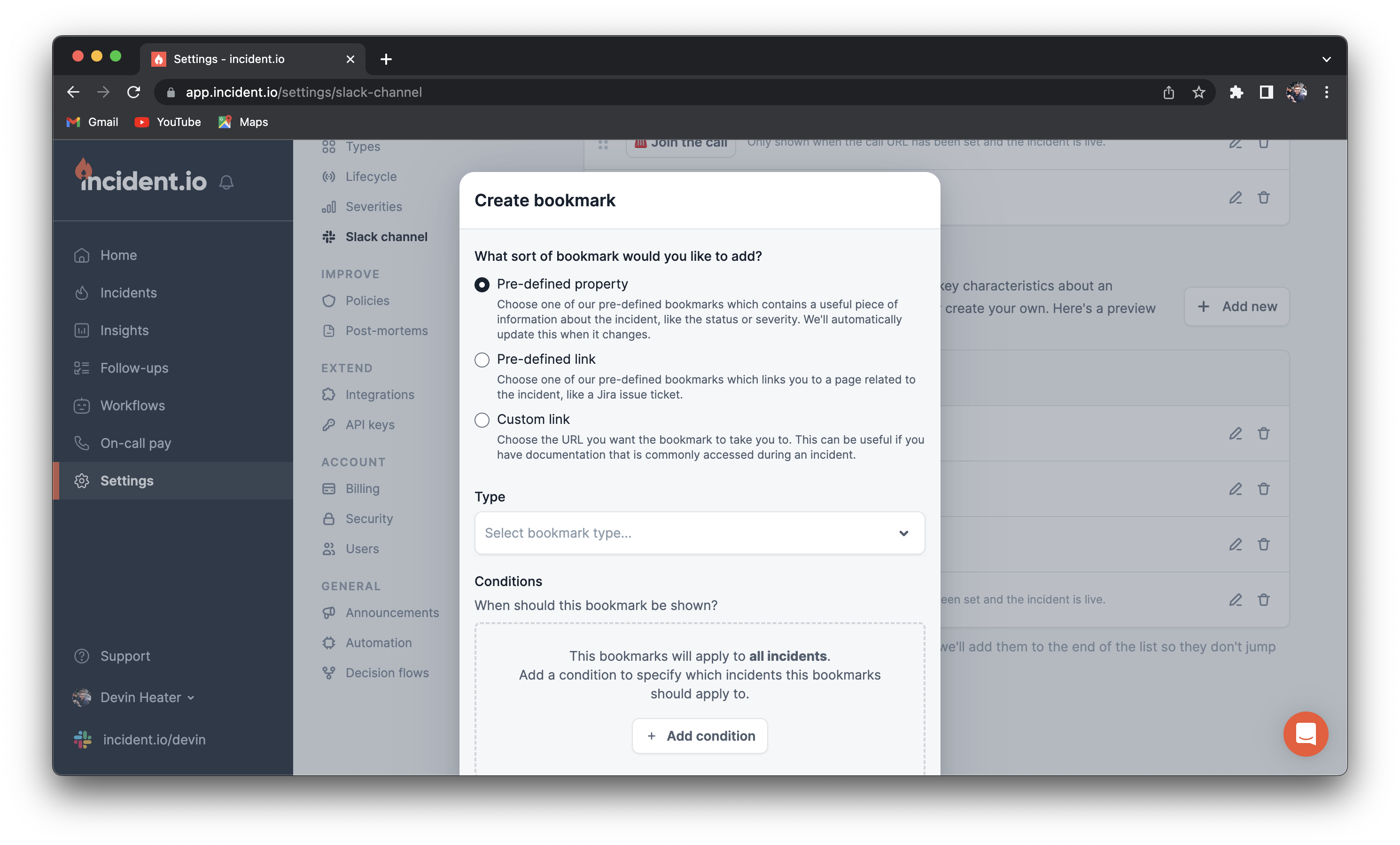
- Click the ”+ Add New button”, and create. You will have three options for the kind of bookmark you’d like to add:
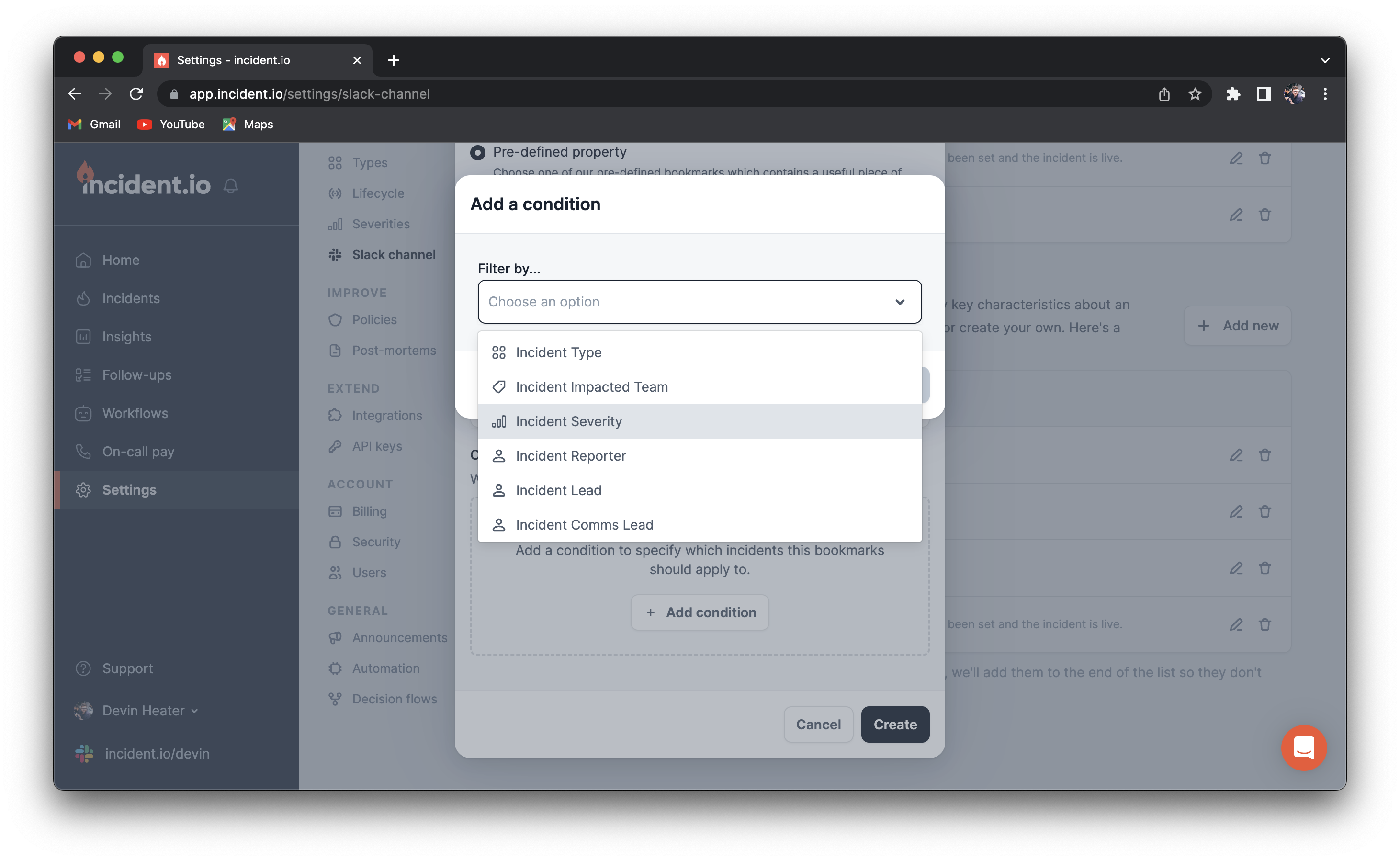
- You can also choose under what condition a bookmark appears (i.e. a link to a critical incident doc only appears on critical incidents).
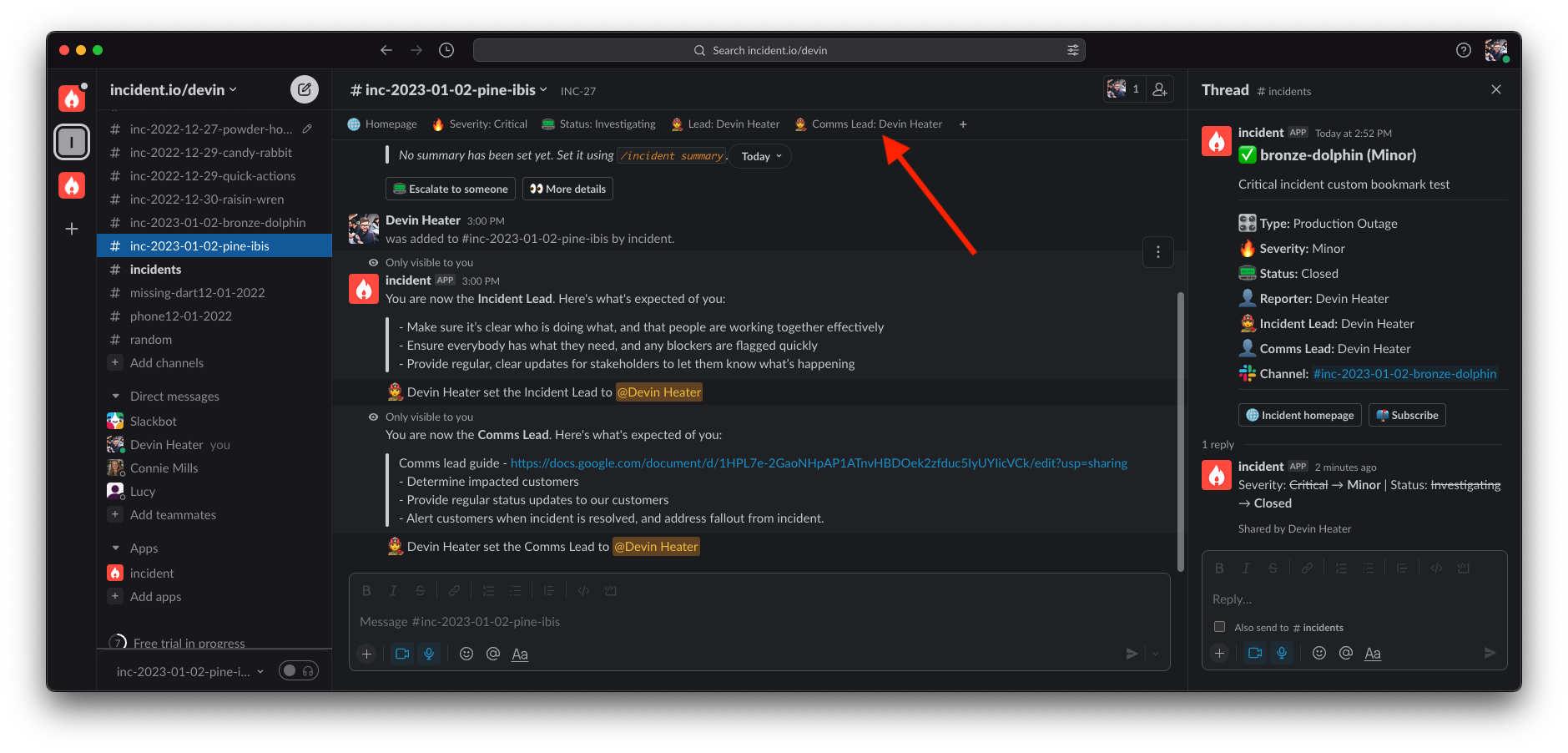
- Next click “Create”, and your bookmarks will appear at the top of the incident channel when the conditions you selected are met.
Why are my bookmarks showing up in the wrong order?
Why are my bookmarks showing up in the wrong order?
The Slack API limits what we’re able to do with the bookmarks in your incident channel. Currently, we’re only able to append bookmarks to the end of the list. This might mean that sometimes, you see bookmarks end up in a different order than the one you’ve set up.The alternative is to individually remove and re-add all of the bookmarks we’ve created. This turned out to be visually much more jarring, and it also resulted in the reordering of any bookmarks that had been manually added to the channel. Although having bookmarks out of order isn’t ideal, we feel like this is the best option for now.Some actions, such as creating a call for your incident, happen in the background after we’ve created your incident channel. In these cases, you’re likely to see the “Join the call” button show up at the end of your list of bookmarks. We’ve got much more control over announcement messages: you’ll see that the order here will always be what you expect.We always keep an eye out for improvements to the Slack API, and we hope to be able to improve this in the future.