

Team roles rely on having teams set up in your catalog. If your organization doesn’t use teams yet,
start there.
- Alerts and escalations — resolving alerts and responding to escalations
- Announcements — a team’s announcement rules and post templates
- Catalog types and entries — editing a team’s catalog types and their entries
- Incident types and lifecycles
- Telemetry data sources — managing a team’s telemetry data sources, and querying restricted ones
- Workflows
Team roles are in addition to account-level roles. If someone can manage something at
the account level, they can make changes even if they’re not on the team that owns it. This lets a small set of admins
step in across teams.
How team-based permissions work
Giving a team control of its own resources follows the same shape wherever you do it:- Give the resource an owning team. Where you set this depends on the resource (see the pages linked above). A resource with no owning team behaves as it did before you started. See Team resources for what ownership means.
- Create a team role with the permission. At Settings → Permissions → Team-level, create a team role (or edit an existing one) and select the relevant permission.
- Remove the account-level default, if the permission is granted to everyone. Some permissions (like Manage workflows or Manage announcements) are in the Standard base role out of the box, so everyone holds them account-wide. Until you remove that grant at Settings → Permissions → Account-level, team ownership has no effect on who can manage the resource.
- Confirm it’s working. Someone outside an owning team sees the relevant controls disabled, with a tooltip explaining they don’t have permission for that resource. Members of the owning team, and anyone who holds the permission account-wide, can manage it as normal.
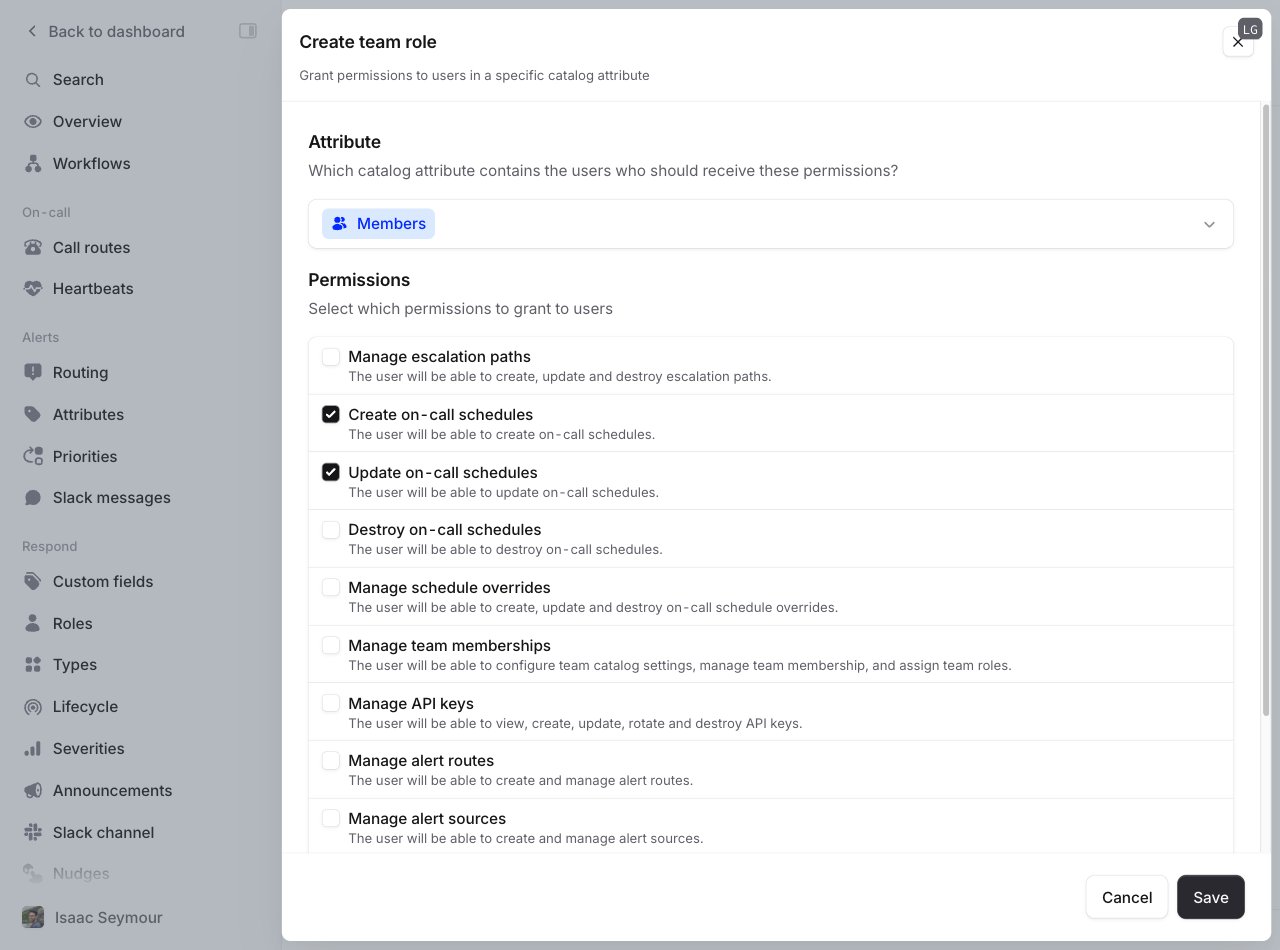
Creating a team role
Assigning team roles
Who has which team role is controlled via the catalog. Each team role corresponds to an attribute on your Team catalog type (you can configure which catalog type represents your teams here). You can view and change who has which role from the Members tab of the team’s page.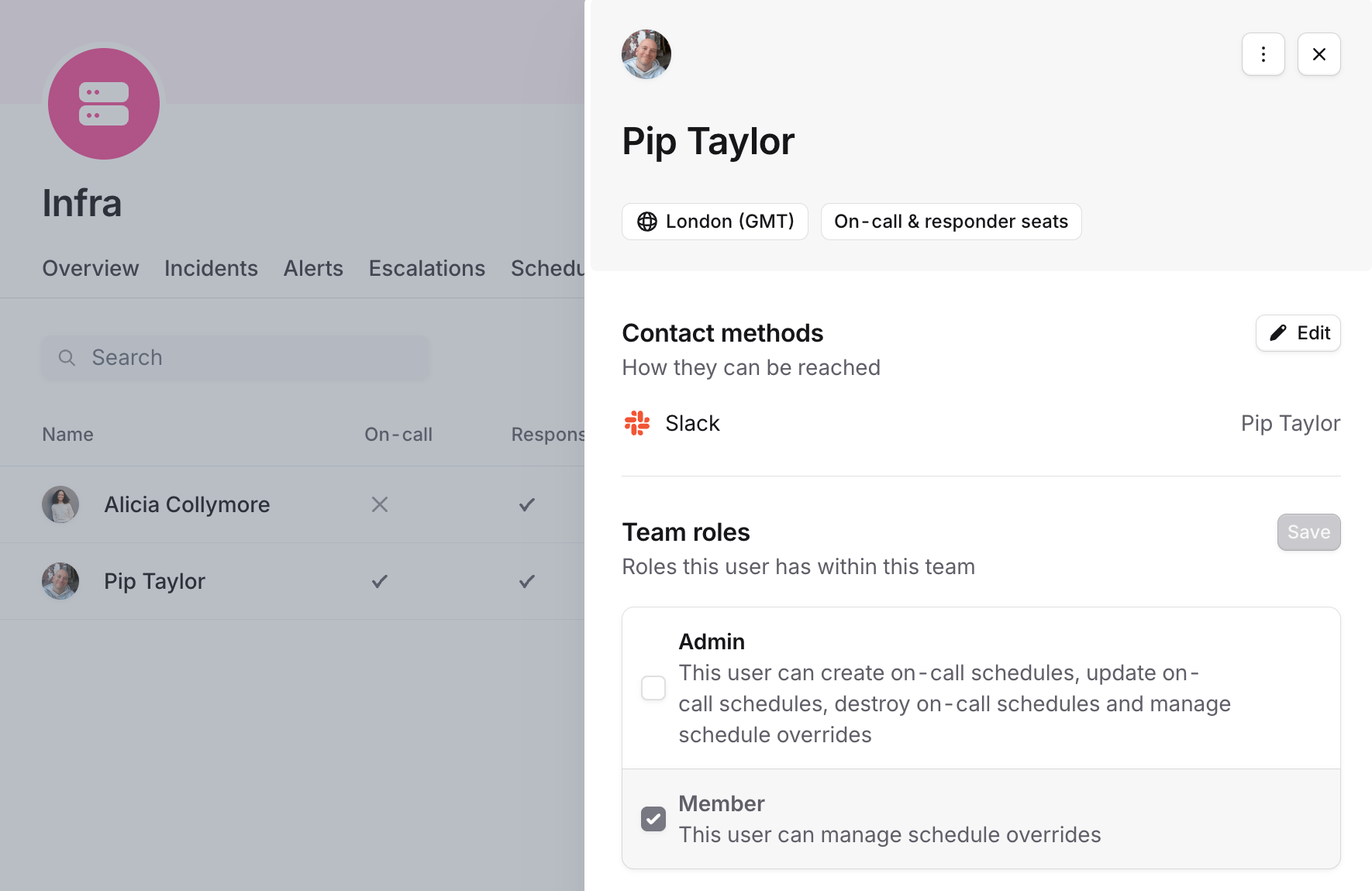
Viewing and editing a team member's roles
If your teams are controlled externally (for example via Linear, GitHub, the catalog importer, or Terraform), then
anyone who can update teams in the external system can control which users have team roles within incident.io.
Example: team-owned schedules
Say you want everyone on a team to create schedule overrides, but only the team’s managers to edit the schedule itself. First, make sure the schedule is owned by the right team: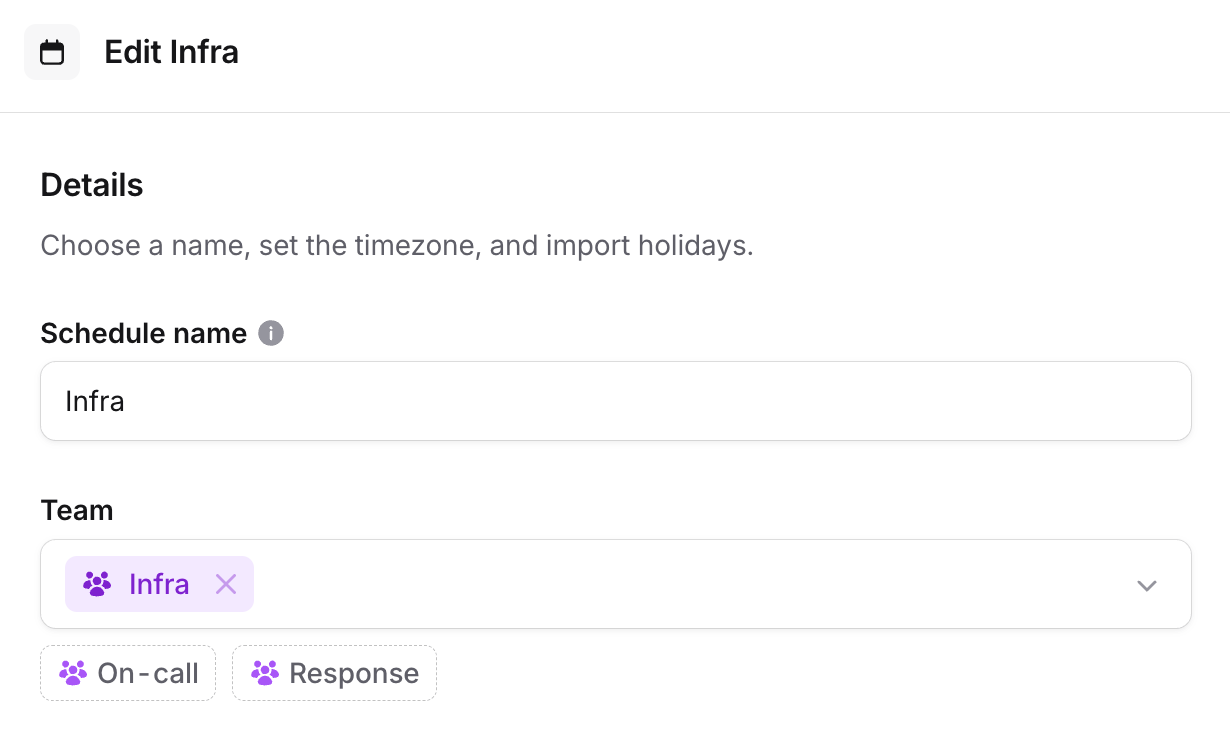
Configuring which team owns a schedule
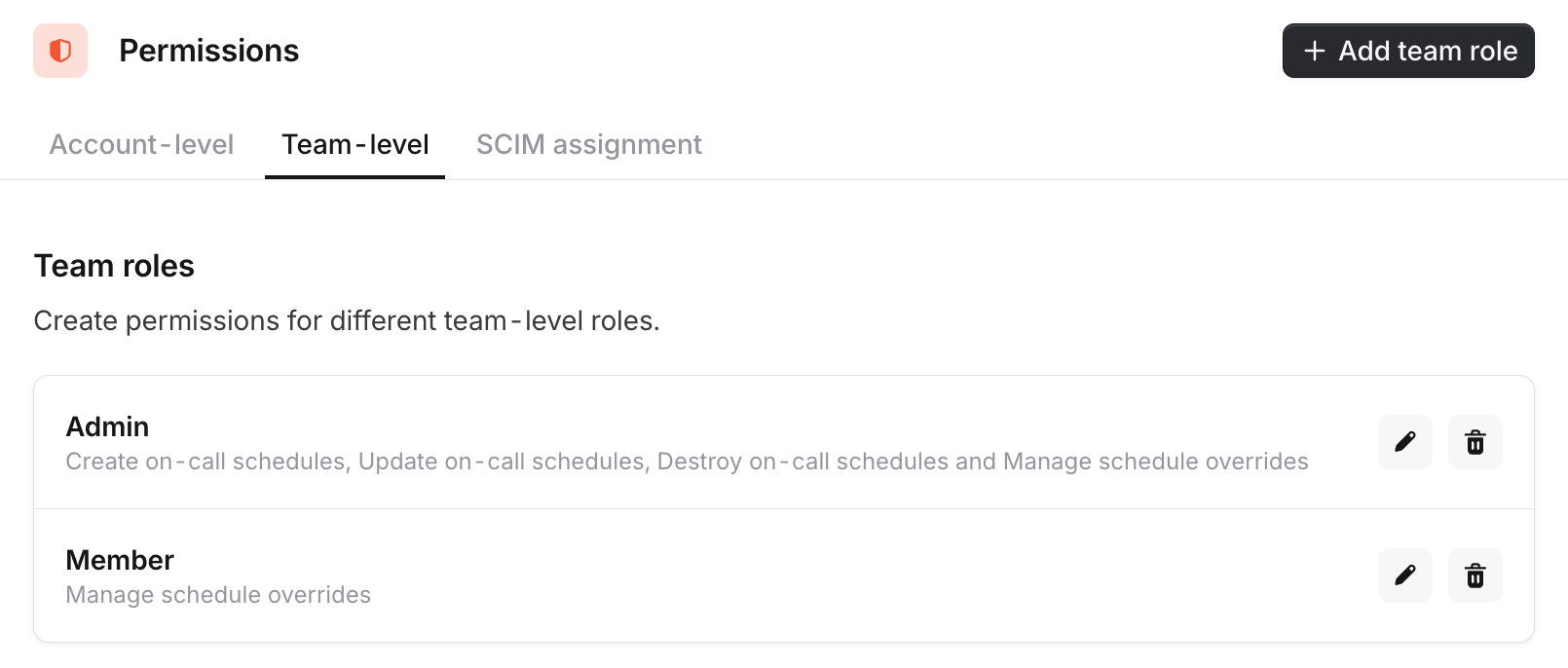
Team roles for members and admins
FAQs
Who can change which team owns a resource?
Who can change which team owns a resource?
Reassigning ownership always requires the relevant permission granted account-wide. A team can manage a resource
they own, but they can’t hand it to another team or remove their own team from it. This stops a team from quietly
giving away (or locking others out of) a shared resource.
What happens to resources with no owning team?
What happens to resources with no owning team?
They can be managed by anyone who holds the relevant permission account-wide. For permissions that are in the
Standard role by default (like Manage workflows or Manage announcements), that’s everyone until you
remove it in step 3.
Can a resource be owned by more than one team?
Can a resource be owned by more than one team?
Yes. You can assign multiple owning teams, and a member of any one of them (with the permission granted to that
team) can manage the resource.
Can admins still manage everything?
Can admins still manage everything?
Yes. Anyone who holds a permission account-wide can manage any resource of that kind, regardless of which team owns
it. This lets a small set of administrators step in across teams.