

Adding users
Inviting users by email
You can invite users to your organization with just their email address. Note that this is only available to you if your organization has sign in with email or SAML login enabled, and is always disabled if your users are provisioned with SCIM. To invite users:- Go to Settings → Users → Users tab and click Invite user.
- Type/paste one or more email addresses. You can mix in existing Slack/Teams users in the same picker.
- Choose the seat type the new users should have, then click Invite.
Inviting from a schedule or escalation path
You can also invite new users while creating or editing a schedule or escalation path. Just type an email address into the user picker. When you save, we’ll create the user, give them an On-call seat, add them to the schedule or escalation path, and send them an email letting them know they’ve been added.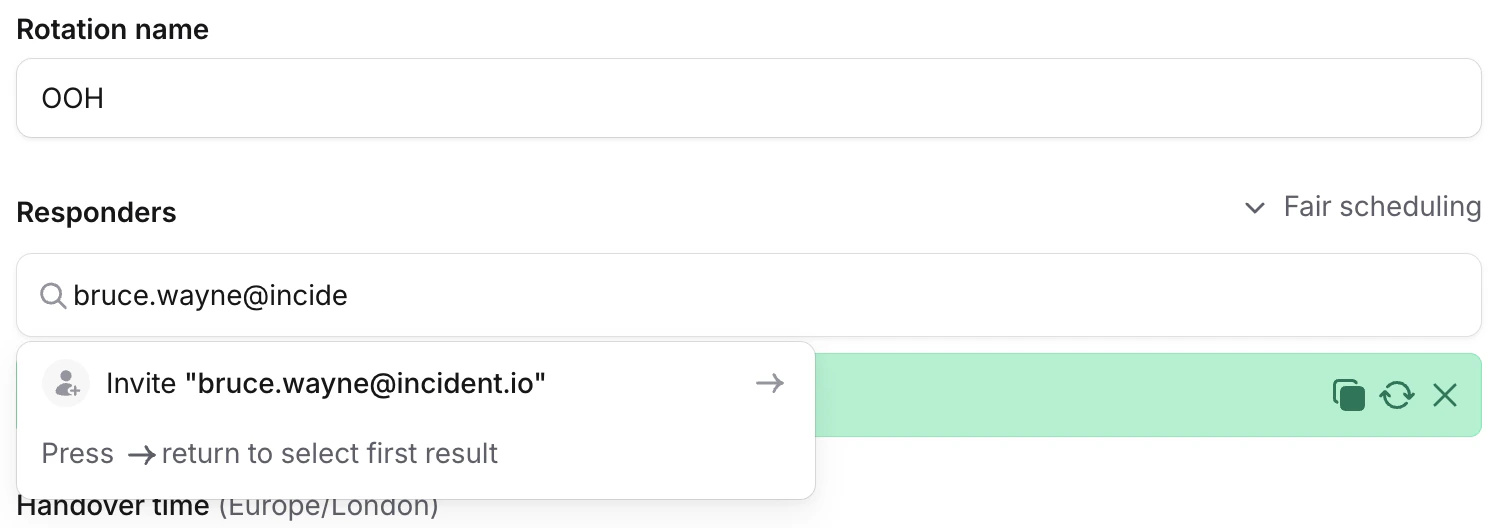
Requirements
Inviting users by email requires the Manage users permission. Owners and Admins have it by default. You can also grant it via a custom role. Email invites aren’t available if your organization uses SCIM, since user creation comes from your identity provider. If your SAML config has a domain allowlist, invites are limited to email addresses on those domains.Permissions
Each user has a base role (Standard, Admin, or Owner) that determines their core permissions, plus optional custom roles for additional permissions. This determines what they can do on the platform. See user roles and permissions for details. See seat types for details on seats and billing.Deactivating users
Users are automatically deactivated when they are deactivated in Slack or Microsoft Teams. If you use SCIM, users are also deactivated when unassigned from the application in your identity provider. To manually deactivate a user, go to Settings → Users → Users tab, click the three dot menu next to their name, click Edit details, and deactivate them. The same edit menu lets you rename email-only users. Both actions require the Manage users permission.Duplicate users
If a user has multiple accounts (for example, from joining via both Slack or Microsoft Teams and SAML with different email addresses), you can merge them. See duplicate users for details.FAQs
What happens if I invite someone who's already a member?
What happens if I invite someone who's already a member?
Already-active members are skipped silently, they won’t get a duplicate account or a second invite. You’ll see a
summary after submitting that tells you how many were invited and how many already existed.
Can I invite someone outside my SAML domain allowlist?
Can I invite someone outside my SAML domain allowlist?
No. If your SAML config has a domain allowlist, invites are limited to those domains. To invite someone from a
different domain, add the domain to your allowlist first.
Do invitees count toward my seat usage immediately?
Do invitees count toward my seat usage immediately?
Yes. The seat type you pick is applied as soon as the invite is sent. If you invite someone with a Responder or
On-call seat, that seat is consumed from your plan right away.