We can import your page setup, incident and maintenance history, and subscribers from Atlassian Statuspage in to a Public Status Page in incident.io.
We don’t currently support importing from Atlassian Statuspage to Customer or Internal only status pages - but if this is something you’d like to see, please let us know!

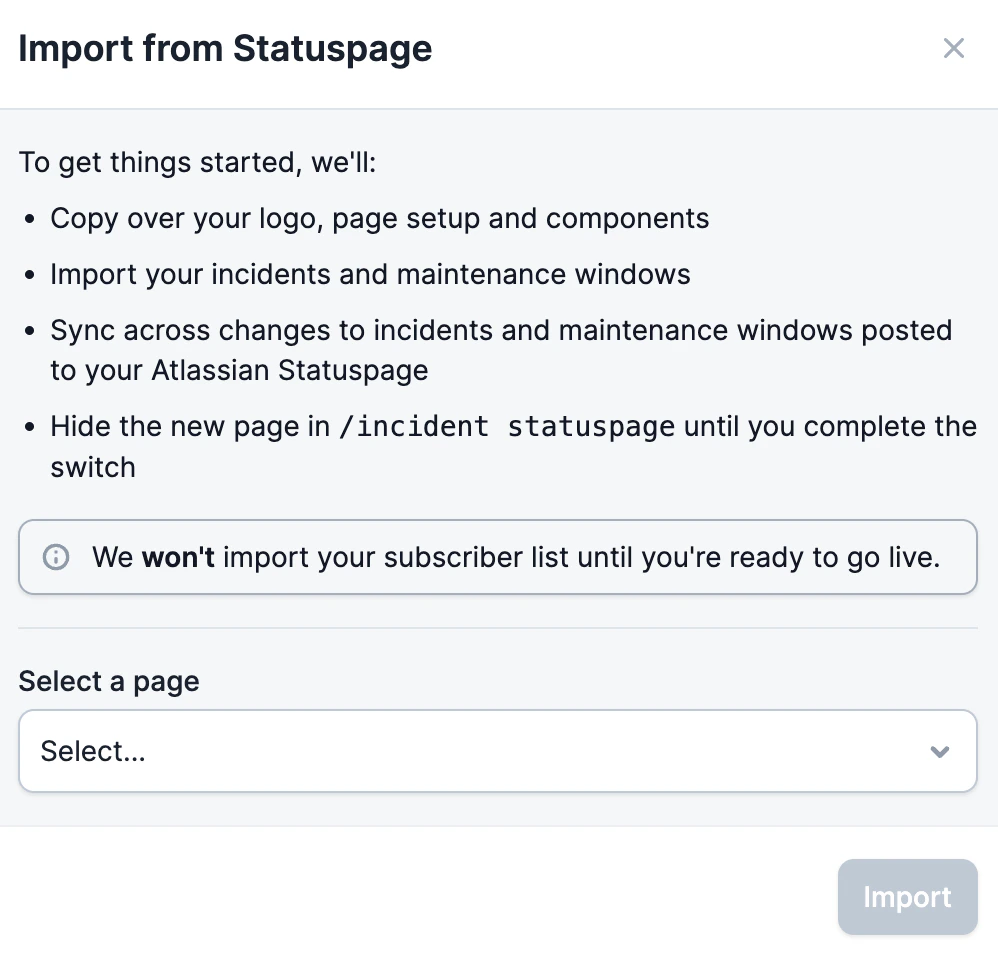
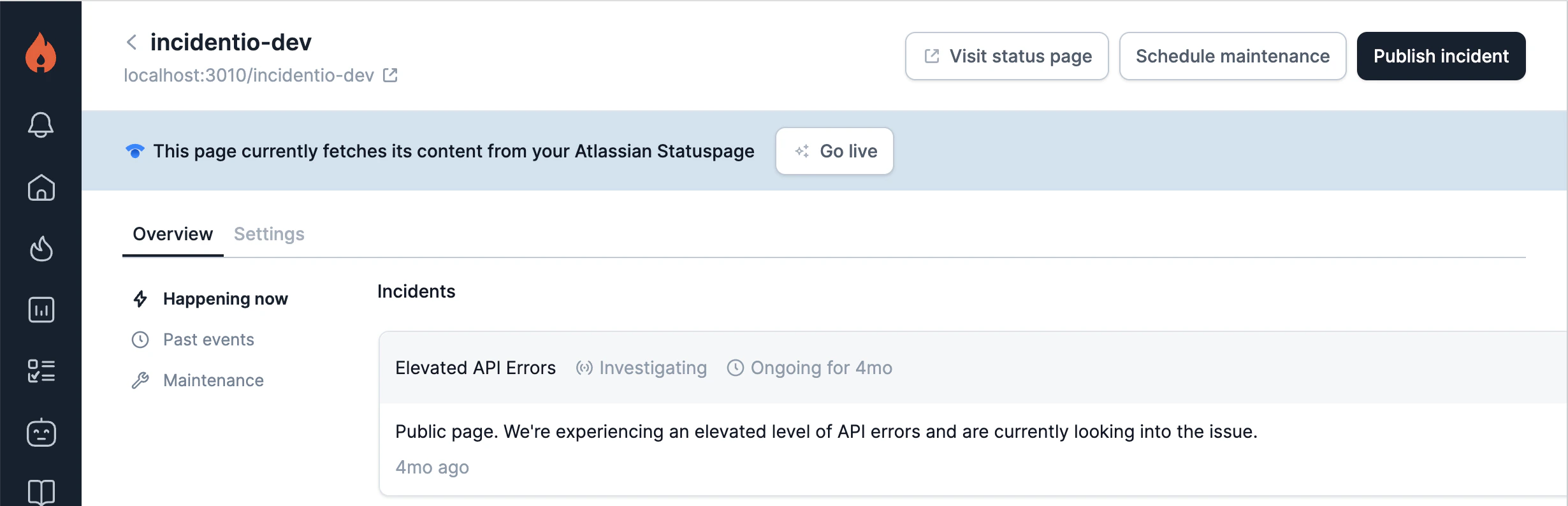
To do this, you will need to have the integration with Atlassian Statuspage enabled within incident.io. This can be found under Integrations in the Settings section of the dashboard. Once that has been enabled, just pop over to the Status Pages section of the dashboard and click on the ‘Let’s go’ link to begin the migration. The Status pages screen with a Migrate from Atlassian Statuspage card and a Let's go button Clicking on ‘Let’s go’ will provide some details about what happens next, namely: The Import from Statuspage modal, listing what gets copied over and a page picker As mentioned in the UI, we won’t import your subscribers until you are officially ready to make the switch. This ensures we don’t miss importing any new subscribers during this transition phase. An imported status page with a banner saying it fetches content from Atlassian Statuspage, beside a Go live button Once you are ready to officially go live, just click on ‘Go live’ on the top banner of your status page (now in blue). Then, we will do the rest and your page will be officially live for your customers!

FAQs

As part of the migration, once you are ready to go live, all email subscribers will be automatically subscribed to your incident.io status page. We will not migrate webhook, Slack, or SMS subscribers at this time.