

Create an override
To arrange cover for a holiday, hover over it in the timeline and click Create override.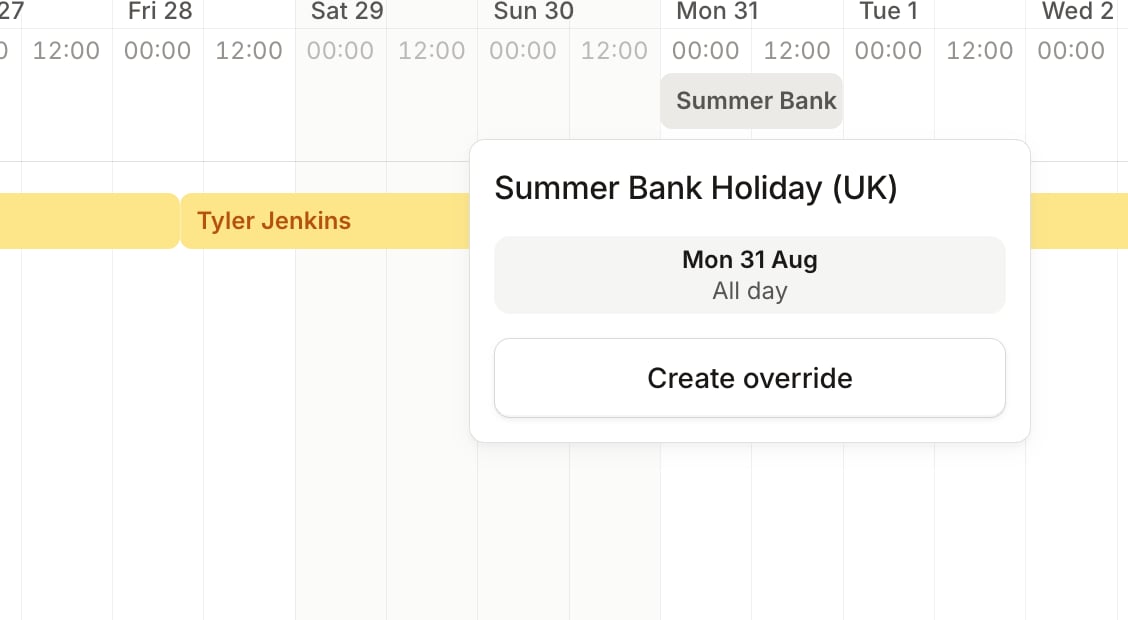
Pause your notifications
To stop being paged while you’re off, pause your notifications and choose the holiday under For a holiday. Escalations skip you while you’re away, but your shifts stay yours, so arrange cover for them too.Detect on-call and vacation overlaps with a policy
Nobody wants to get paged on the beach. A vacation policy checks upcoming vacations against your On-call schedules and notifies you of any overlaps, so they’re spotted well before someone’s already off. Here’s how it works:- We spot overlaps automatically. We check upcoming vacations against who’s scheduled to be on-call and surface any conflicts.
- We look 60 days ahead. We scan for overlaps in the next 60 days, so there’s time to arrange cover.
- We notify the person on vacation. When we spot an overlap, we let them know so they can sort cover before they’re off.