Registering a webhook in Jira Server means that changes to follow-ups that have been exported to Jira will sync back quickly. You’ll need to be a Global Administrator in Jira to register a webhook.

1. Navigate to System → WebHooks

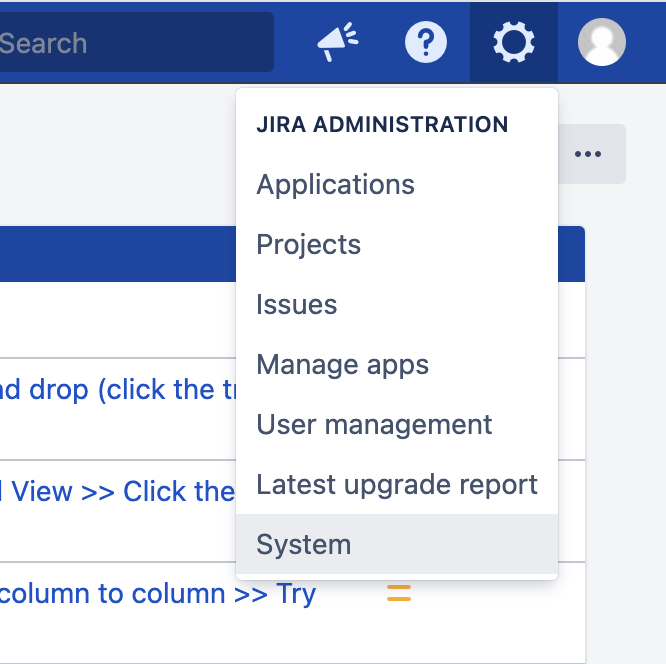
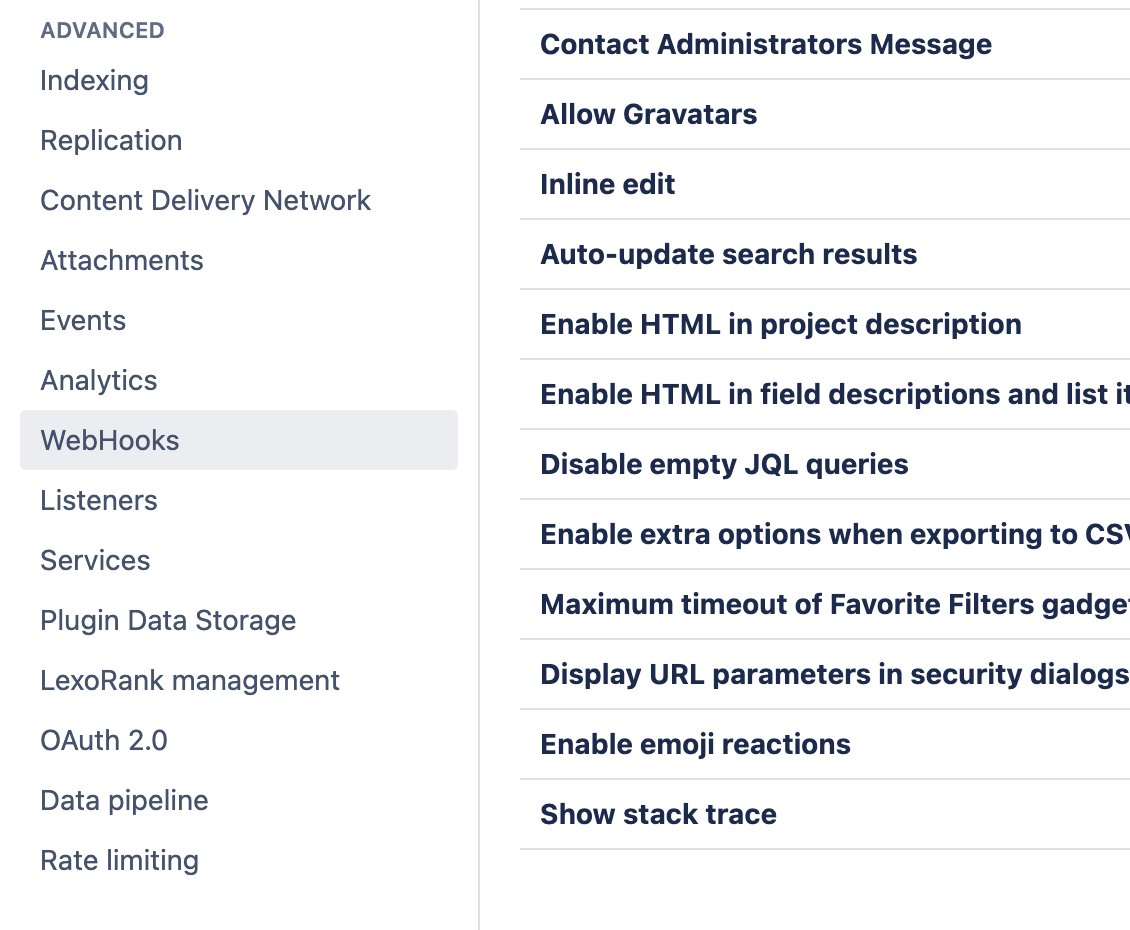
In Jira, use the cog menu in the top-right to enter System settings. The Jira cog menu open on JIRA ADMINISTRATION, with System highlighted You may need to enter your password to enter ‘administrator mode’. Near the bottom of the left-hand menu, select WebHooks under Advanced: WebHooks selected under ADVANCED in the Jira system settings menu Near the top-right, click Create a WebHook: The Create a WebHook button near the top right of the WebHooks page
2. Configure the destination

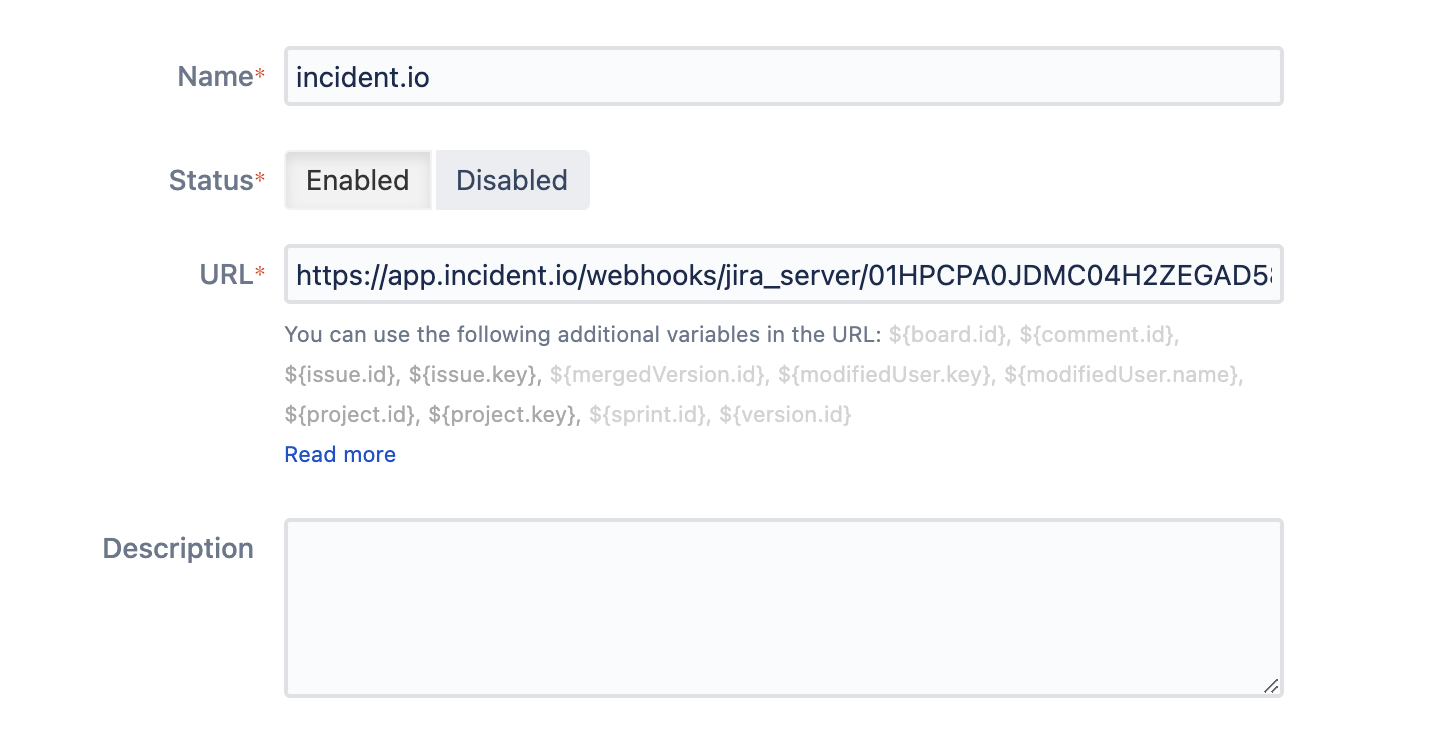
Name : ‘incident.io’ Status : Enabled URL : Check Settings → Integrations → Jira Server to find your webhook URL Description : Leave blank The webhook form with Name set to incident.io, Status Enabled and the incident.io webhook URL
3. Add events

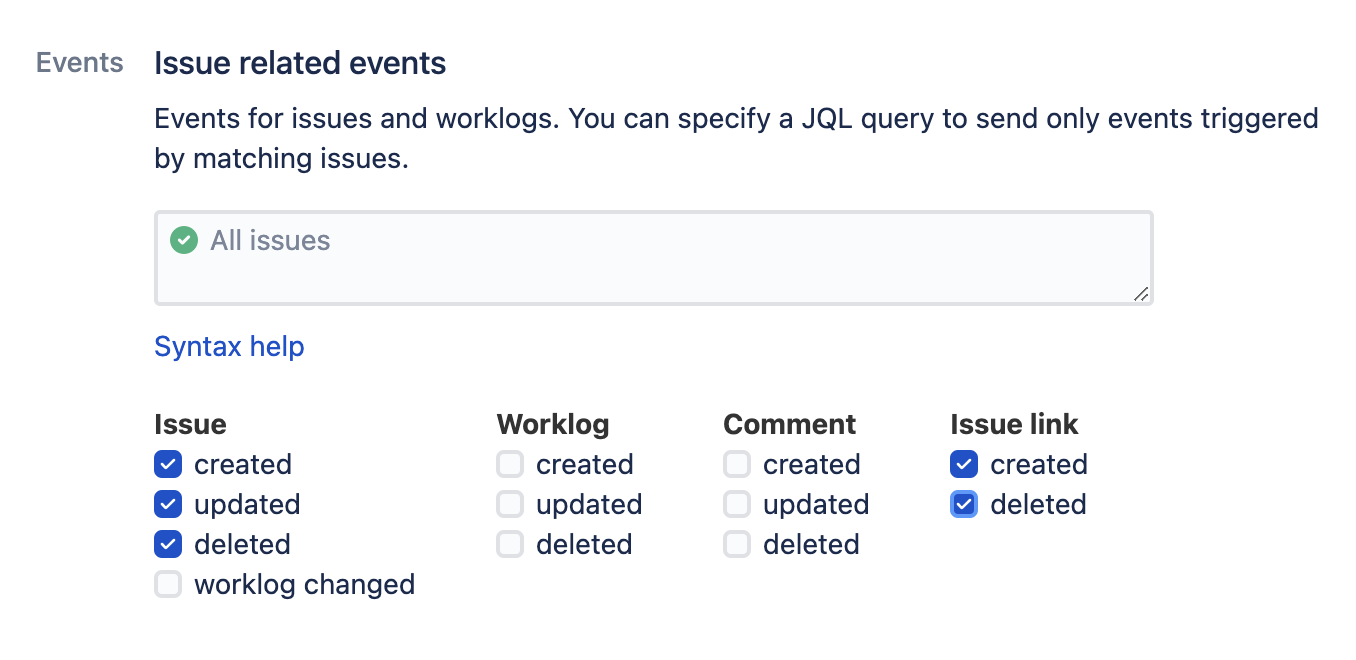
Under Issue related events, check issue created, issue updated, issue deleted, issue link created and issue link deleted. All other events can be left disabled. Issue related events with created, updated and deleted ticked for Issue, and created and deleted ticked for Issue link If you configure a JQL filter here, incident.io will only be able to sync updates to issues matching that filter.
4. Create the webhook

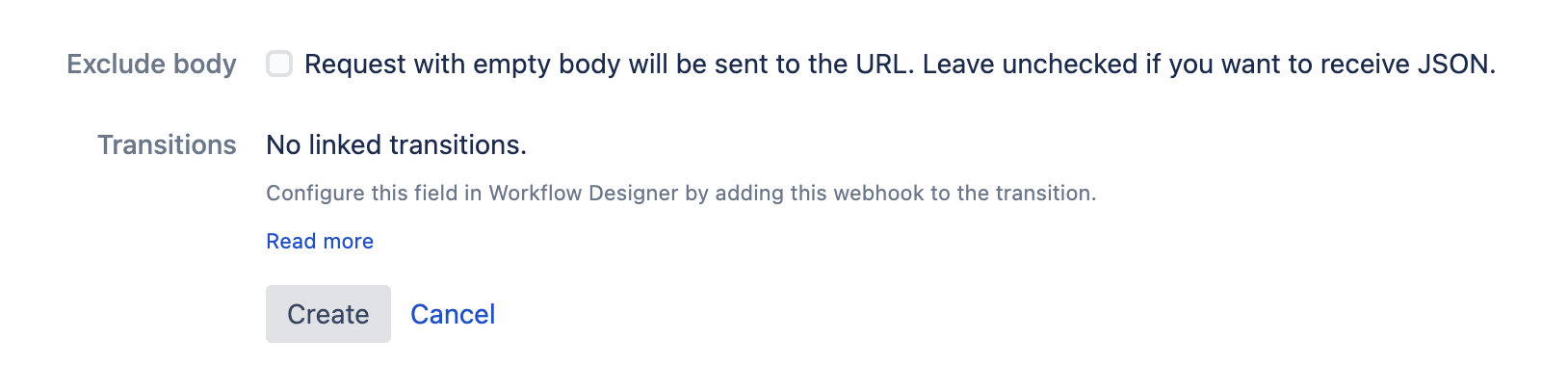
At the bottom of the page, ensure Exclude body is not checked, and click Create. The unticked Exclude body checkbox above the Create and Cancel buttons
You’re all set up!

If your Jira Server is behind a firewall, you’ll need to ensure that the firewall allows outbound traffic to app.incident.io. Please contact your customer success manager if we can help with this.