

Round Robin - Select one user per escalation
In a classic Round Robin everyone chosen in the level or schedule will take turns for each incoming escalation. We always start with the user who was paged longest ago for this escalation path. Example being that we have a schedule that has Josh, Eric and Tanya. In Escalation A, Josh will get paged, Escalation B it will be Eric and then in C it will be Tanya. If Josh misses the escalation or nacks, the escalation will continue to the next level.- Head to Escalation paths
- Choose a level and either a schedule or people from the dropdown
- Choose ‘Currently On-call’ or ‘Everyone’
- Click ‘All at once’ and then Round Robin
- Choose Default
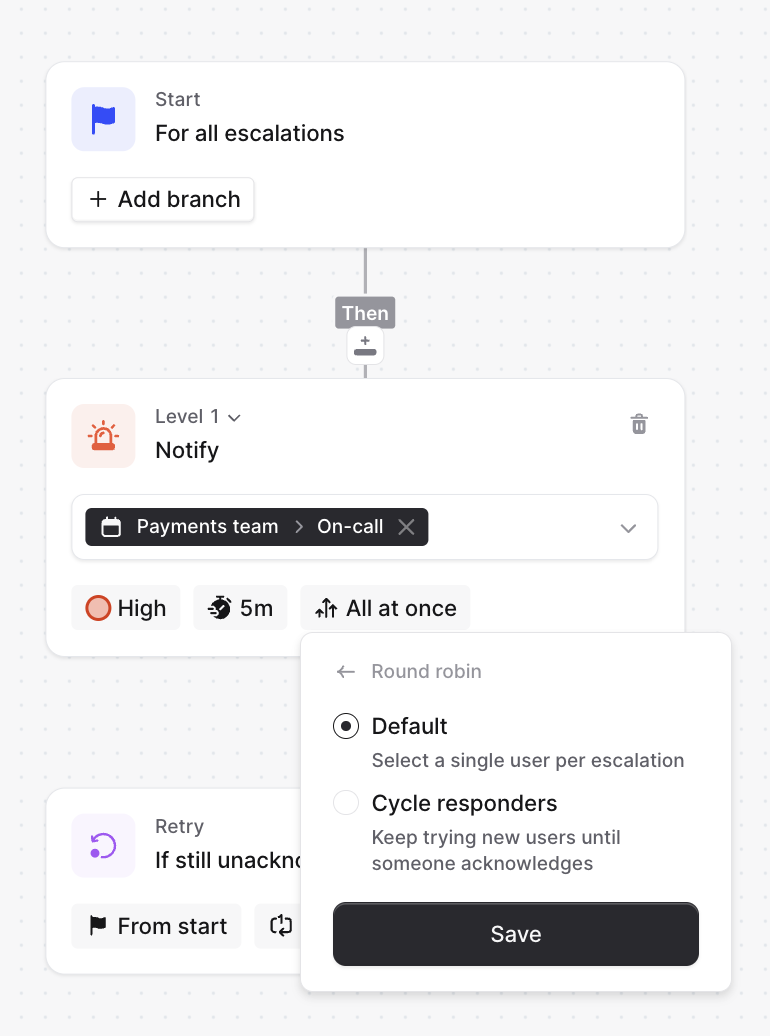
Round Robin - Cycle responders
In level specific Round Robin we keep trying people for a single incoming alert, so it will page each person in that level with every chosen minutes. We always start with the user who was paged longest ago for this escalation path. Example being that in a Schedule we have Lucas, Leo and Martha. Cycling responders every 3 minutes means that first Lucas will be paged, then waiting for 2 minutes and if Lucas misses an escalation or nacks, we will try Leo next and then 2 minutes later we will try Martha. When next escalation comes in, we will start from Leo.- Head to Escalation paths
- Choose a level and either a schedule or people from the dropdown
- Choose ‘Currently On-call’ or ‘Everyone’
- Click ‘All at once’ and then Round Robin
- Choose ‘Cycle responders’ and then the time between cycling
A level that uses either kind of Round Robin cannot also be set to notify more than once, because Round Robin already works through the level’s responders on a timer. For a given level, choose either Round Robin or per-level retries.