

How templates work
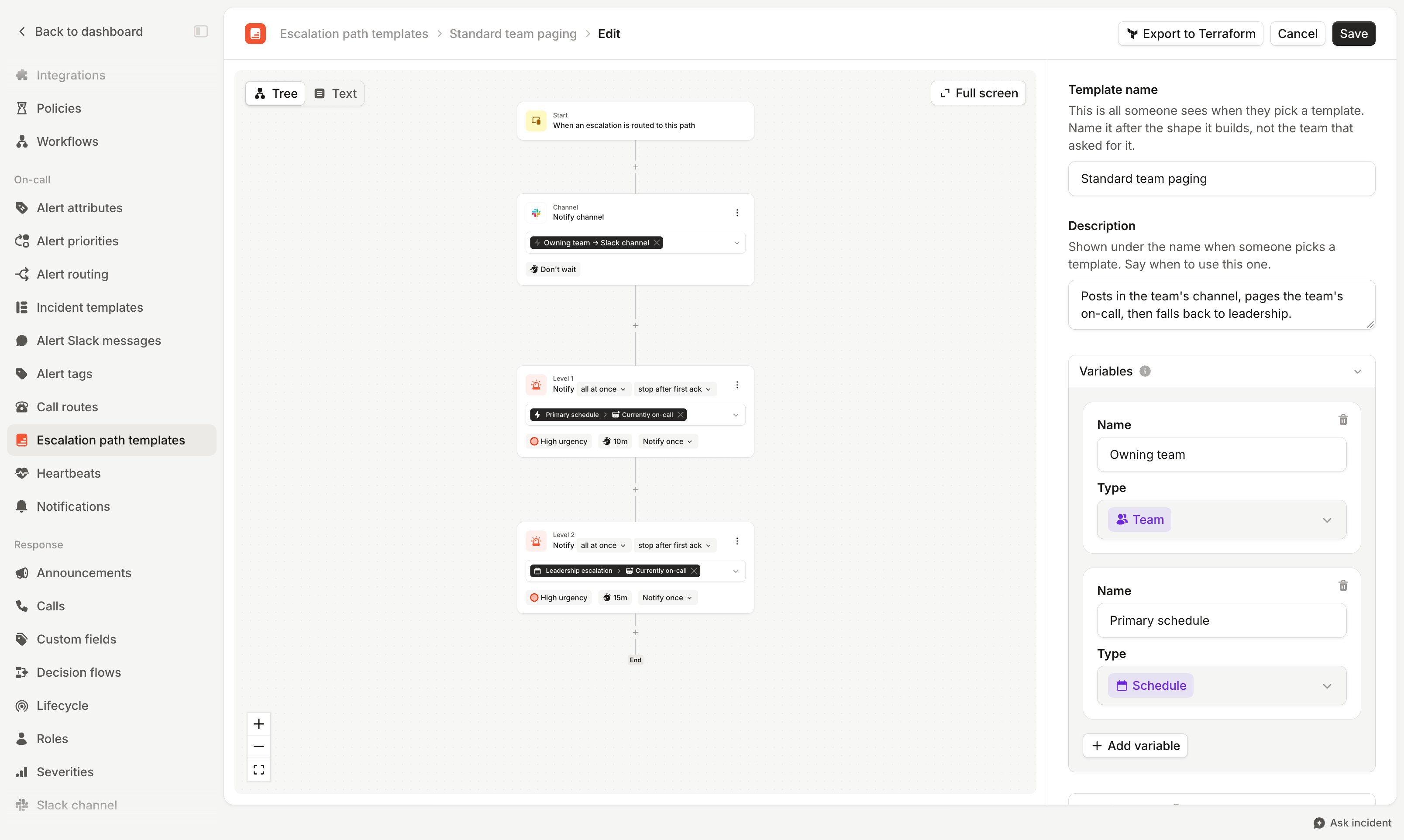
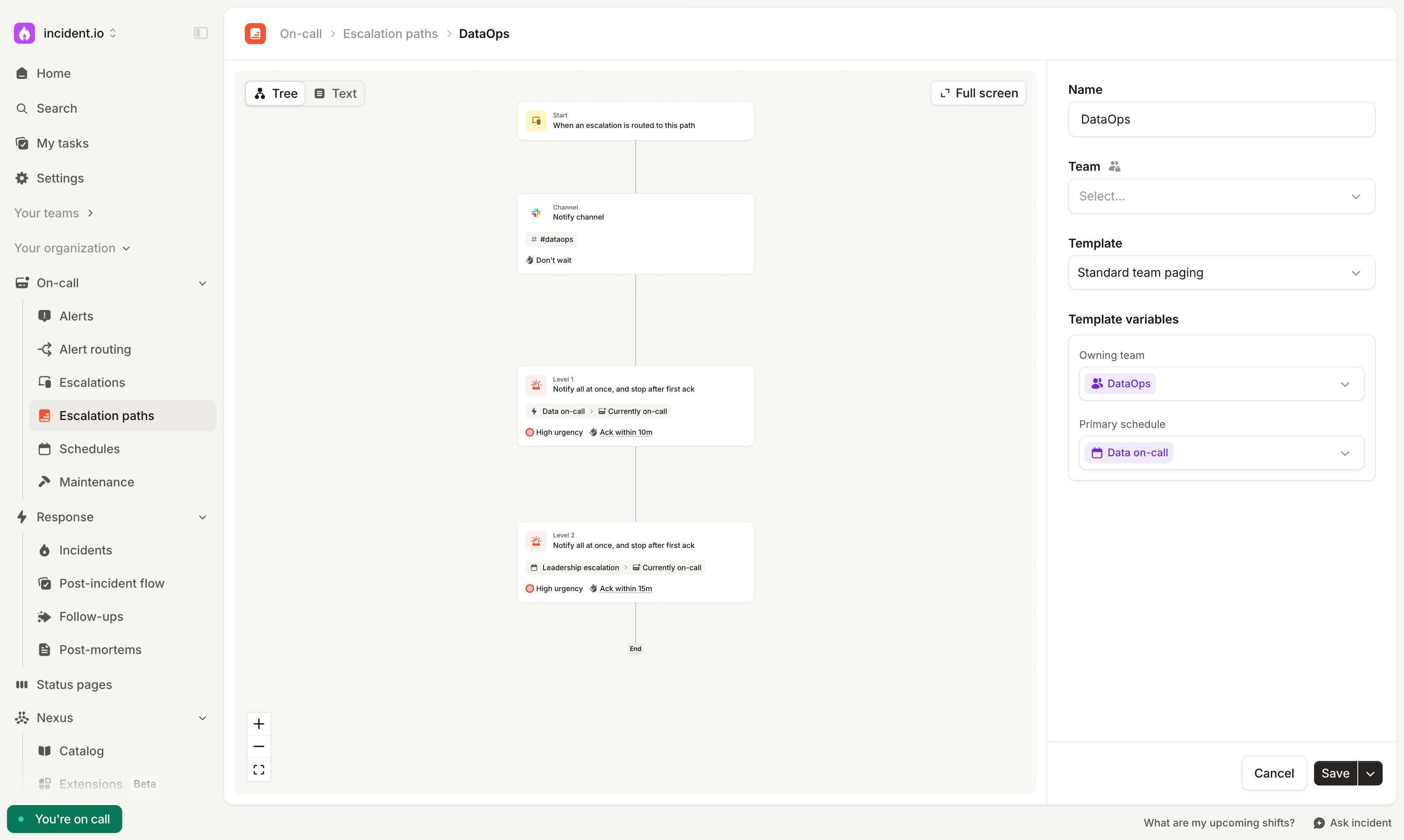
A template has the same building blocks as any other escalation path: levels, branches, working hours and repeat settings. It also has variables. Each variable has a catalog type, such as Team, User or Schedule. A level can target a variable, or an attribute of it (e.g., a team’s Slack channel), in place of a specific user or schedule. Levels can also target specific users or schedules. These stay the same on every escalation path that uses the template. When you create an escalation path from a template, you set a value for each variable. Whenever an escalation is created, we resolve the variables and page matching users, schedules, and channels.Create a template
- Navigate to Settings → Escalation path templates
- Click Create template
- Add at least one variable, with a name and a type
- Design the escalation path, using variables as targets where it makes sense. You can also use specific users or schedules as targets if they’re the same across every escalation path.
- Save the template
Create an escalation path from a template
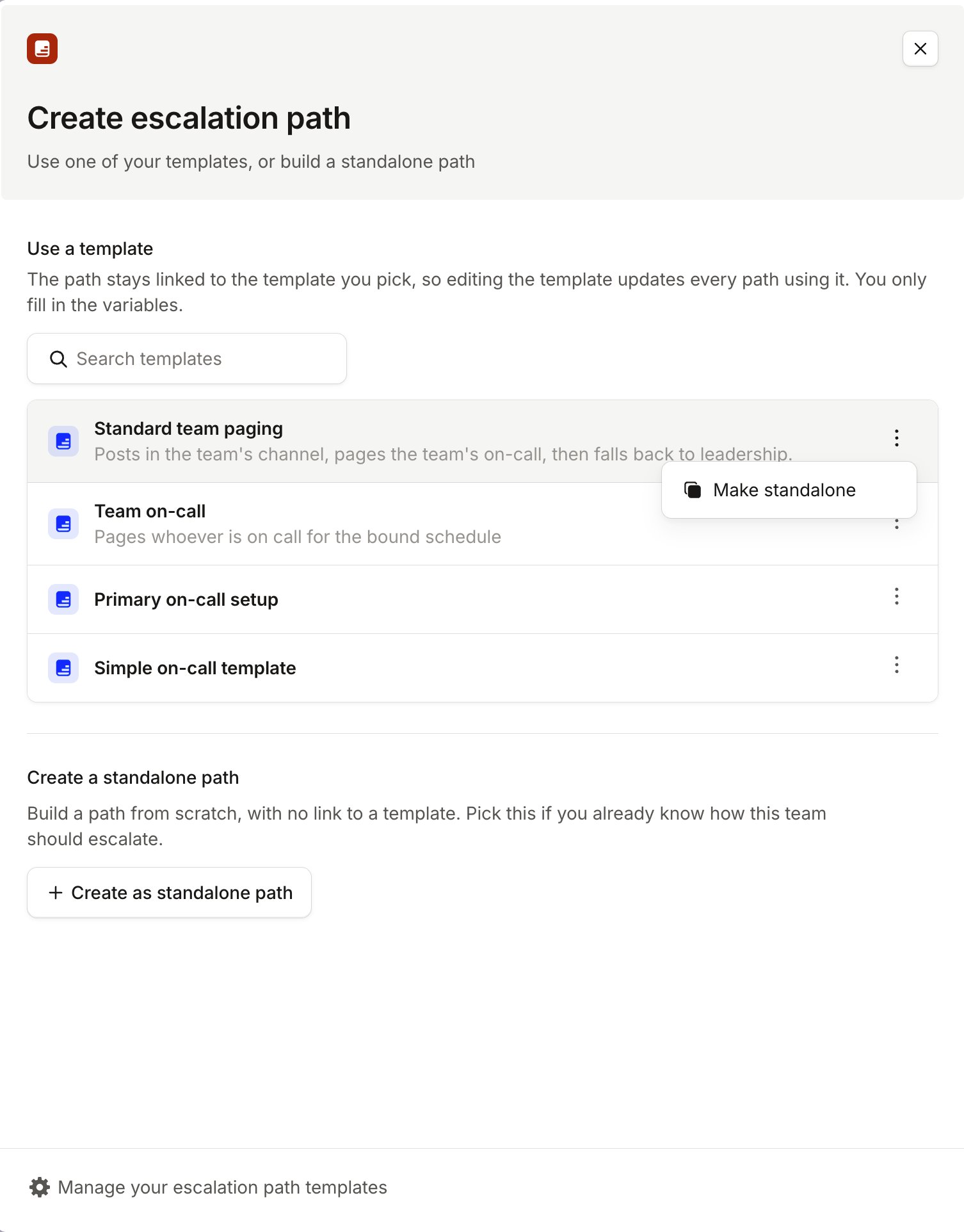
Once your organization has a template, click Create path in On-call → Escalation paths and choose how to start:- Use a template: create an escalation path that uses the template. You set the variables, and the template defines everything else.
- Make standalone: available from a template’s More options menu. Creates a detached copy of the template as a standalone escalation path. It won’t receive updates to the template, so use it when a team wants the same core structure but needs to make its own changes.
- Create as standalone path: start from an empty escalation path
Edit a template
When you save a template, all escalation paths that use it are updated straight away. Escalations that are already in progress keep the version they started with. Before you save, the editor checks the escalation paths that use the template against your changes and lists any that would have a problem. For example, a path might have no value for a variable you just added to a level. You can still save, then fix those paths afterwards. Each escalation path’s version history records the template version it used, so you can see how the path looked at any point.When a variable can’t be resolved
A variable value can stop resolving, for example if a schedule is deleted or a user is deactivated. The escalation still runs: levels that use that value are skipped, and the rest of the path pages as normal. Escalation paths with a problem are flagged on the template and on the path: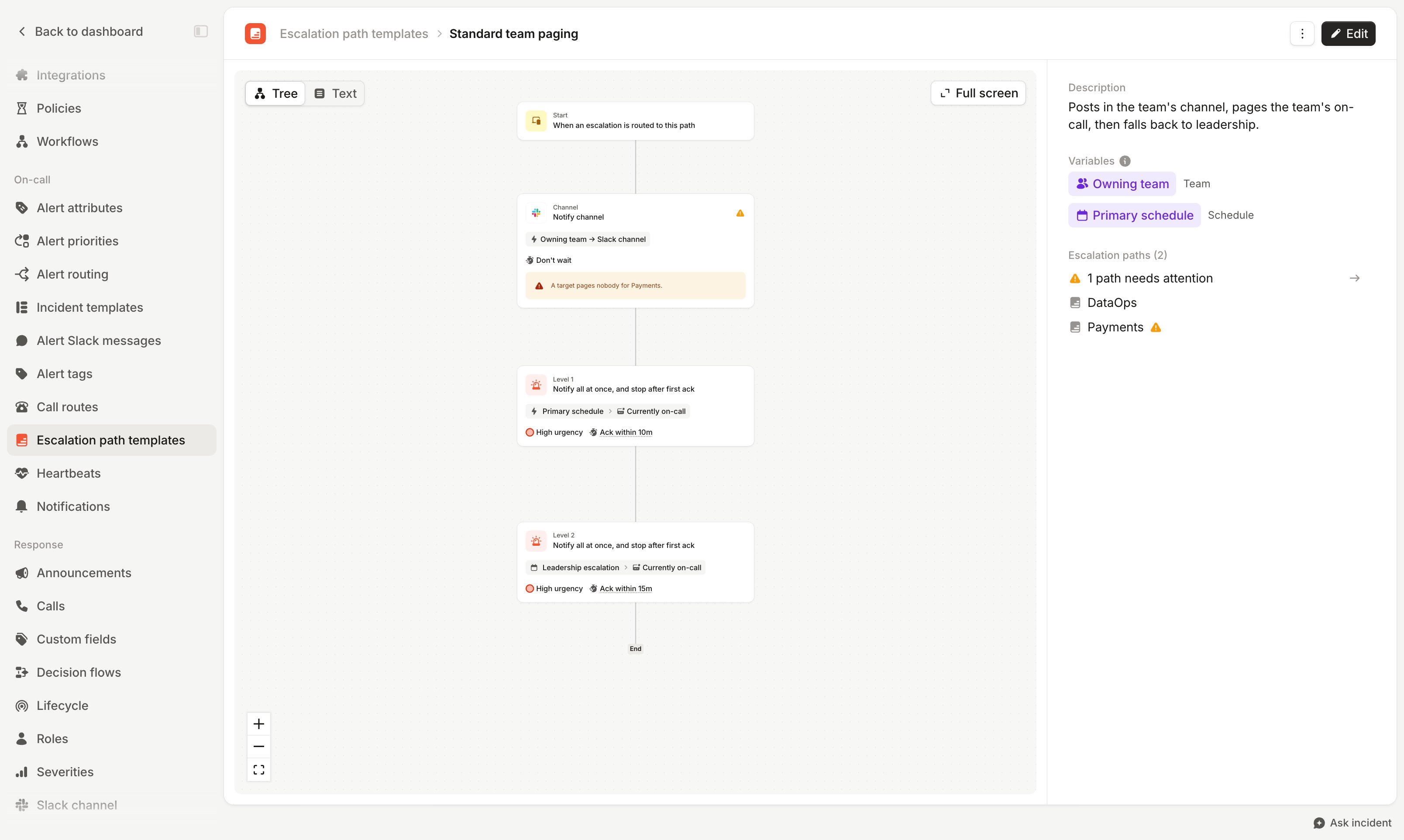
Archive a template
You can’t archive a template while escalation paths use it. Archive those paths first, or replace them with standalone paths using Make standalone.Permissions
Creating, editing and archiving templates requires the Manage escalation path templates permission. Owners and admins have it by default, and you can add it to custom roles. This permission is separate from managing escalation paths. Editing a template updates all escalation paths that use it, even if you can’t edit those paths directly. Archiving a template also requires permission to archive the escalation paths that use it.Terraform and the API
Manage templates as code with theincident_escalation_path_template resource in our Terraform provider. To get the Terraform for an existing template, choose Export to Terraform in the template editor.
Use the escalation path templates API to create, update and archive templates, and the escalation paths API to create escalation paths that use them.
FAQs
Can I change one escalation path without changing the template?
Can I change one escalation path without changing the template?
An escalation path that uses a template can only change its variable values. To change its levels or branches,
create a standalone path with Make standalone, then archive the original path.
Can I convert an escalation path that uses a template into a standalone path?
Can I convert an escalation path that uses a template into a standalone path?
Not directly. Create a standalone path with Make standalone, point your alert routes at it, then archive the
original path.
Do working hours and repeat settings come from the template?
Do working hours and repeat settings come from the template?
Yes. Working hours, branches and repeat settings are part of the template, so they’re the same on every escalation
path that uses it.
Why can't I archive my template?
Why can't I archive my template?
At least one active escalation path still uses it. Archive those paths first. This requires permission to archive
escalation paths as well as templates.