

When to use it
Add this node near the top of an escalation path that’s triggered by alerts, before the first level that pages a human. A short wait (3–5 minutes) gives the investigation time to surface an initial hypothesis without meaningfully delaying response. This is most valuable when:- You want responders to land in an incident channel with an early hypothesis already posted, instead of starting from a blank alert
- You’re comfortable trading a small delay for richer context when the responder receives the page
How it works
When an escalation reaches the node, it waits until either of these happens:- The investigation produces a first hypothesis
- The configured delay limit elapses
When the wait is skipped
The node only delays escalations created by alerts. It exits early in the following cases:- Manual pages and workflow-triggered escalations: if a person pages the path directly, or a workflow does, we escalate immediately
- No investigation will run: if the incident doesn’t match your investigation auto-run settings, there’s nothing to wait for, so we move on
- The investigation errors: if running the investigation fails, we stop waiting and continue the escalation
Add it to an escalation path
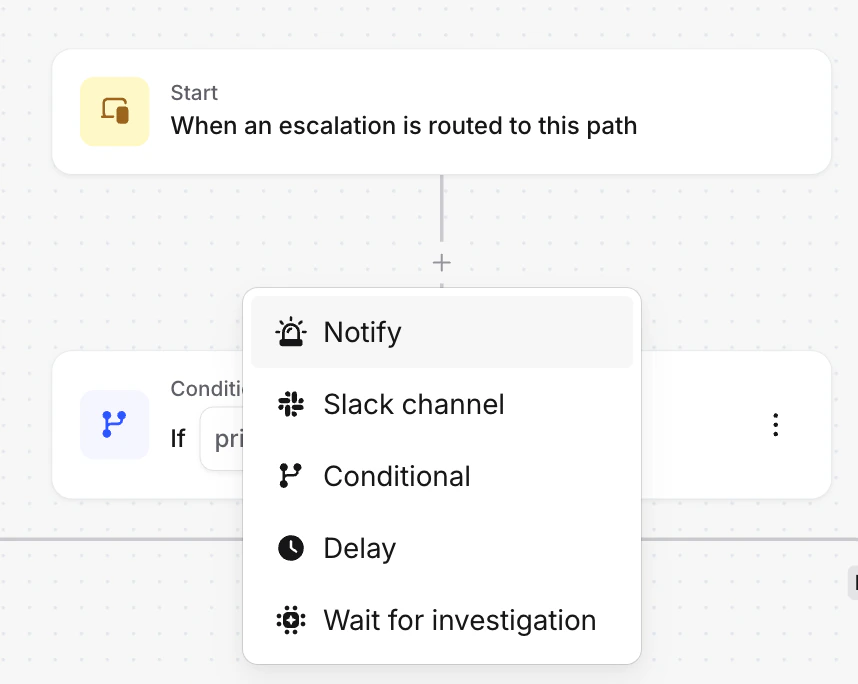
- Open an escalation path and click the + icon where you want to add the node.
-
Select Wait for investigation.
-
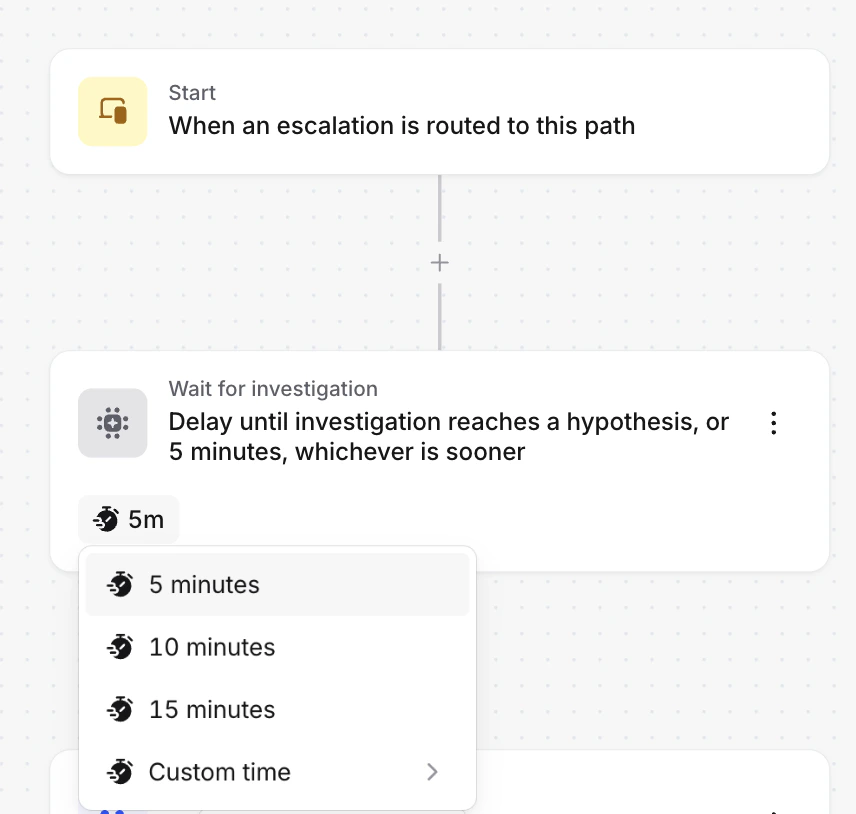
Choose a delay limit. We recommend 3–5 minutes, which is how long investigations usually take to reach first hypothesis.
- Save the escalation path.
FAQs
What happens if the alert resolves while we're waiting?
What happens if the alert resolves while we're waiting?
The escalation stops entirely, just like with a regular delay node. Nobody gets paged.
Will it delay manual escalations from /inc page?
Will it delay manual escalations from /inc page?
No. Manual escalations skip the wait and page immediately. The delay only applies to escalations created from
alerts.
What if the investigation takes longer than the delay limit?
What if the investigation takes longer than the delay limit?
The escalation continues anyway once the timer elapses. The investigation keeps running and will post its findings
to the incident channel when it’s ready.