

What gets imported
Connecting Cortex creates five catalog types.
Custom resource types are discovered automatically, and their attributes are read from the JSON schema you defined in Cortex.
Ownership and dependencies
Entities keep their relationships to one another, so the ownership graph you have in Cortex is the one you get in incident.io:- Services: link to the teams that own them and the domains they sit under
- Domains: link to their owning teams, and to parent domains, so a domain hierarchy comes across intact
- Teams: link to their members, and to parent teams
- Users: carry the email address they’re known by in Cortex
- incident.io User: Cortex users are matched to incident.io accounts on their email address, so the team that owns a service resolves to people you can actually page. Cortex acts as a user directory, pulling people from Cortex-managed team members, additional members, and IDP groups.
- Parent Teams: your Cortex team hierarchy syncs as an attribute, so you can set up team structure without any extra configuration.
Connect Cortex
You’ll need the Edit organization settings permission in incident.io, and permission to create API tokens in Cortex.1
Create an API token in Cortex
In Cortex, create an API token with read access. incident.io reads your entities,
teams, and custom resource definitions, so a token scoped more tightly than read-only won’t sync everything.
2
Connect the integration
Go to Settings → Integrations and open Cortex, then select
Connect and paste in your token.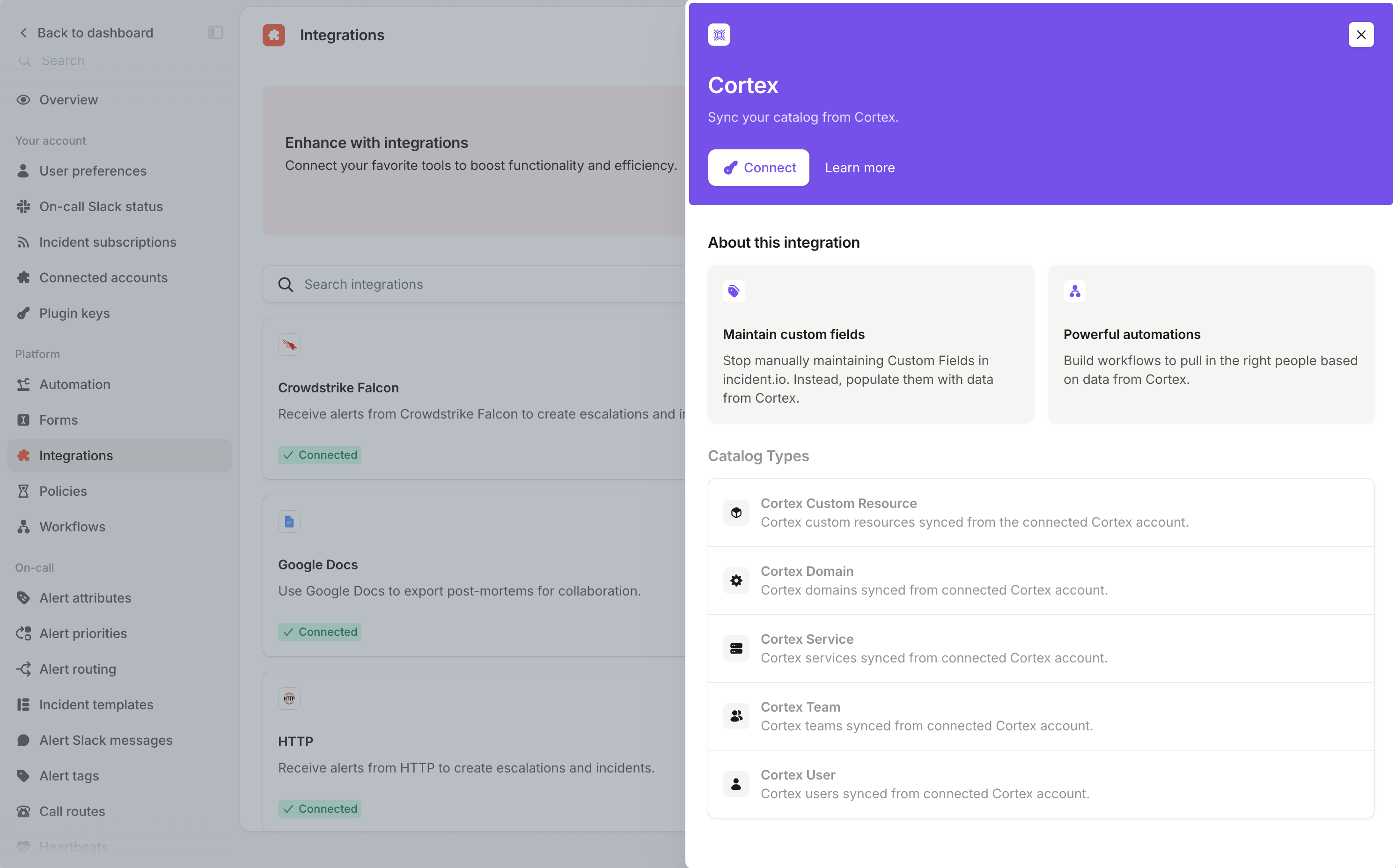
3
Check your catalog
Open Catalog to see the five Cortex types. The first sync populates them, and
they refresh hourly after that.
Enrich your catalog types
Cortex entities often carry metadata from the other tools you’ve connected to it, like the repository behind a service or the Slack channel its owners use. Pull any of it into your catalog types as extra attributes. Open a Cortex catalog type in Catalog, select Edit, then select + Import from Cortex.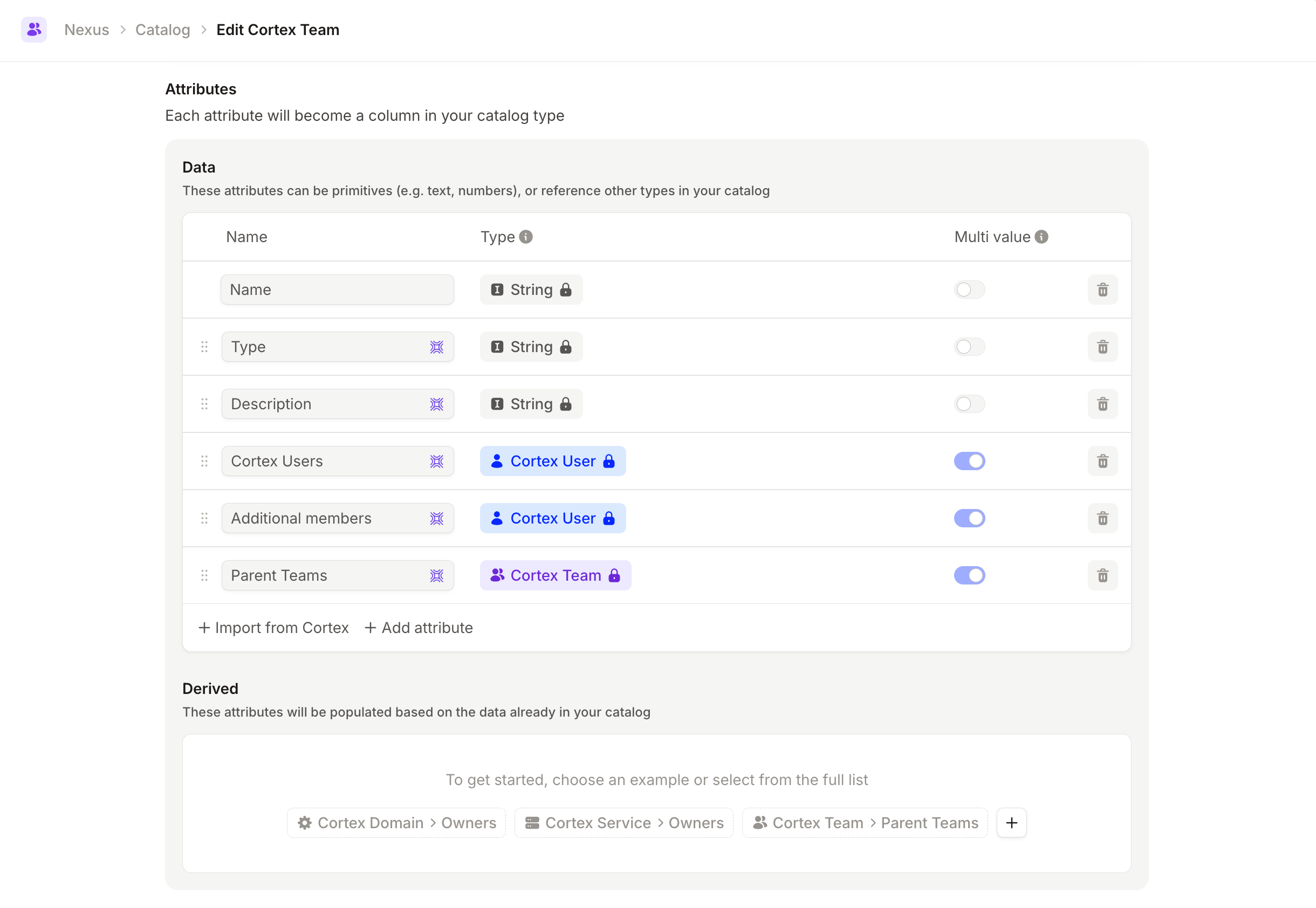
FAQs
How often does Cortex data sync?
How often does Cortex data sync?
Hourly, for all five catalog types. If you need data in incident.io faster than that, the catalog
importer lets you control your own sync schedule.
What happens if my API token expires?
What happens if my API token expires?
The integration is marked as needing reconnection and syncs pause until you provide a new token. Your existing catalog
entries stay where they are. Reconnect from Settings →
Integrations.
Can I import custom resource types from Cortex?
Can I import custom resource types from Cortex?
Yes. Any custom resource type you’ve defined in Cortex is picked up automatically, and its attributes are read from
the JSON schema. String, number, and boolean attributes are supported.
Why are some teams missing their Slack channels?
Why are some teams missing their Slack channels?
The Cortex API that supplies this metadata for teams needs to be enabled on the built-in
team resource type. Contact
Cortex support to turn it on for your account.How do I connect Cortex users to incident.io users?
How do I connect Cortex users to incident.io users?
Cortex users are matched on email address, so anyone whose Cortex email matches their incident.io account is linked
automatically. See connected users.