

What gets imported
Connecting Salesforce creates two catalog types.
Accounts carry their description, employee count, and industry. Users carry their email, job title, and timezone.
Anything beyond accounts and users, like opportunities or contacts, you add yourself.
Ownership
Each account links to the Salesforce user who owns it, and each Salesforce user links to their incident.io account, matched on email address. Together those turn “which customer is affected” into a person you can actually reach. Use these attributes anywhere Catalog is available, including workflows and custom fields. There’s a built-in workflow template, Share customer context from Salesforce, that posts account details into an incident when a responder sets the affected account.Connect Salesforce
You’ll need the Edit organization settings permission in incident.io, and a Salesforce user who can authorize connected apps.1
Connect your Salesforce account
Go to Settings → Integrations, open Salesforce, and select
Connect. You’ll be sent to Salesforce to authorize incident.io.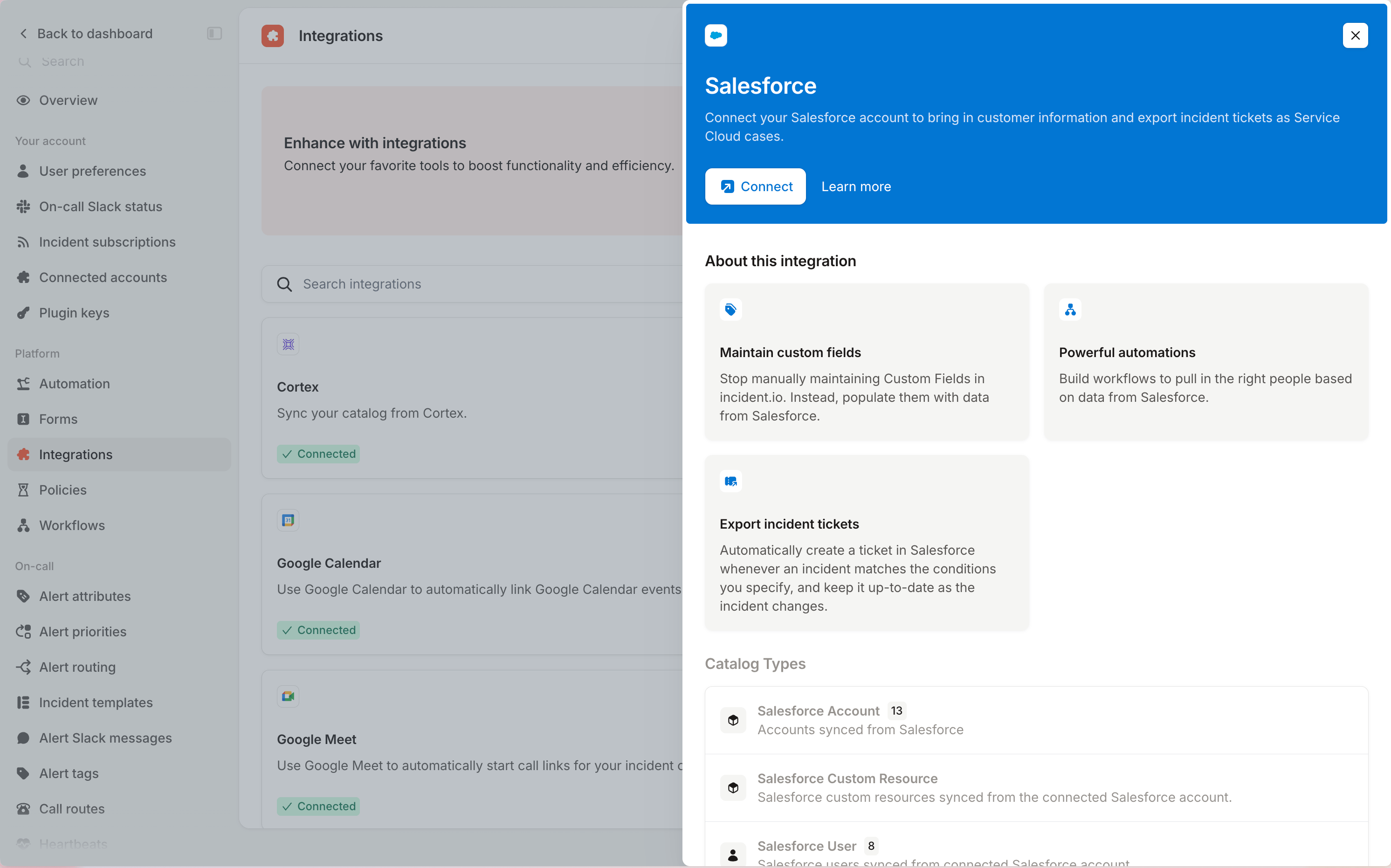
2
Choose an account list
Pick the Salesforce account list view you want to sync. This decides which accounts reach your catalog, and the
integration stays incomplete until you choose one.You can sync one list, holding up to 50,000 accounts. To sync a different set later, return to Settings →
Integrations and choose another list rather than reconnecting.
3
Check your catalog
Open Catalog to see Salesforce Account and Salesforce User. The first sync
populates them, and they refresh hourly after that.
Extend your catalog
Accounts and users are a starting point. You can bring in other Salesforce objects, pull extra fields onto any of them, and follow the relationships between them in both directions.Import other Salesforce objects
Opportunities, contacts, and any other Salesforce object can come into Catalog as their own type. From Catalog, select Add a custom type and search for the object under Import another type. It arrives named after the object, so importing Opportunity gives you a Salesforce Opportunity type.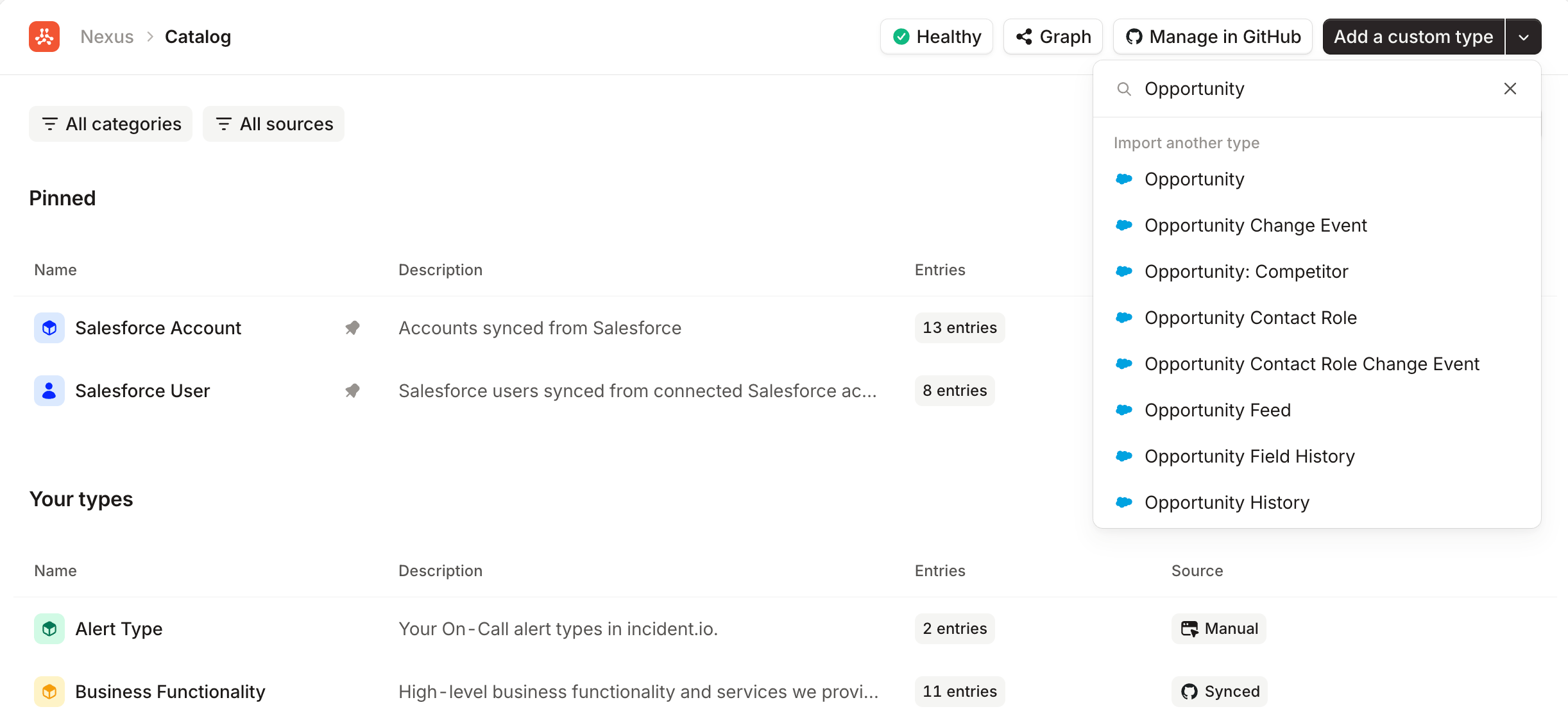
AccountTeamMember don’t have one, and you’ll be told at the point of choosing rather than ending up with a type that never syncs.
Add fields from Salesforce
The default attributes are a starting point. To pull in more, open a Salesforce catalog type, select Edit, then select + Import from Salesforce. The fields on offer are read from the object itself in Salesforce, so what you see reflects your own setup. Text, numbers, currency, percentages, picklists, addresses, checkboxes, and references to other objects can all come across. A reference works when it points at a single object that has a name field of its own.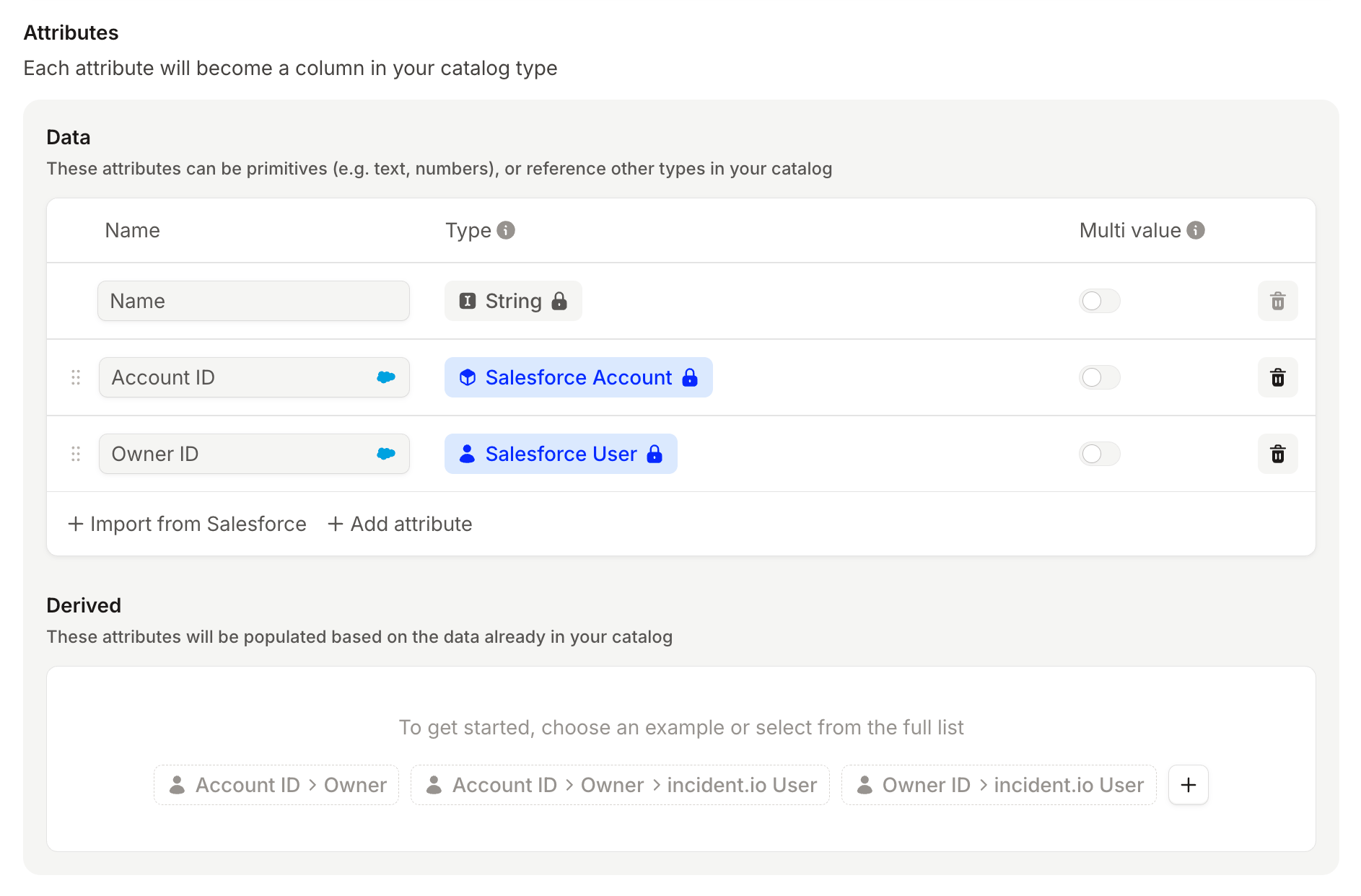
Link accounts to their opportunities
Salesforce models this relationship one way: an opportunity records which account it belongs to, and accounts know nothing about their opportunities. Catalog can follow it backwards, so an account lists its opportunities too. With Opportunity imported and its account field added, open Salesforce Account, select Edit, and find the Derived section below your data attributes. Select + Add attribute and choose Salesforce Opportunity. You’ll be asked whether an account holds one opportunity or many. Choose many unless your accounts really do have a single opportunity each. Save, and each account now lists the opportunities pointing at it. The same works for any imported object that references another, not just opportunities.FAQs
Why does my integration say it's incomplete?
Why does my integration say it's incomplete?
No account list has been chosen yet, so there’s nothing to sync. Pick one from Settings →
Integrations.
Why are some accounts missing?
Why are some accounts missing?
Only accounts in your chosen list view sync. Either widen that list in Salesforce or pick a different one. The cap is
50,000 accounts per list.
Can I import any Salesforce object?
Can I import any Salesforce object?
Any object with a name field, which is what names the catalog entry. Objects without one, typically junction objects,
are rejected when you choose them.
How do Salesforce users link to incident.io users?
How do Salesforce users link to incident.io users?
On email address, so anyone whose Salesforce email matches their incident.io account is linked automatically. See
connected users.
Does incident.io write anything back to Salesforce?
Does incident.io write anything back to Salesforce?
Not from Catalog. The sync is read-only, so read permission on the fields you want is enough.