

What is Scribe
Scribe is our friendly AI powered note taker - with Scribe enabled our bot will join your incident calls automatically and take detailed notes as well as providing summaries, key moments, and the current topic into your incident channel. Scribe can also keep a recording of your calls to download later if you enable automatic recording (off by default).Feature: Integrated transcripts
By joining the call it has access to the video and audio from that call. It uses this data, in conjunction with streamed captions from the meeting, to deduce who has said what. It is this transcription we use to power the other Scribe features such as summaries, key moments and current topic.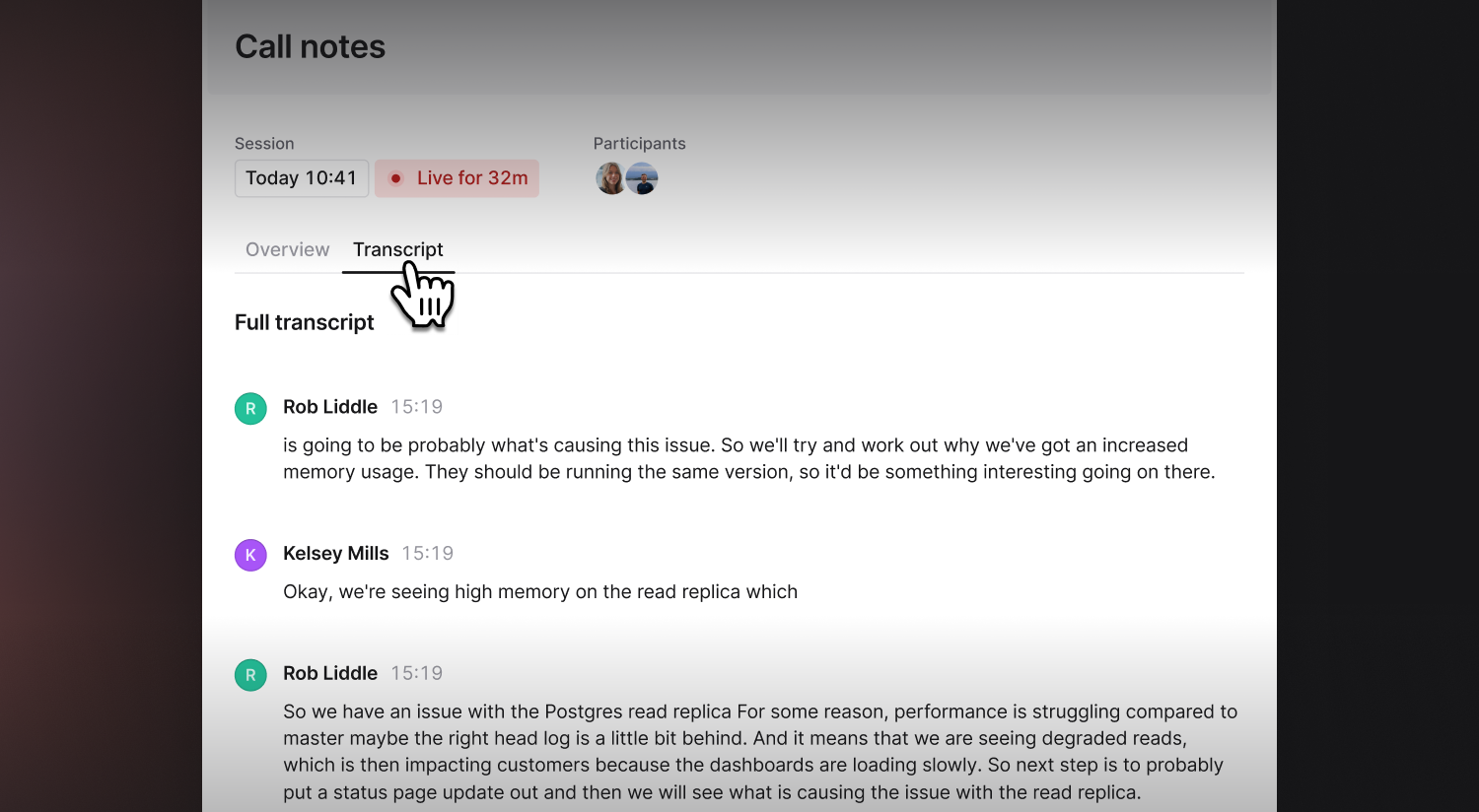
If your team uses AI data redaction, Scribe applies the configured strategies to new spoken transcript entries as they are processed. Matches appear as
[REDACTED] in the transcript and are not sent to AI models. Existing transcript entries are not changed.Feature: Detailed summaries
One of the hardest things when joining an in progress incident is knowing what everyone is talking about, or how best you can help. Scribe is continually building a picture of what is happening on the call. Scribe is continuously building a detailed summary of the whole call. It pulls out important information and next steps, along with providing a general summary of the incident call from start to finish. These summaries are created in real-time, and are viewable within the incident channel and the dashboard.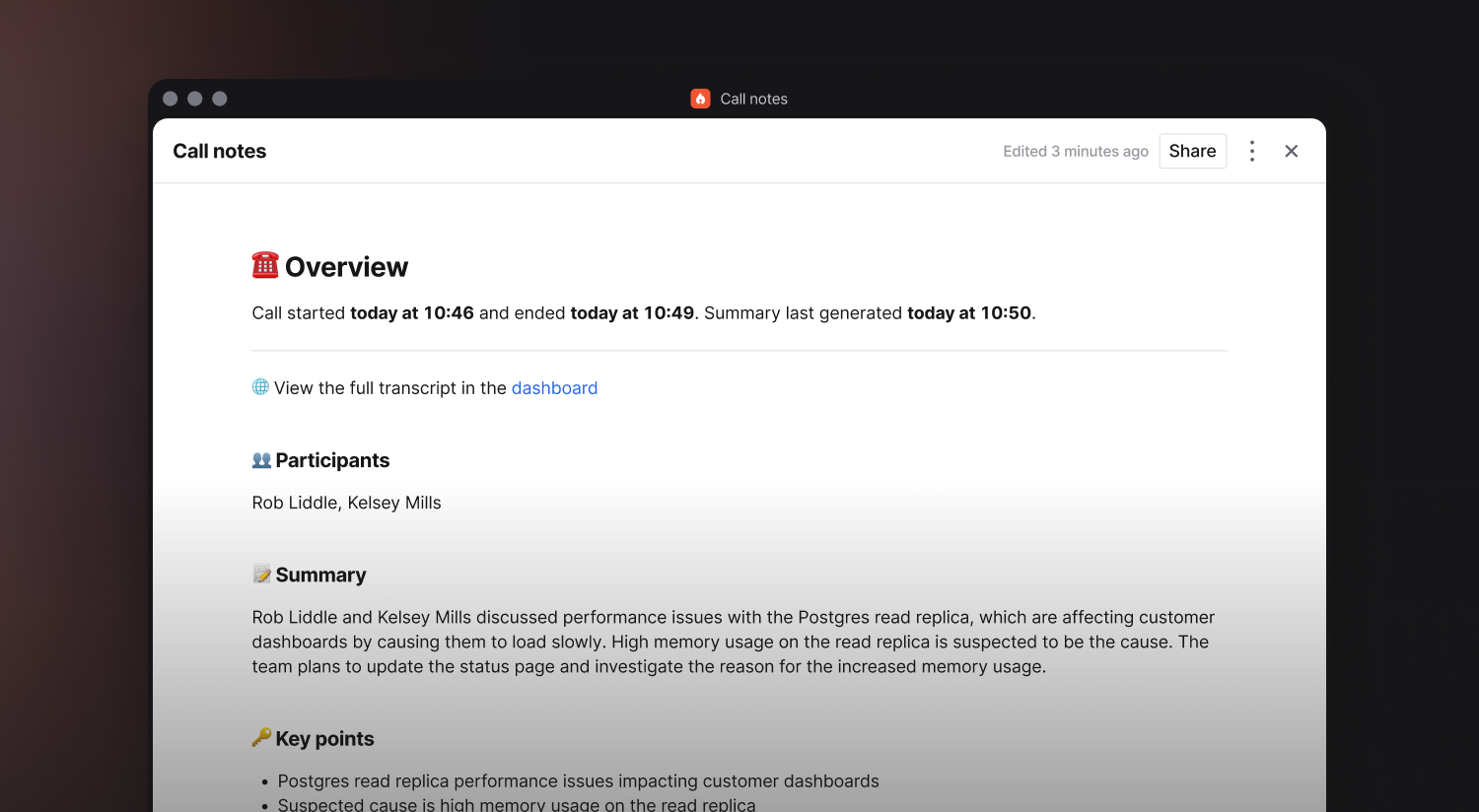
Feature: Current topic
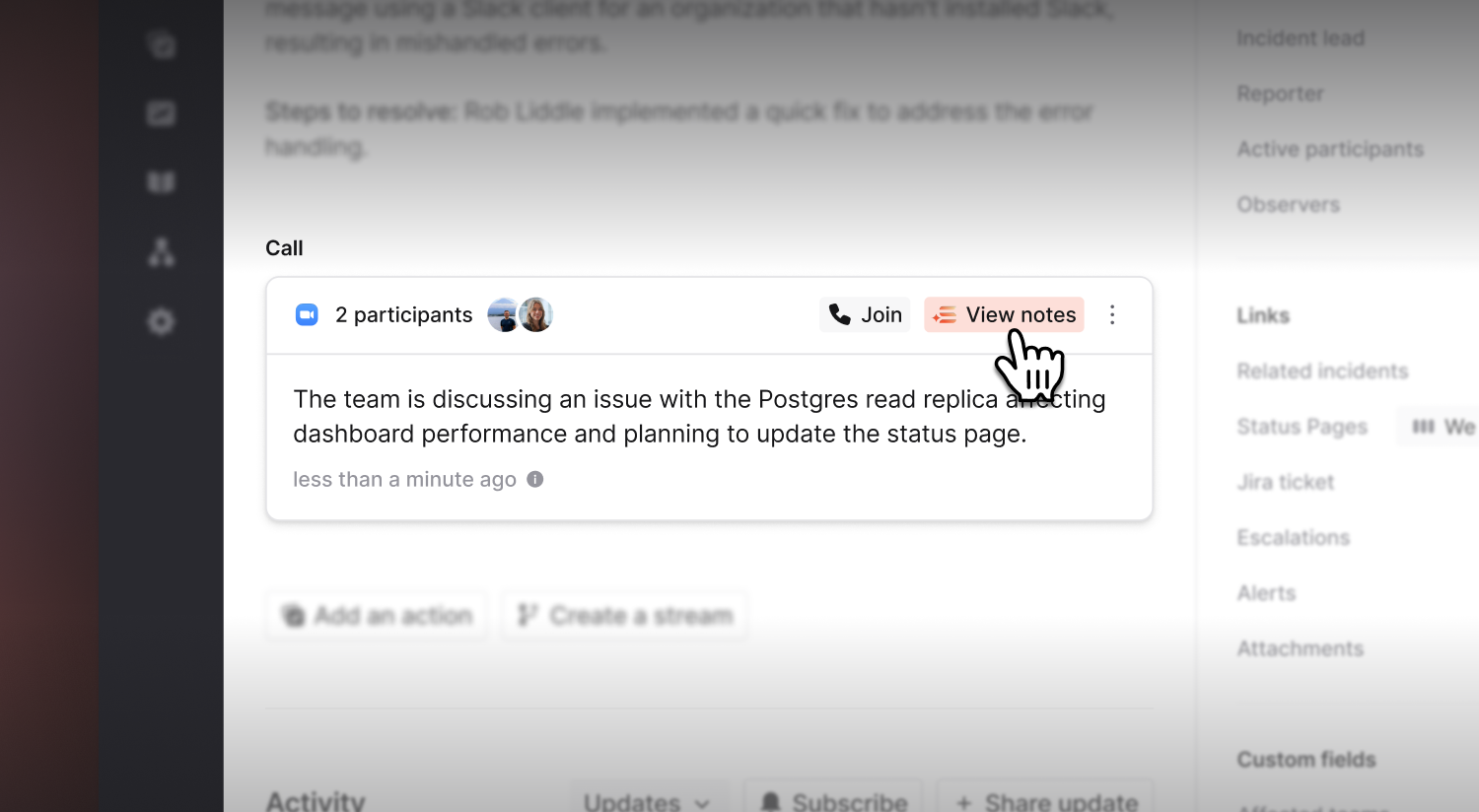
Along with frequent call summaries, the current topic is shown in both the incident channel and the dashboard to help give other users an “at a glance” idea of what’s being discussed and how things are going, potentially highlighting that they might want to join the call.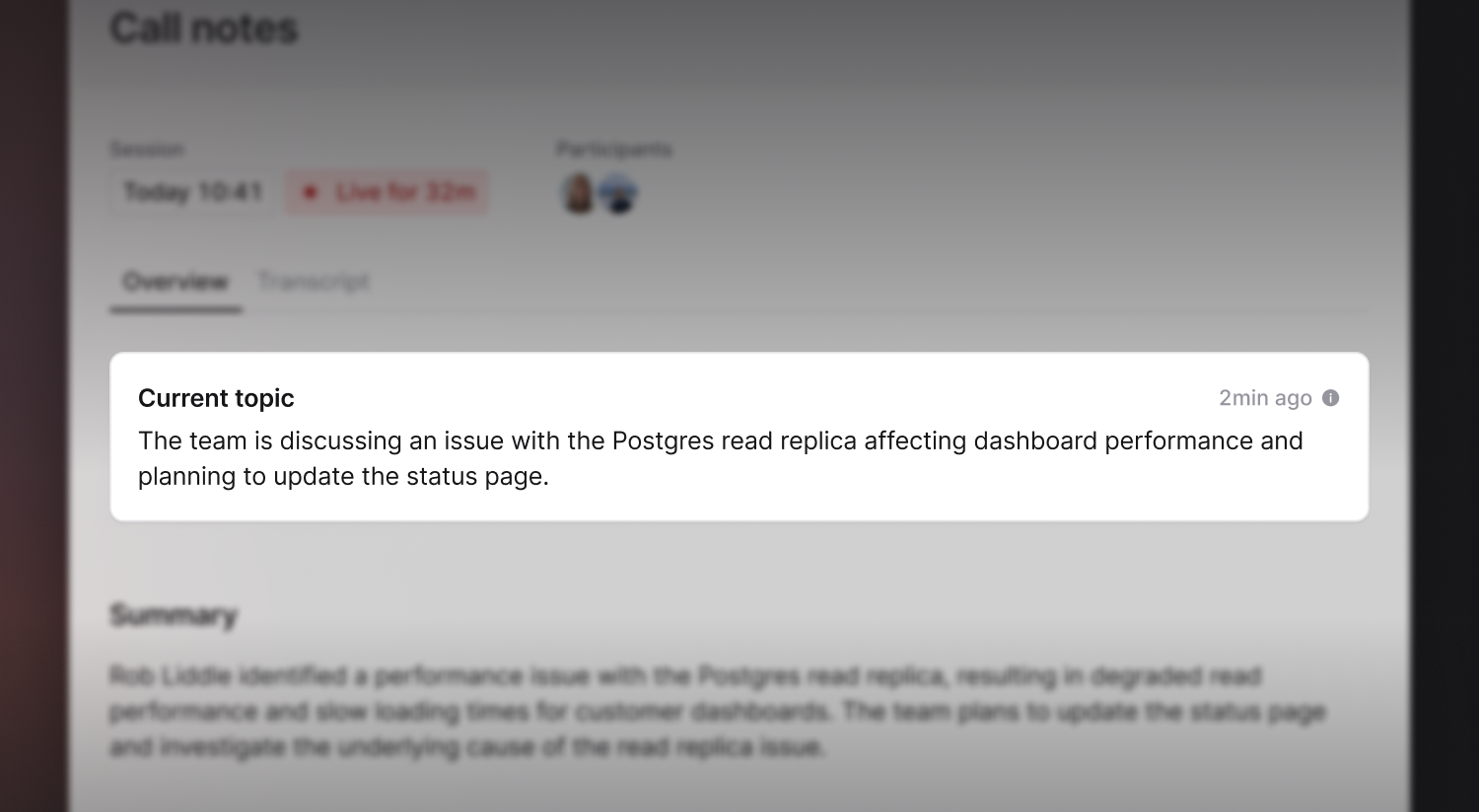
Feature: Proactive key moments
Scribe also looks to actively pull key moments from the call transcript into the incident channel. Key moments are a combination of important decisions, agreements, or when key information was discovered on a call.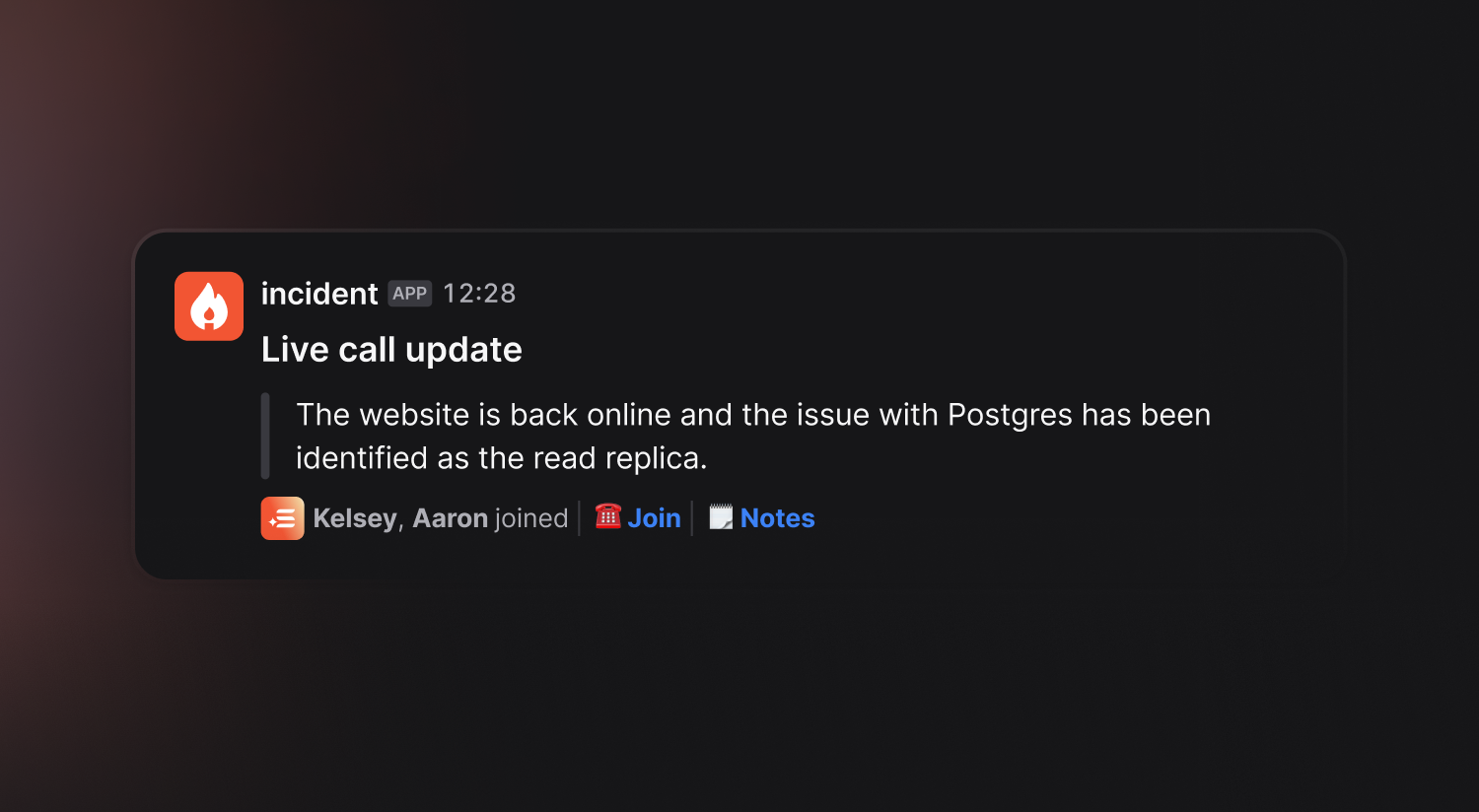
Feature: Call recording
Turn on Automatically record incident calls in Settings → Calls → Scribe to have Scribe keep a video recording of the incident calls it joins. Recording is off by default. Only the parts of a call Scribe was in are recorded. Download a recording from the incident’s call notes.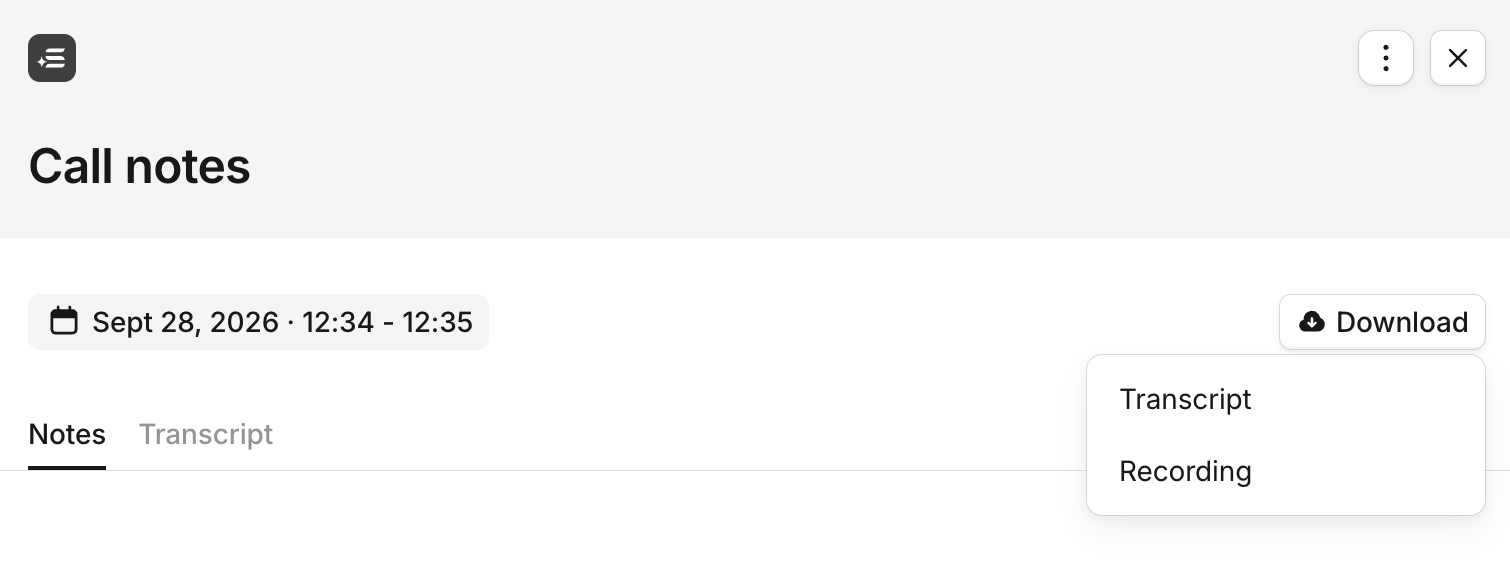
Enabling Scribe
Scribe is available to Pro and Enterprise customers. By default it is disabled but once you have a call provider set-up (Zoom, Microsoft Teams calls, Google Meet, or Webex) you can go to Settings → Calls and enable Scribe there.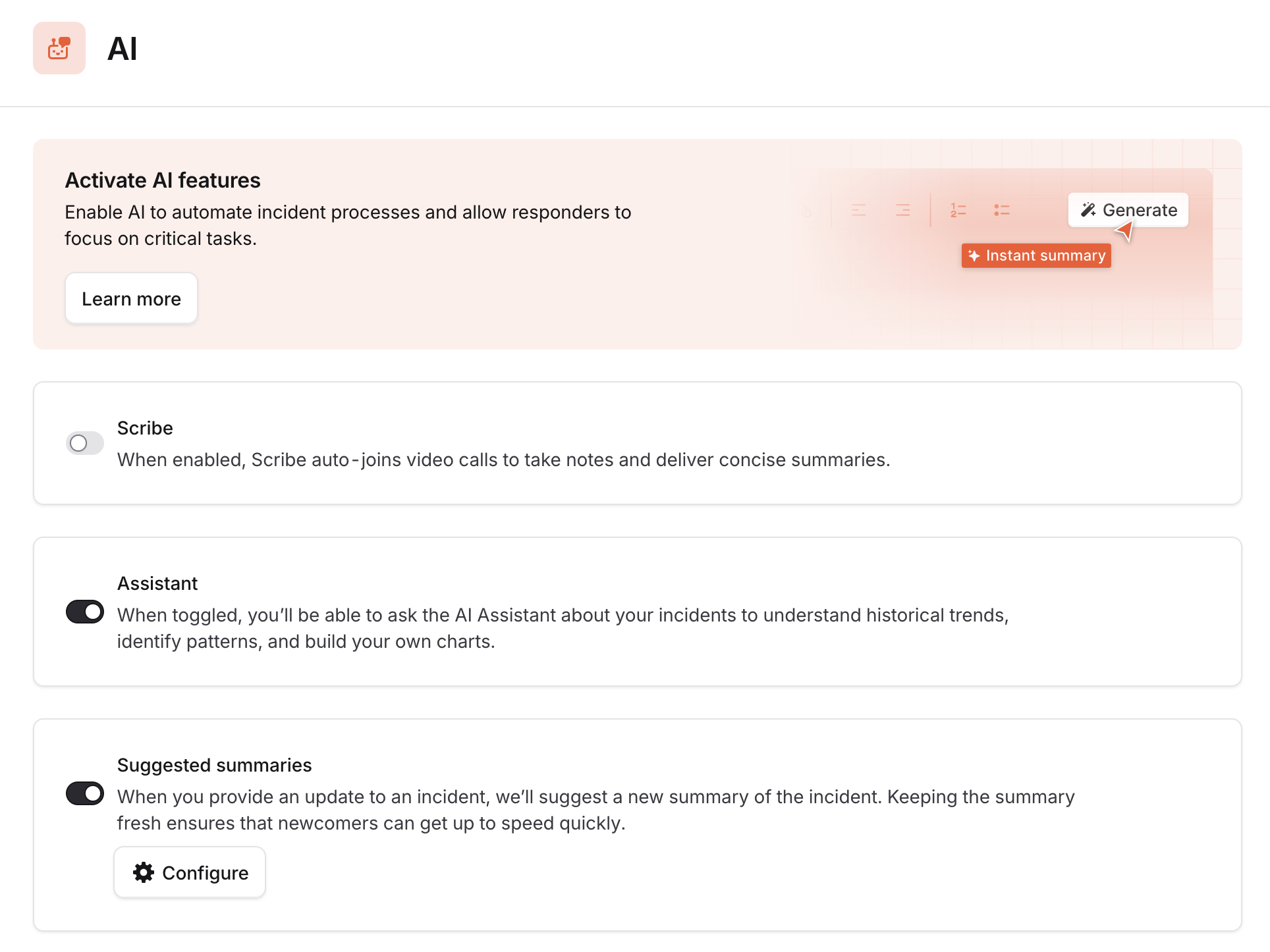
Note: We highly recommend turning on auto-call creation which automatically attaches a new call to each incident.
Set a transcription language
Scribe detects the language spoken on each call automatically. In some cases, background noise or some words or phrases can be detected as words in the wrong language. It normally only affects a few words, and doesn’t change the summaries or key moments Scribe posts to your incident. To tell Scribe which languages to expect, go to Settings → Calls, open Scribe, and set Transcription languages. Pick one or more of the 90+ languages on offer. This biases detection towards those languages, so Scribe is much less likely to drift into a language nobody on the call is speaking. Leave it empty to detect the language of each call automatically.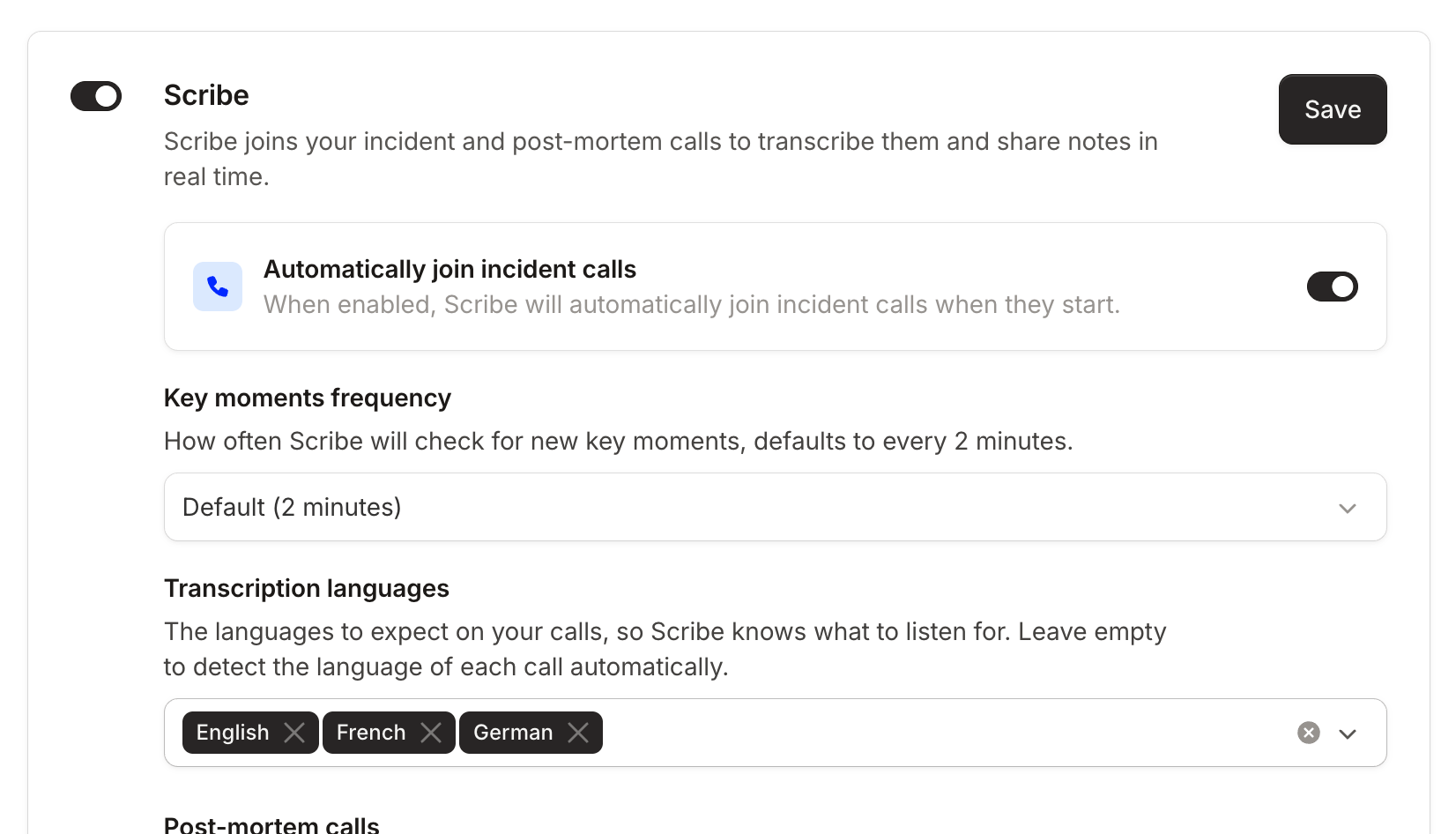
FAQs
Does Scribe record our calls?
Does Scribe record our calls?
By default, Scribe doesn’t keep a recording of your calls, only the transcript. Our transcription provider makes a temporary recording to produce that transcript, which is then deleted (see Does Scribe use a third-party provider? below).To keep recordings, turn on Automatically record incident calls in Settings → Calls → Scribe. Recordings are never sent to an AI model. See Call recording.
Does Scribe use a third-party provider?
Does Scribe use a third-party provider?
We use Recall.ai for raw transcription data, who are a third-party sub-processor that provide call transcription services. In order to transcribe the call, Recall.ai store a temporary recording which is deleted when the last human leaves the call. Recall.ai do not retain any data after this point.Transcription is provided by ElevenLabs, a second sub-processor, which receives the call audio through Recall.ai and returns the transcript. We don’t ask ElevenLabs to retain that audio, and it isn’t used to train models.By default, we only store the call transcript, which we use to power Scribe features mentioned in this article, and we don’t store any audio or video from the call. If you turn on call recording, we store Recall.ai’s temporary recording before it is deleted.If you’d rather we didn’t send call audio to ElevenLabs, contact us at help@incident.io. Scribe then transcribes from your meeting provider’s captions instead. Webex doesn’t offer closed captions, so Webex calls fall back to English-only transcription.For more information on how we use AI, you can read the AI data handling article.
I've enabled Scribe, but it's not joining my calls?
I've enabled Scribe, but it's not joining my calls?
We require new permissions for Zoom and Google Meet to enable call transcription. If you previously had those integrations setup it might be that you are using an older version of our permissions.Please make sure to update to the latest by re-authenticating the integration to ensure you have the right permissions.If you’re still seeing issues with Zoom, please check your settings in the Zoom app to ensure that recording has been allowed.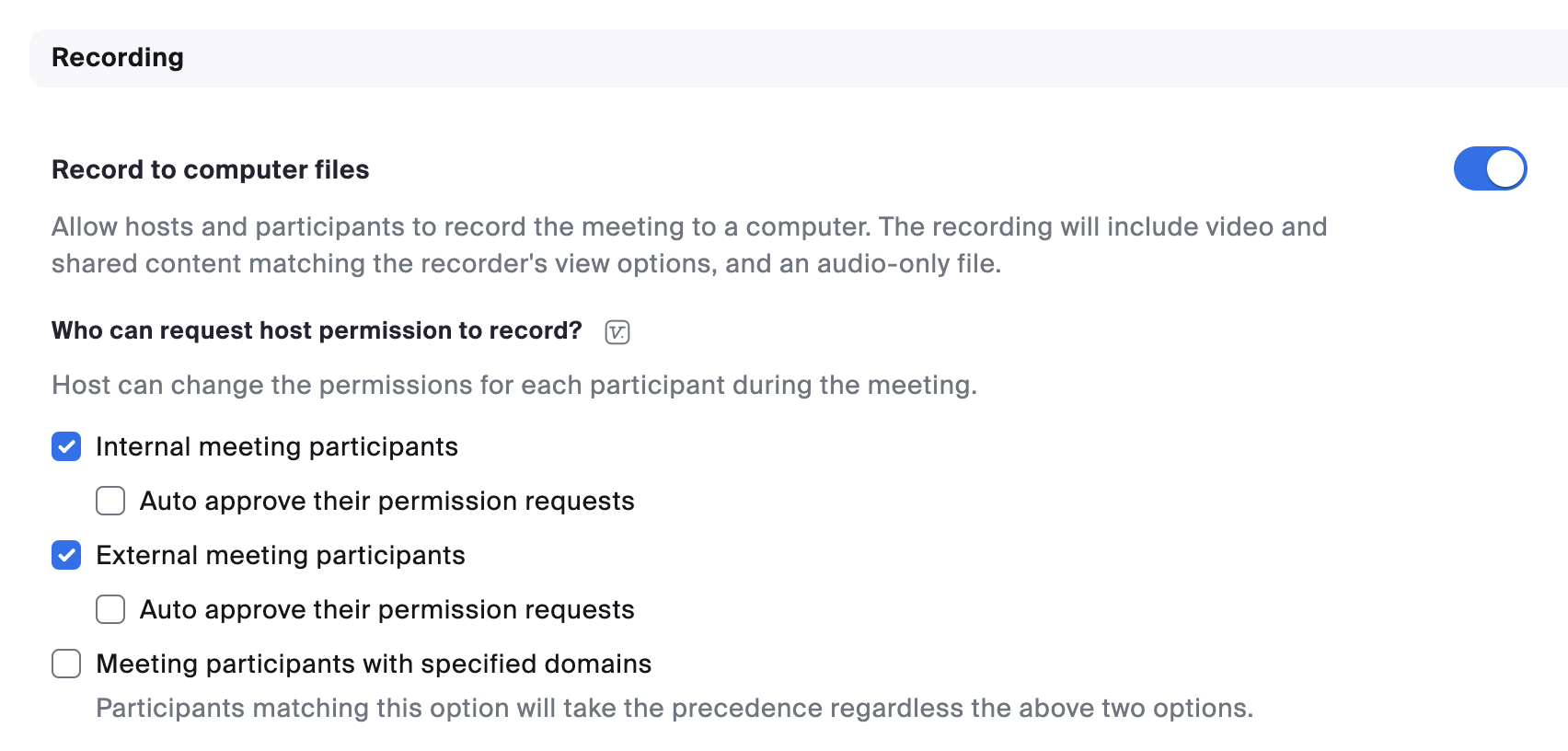
Scribe is joining my Zoom calls, why am I not seeing a transcript?
Scribe is joining my Zoom calls, why am I not seeing a transcript?
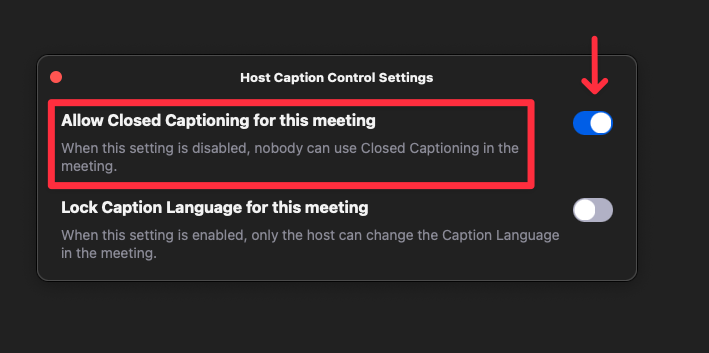
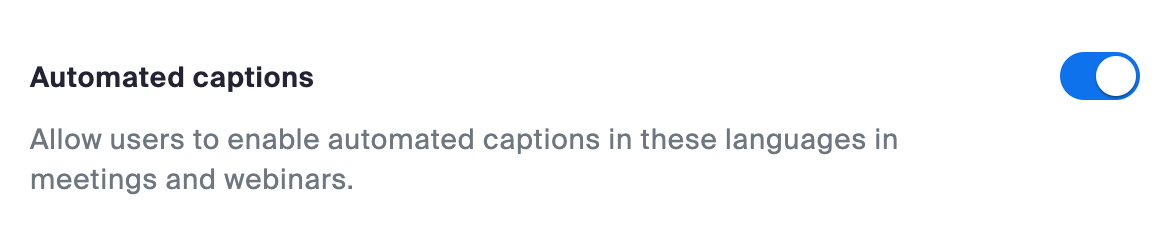
We rely on Zoom meeting captions to generate the transcript of your call. If the bot joined your call but you’re not seeing a transcript after a few minutes, it could be because you have meeting captions disabled.To enable meeting captions, navigate to Host Caption Control Settings while in a Zoom meeting, then enable the setting called Allow Closed Captioning for this meeting.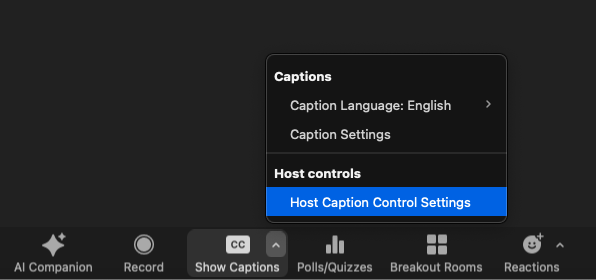
Does Scribe work in different languages?
Does Scribe work in different languages?
Yes. Scribe transcribes calls in more than 90 languages, detecting the language spoken on each call automatically. To tell Scribe which languages to expect on your calls, see Set a transcription language.The transcript is in the language spoken on the call. The summaries, key moments, and current topic that Scribe posts to your incident channel are written in English, whatever language the call was held in.
Can I stop transcribing?
Can I stop transcribing?
Does Scribe capture the text chat in a Microsoft Teams call?
Does Scribe capture the text chat in a Microsoft Teams call?
Scribe doesn’t capture messages sent in the meeting’s built-in chat. For now, the best approach is to encourage responders to share key information in the incident channel itself rather than the bridge call chat, so that everything is captured in the incident timeline. That way, Scribe handles the verbal discussion and the channel captures any written updates.