Meeting not found
We need to look up data about the call, in order to fetch information about the people who are participating. If you see this error, it is because we weren’t able to fetch information about the current call. If the call URL was set manually, please check that the call can be accessed by the Zoom account that was used to connect the Zoom integration.Host has disallowed web clients
This means that the meeting host has forbidden joining the call from the web, which prevents Scribe from joining. Sometimes, this can be because E2E encryption has been enabled for the call.I’ve enabled Scribe, but it’s not joining my calls?
We require new permissions for Zoom and Google Meet to enable call transcription. If you previously had those integrations setup it might be that you are using an older version of our permissions. Please make sure to update to the latest by re-authenticating the integration to ensure you have the right permissions. If you’re still seeing issues with Zoom, please check your settings in the Zoom app to ensure that recording has been allowed.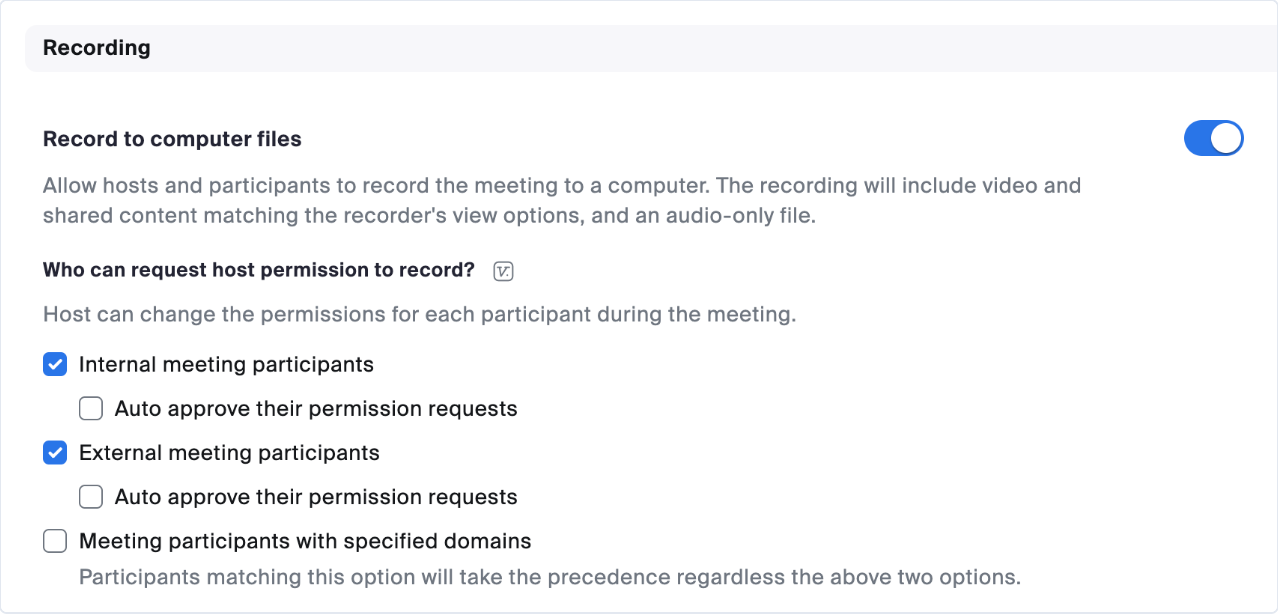
Scribe is joining my Zoom calls, why am I not seeing a transcript?
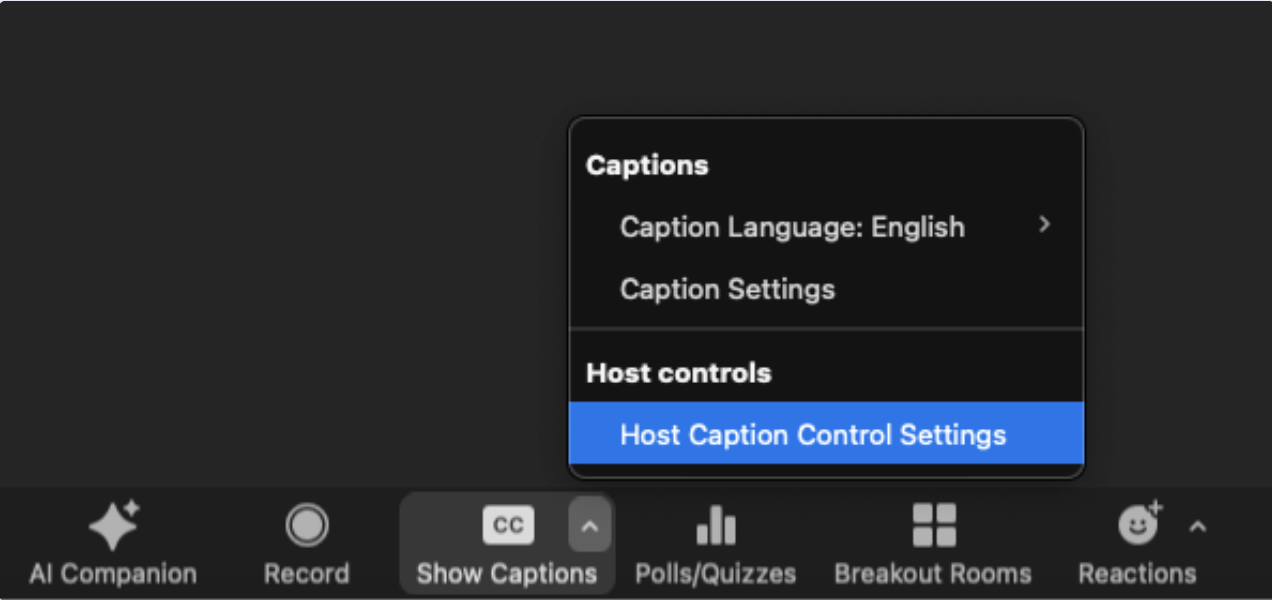
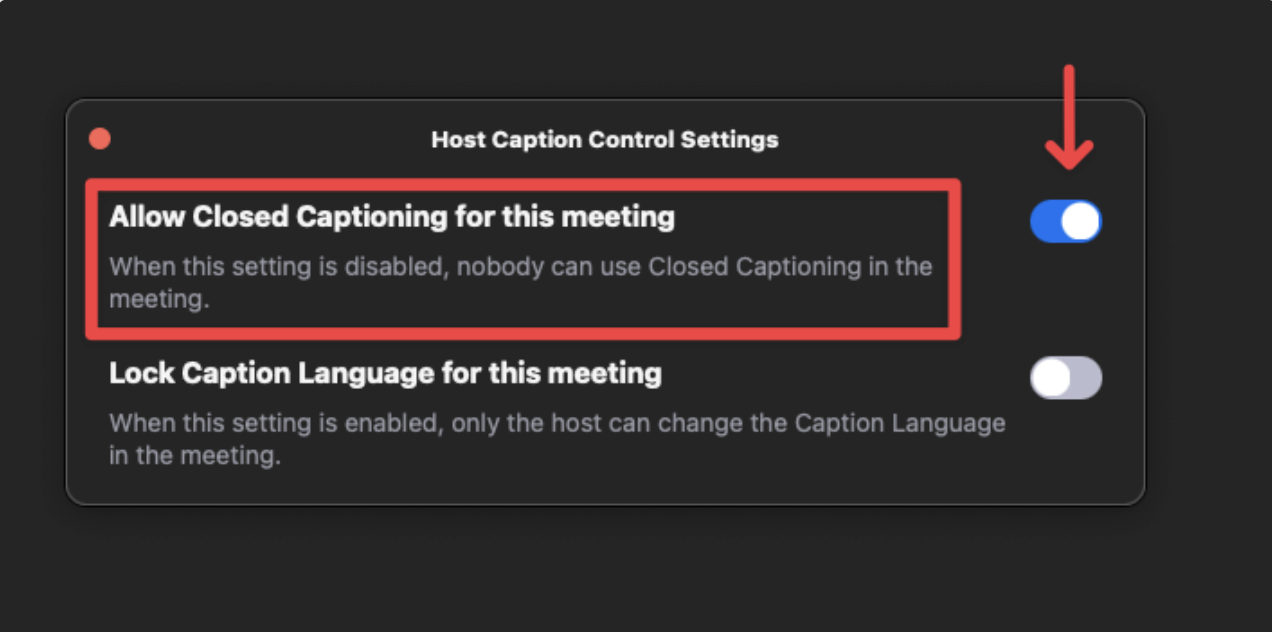
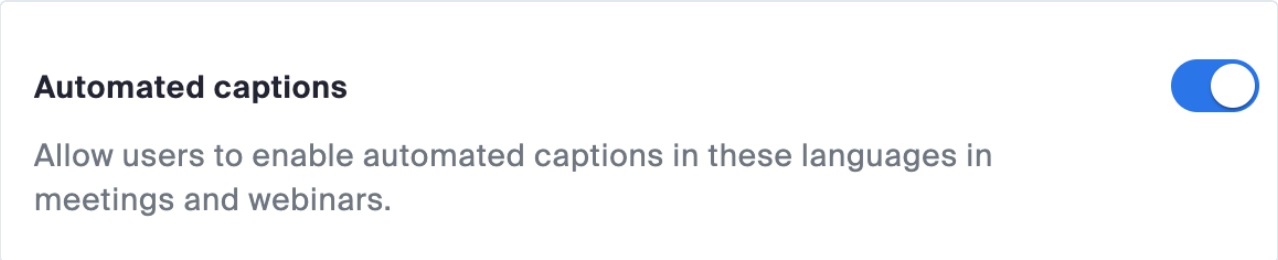
We rely on Zoom meeting captions to generate the transcript of your call. If the bot joined your call but you’re not seeing a transcript after a few minutes, it could be because you have meeting captions disabled. To enable meeting captions, navigate to Host Caption Control Settings while in a Zoom meeting, then enable the setting called Allow Closed Captioning for this meeting.