

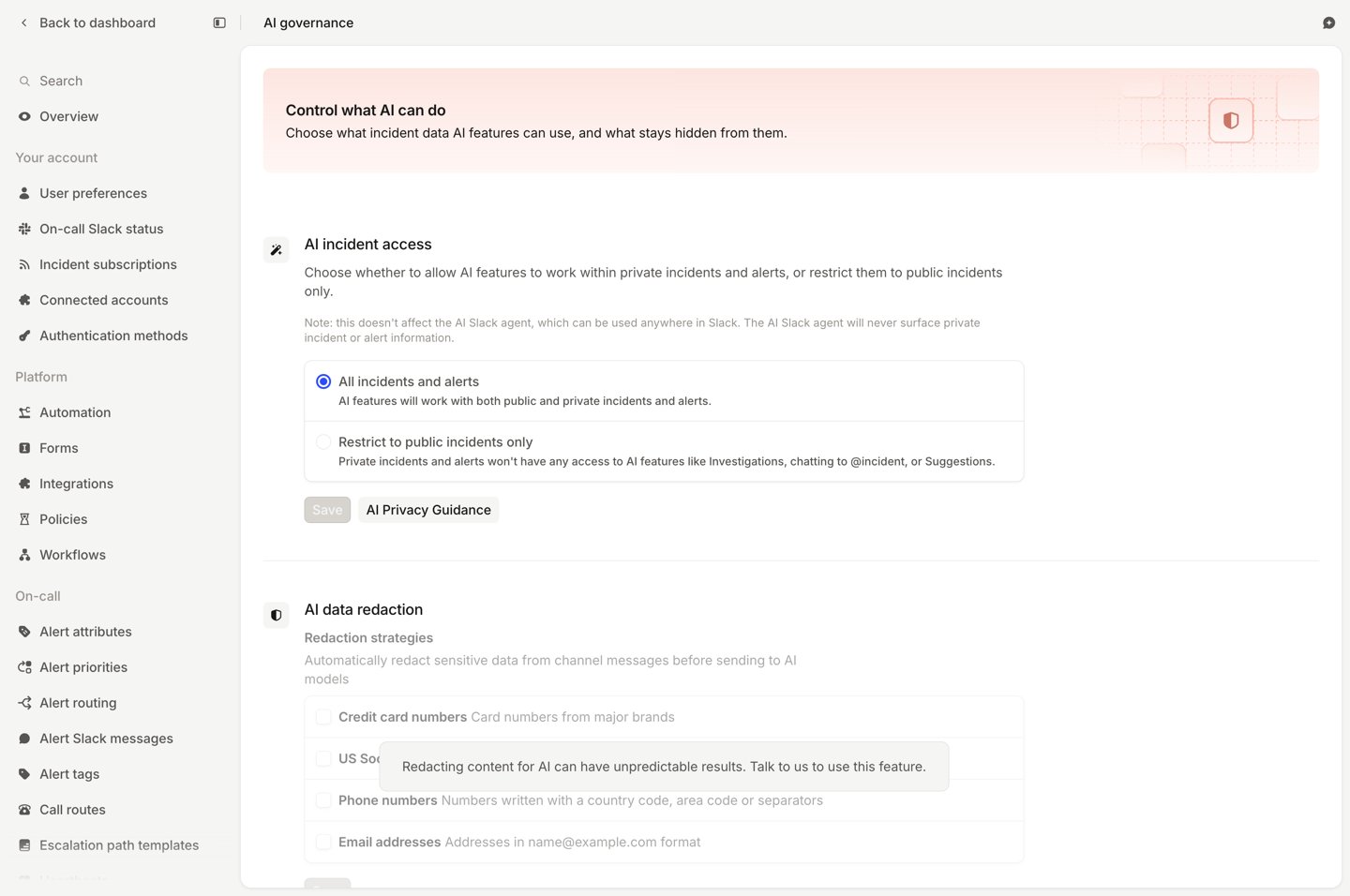
Every AI control
Who can change these settings
- The Manage security settings permission covers incident channel message storage, alongside your organization name and your SAML and SCIM configuration. By default, only account owners have this permission.
- The Manage organization settings permission covers everything else. Admin and Owner hold it by default.
Message storage
AI features use the incident channel conversation as key context, so most of them need incident channel messages stored. This includes the@incident agent in Slack, the web dashboard and mobile app, as well as Investigations.
Your data, including messages, is never used to train models.
Private incidents and alerts
Even with private access allowed, a private incident never surfaces in search results or in suggestions for a different incident. The Slack agent is unaffected by this setting: it can be used anywhere in Slack, and never surfaces private incident or alert information.AI data redaction
AI data redaction strips credit card numbers, US Social Security numbers and phone numbers from incident channel messages, the attachments AI reads and Scribe transcripts before they reach a model. Other content, including alert payloads, custom fields and code, is sent as written.Subprocessors
Your organization consents to OpenAI, Anthropic, Google Vertex, Recall.ai and ElevenLabs at sign-up, so all of them are allowed. Settings → AI governance lists their status once you’ve opted out of any. You can opt out of any of them: talk to your account manager, or email help@incident.io. AI features route across whichever LLM providers you allow. Opting out of Google Vertex turns off code analysis. Opting out of ElevenLabs moves Scribe to your meeting provider’s captions, and voicemail transcription to Twilio.FAQs
Do you train models on our data?
Do you train models on our data?
No. We hold zero data retention agreements with the LLM providers behind our AI features, OpenAI, Anthropic and
Google Vertex, so what we send them is not stored by them and is never used to train or fine-tune a model. The audio
providers behind Scribe and voicemail don’t retain your data either. See AI data handling.
Can we bring our own model or API key?
Can we bring our own model or API key?
Not currently. Our AI features use a combination of models across providers, chosen for accuracy, so there is no
bring-your-own-model or bring-your-own-key option.
Where do we get your subprocessor list and DPA?
Where do we get your subprocessor list and DPA?
Our Trust Center holds the current subprocessor list, the data processing addendum,
and our SOC 2 Type II report.
Related
AI data handling
Which providers we use, and how your data is handled.
Managing sensitive data
Prevent, erase and redact sensitive information.