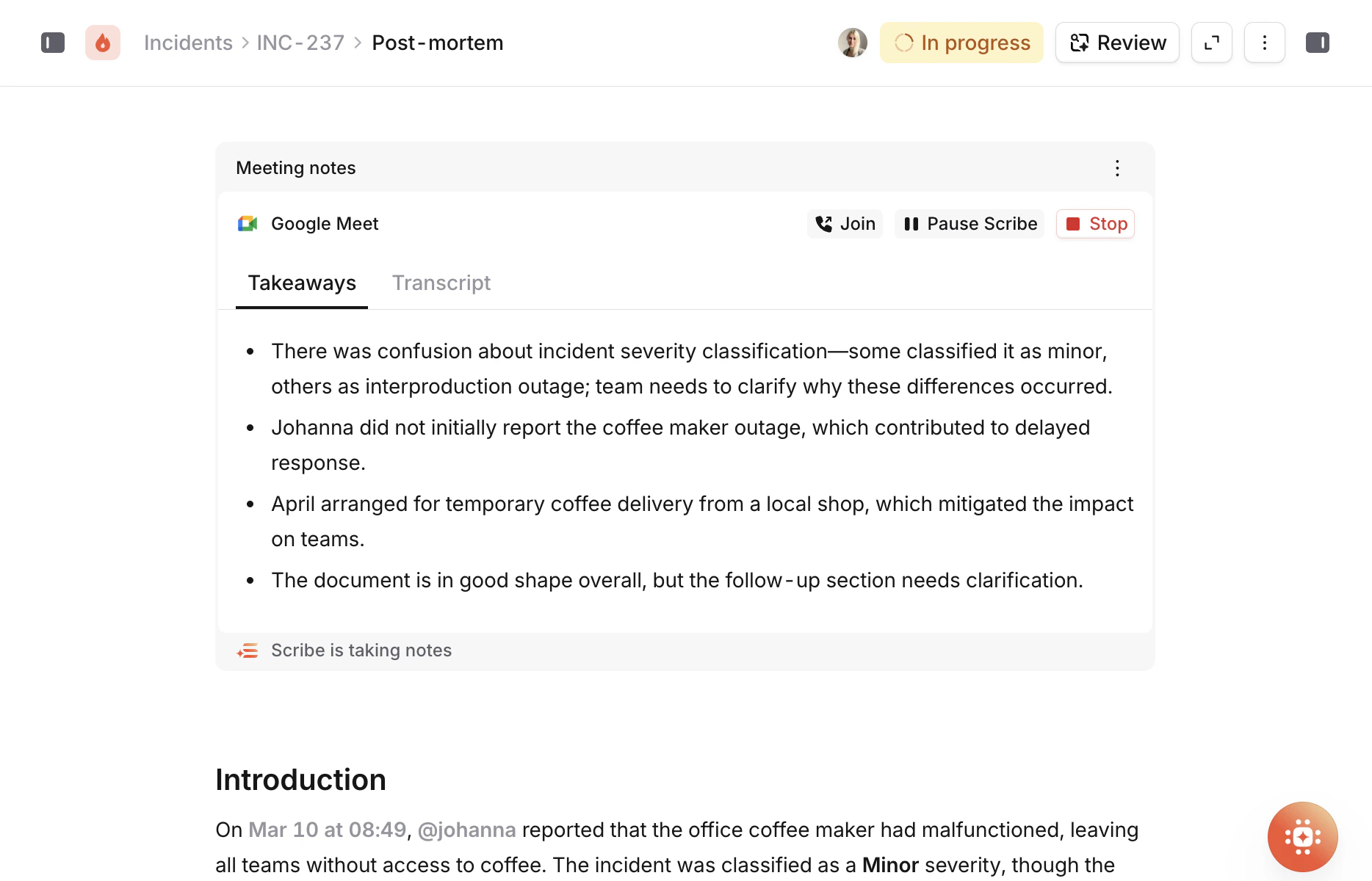
A lot of the most valuable post-mortem content comes out during debrief calls. People explain what they were thinking, fill in gaps that didn’t make it into Slack, and surface context that only exists in their heads. The problem is that none of this makes it into the post-mortem unless someone is taking notes while also trying to participate in the conversation. Scribe is an AI note-taker that joins your debrief call as a participant. It captures a live transcript of the conversation, generates takeaways, and feeds it all directly into your post-mortem document. The person writing the post-mortem gets access to everything that was discussed without having to scribble notes during the call. Scribe is available on Pro and Enterprise plans.

How it works

Scribe is connected to your post-mortem through the meeting notes block in the editor. There are a few ways to set it up:
  • Paste a meeting URL if you already have a call link.
  • Select an existing debrief that’s already been scheduled for the incident.
  • Create a new call directly from the meeting notes block by selecting your call provider. We create the call for you, no need to leave the editor.
Once you’ve linked a call, click Invite Scribe to have the bot join as a participant and begin recording. You can pause the recording at any point if the conversation goes off-the-record or the group takes a break, and resume when you’re ready to continue. Once the call is over, it processes the recording and generates takeaways — key actions and outcomes discussed during the call. The transcript and takeaways appear right there in the meeting notes block, embedded in the document alongside the rest of your content. After the call, you can browse the full transcript entry by entry within the meeting notes block. Scribe needs a separate meeting link for the debrief call. You can’t reuse the incident call link that was used during the live incident, because that’s a different context with different participants and a different purpose. The debrief call should be its own event, ideally scheduled through the debrief flow so everything is linked up properly.