Suggested templates
We provide three templates to get you started. You can use these as-is, duplicate them and customize, or create your own from scratch. Contributors, Mitigators and Risks (CMR): Our recommended template for high severity incidents. It captures the key factors that contributed to an incident, what helped mitigate it, and what you learned from it. Sections: Summary, Timeline, Contributors, Mitigators, Learnings and risks, Follow-ups. Root Cause Analysis (RCA): An industry-standard template for capturing the root cause, impact, resolution steps, and lessons learned. It’s more structured than CMR, with sub-sections for technical analysis, customer impact, and business impact. Lightweight Lessons Learned: A simple template for low severity incidents where you don’t need extensive analysis. It puts the lessons learned section before the timeline, so you focus on what you learned rather than a blow-by-blow account.Creating a template
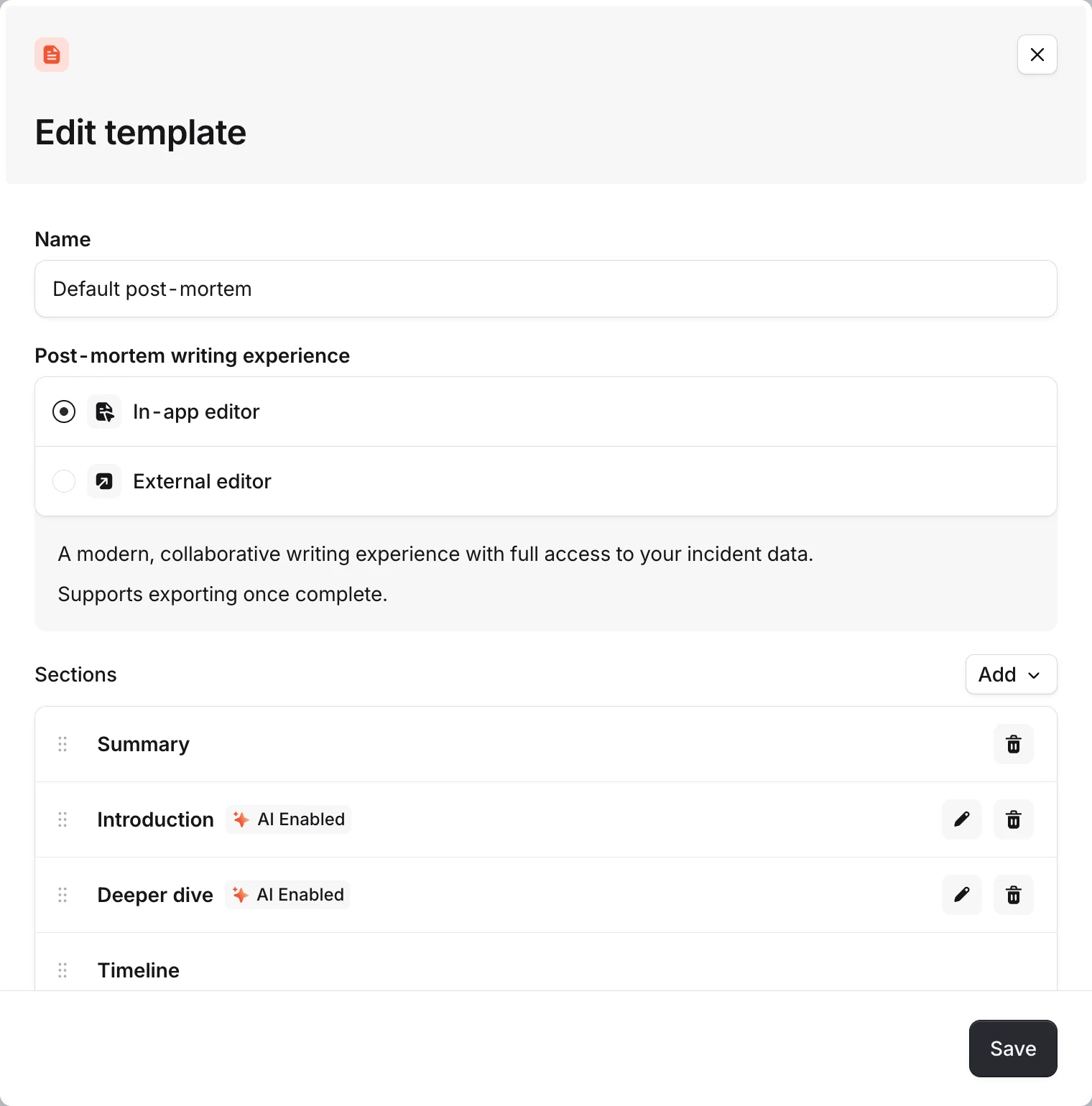
Go to Settings > Post-mortems and scroll down to the template section. Click Add template to create a new one from scratch, duplicate an existing one, or use one of our Suggested Templates. You’ll need to give it a name. Once the template drawer opens up, you can select the writing mode:- In-app: write your post-mortem in the incident.io editor with real-time collaboration, mentions, and AI features. This is what most teams use.
- External: exports the post-mortem directly to an external tool (Google Docs, Notion, Confluence, SharePoint) when it’s created. Use this if your team prefers to write in another tool. See External documents for more.
Post-mortem: {{incident.name}}), so your team doesn’t have to name each document manually. If you’re planning on exporting your document, you can configure the Export Title, which will be used as the file name in your export destination.
Once you’ve created the template, you can add and reorder sections.
Sections
Every template is made up of sections. There are a few preset section types, and you can add your own custom sections.Preset sections
- Summary: a high-level overview of the incident. This is always a good starting point for readers who want to understand what happened without reading the full document.
- Timeline: embeds the incident timeline directly in the post-mortem. This section can’t be removed.
- Follow-ups: shows the follow-up items associated with the incident. This section can’t be removed, but you can configure whether follow-ups are rendered as links or as a full table.
- Key information: a block of incident metadata (severity, duration, roles, etc.). This only appears in external post-mortems, not in the in-app editor.
- Feedback: a section for collecting feedback on the post-mortem process. Like key information, this only appears in external post-mortems.
Custom sections
Custom sections are where you define the actual analysis your team should do. When you add a custom section, you can configure:- Name: what the section is called in the document (e.g., “Root cause analysis”, “Customer impact”, “Lessons learned”).
- Help text: guidance shown to the person writing the post-mortem. This is where you describe what you’re looking for in this section. For example, “Outline any factors that played a role in this incident happening. Consider both technical and process-related contributors.”
- Template prefill: pre-populated content that gives the writer a starting structure. For example, sub-headings for “Root cause”, “Contributing factors”, and “Technical analysis”.
- Custom fields: you can include specific custom fields in a section, so the writer is prompted to fill them in alongside the written analysis. For example, an “Affected customers” custom field in an “Impact” section. This also encourages responders to keep custom fields up to date.
AI on sections
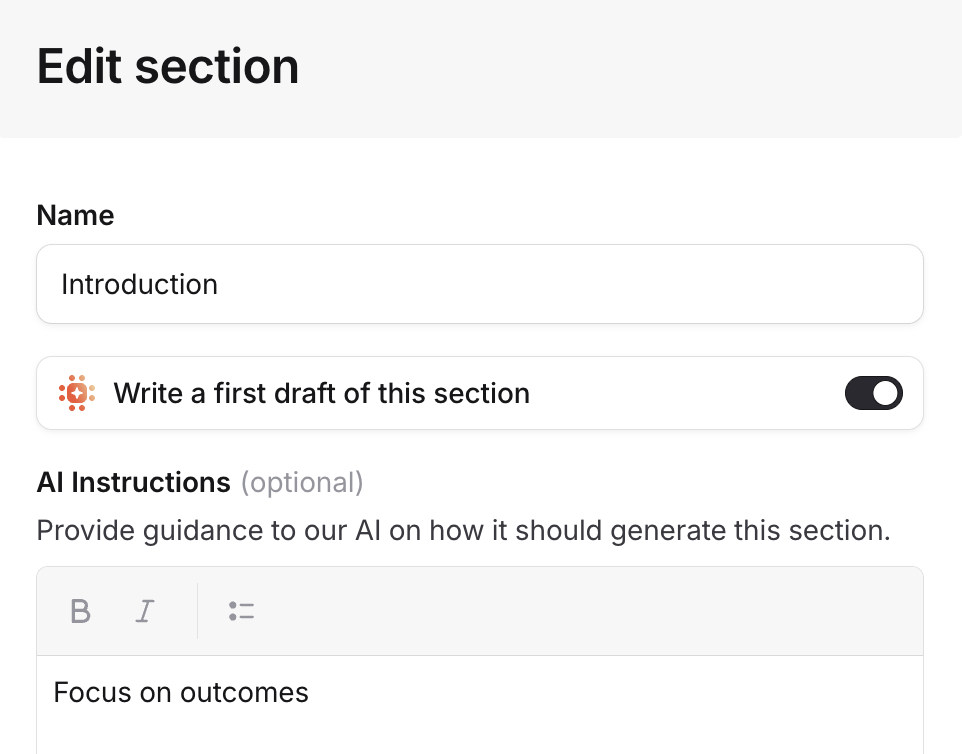
If you’re using an in-app template, you can enable AI generation for each custom section individually. When AI is enabled for a section, you can provide custom instructions that guide how the AI generates content for that section. For example, you might tell the AI to focus on customer impact rather than technical details, or to always include specific metrics.