Why would you use this feature?
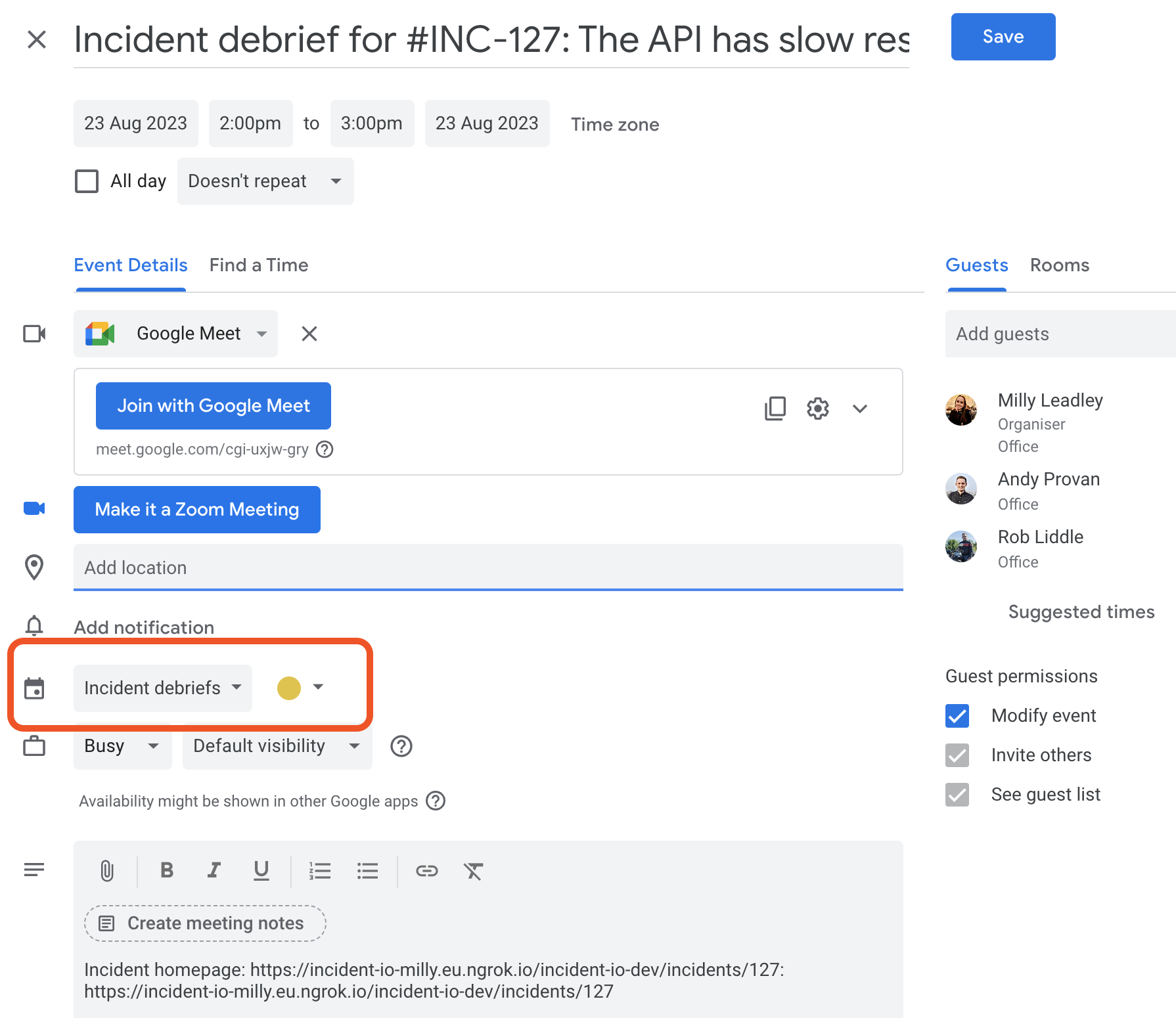
It’s possible for us to pre-fill the debrief event so that it will be created in a specific Google Calendar.
Incident debriefs, we’ll default to creating the event in that calendar rather than the calendar of the user who’s scheduling the event.
How do I set it up?
In order for this to work successfully, your responders need to have:- Permission to create events in this calendar
- Subscribed to this calendar within Google Calendar
1. Permissions
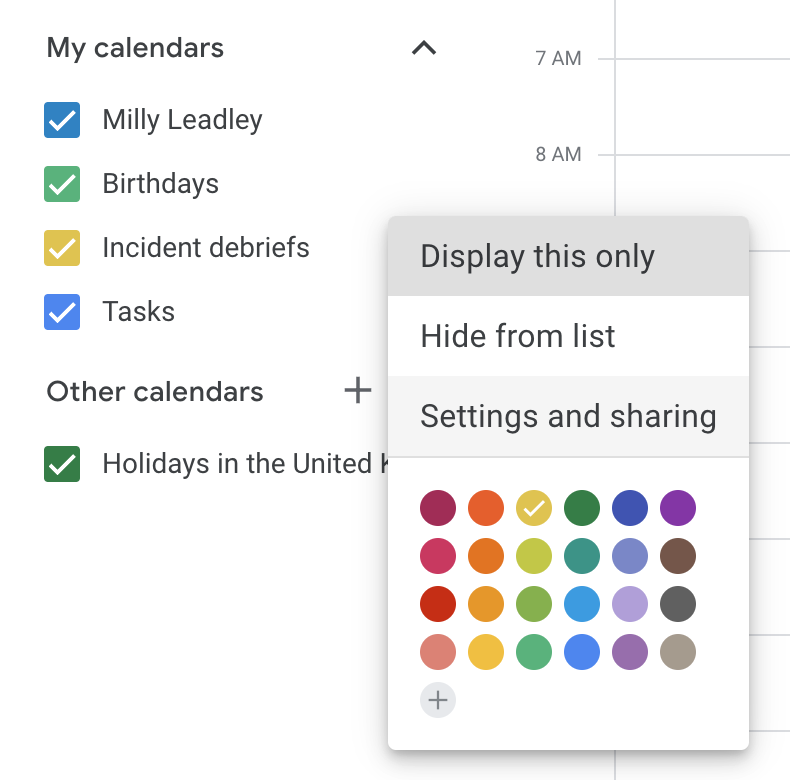
To ensure that everyone has the correct permission, you’ll need to click the three dots next to your calendar and chooseSettings and sharing.
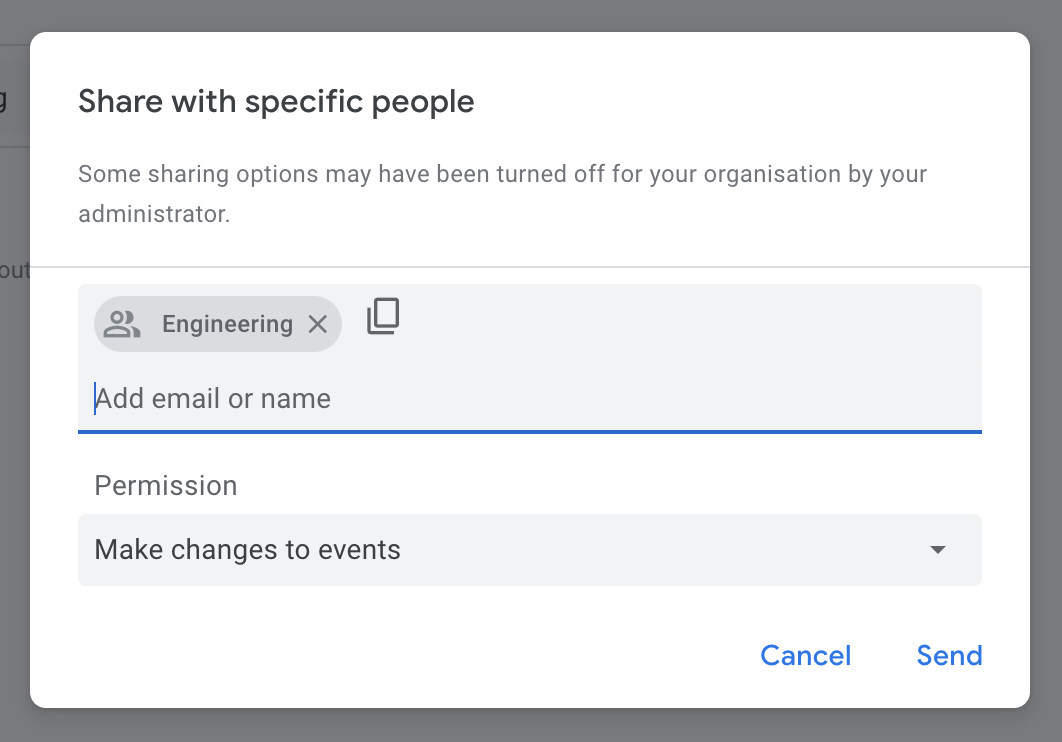
Share with specific people or groups section, hit Add people or groups. Then you can choose a user group (such as engineering@incident.io), and you’ll need to select the Make changes to event permission from the dropdown.