- Configure your “Affected Teams” field to filter options based on the value of the “Division” field.
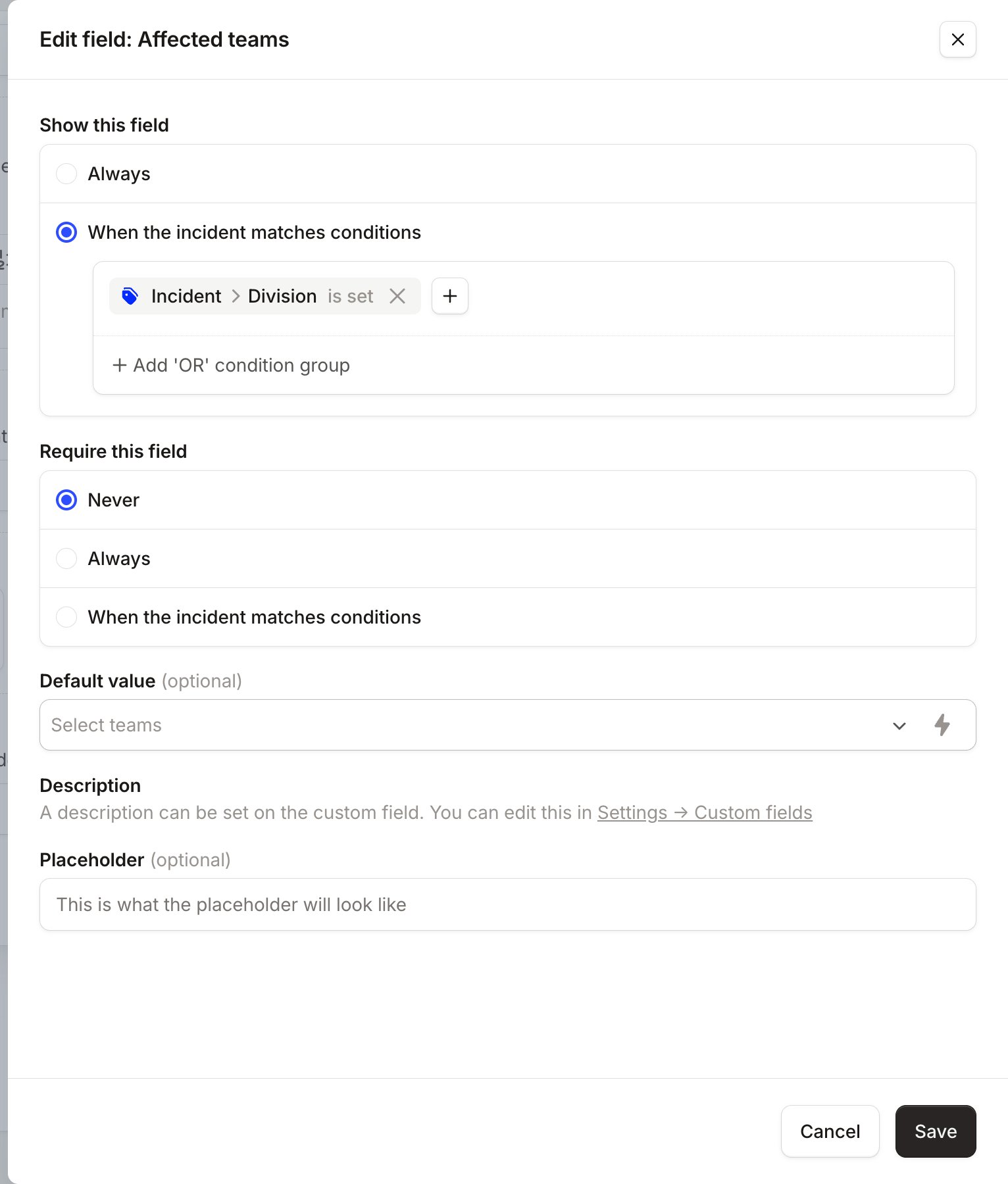
- Change the form so that we only show an “Affected Teams” dropdown if an incident has a “Division” set.
- Try your new incident form to see how it plays out.
Configure your “Affected Teams” field
Go to Settings > Custom fields > Edit “Affected Teams”. Set the Filter options based on the value of another custom field to the custom field you want to depend on. In this case, we have an attribute “Division” in the catalog entry for “Affected Teams” so that is what we select.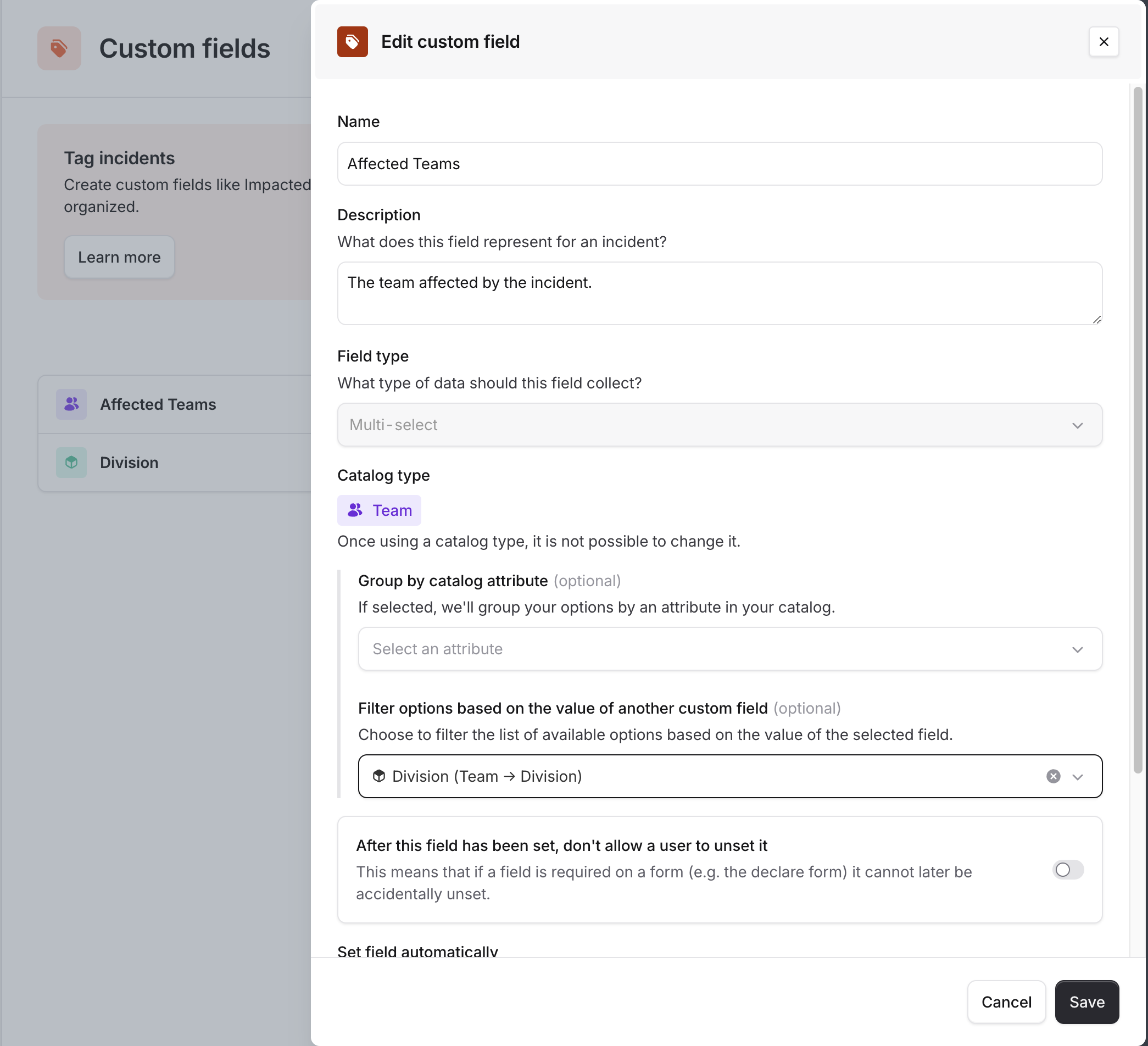
Change a form to only show “Affected Teams” when “Division” is set
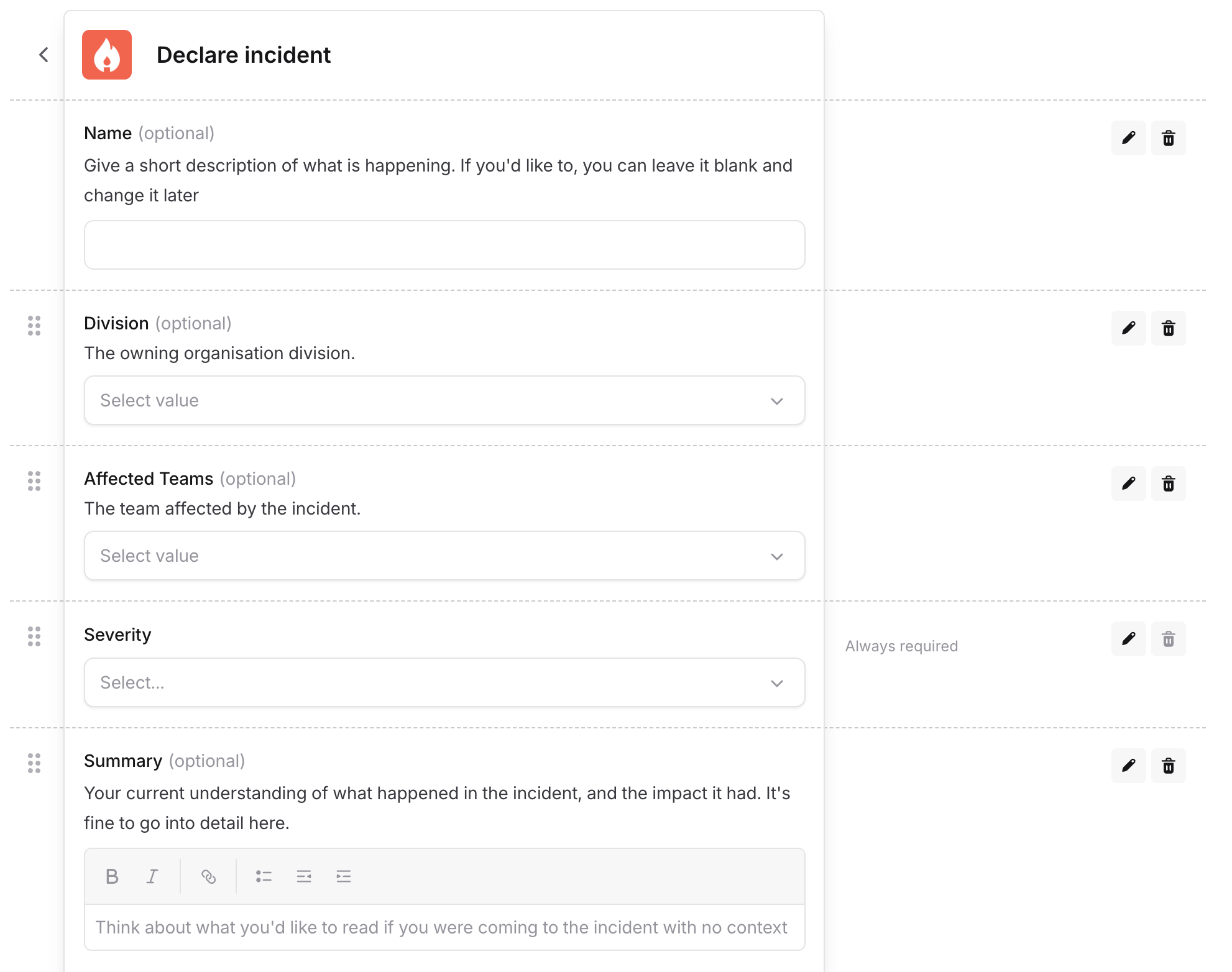
Say you have the following form setup, which is getting a bit long. What you want is to show the user the picker for “Affected Teams” only when “Division” has been set.