Context
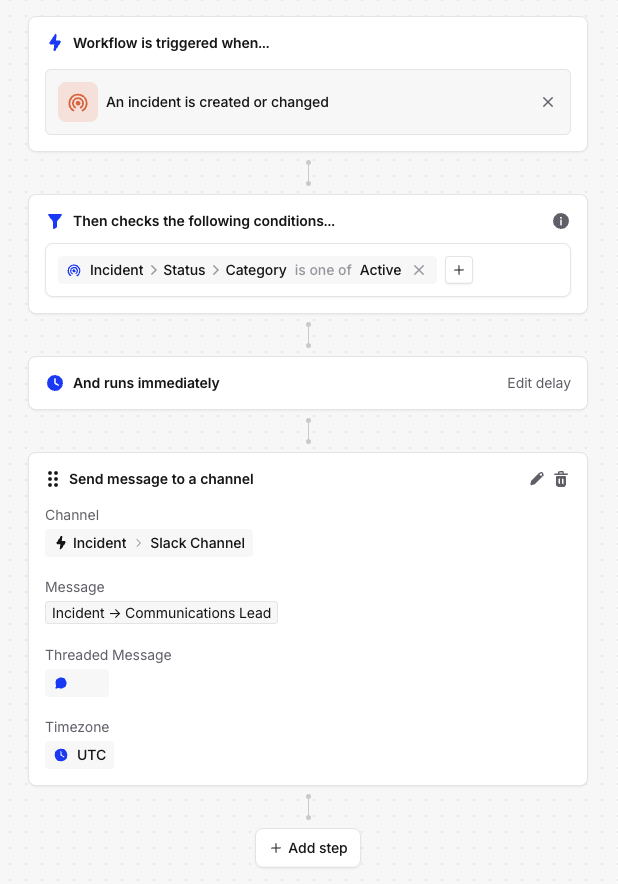
When creating a workflow that needs to mention or tag a specific user in Slack, they need to have an incident role and you have to reference their incident role in the workflow rather than their full name. This is particularly useful when automating notifications or mentions to role-specific team members, such as a Communications Lead.Answer
To properly tag a Slack user in a workflow, simply use the direct role reference without selecting additional user attributes. For example:- In your workflow builder, when you need to reference a user, select the role directly (e.g., “Incident → Communications Lead”)
- Do not select additional attributes like “Slack User” and “Name” - this will return their full name instead of their Slack handle
- The system will automatically convert the role reference into a proper Slack mention (@username) when the workflow executes