

/incident escalate to directly page users in Slack — no need to log into Opsgenie, search around and find the right place!
You can also automatically trigger incidents when an alert fires in Opsgenie by setting up Opsgenie as an alert source. You’ll need to have connected Opsgenie as an integration first.
Setting Up
You can connect Opsgenie to incident.io in just a few clicks. For this integration to work, your Opsgenie account will need to be on the Standard or Enterprise plan. This is a limitation of Opsgenie , where they restrict access to the Incidents API to these tiers.- Go to Settings > Integrations
- Search for Opsgenie and click its card

- Fetch your API key from Opsgenie
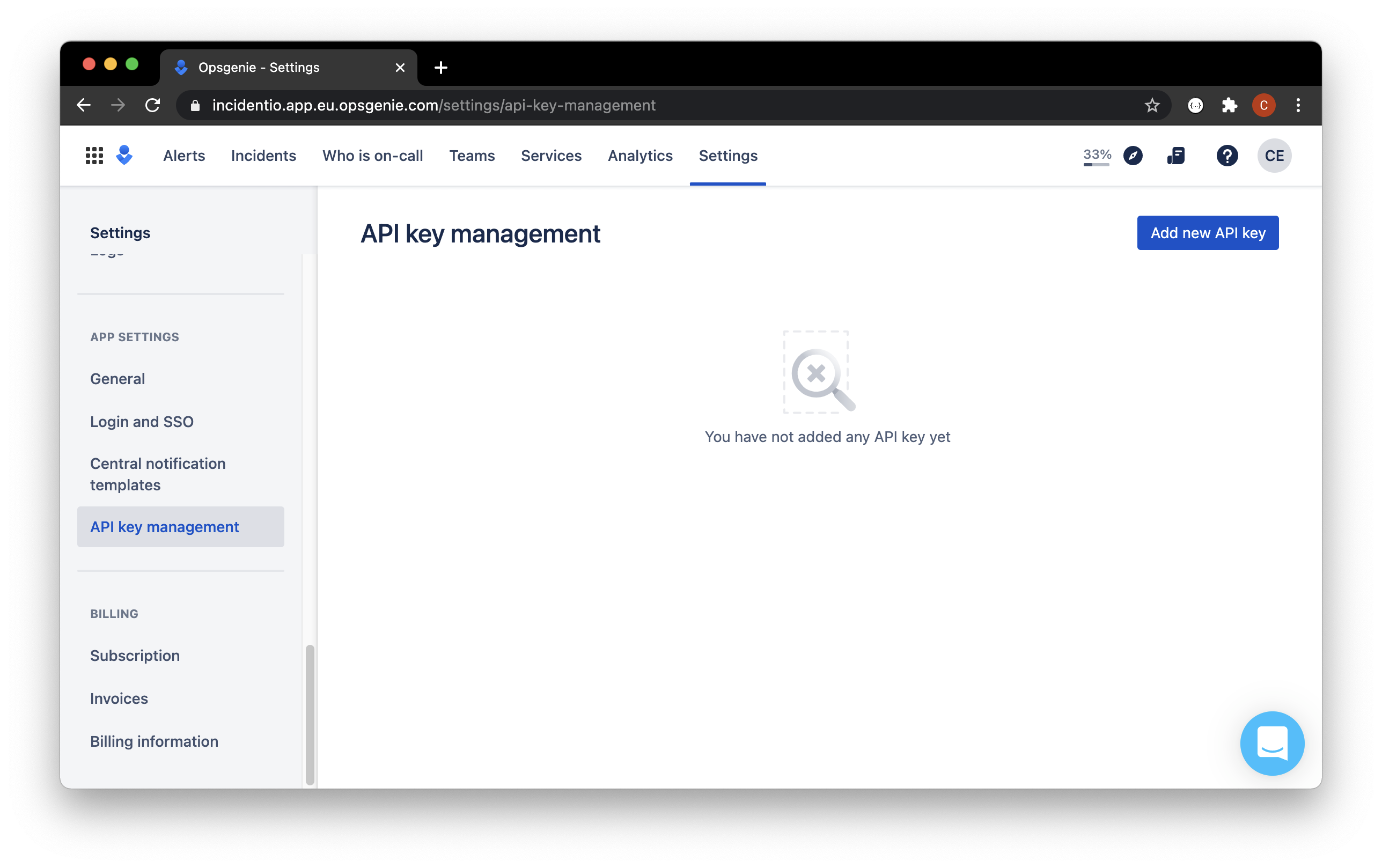
- Call it “incident.io”
- Set access rights:
- We require Read, Create, Delete, Update and Configuration access
- We require a Global integration API Key
- We don’t delete resources that aren’t managed by incident.io
- We will create 2 integrations one of type
APIand another of typeWebhook: we need the deletion permission so that we can clean up any resources we create if you were to uninstall the Opsgenie integration
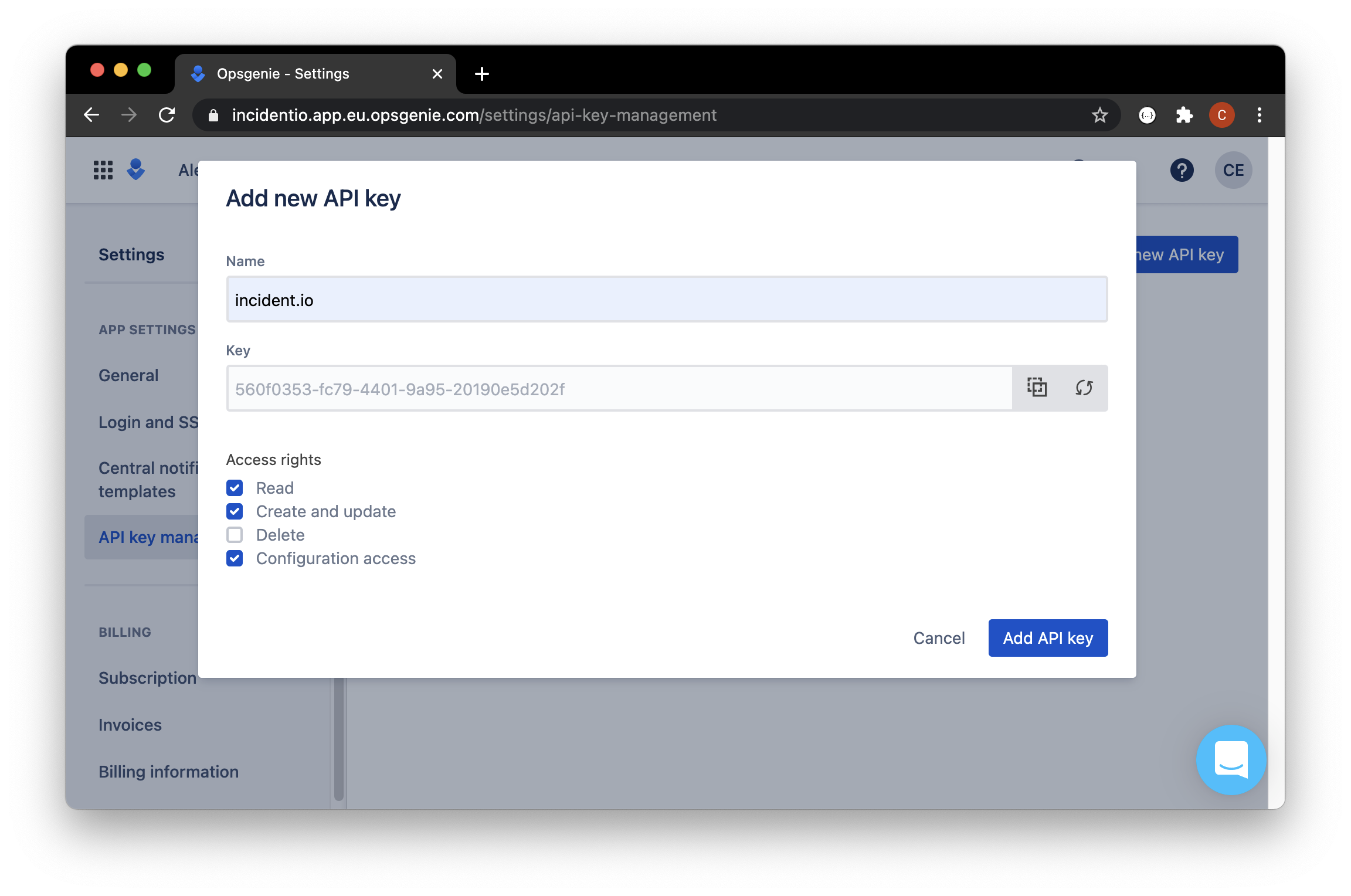
- Paste the API key from your clipboard into the Connect to Opsgenie dialog

Escalating an incident
Just head over to the incident’s Slack channel and hit/incident escalate.
Who can I page?
- A team : we’ll use the settings you’ve defined for the team to page whoever’s on-call.
- Any user on Opsgenie : sometimes, you know that special someone that can help you out when you get stuck. Escalate to them directly, and bring them in to help.
- Both the above at once! In the middle of a particularly gnarly incident? You can page multiple teams and individuals all at once