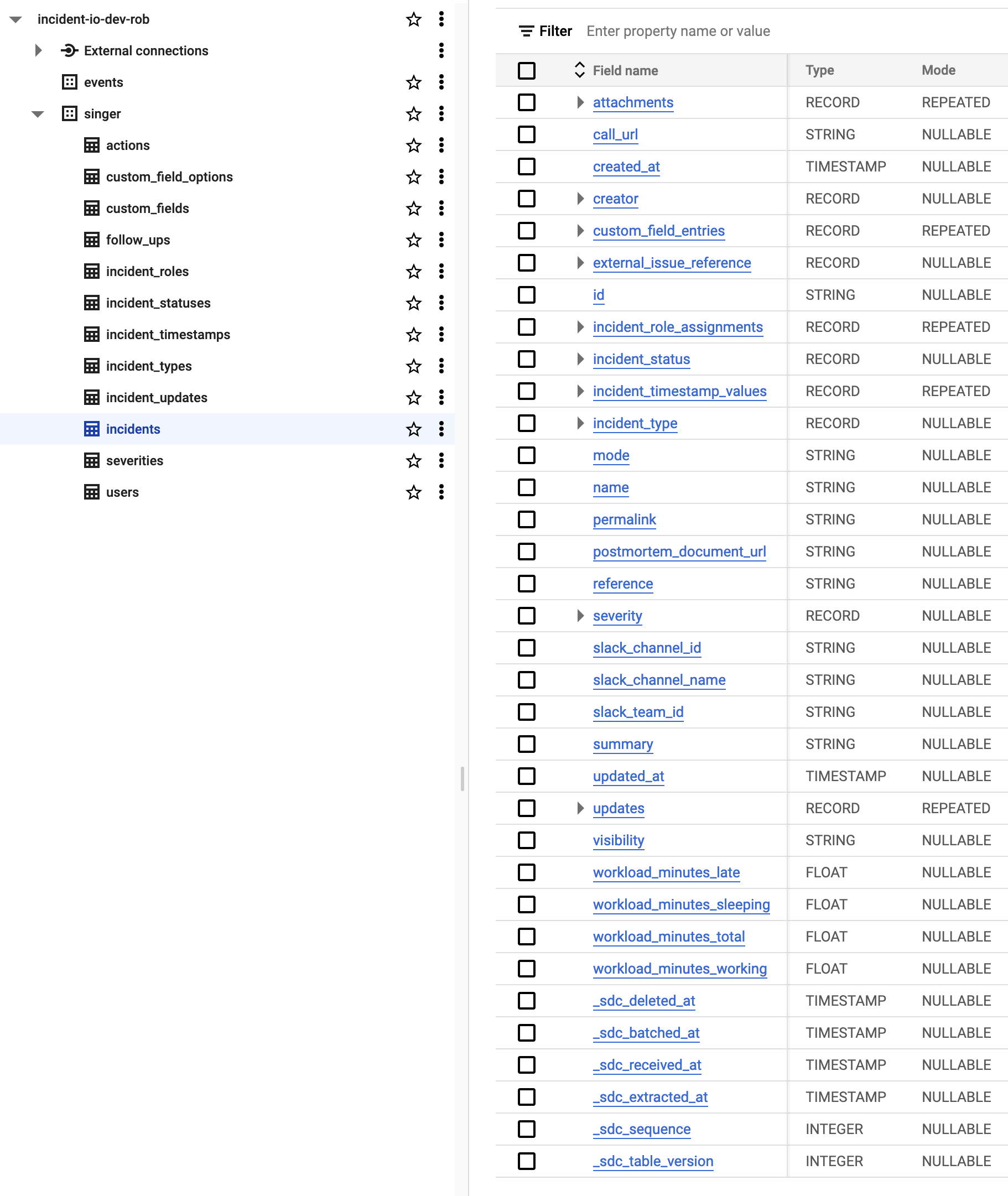
Incident data can be incredibly powerful and while we provide our own insights within the dashboard we understand that joining this data with your own can help to improve your understanding even more. One method for extracting your incident data is to query our API. We provide endpoints for things like incidents, roles, severities, and much more. Often though you will want to regularly take that data and store it in a data warehouse such as BigQuery, Redshift, or Snowflake. This can take time to build, test and maintain. To save you that effort we have now released a Singer tap which you can easily install and run on your own infrastructure.Documentation Index
Fetch the complete documentation index at: https://docs.incident.io/llms.txt
Use this file to discover all available pages before exploring further.
What is Singer?
Singer is an open-source specification for building processes to extract and load data. You can run “taps” that extract from different sources and “targets” that import data from those taps into your data warehouse. The great part about Singer is that a lot of people have already built taps and targets for you - allowing you to simply put the parts together that you need.Getting Started
To get started using our Singer tap see the project documentation here: https://github.com/incident-io/singer-tap/ As a quick start you can try using the BigQuery Target to load data into some BigQuery tables. You install our tap, the target, add some config json files, and then all that’s left to extract data from our incident.io account and store it in BigQuery is one simple command!