

Context
When a Sentry metric alert fires, the webhook Sentry sends may not include the settings configured on the alert rule that triggered it. One of those settings is the Alert source, which we use to route the alert to your Sentry Metrics alert source. This is caused by a recent change on Sentry’s side, which we have raised as an issue with Sentry. Until then, you can work around it by sending the webhook to a Custom HTTP alert source through a Sentry internal integration.Workaround
There are three parts to this: create a Custom HTTP source in incident.io, create an internal integration in Sentry, then update your metric monitor to notify that integration.1. Create a Custom HTTP alert source
In incident.io, go to your alert source configuration and create a new Custom HTTP alert source. See Custom HTTP alert sources for more detail on this source type.-
Add a JavaScript transform expression. This transforms the
event_alertwebhook, that Sentry sends from a Metric Monitor, into incident.io’s alert schema: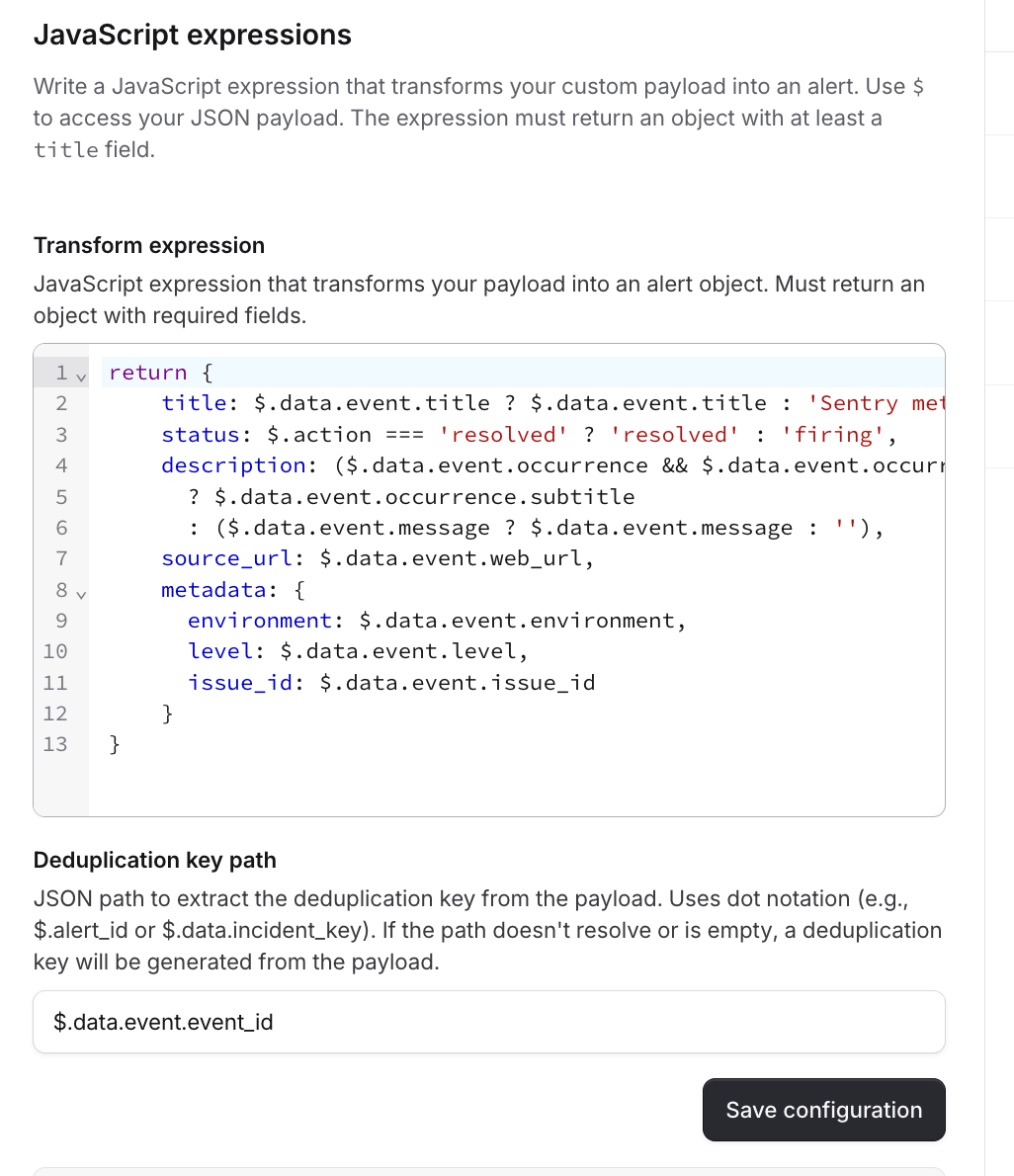
-
Set the Deduplication key path to
$.data.event.event_id. - Make a note of the Query authentication URL, then Save. You’ll need the URL in the next step.
- Save your changes.
- You can use the properties in the transform expression to map to alert attributes with alert attributes expressions.
2. Create an internal integration in Sentry
In Sentry, go to Settings → Custom Integrations (https://<your-subdomain>.sentry.io/settings/developer-settings/).
-
Select Create New Integration.

-
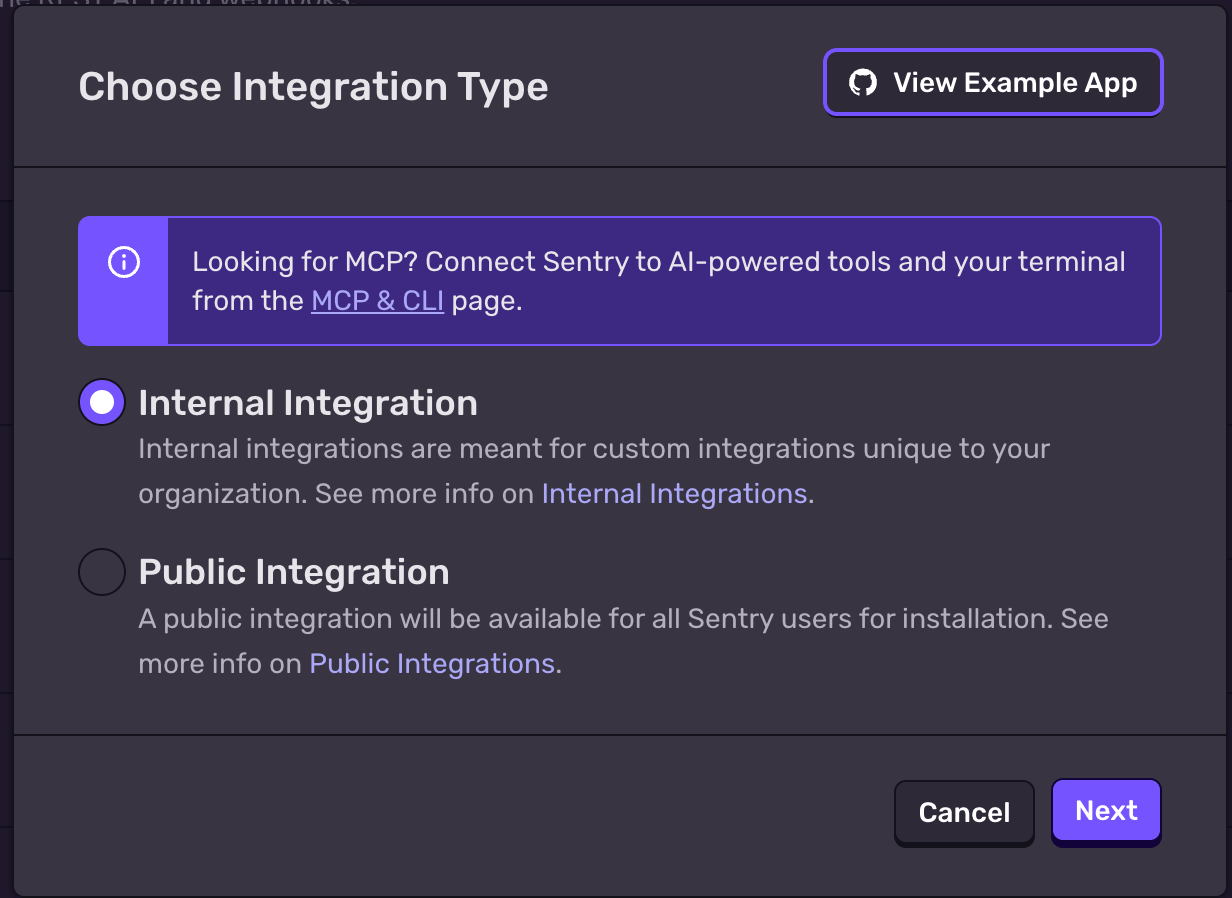
Choose Internal Integration, then select Next.
-
Configure the integration:
- Name: something easy to identify, for example “Notify incident.io (with webhook)”
- Webhook URL: paste the Query authentication URL from step 1
- Alert Rule Action: enable this so the integration is available on alert rules
- You don’t need to configure any other fields.
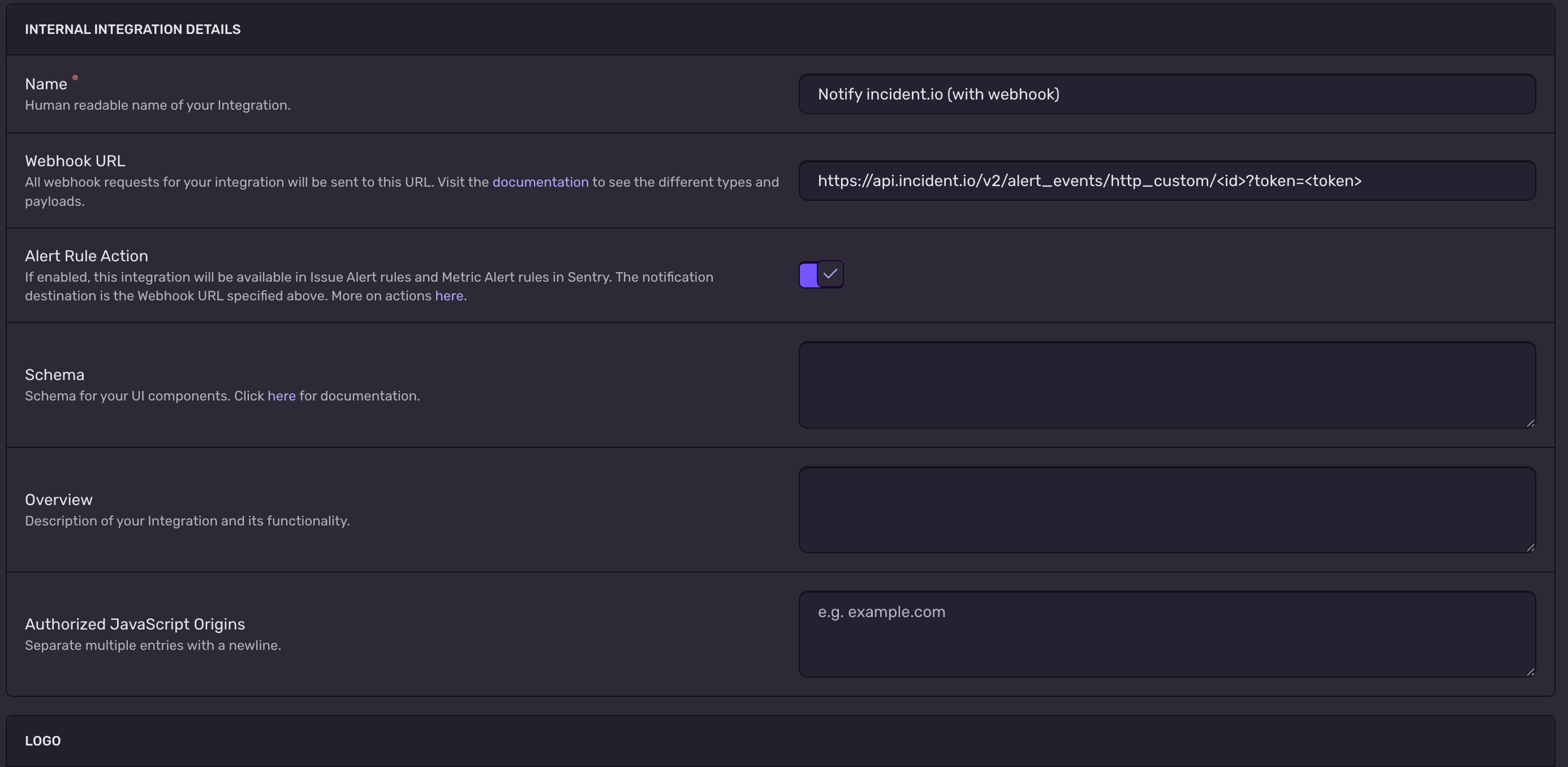
- Select Save changes.
3. Update your metric monitor’s connected alerts
Now point the metric monitor that uses your Sentry Metrics alert source at the integration you just created.- Open the metric monitor you’re currently using with your Sentry Metrics alert source.
-
Scroll to Connected Alerts and select Edit Alerts.

-
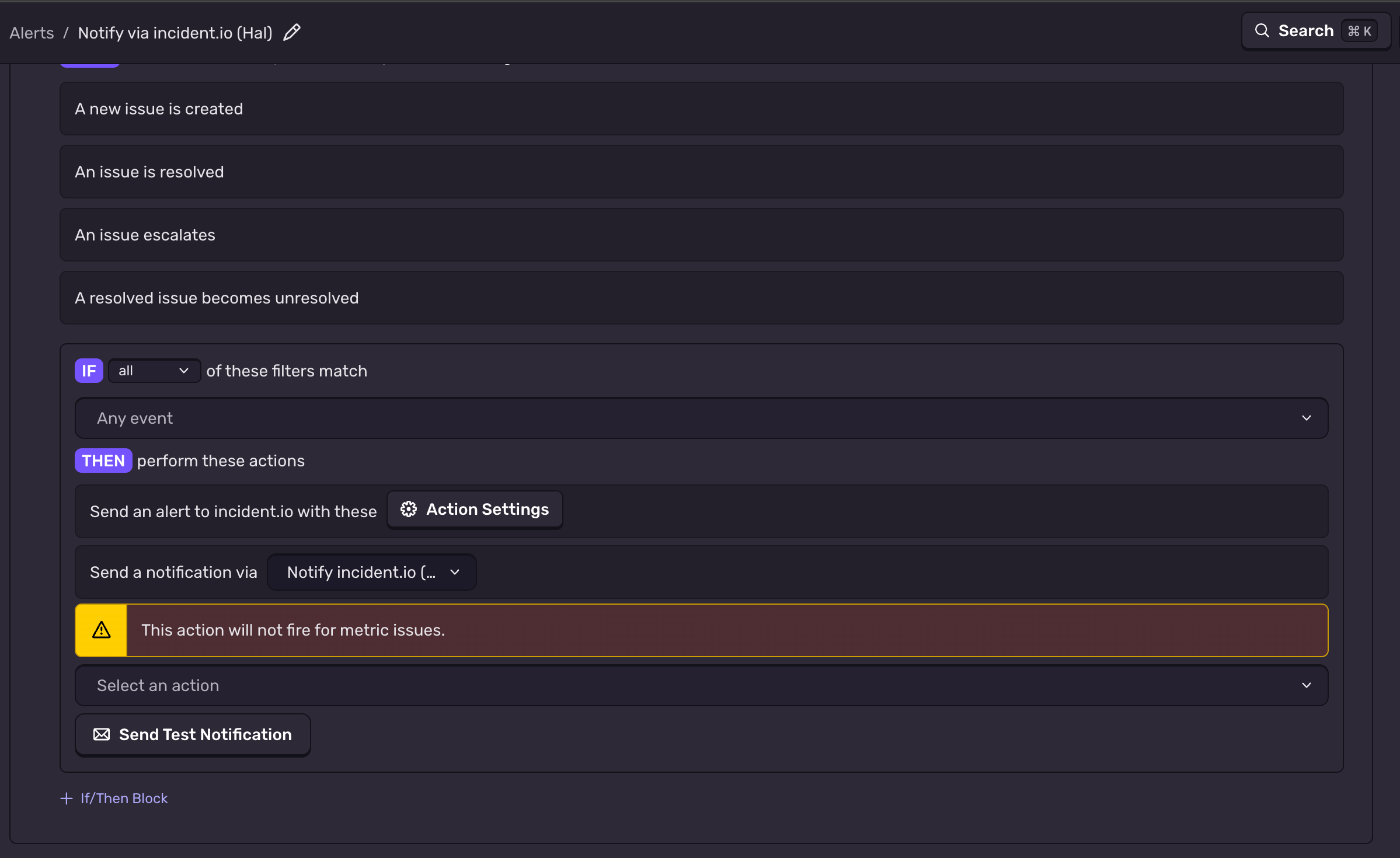
Edit the connected alert that notifies incident.io.
-
Select add an action, then scroll down and choose Send a notification via an integration.

-
Select the integration you created in step 2, then Save.

- Sentry shows a “This action will not fire for metric issues” message next to this action, but you can ignore it. This is a known Sentry bug.
Sentry only sends this webhook when a metric alert is triggered, not when it resolves. Alerts created through this
source won’t resolve automatically when the Sentry alert recovers, so you’ll need to resolve them in incident.io.