

Context
When managing multiple on-call schedules with different roles (like Incident Manager, Incident Commander, DevOps), you may want to automatically assign the current on-call person from each schedule to their corresponding incident role when an incident is created.Answer
You can automatically assign on-call members to incident roles using a workflow with custom expressions. Here’s how to set it up:- Create a new workflow or edit an existing one
- Add the Assign incident roles step for any role you wish to set in the workflow
- For each role you want to assign, use the following expression:
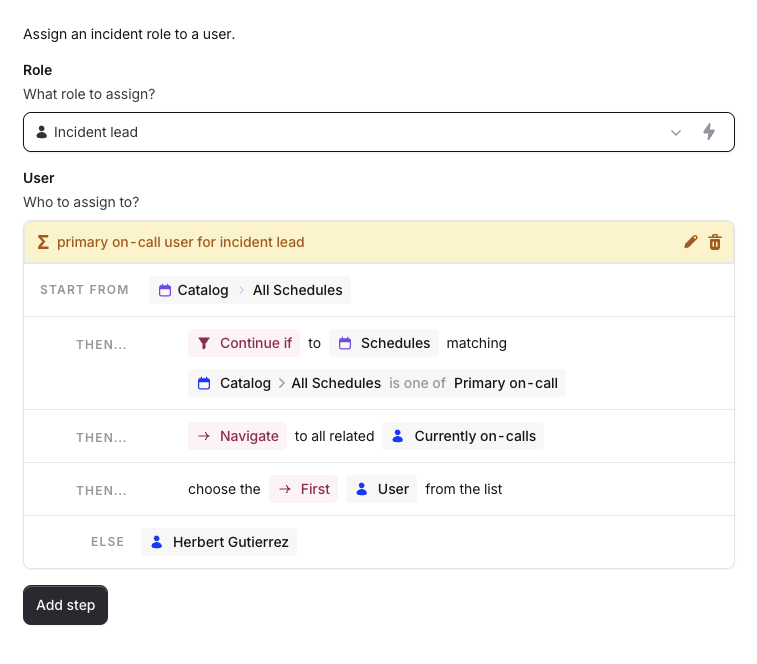
Make sure to use the exact schedule name in the expression to target the specific on-call schedule