

Explore your incidents
You don’t need Investigations to get value from Nexus. From your catalog and your past incidents alone, it builds a clustered map of your incident history: related incidents grouped into themes, so you can see your data in a way a list never shows you.Exploring your incidents in Nexus is available on Pro and Enterprise plans.
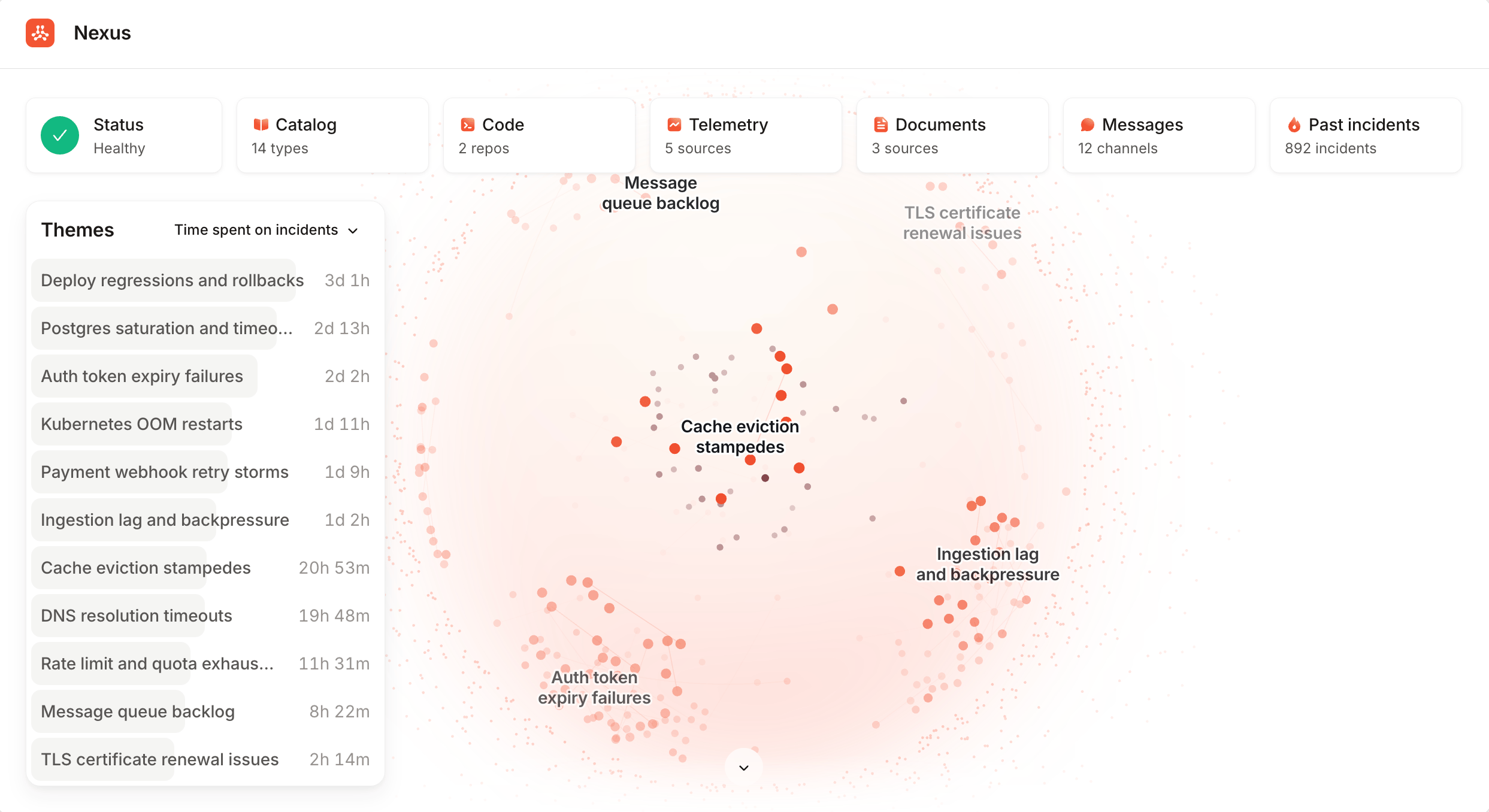
Nexus clusters your recent incidents into themes you can explore.
What Nexus knows
Each source you connect gives Nexus another angle on your organization. Catalog and past incidents come from incident.io itself. Connecting the other sources, like telemetry and code, currently requires Investigations. Once a source is connected, everything draws on it: Investigations use it when an incident is live, and so does the agent whenever you ask it a question. With telemetry connected, you can ask the agent what your systems were doing and it’ll go and query them for you. Connect whatever you have; you don’t need everything to get value.
Catalog
Your services, teams, and who owns what.

Past incidents
Everything that’s happened before, and how it was fixed.
Change events
Deploys, feature flags, and config changes, correlated with incidents.
Documentation
Runbooks and reference docs from Confluence, Notion, GitHub, and GitLab.
Code repositories
Your pull requests and the code behind them, safely sandboxed.
Telemetry
Logs, metrics, traces, and dashboards from your observability tools.
Slack channels
Real-time context: deploys, config changes, and team discussion.
Extensions
Your team’s skills, plus connectors to the systems we have no integration for.
FAQs
Do I have to buy Nexus separately?
Do I have to buy Nexus separately?
No. Nexus is the intelligence underneath the platform, not a separate purchase. Every product you use adds to what
it knows, and it’s unique to your organization: your data never trains shared models. Connecting sources like code
and telemetry does require Investigations, but your catalog and your past incidents feed
Nexus without it.