

Sometimes an action turns out to extend beyond resolving the incident. When that happens it shouldn’t hold the incident open, so turn it into a follow-up and it carries over to the work your team picks up afterwards.
Every follow-up is open, completed, or not doing. Mark something as not doing when your team consciously decides against it, so it leaves the open list without vanishing from the record.
How you create and manage follow-ups depends on whether you run incidents in Slack or Microsoft Teams. The dashboard works the same way for both.
- Slack
- Microsoft Teams
 Slack
Slack Microsoft Teams
Creating follow-ups
There are several ways to create a follow-up, so you can capture one without breaking off what you’re doing.React with the :fast_forward: emoji
React to any message in an incident channel with :fast_forward: and we’ll turn it into a follow-up, using the message as the title. This is the quickest way to capture something mid-incident that clearly isn’t going to be done today.Run /incident follow-up
Run /incident follow-up in an incident channel to open the Create follow-up modal. Add a title after the command to pre-fill it, for example /incident follow-up improve checkout test coverage.Paste a link to an existing issue
If the work already has a ticket, paste its link into the incident channel and we’ll offer to attach it as a follow-up. The follow-up is connected to that issue from the start, so its status stays in sync without anyone copying anything across.From the dashboard
Open the incident’s Post-incident tab and select Add follow-up. The drawer that opens also has an Import tab, for bringing in a ticket that already exists in your issue tracker.By asking @incident
Tag @incident in the incident channel and ask it to create a follow-up, or to change an existing one’s owner, status, priority, or title. The agent runs every change with your own permissions and records it against your name.Via a workflow
Workflows can create follow-ups for you. Add the Create incident follow-ups step to a workflow, list the follow-ups you want, and they’ll be created automatically. The step can also set an assignee, description, labels, and priority.Managing follow-ups
Follow-ups can be assigned, edited, completed, or dropped, from wherever you’re working.Assigning follow-ups
Follow-ups can be owned by a person, by a Team, or by both. Assigning a team is useful when you know which team the work belongs to but not yet who will pick it up.When you assign someone, they’re notified so the work doesn’t sit unnoticed once the incident is over.Tracking what’s open
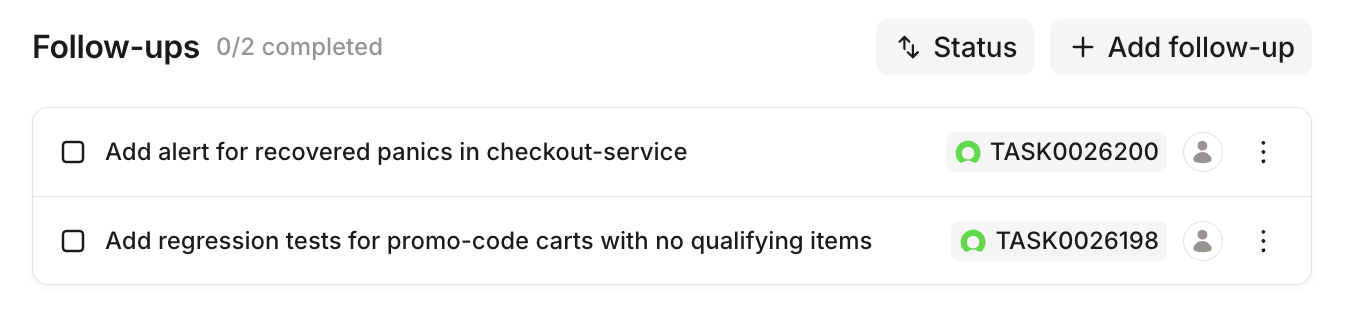
Run/incident follow-ups to see every follow-up on the incident, grouped by status and showing who owns each one.Exporting to your issue tracker
Most teams already track this kind of work somewhere else, so follow-ups are built to live in your issue tracker rather than compete with it. Choose Export from a follow-up’s menu and pick where it should go.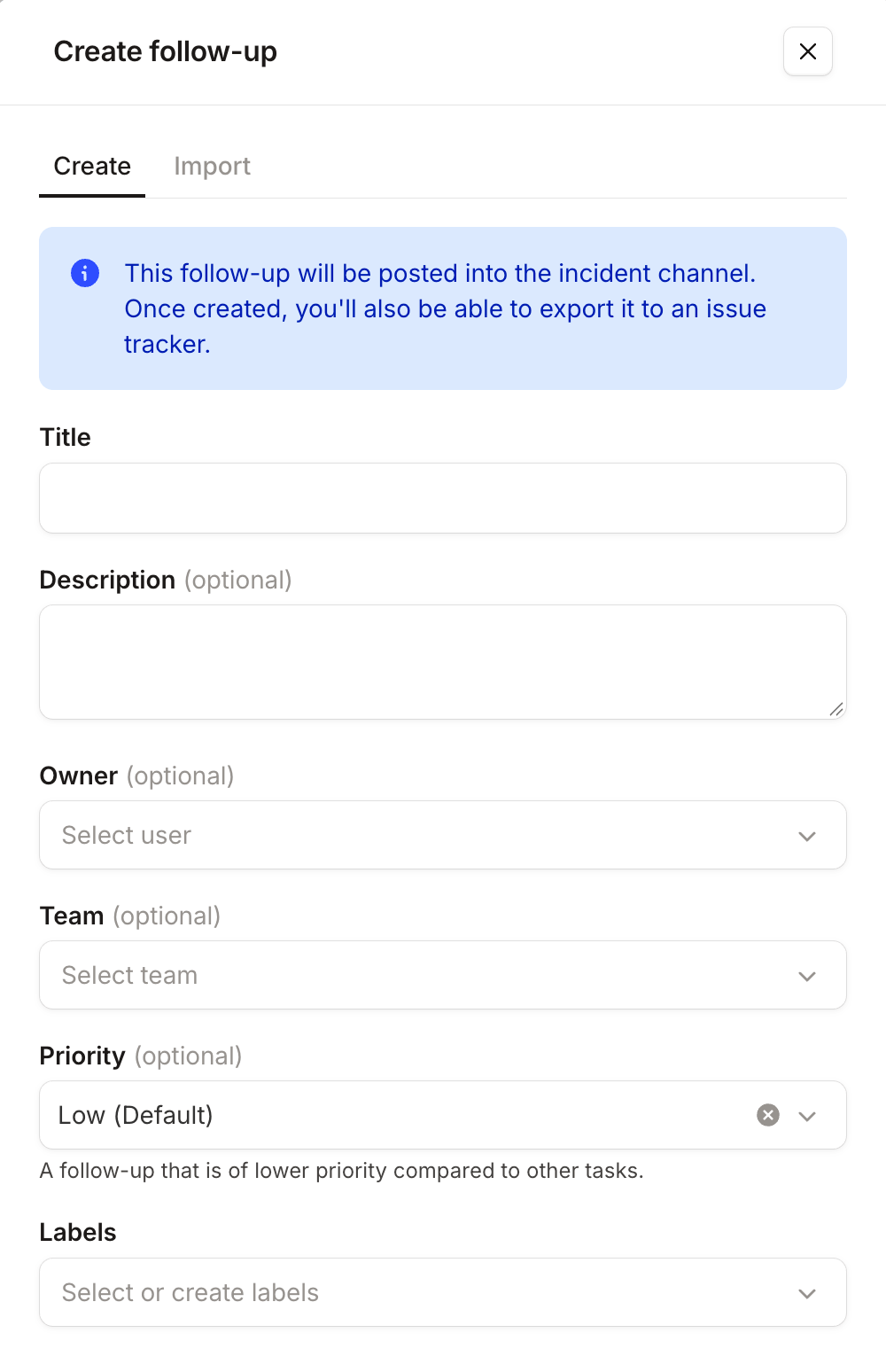
FAQs
Who can own a follow-up?
Who can own a follow-up?
A person, a team, or both. Assigning a team is useful when the work clearly belongs to a group but nobody has
picked it up yet. You can require an owner on every follow-up from Settings → Follow-ups, and choose whether
that means a user, a team, or both.
Where do I edit a follow-up that's been exported?
Where do I edit a follow-up that's been exported?
In your issue tracker. Once a follow-up is exported, the tracker owns its title, description, status, owner, and
labels, and we follow along. Follow-ups that haven’t been exported are edited in incident.io.
Can I make priority mandatory?
Can I make priority mandatory?
Yes, from Settings → Follow-ups. Until you do, priority is optional and new
follow-ups take your default. Priorities also drive follow-up policies, which is
how you hold teams to completing the important ones.
What are labels for?
What are labels for?
Filtering. Labels are free-form, so you can create them as you type, and they sync in from your issue tracker once a
follow-up is exported to it.
Can I pull follow-ups into my own tools?
Can I pull follow-ups into my own tools?
Yes. The Follow-ups API lists them across every incident, with filters on incident,
assignee team, and the created and updated timestamps, which is what makes incremental syncing possible.