

Creating a maintenance window
Give the window a name, assign a lead, and set a start and end time. Then define which alerts the window should catch using condition groups - the same conditions engine used in alert routes. You can match on any alert attribute, such as source, service, team, or environment.During-window actions
Choose what happens to matching alerts while the window is active: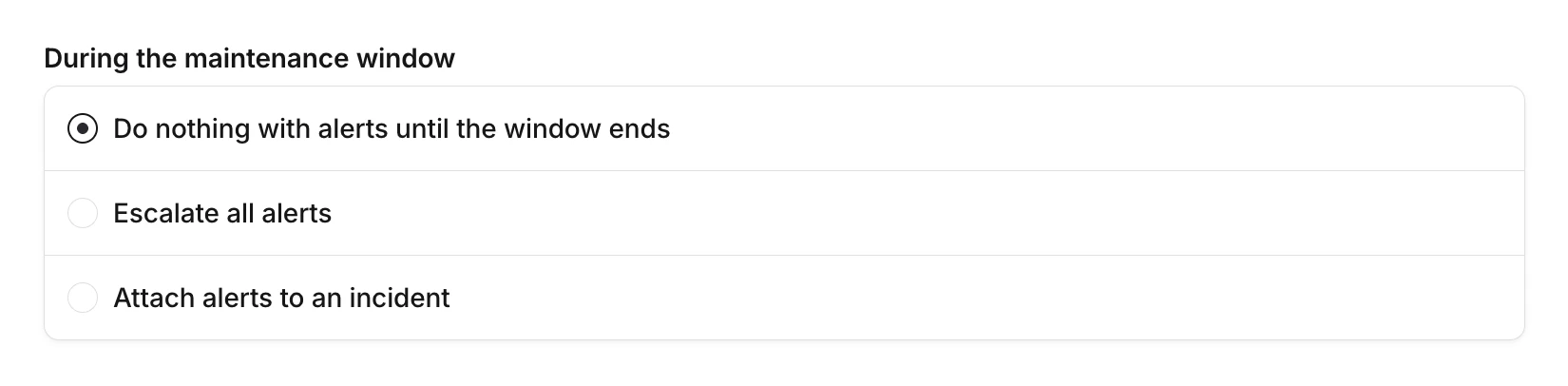
- Do nothing with alerts until the window ends: alerts are held and no escalations or incidents are created. This is the most common choice for routine maintenance.
- Escalate all alerts: alerts are escalated to specific escalation paths or users you choose. Use this if you’re not expecting alerts and want to be paged as soon as something goes wrong, or to redirect alerts to the team running the maintenance instead of the usual responders.
- Attach alerts to an incident: alerts attach to a specific incident you choose. Use this when you want to track maintenance-related alerts in one place.
After-window actions
Choose what happens when the maintenance window ends: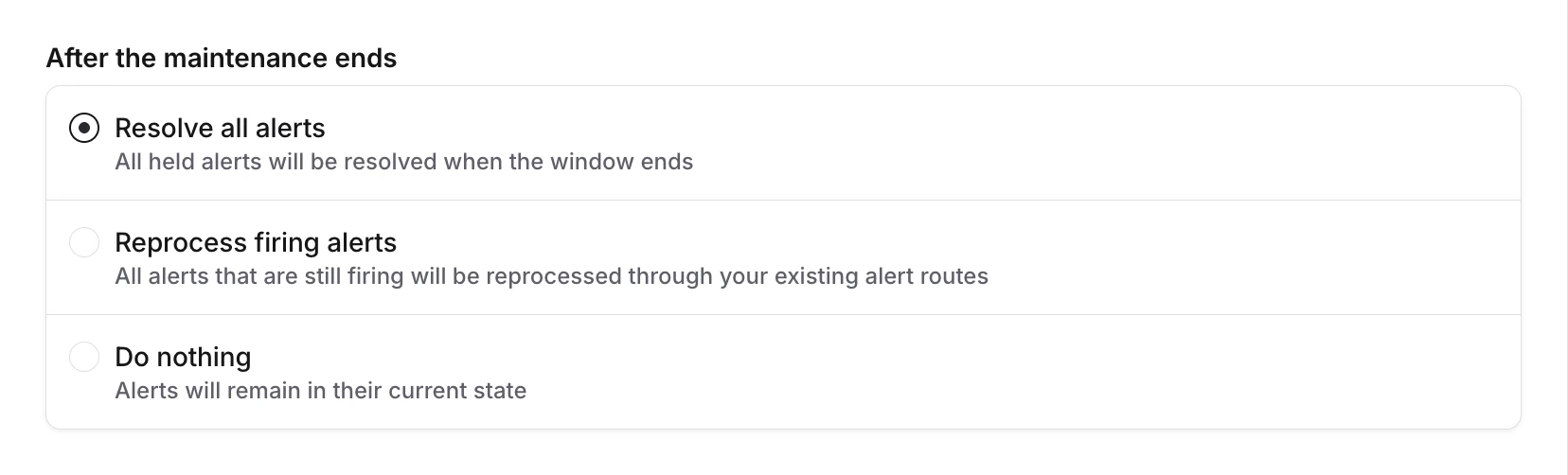
- Resolve all alerts: all held alerts are resolved when the window ends.
- Reprocess firing alerts: all alerts that are still firing are reprocessed through your existing alert routes.
- Do nothing: alerts remain in their current state.
Viewing alerts during a window
While a maintenance window is active, you can see which alerts it has caught. Open the maintenance window to view all held alerts, their status, alert source, and how much time remains.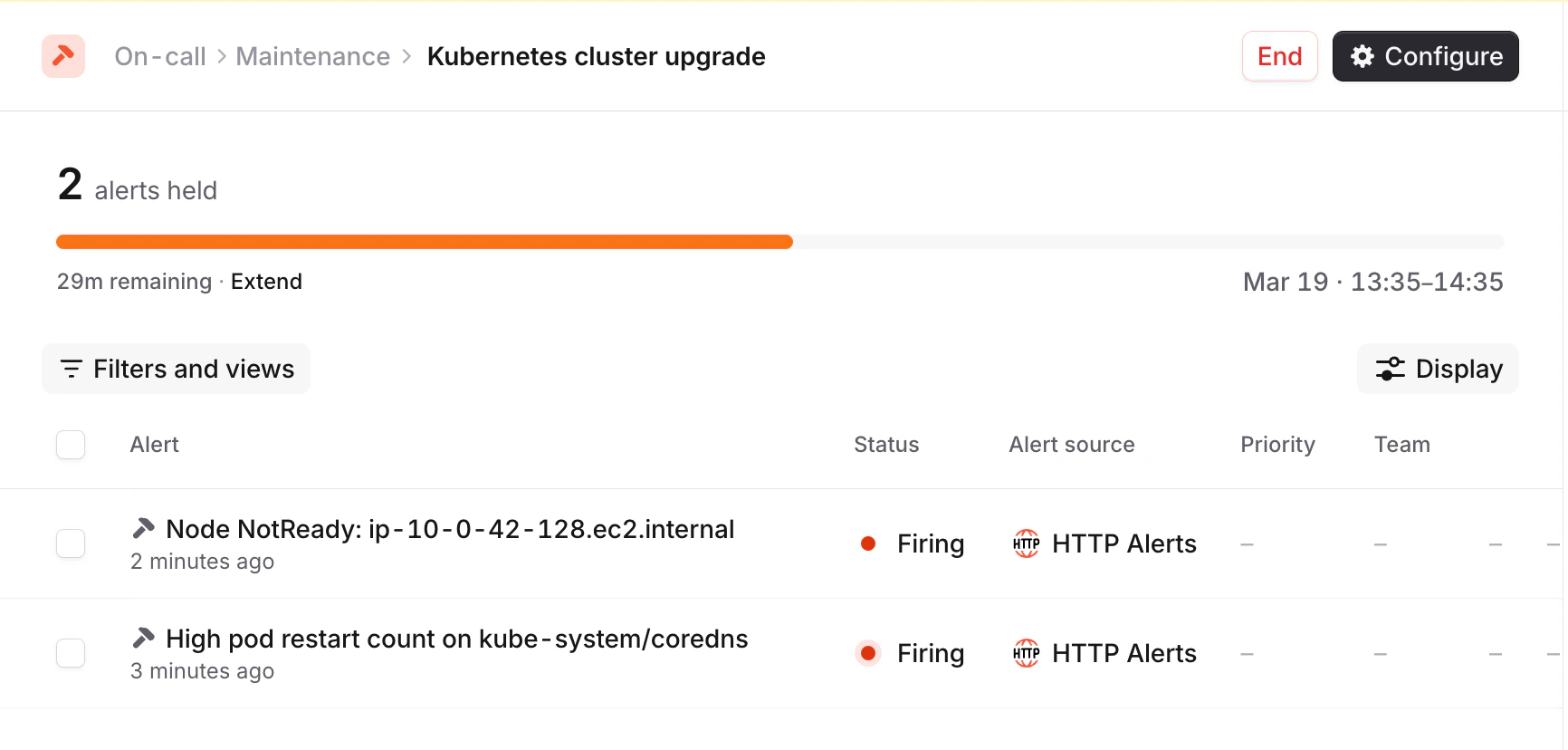
Extending and ending early
Active maintenance windows can be adjusted on the fly:- Extend: push the end time further out if maintenance is taking longer than expected
- End early: close the window immediately if maintenance finishes ahead of schedule
Internal announcements
Notify your team about upcoming maintenance by announcing to Slack or Microsoft Teams channels. Configure announcements to send: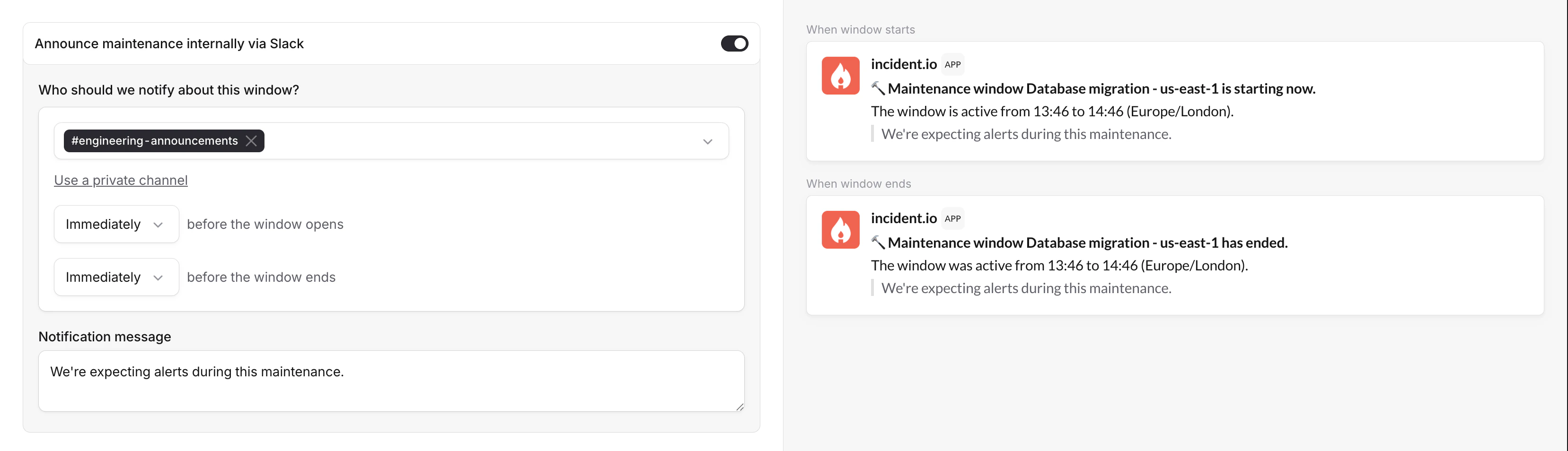
- Before the window starts: give your team a heads-up that maintenance is about to begin
- Before the window ends: alert your team that normal routing is about to resume
FAQs
What happens to alerts that match during the window?
What happens to alerts that match during the window?
It depends on the during-window action you’ve configured. By default, alerts are held until the window ends without
creating escalations or incidents. You can also attach them to an incident or escalate them as normal.
Can I remove an alert from a maintenance window?
Can I remove an alert from a maintenance window?
Yes. You can manually remove individual alerts from a maintenance window if they need to be handled through normal
routing.
What happens if I extend a window past the original end time?
What happens if I extend a window past the original end time?
The planned end time updates to the new time. After-window actions (resolve, reprocess, or do nothing) trigger at
the new end time instead of the original.
Do private alerts respect maintenance windows?
Do private alerts respect maintenance windows?
No. Private alerts always route normally and are not caught by maintenance windows.
Can I see active maintenance windows in the dashboard?
Can I see active maintenance windows in the dashboard?
Yes. Active maintenance windows can appear in the dashboard sidebar, so your team has visibility into what’s
currently suppressed.
Why can't I see maintenance window alerts in the Alerts view?
Why can't I see maintenance window alerts in the Alerts view?
Alerts caught by maintenance windows are filtered out of the On-call → Alerts view by default. To include them,
use the Include maintenance window alerts filter toggle.