> ## Documentation Index
> Fetch the complete documentation index at: https://docs.incident.io/llms.txt
> Use this file to discover all available pages before exploring further.
# Shoutouts
export const SlackPreview = ({snapshot, alt, maxWidth, caption}) => {
const slug = snapshot.replace(/\.json$/, '').replace(/\//g, '--').replace(/[^a-zA-Z0-9-]/g, '-').replace(/-{2,}/g, '-').replace(/^-|-$/g, '').toLowerCase();
const light = `/images/slack_generated_screenshots/${slug}-light.png`;
const dark = `/images/slack_generated_screenshots/${slug}-dark.png`;
return <>

 {caption &&
{caption}
}
;
};
Sometimes, you need to shoutout a contribution by a coworker during an incident. Now you can with the shoutout command.
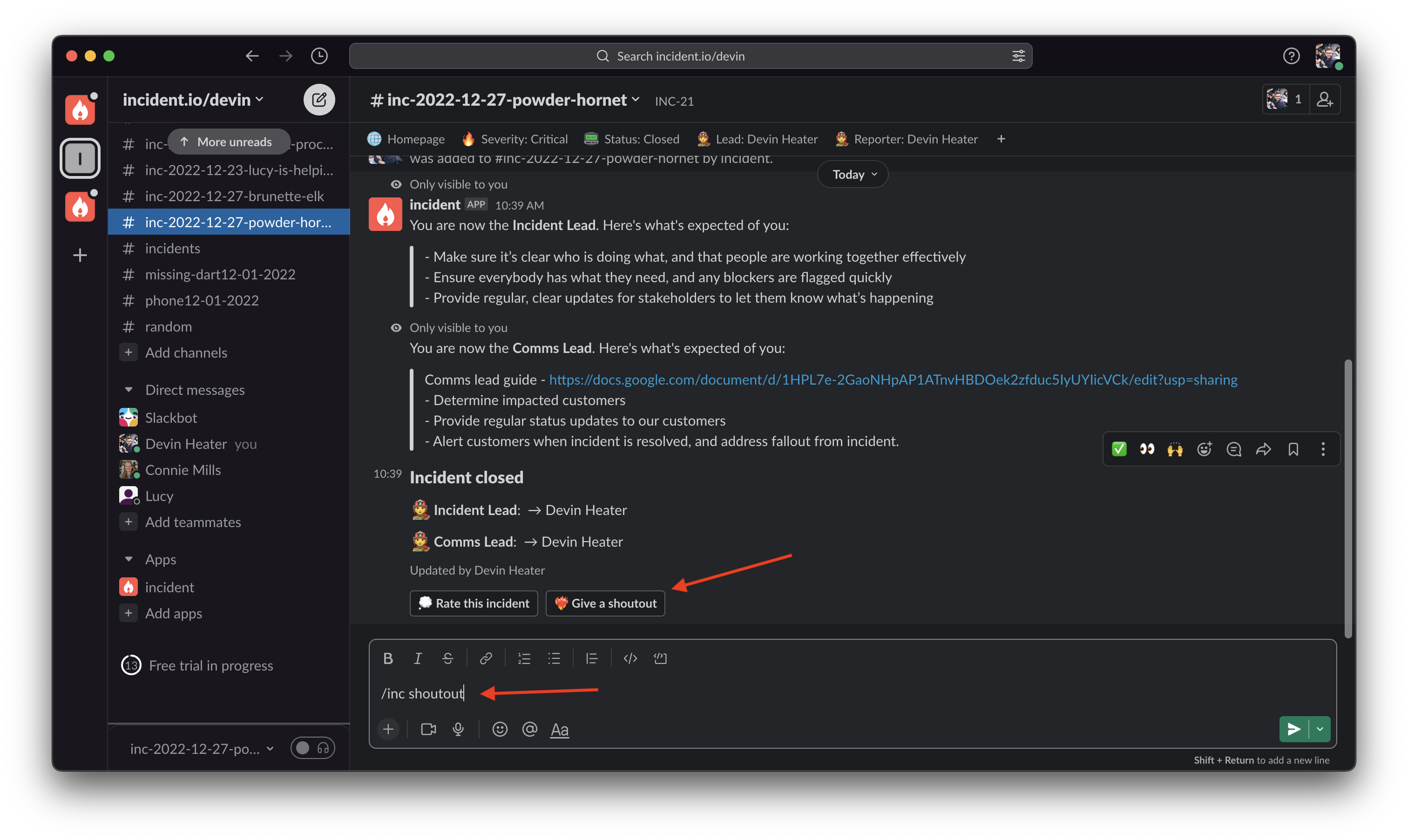
1. In an incident channel, type the command /inc shoutout or click the ' Give a shoutout' button.
 2. Then select the user you want to shoutout, and write a message highlighting how awesome they are!
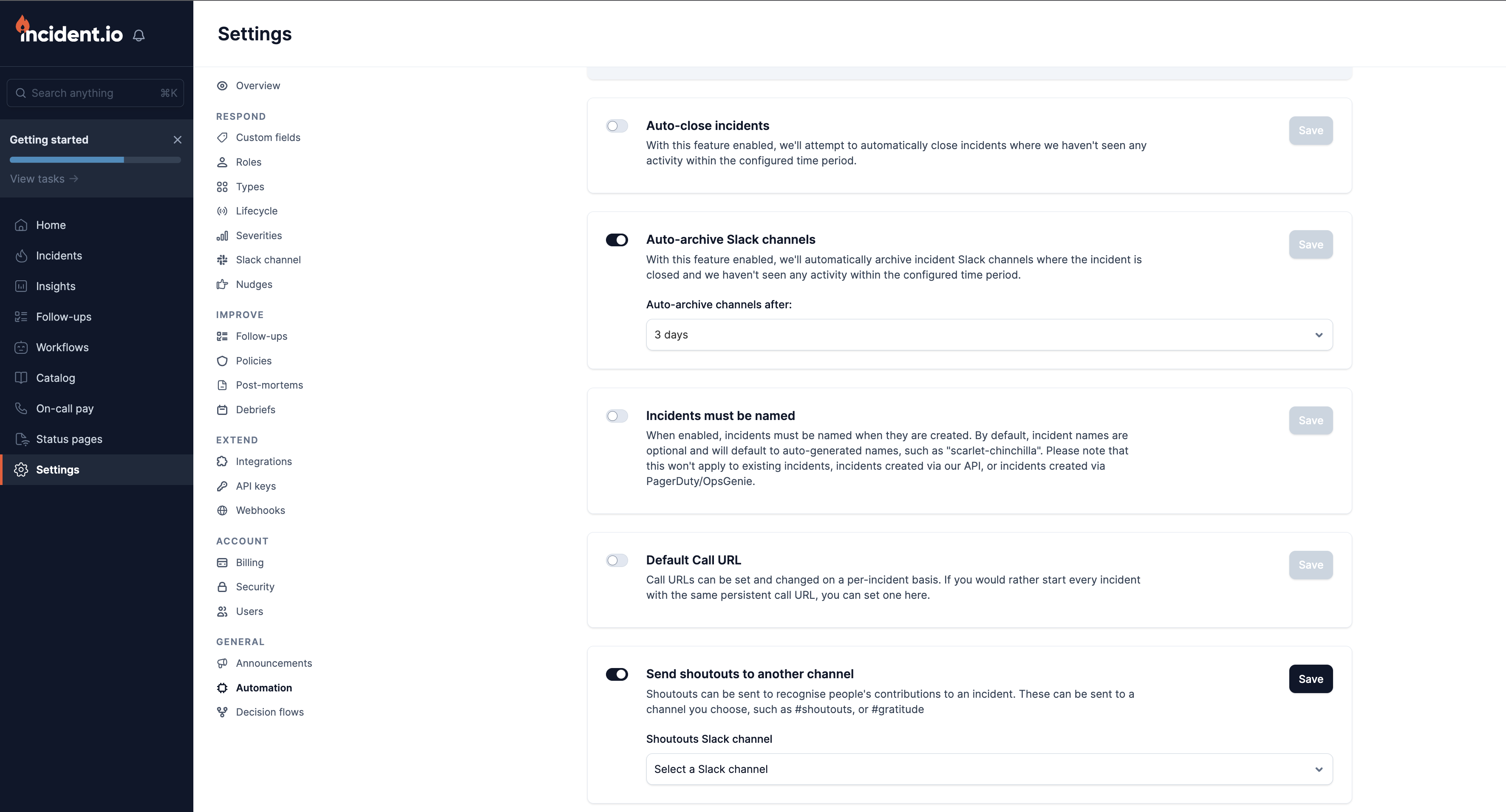
3. You can customize where shoutouts get posted in [the Automation settings](https://app.incident.io/~/settings/automation). This way you can collect shoutouts in a separate #gratitude channel.
2. Then select the user you want to shoutout, and write a message highlighting how awesome they are!
3. You can customize where shoutouts get posted in [the Automation settings](https://app.incident.io/~/settings/automation). This way you can collect shoutouts in a separate #gratitude channel.