> ## Documentation Index
> Fetch the complete documentation index at: https://docs.incident.io/llms.txt
> Use this file to discover all available pages before exploring further.
# Nexus
> What Nexus is, the incident graph it builds, and the sources it draws on.
Nexus is incident.io's living model of your organization: how your systems are built, how your team operates, and how things break. It combines everything it can see with an understanding of how that fits together, and gets sharper with every incident. It's unique to your organization, included with the platform, and powers the products you use across it.
## Explore your incidents
You don't need Investigations to get value from Nexus. On Pro and Enterprise, from your [catalog](/nexus/catalog) and your past incidents alone, it builds a clustered map of your incident history: related incidents grouped into themes, so you can see your data in a way a list never shows you.
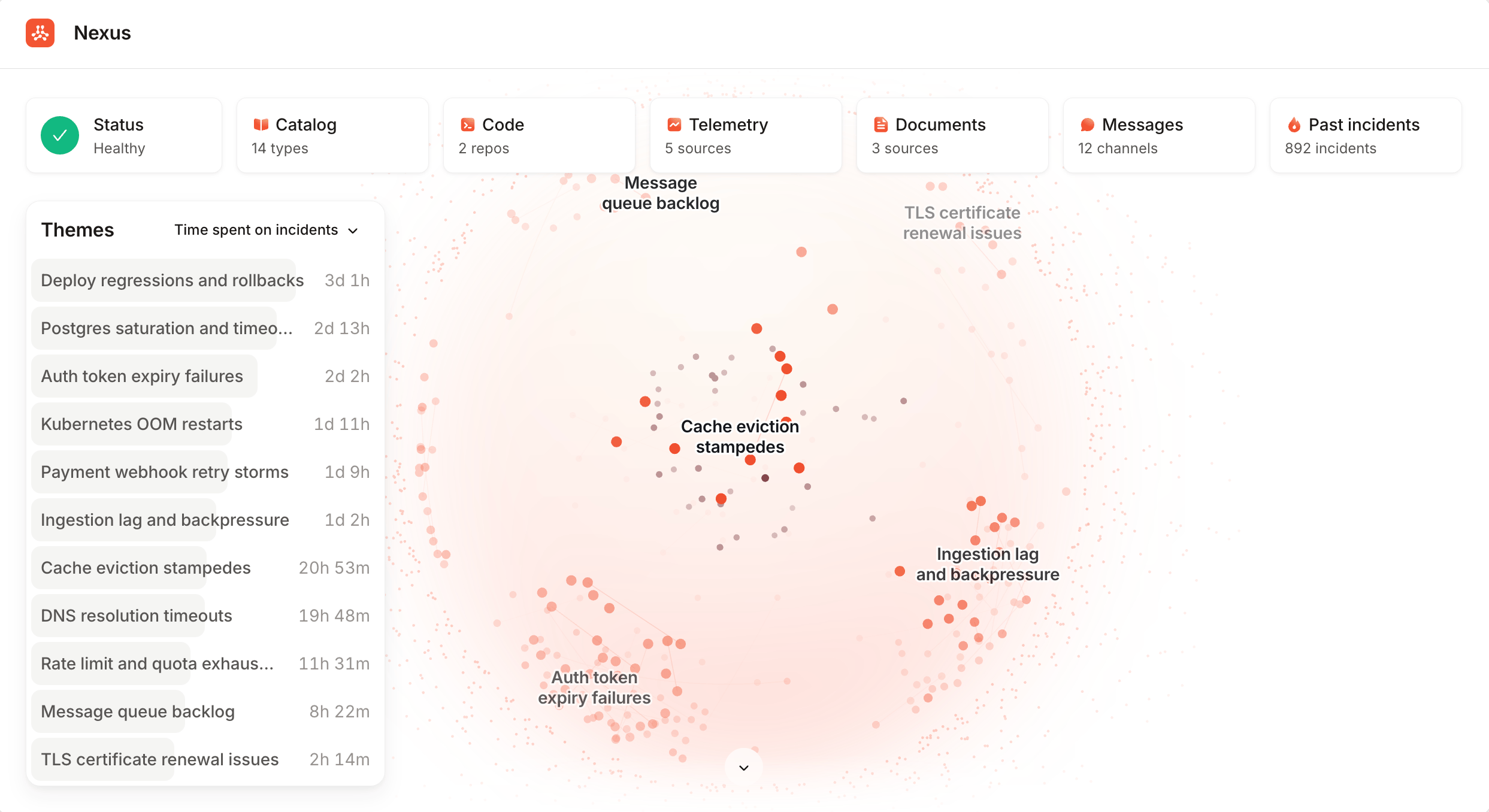 Use it to spot the failures that keep recurring, the themes eating the most time, and the responders who show up across related incidents.
## What Nexus knows
Each source you connect gives Nexus another angle on your organization. Catalog and past incidents come from incident.io itself. Connecting the other sources, like telemetry and code, currently requires [Investigations](/investigations/overview), which puts them to work when an incident is live. Connect whatever you have; you don't need everything to get value.
Your services, teams, and who owns what.
Everything that's happened before, and how it was fixed.
Real-time context: deploys, config changes, and team discussion.
Deploys, feature flags, and config changes, correlated with incidents.
Runbooks and reference docs from Confluence, Notion, GitHub, and GitLab.
Your pull requests and the code behind them, safely sandboxed.
Logs, metrics, traces, and dashboards from your observability tools.
Sources are configured from the [Nexus homepage](https://app.incident.io/~/nexus) in your dashboard.
## FAQs
No. Nexus is the intelligence underneath the platform, not a separate purchase. Every product you use adds to what
it knows, and it's unique to your organization: your data never trains shared models.
Yes. [Extensions](/investigations/extensions/overview) let you connect your own MCP servers, and write skills that
tell investigations how to use them. To reach a private or self-hosted system, run a [proxy](/integrations/proxy) in
your network and attach the data source to it.
Use it to spot the failures that keep recurring, the themes eating the most time, and the responders who show up across related incidents.
## What Nexus knows
Each source you connect gives Nexus another angle on your organization. Catalog and past incidents come from incident.io itself. Connecting the other sources, like telemetry and code, currently requires [Investigations](/investigations/overview), which puts them to work when an incident is live. Connect whatever you have; you don't need everything to get value.
Your services, teams, and who owns what.
Everything that's happened before, and how it was fixed.
Real-time context: deploys, config changes, and team discussion.
Deploys, feature flags, and config changes, correlated with incidents.
Runbooks and reference docs from Confluence, Notion, GitHub, and GitLab.
Your pull requests and the code behind them, safely sandboxed.
Logs, metrics, traces, and dashboards from your observability tools.
Sources are configured from the [Nexus homepage](https://app.incident.io/~/nexus) in your dashboard.
## FAQs
No. Nexus is the intelligence underneath the platform, not a separate purchase. Every product you use adds to what
it knows, and it's unique to your organization: your data never trains shared models.
Yes. [Extensions](/investigations/extensions/overview) let you connect your own MCP servers, and write skills that
tell investigations how to use them. To reach a private or self-hosted system, run a [proxy](/integrations/proxy) in
your network and attach the data source to it.