> ## Documentation Index
> Fetch the complete documentation index at: https://docs.incident.io/llms.txt
> Use this file to discover all available pages before exploring further.
# Statuspage
Did you set up a Statuspage to give [real-time status updates to your customers](/incidents/customer-updates), only to realise no one remembers to update it in the heat of an incident? Or only you really know how to because everyone else spends so little time in the tool?
Fear no more! To solve this, we've brought Statuspage right into Slack.
***
## Setting Up
You can add Statuspage to [incident.io](http://incident.io/) in just a few clicks.
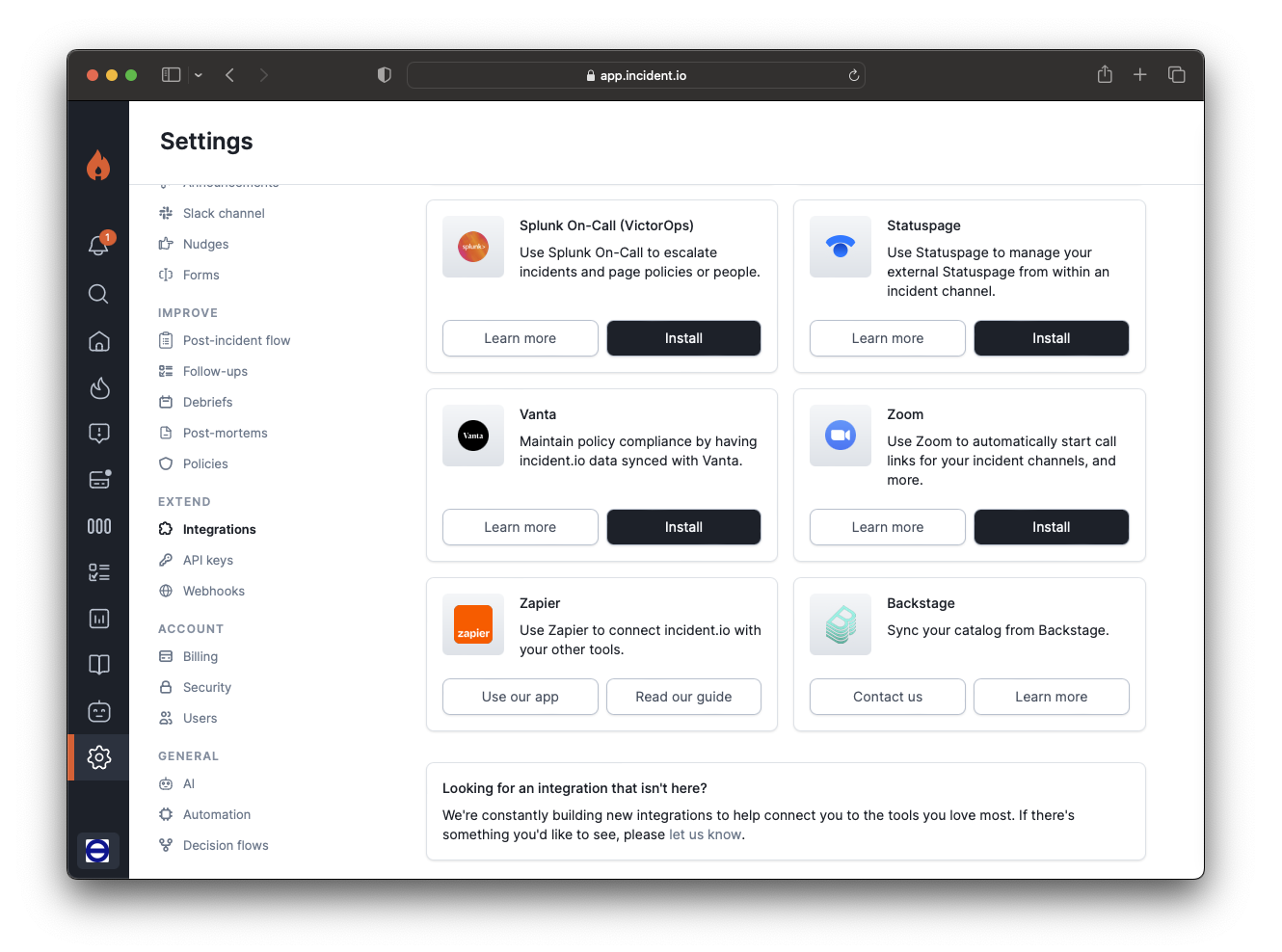
## 1. Go to Settings > Integrations
Then hit Install next to Statuspage.
 2. **Fetch your API key from Statuspage**
*We'll outline the steps below, but if you run into any trouble there's a lovely guide from Statuspage about how to* [create and manage API keys](https://support.atlassian.com/statuspage/docs/create-and-manage-api-keys/) *,*
First, head to [your Statuspage account](https://manage.statuspage.io/) and hover over the avatar icon in the bottom left.
2. **Fetch your API key from Statuspage**
*We'll outline the steps below, but if you run into any trouble there's a lovely guide from Statuspage about how to* [create and manage API keys](https://support.atlassian.com/statuspage/docs/create-and-manage-api-keys/) *,*
First, head to [your Statuspage account](https://manage.statuspage.io/) and hover over the avatar icon in the bottom left.
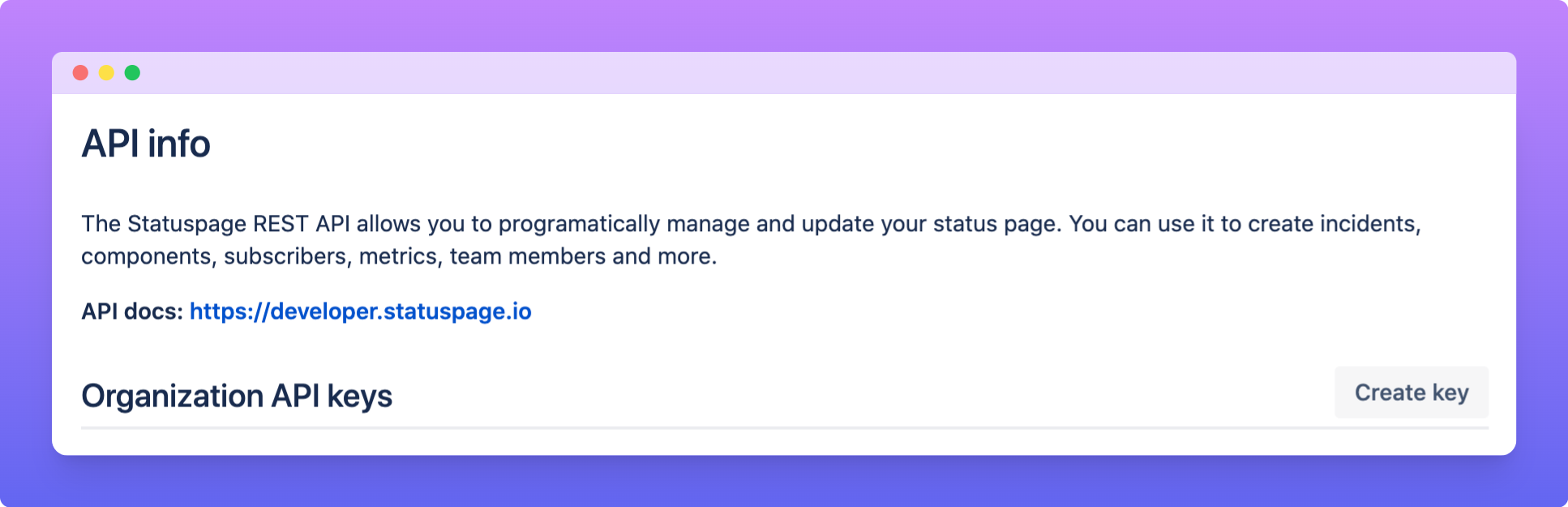
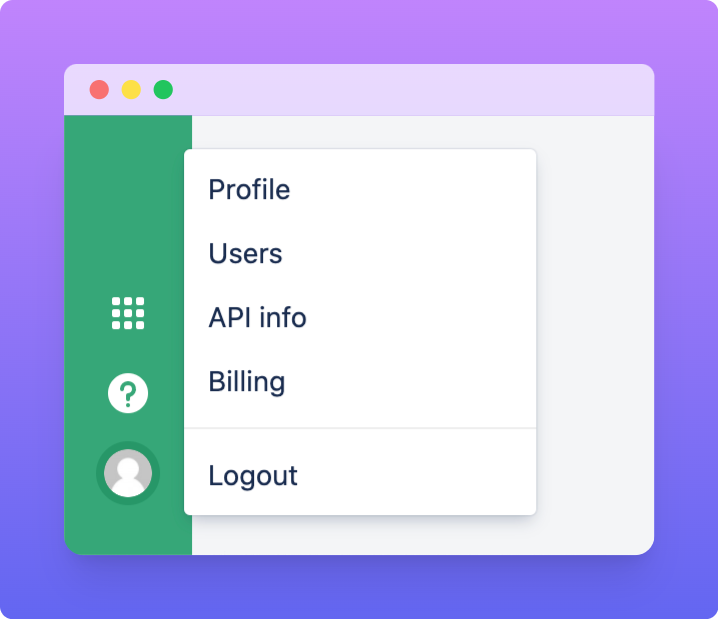 Press API info > Create key.
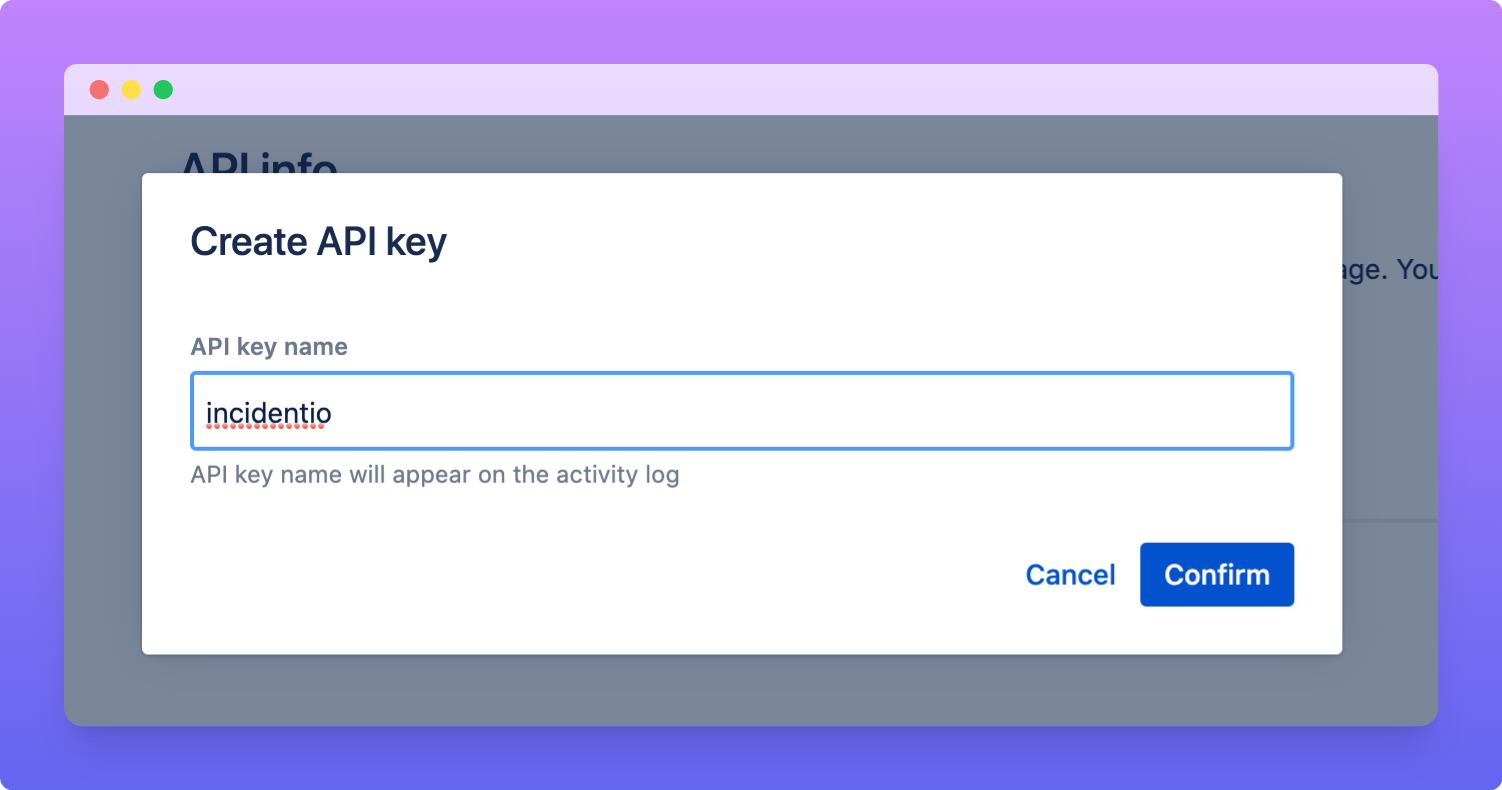
 Call it something nice and descriptive so it's clear to others what you're using this key for. Then hit Confirm.
 3. **Paste the API key** into incident.io
Copy the token that was generated, and paste it in the incident.io Statuspage modal below.
4. **Select the Statuspage pages** you'd like to use
Not all plans are able to select multiple Statuspage pages. If you select more than one page, then we'll ask you which page you'd like to edit when you start an update.
3. **Paste the API key** into incident.io
Copy the token that was generated, and paste it in the incident.io Statuspage modal below.
4. **Select the Statuspage pages** you'd like to use
Not all plans are able to select multiple Statuspage pages. If you select more than one page, then we'll ask you which page you'd like to edit when you start an update.
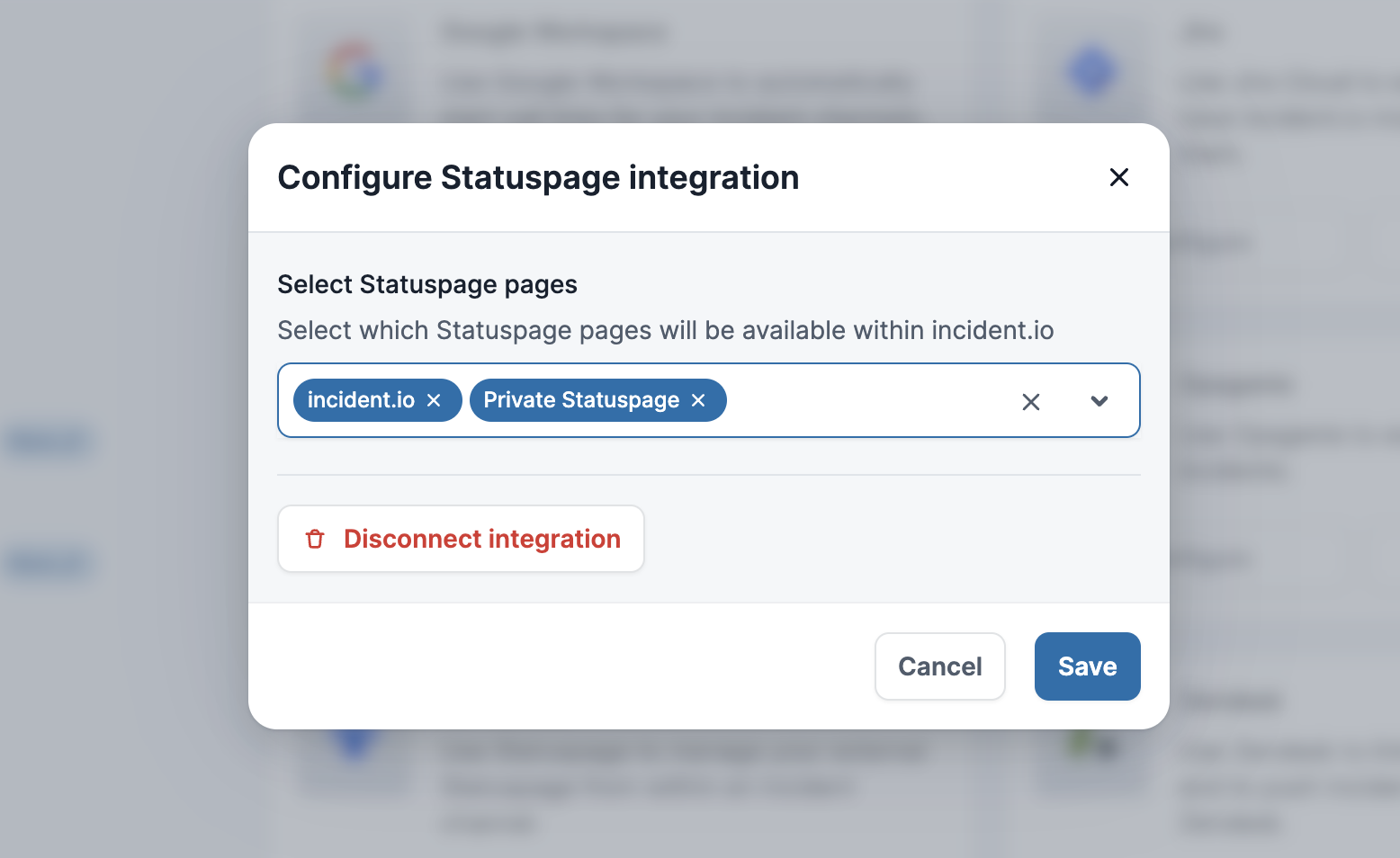 5. Hit **Save**, and you're all set up with Statuspage!
***
## Creating & Updating Statuspage
Just head over to the incident's Slack channel and hit `/incident statuspage` !
*Automatic Statuspage updates are on our* [roadmap](http://incident.io/roadmap) *but not available yet*
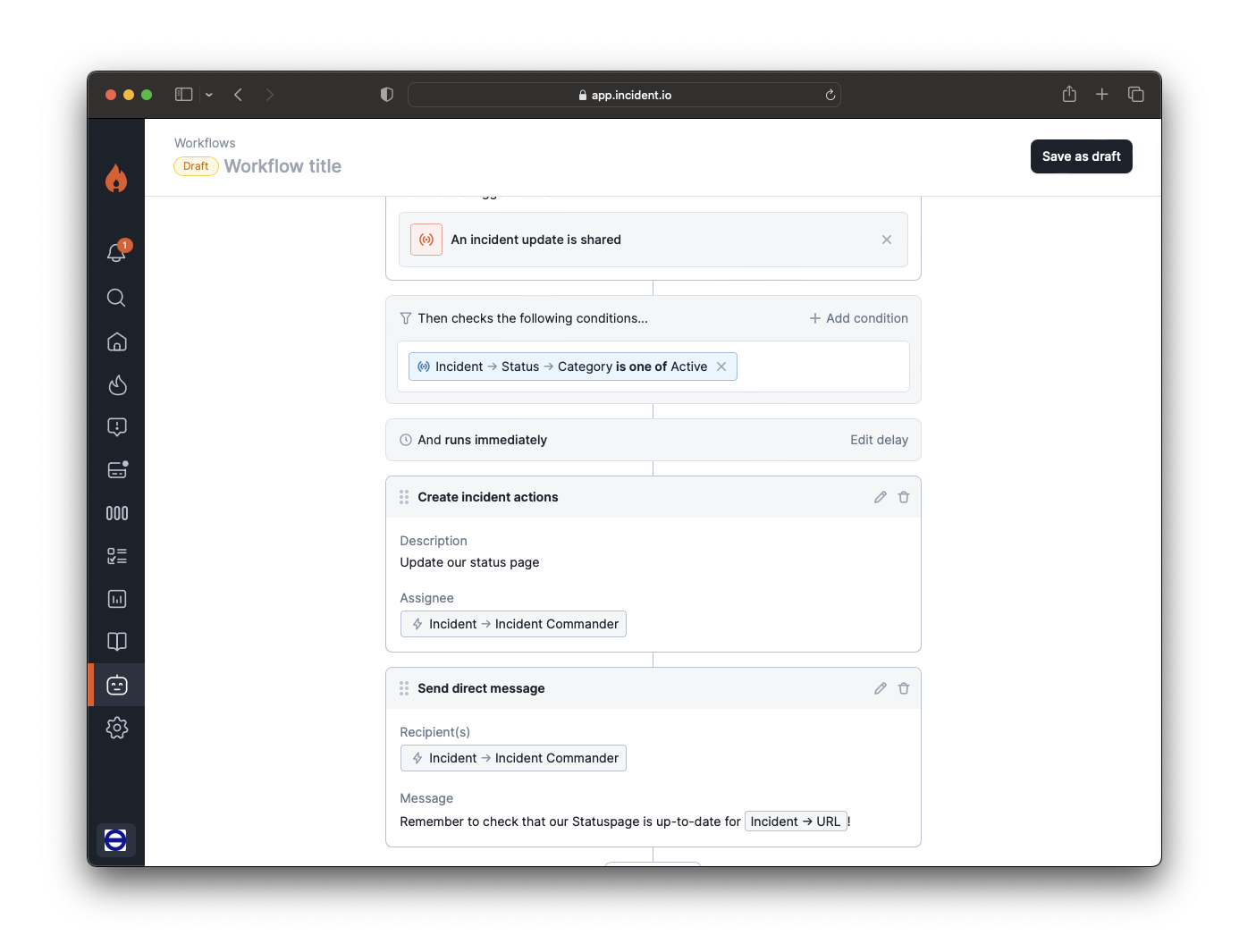
In the meantime, on top of our built-in nudges (see video), you could also set up a [Workflow](http://app.incident.io/~/workflows) like the one below to remind your team to update Statuspage! 👇🏼
5. Hit **Save**, and you're all set up with Statuspage!
***
## Creating & Updating Statuspage
Just head over to the incident's Slack channel and hit `/incident statuspage` !
*Automatic Statuspage updates are on our* [roadmap](http://incident.io/roadmap) *but not available yet*
In the meantime, on top of our built-in nudges (see video), you could also set up a [Workflow](http://app.incident.io/~/workflows) like the one below to remind your team to update Statuspage! 👇🏼
 ***
## Notes
To avoid conflicts, we recommend against making manual changes to any Statuspages that are created by [incident.io](http://incident.io/). There's some technical reasons for this which we'd happily nerd-out on if you're interested.
If you'd like some help setting up those workflows, get in touch!
***
## Notes
To avoid conflicts, we recommend against making manual changes to any Statuspages that are created by [incident.io](http://incident.io/). There's some technical reasons for this which we'd happily nerd-out on if you're interested.
If you'd like some help setting up those workflows, get in touch!