> ## Documentation Index
> Fetch the complete documentation index at: https://docs.incident.io/llms.txt
> Use this file to discover all available pages before exploring further.
# GitHub
Are you using GitHub for version control, or to track your team's tasks?
You should consider installing our integration
***
## What our GitHub integration can do
Our integration lets you:
### 1. Export your incident to-dos to GitHub
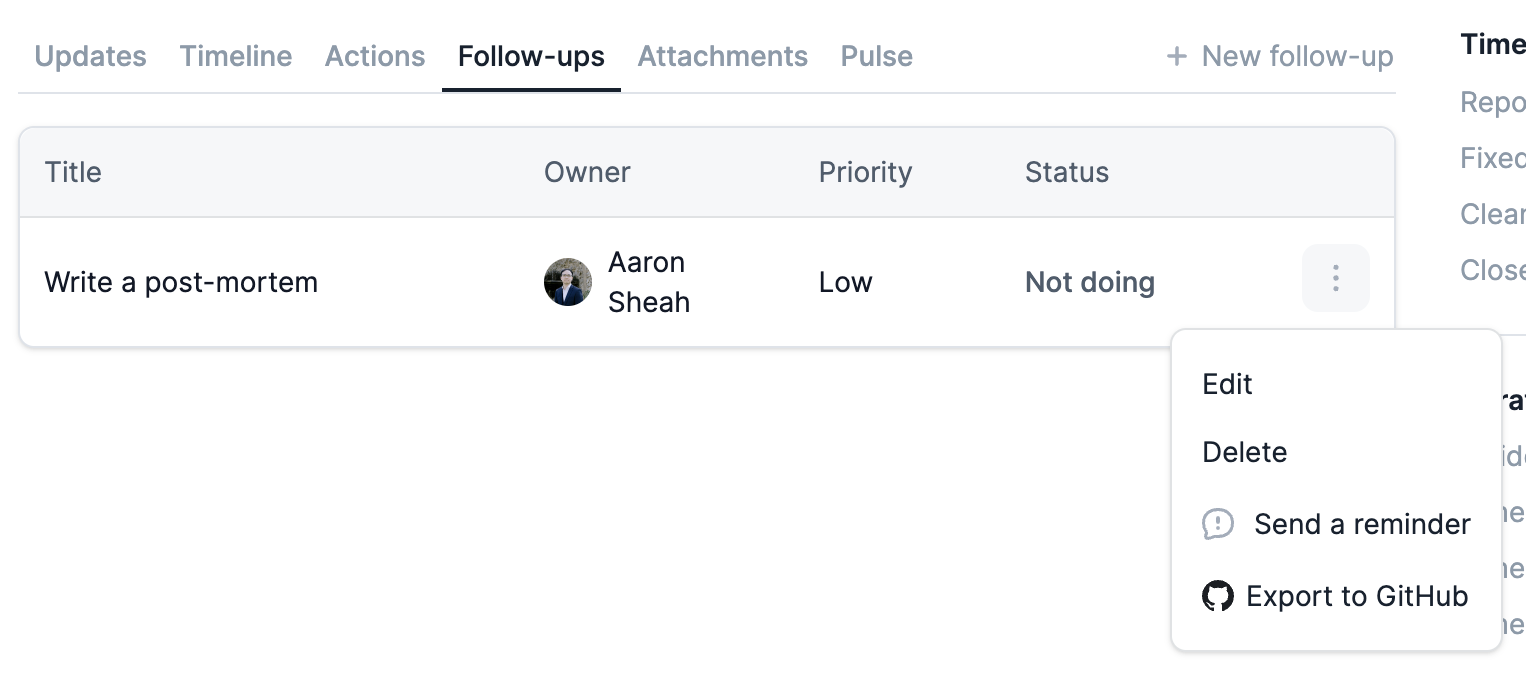
You can export your follow-ups to GitHub. We'll sync the status of your tasks, so you can work in GitHub without worrying about updating statuses manually in incident.io!
You'll see the option to export your follow-ups from the incident homepage:
 You can also create export templates and [automatically export follow-ups](/integrations/auto-export-follow-ups). In your templates, you can use expressions to set GitHub labels dynamically — for example, tagging follow-ups by team or priority.
#### 2. Attach GitHub pull requests to incidents
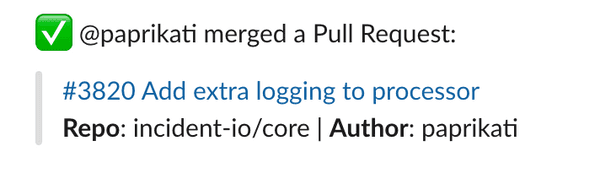
When you drop a link to a GitHub PR in your incident channel, we'll ask if you want to add it as an [attachment](/incidents/attachments). Once it's attached, we'll notify the channel about changes to that PR, for example if it gets merged.
You can also create export templates and [automatically export follow-ups](/integrations/auto-export-follow-ups). In your templates, you can use expressions to set GitHub labels dynamically — for example, tagging follow-ups by team or priority.
#### 2. Attach GitHub pull requests to incidents
When you drop a link to a GitHub PR in your incident channel, we'll ask if you want to add it as an [attachment](/incidents/attachments). Once it's attached, we'll notify the channel about changes to that PR, for example if it gets merged.
 ***
## Setting Up
Adding GitHub to incident.io is simple.
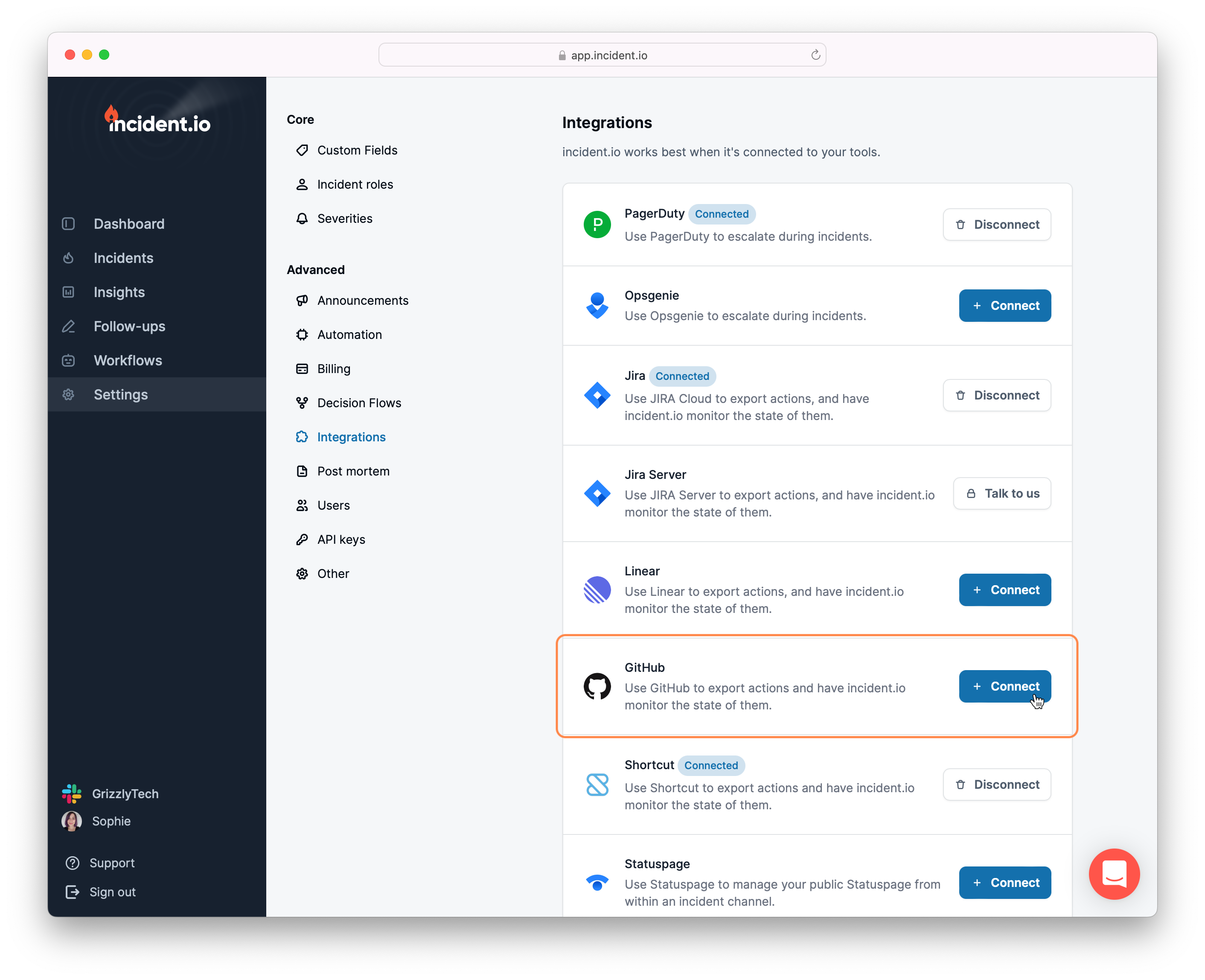
1. **Go to Settings** → [Integrations](https://app.incident.io/~/settings/integrations)
Hit `Connect` next to GitHub.
***
## Setting Up
Adding GitHub to incident.io is simple.
1. **Go to Settings** → [Integrations](https://app.incident.io/~/settings/integrations)
Hit `Connect` next to GitHub.
 2. **Install incident.io**
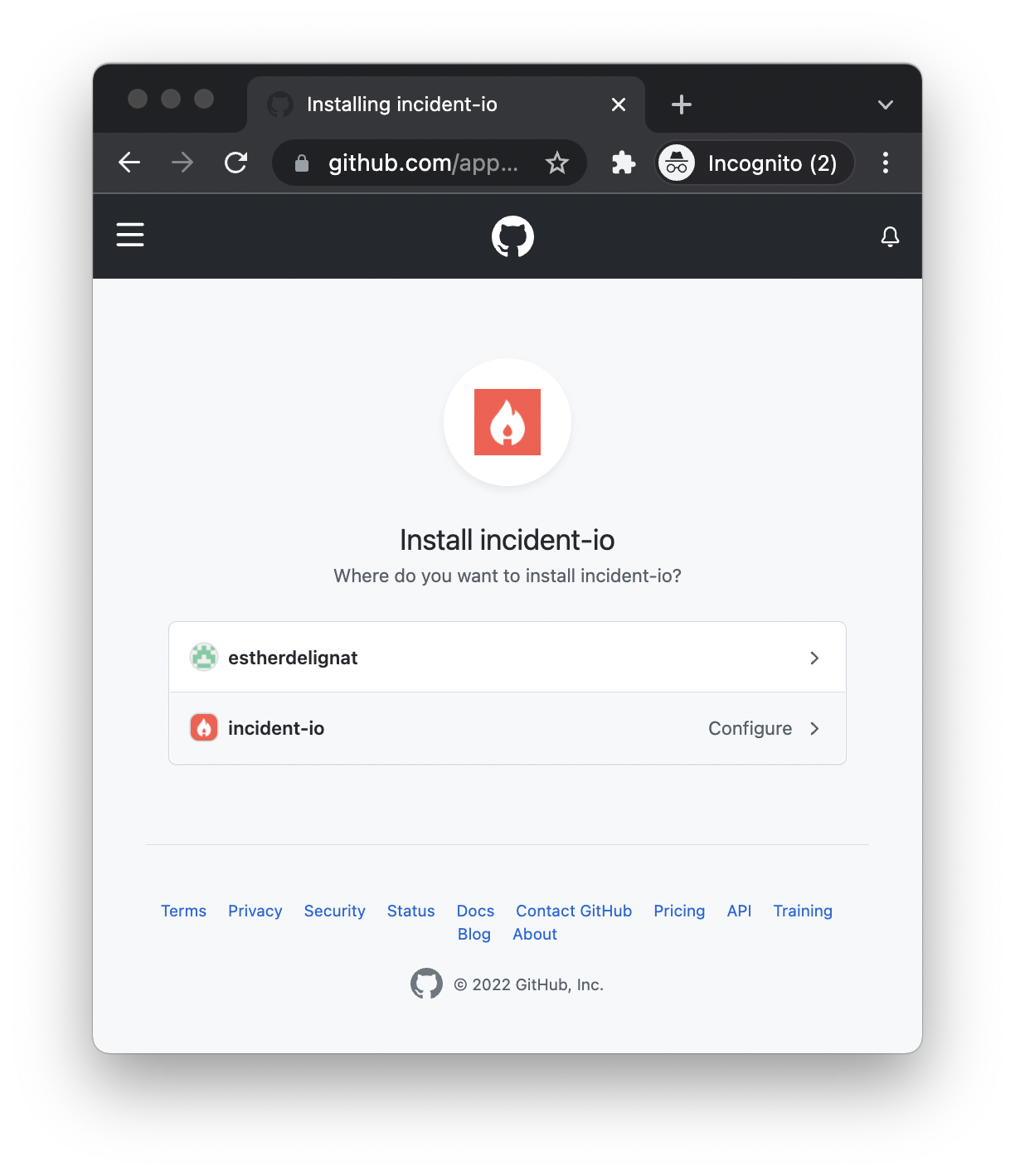
*Your GitHub account* **must be an Organization** *(not a personal account). Enterprise customers can connect multiple organisations — [get in touch](mailto:support@incident.io) to set this up.*
2. **Install incident.io**
*Your GitHub account* **must be an Organization** *(not a personal account). Enterprise customers can connect multiple organisations — [get in touch](mailto:support@incident.io) to set this up.*
 That's it!
**GitHub Enterprise Server** and **multiple GitHub organisation** support are available for enterprise customers. [Get in touch](mailto:support@incident.io) to get set up.
If you run into any issues, [get in touch](http://incident.io/community)
That's it!
**GitHub Enterprise Server** and **multiple GitHub organisation** support are available for enterprise customers. [Get in touch](mailto:support@incident.io) to get set up.
If you run into any issues, [get in touch](http://incident.io/community)