> ## Documentation Index
> Fetch the complete documentation index at: https://docs.incident.io/llms.txt
> Use this file to discover all available pages before exploring further.
# Asana
Using Asana to track your team's tasks? Want to export [your incident follow-ups](/incidents/task-tracking) to Asana to keep everything centralised?
This is how.
***
## What we can do with Asana
Our current integration is a fairly simple setup for now. In its present state, the integration lets you:
1. **Export** [your incident follow-ups](/incidents/task-tracking) to Asana; and
2. **Sync the status of your tasks between Asana and incident.io**, so you can work in Asana without worrying about updating statuses manually in incident.io!
3. [Auto-export follow-ups](/integrations/auto-export-follow-ups) to an Asana project, based on pre-configured rules
If there's more you'd like to do with incident.io and Asana, [get in touch](http://incident.io/community) to give us your wishlist!
*Note: Due to technical limitations with Asana, tasks that do not exist within a project will sync daily, not in real time.*
***
## Getting Set Up
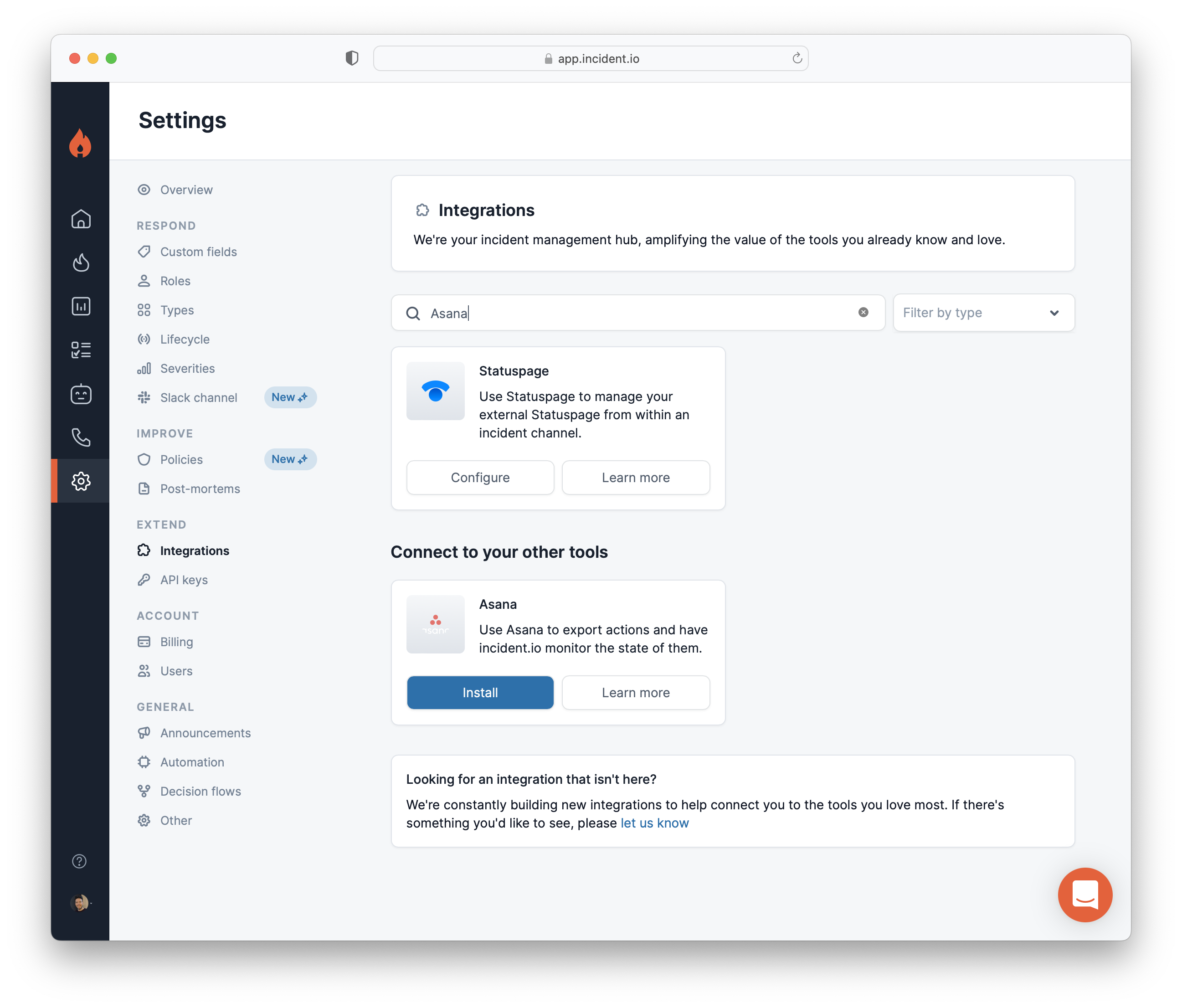
1. **Go to Settings >** [Integrations](https://app.incident.io/~/settings/integrations)
Hit `Install` on Asana.
 2. **Generate an Asana Access Token**
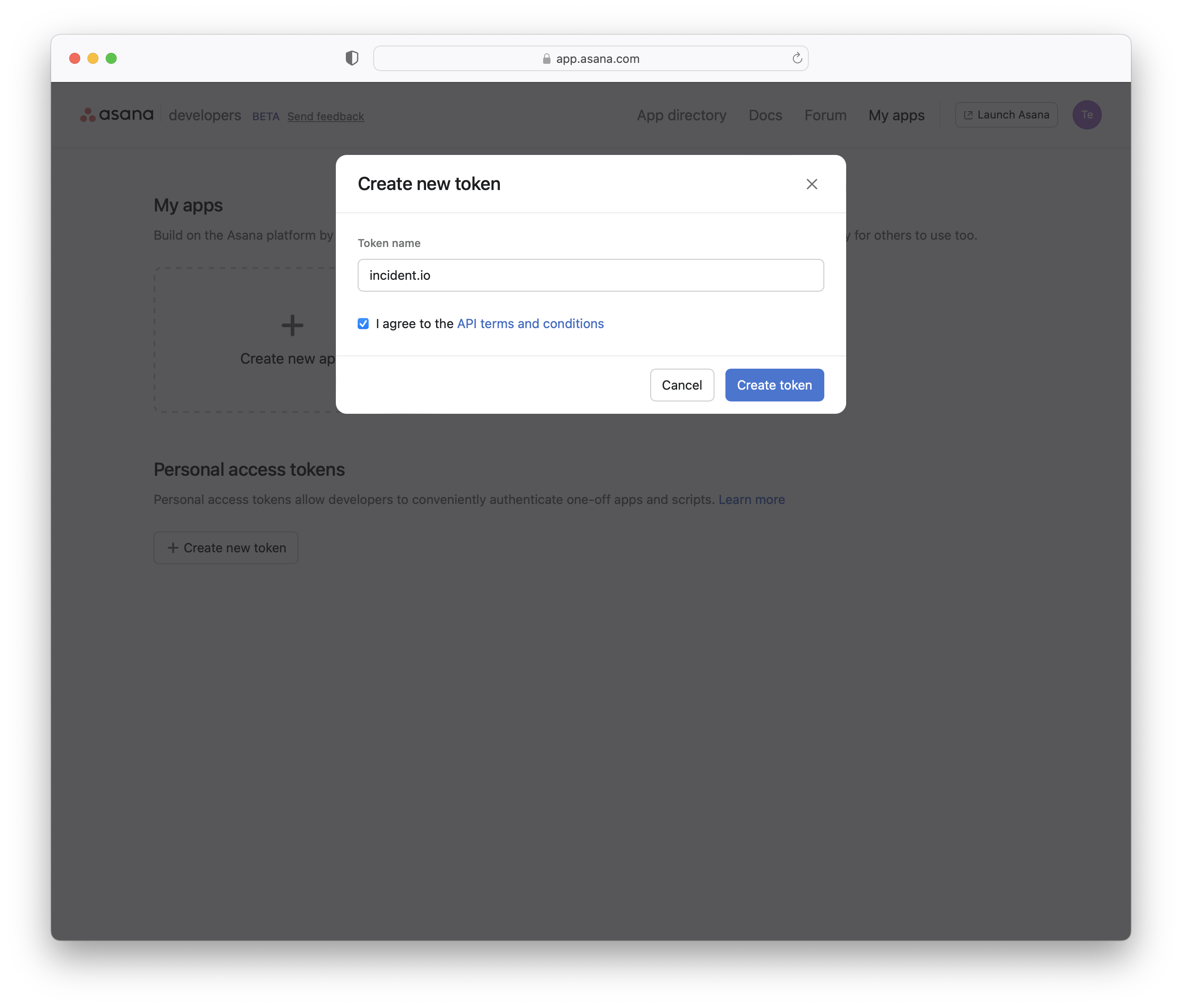
Log in to Asana, and go to [https://app.asana.com/0/my-apps](https://app.asana.com/0/my-apps). Under "Personal access tokens", click **Create new token**. Use "incident.io" as the token name and click **Create token**.
2. **Generate an Asana Access Token**
Log in to Asana, and go to [https://app.asana.com/0/my-apps](https://app.asana.com/0/my-apps). Under "Personal access tokens", click **Create new token**. Use "incident.io" as the token name and click **Create token**.
 You'll be shown the token just once. Click **Copy**, then head back to the incident.io dashboard.
3. **Copy-Paste the generated API key into the incident.io pop-up**
You'll be shown the token just once. Click **Copy**, then head back to the incident.io dashboard.
3. **Copy-Paste the generated API key into the incident.io pop-up**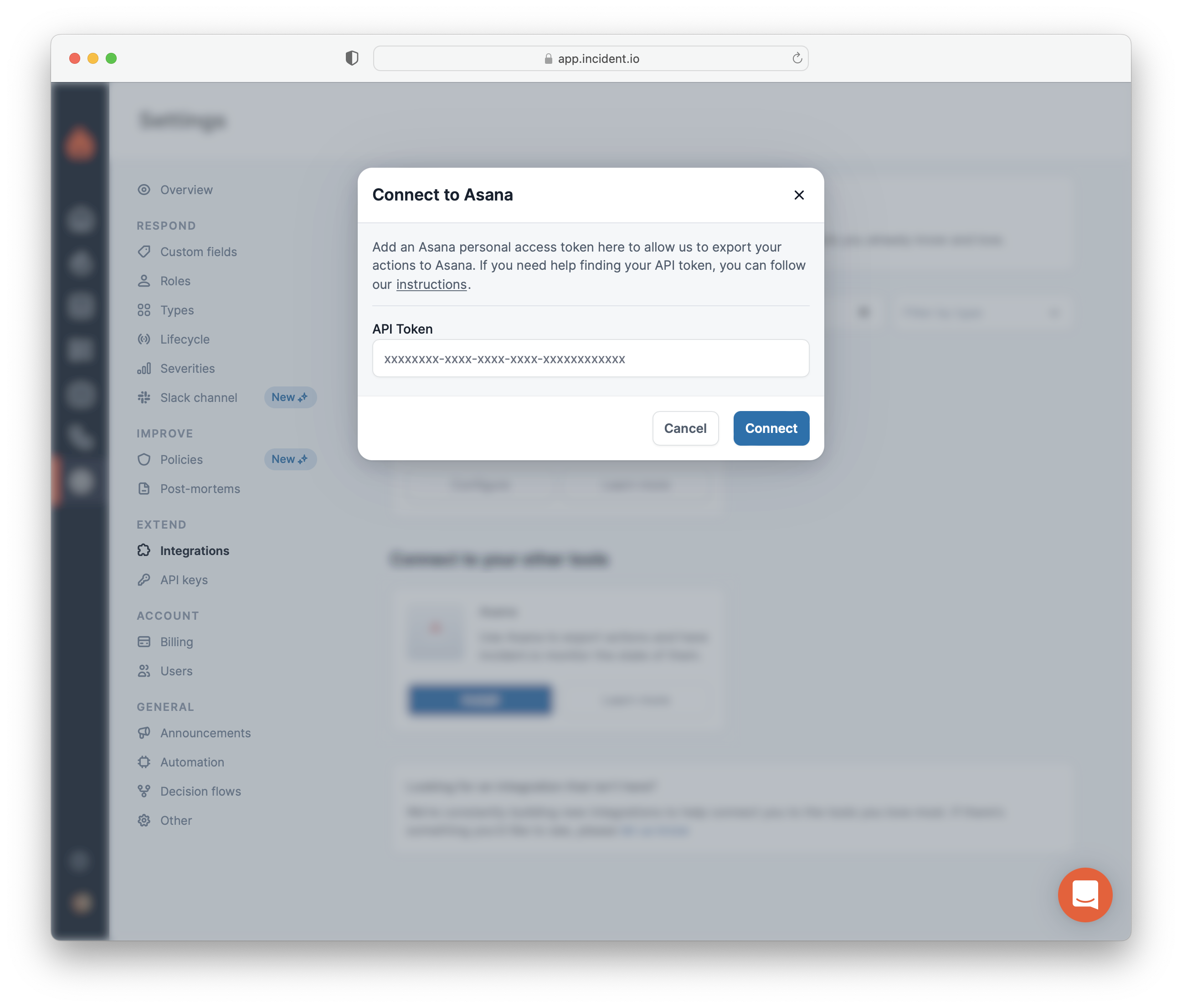 That's it
If you run into any issues, [get in touch](http://incident.io/community)
That's it
If you run into any issues, [get in touch](http://incident.io/community)