> ## Documentation Index
> Fetch the complete documentation index at: https://docs.incident.io/llms.txt
> Use this file to discover all available pages before exploring further.
# Using Insights
## Insights date range filtering
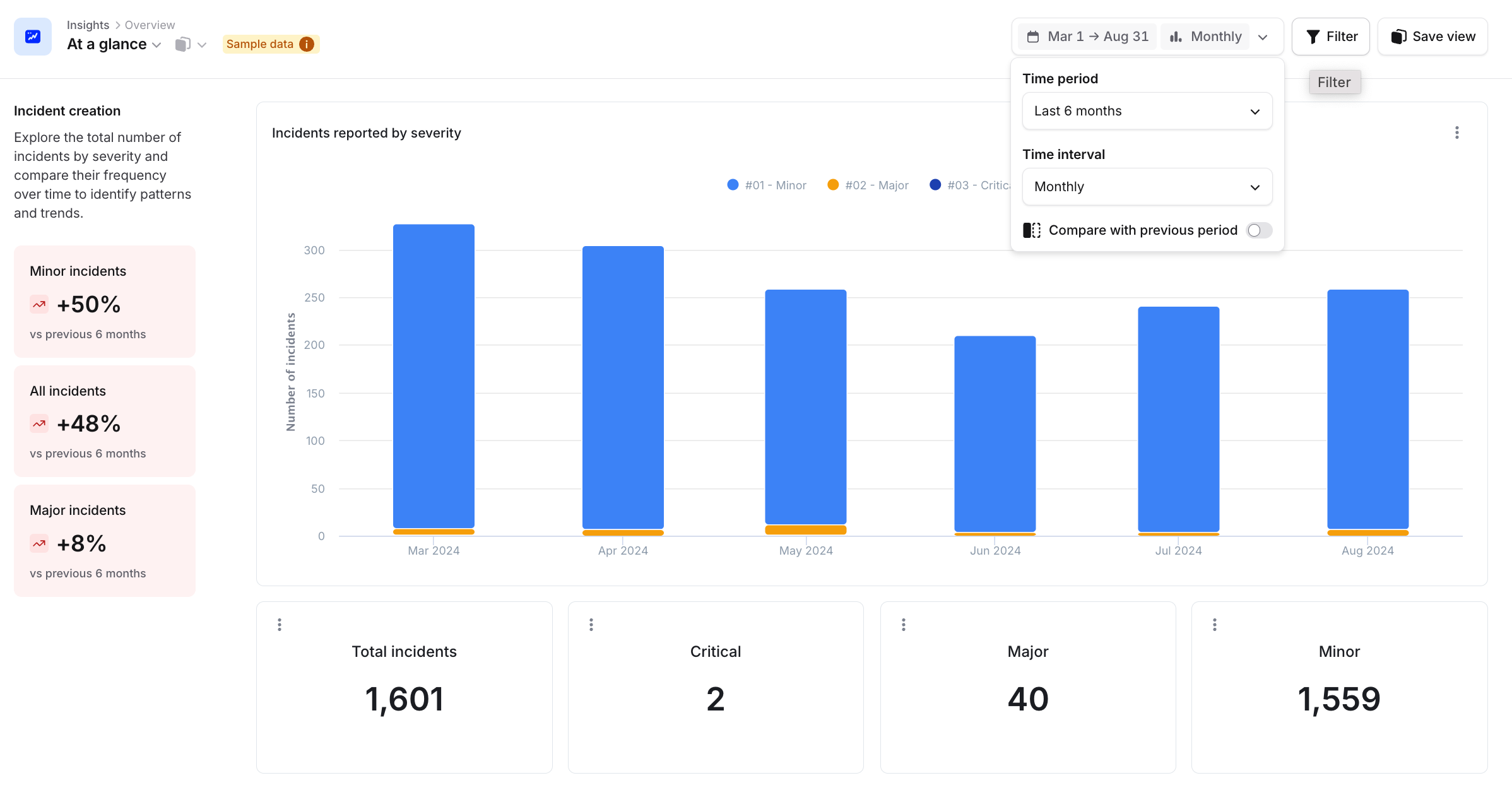
When filtering for date range inside the `insights` [page](https://app.incident.io/~/insights), you can choose to include data from the current Week/Month/Quarter by selecting the "Include this Week/Month/Quarter" configuration found under the custom relative range.
You can also compare with the previous period by toggling it on.
 ## How often is Insights' data refreshed?
Insight data is refreshed roughly every three hours, this means that recently created incidents will not show up in insights.
Yes. There is a **View Insights** permission that controls who can access Insights in the dashboard. To restrict
access, adjust this permission in [**Settings → Users → Roles**](https://app.incident.io/~/settings/roles).
## How often is Insights' data refreshed?
Insight data is refreshed roughly every three hours, this means that recently created incidents will not show up in insights.
Yes. There is a **View Insights** permission that controls who can access Insights in the dashboard. To restrict
access, adjust this permission in [**Settings → Users → Roles**](https://app.incident.io/~/settings/roles).