> ## Documentation Index
> Fetch the complete documentation index at: https://docs.incident.io/llms.txt
> Use this file to discover all available pages before exploring further.
# Creating and linking video call URLs for digital 'war rooms'
Especially in a remote world, you'll usually want to set up a video call for incidents, to act as your online 'war room'.
There are 3 ways to do this with incident.io.
***
## Automatically create a call link
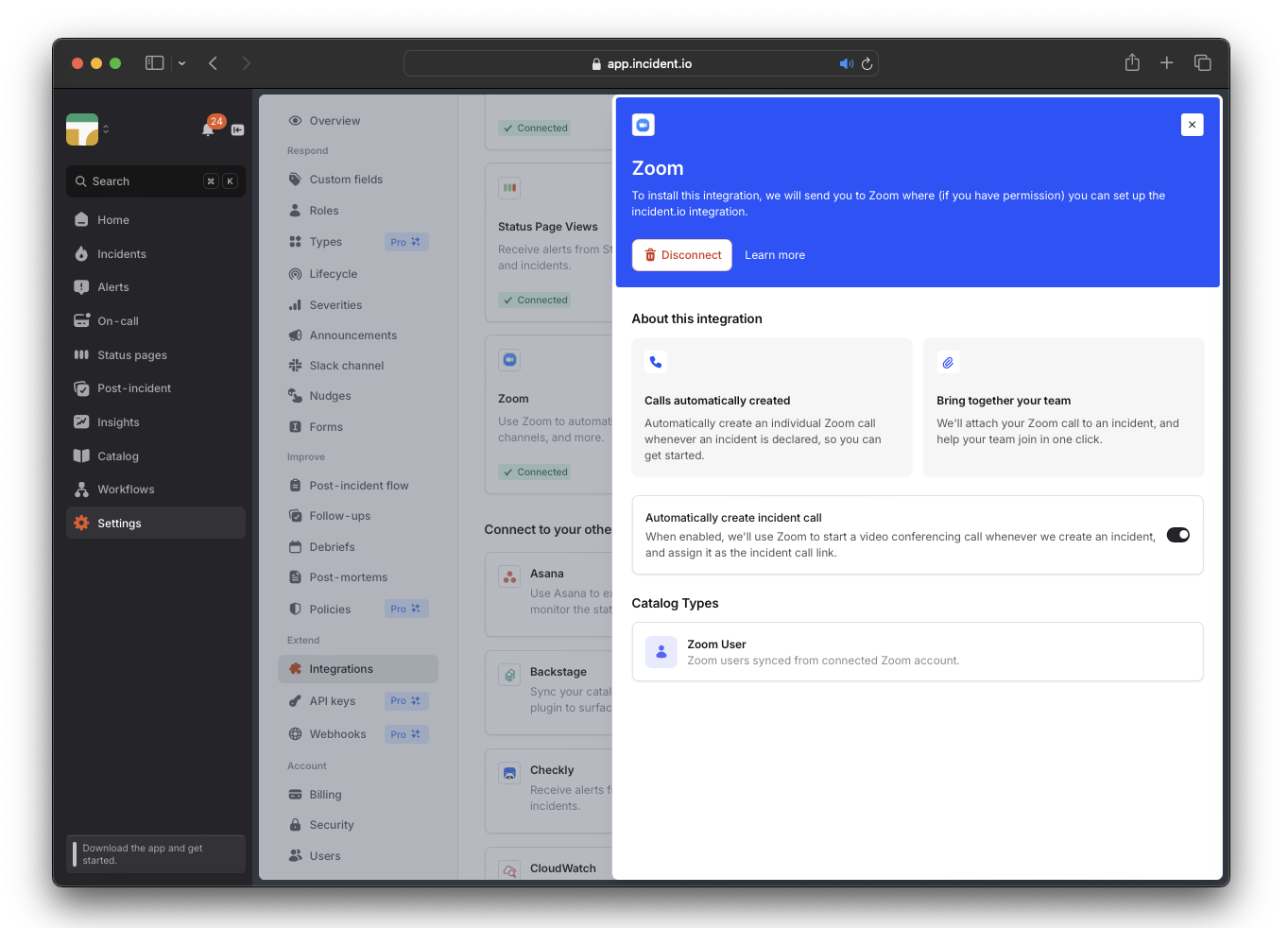
We can automatically generate and pin a dedicated call link for each new incident via the Zoom or Google Meet integration.
Once you've [set up Zoom](/integrations/zoom) or [Google Meet](/integrations/google-meet), toggle on the `Automatically Create Incident Call` setting in the [Zoom](https://app.incident.io/~/settings/integrations/zoom) or [Google](https://app.incident.io/~/settings/integrations/google_meet) integration.
 ***
## Copy-pasting an existing link
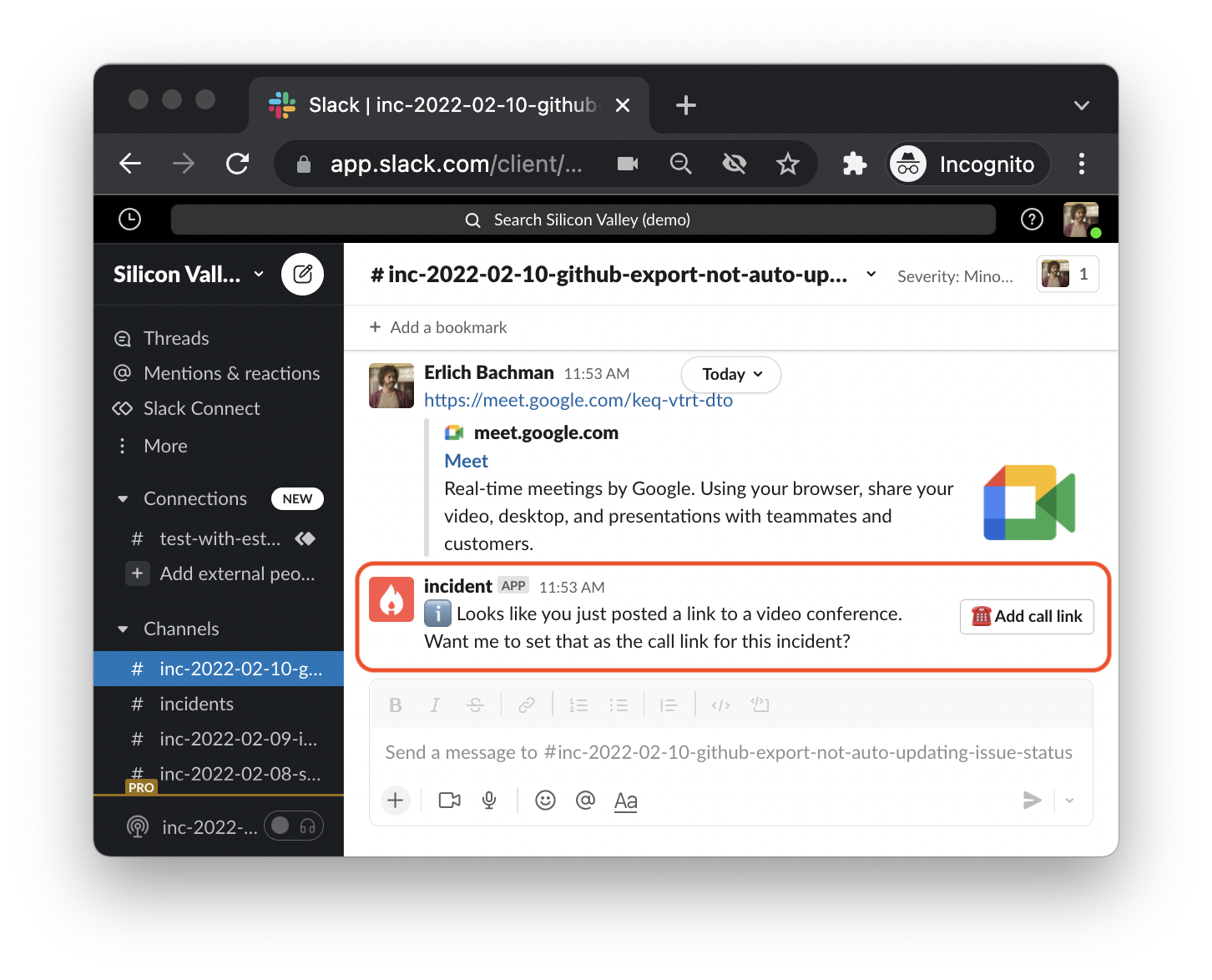
If you already have a Zoom/Google Meet video call link, **paste it into an incident's (** `#inc-...` **) channel.**
We will recognize it as a call link, and ask you if you'd like to pin it as the go-to link for everyone working on the incident.
*You can also use* `/incident call` *for this* !
***
## Copy-pasting an existing link
If you already have a Zoom/Google Meet video call link, **paste it into an incident's (** `#inc-...` **) channel.**
We will recognize it as a call link, and ask you if you'd like to pin it as the go-to link for everyone working on the incident.
*You can also use* `/incident call` *for this* !
 ***
## Using the same fixed link for all incidents
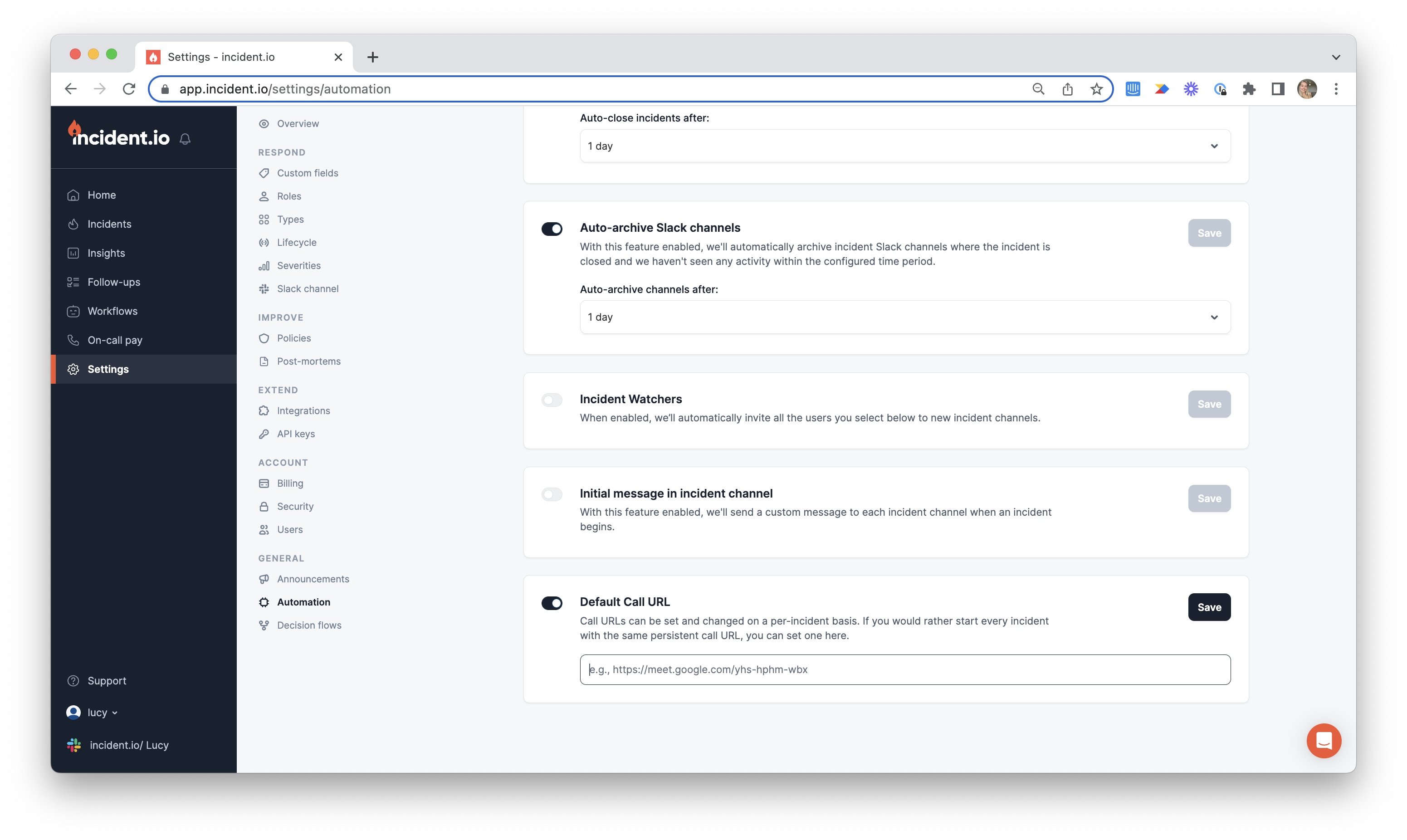
If you have a unique call link you use for all your incidents, you can attach that link as a default from the [Automation page within Settings](https://app.incident.io/~/settings/automation)
***
## Using the same fixed link for all incidents
If you have a unique call link you use for all your incidents, you can attach that link as a default from the [Automation page within Settings](https://app.incident.io/~/settings/automation)