> ## Documentation Index
> Fetch the complete documentation index at: https://docs.incident.io/llms.txt
> Use this file to discover all available pages before exploring further.
# Keeping track of who's doing what
In the confusion of an incident, it's easy to miss (or simply forget!) who's fixing what. And once the incident is closed, we stack up to-dos during debriefs, just to find them alive and well 3 months down the line when you just 'feel like you've seen this before'...
With Actions and Follow-Ups, incident.io helps you:
* Jot down and keep track of what's being done - and who's doing it - during an incident instead of keeping it all in someone's head (usually that of the incident lead...)
* Capture to-dos and export/sync them to your issue tracker post-incident
***
## Capturing an Action/Follow-Up
New actions can be added in 3 ways.
| Method | Details |
| ----------------------------------------------------------------------------------------------------------------------------------------------------------------------- | ------- |
| **Slack command** `/incident action Do a thing` (to turn into a Follow-Up, simply pick ' *After the Incident* ' from the ' *When does it need to be done?* ' drop-down) | |
| **Reacting with the** `:boom: emoji ` to a Slack message to create an action | |
| **Reacting with the `:fast_forward:` emoji** to a Slack message to create a follow-up | |
| Via the **incident's homepage** in the web app | |
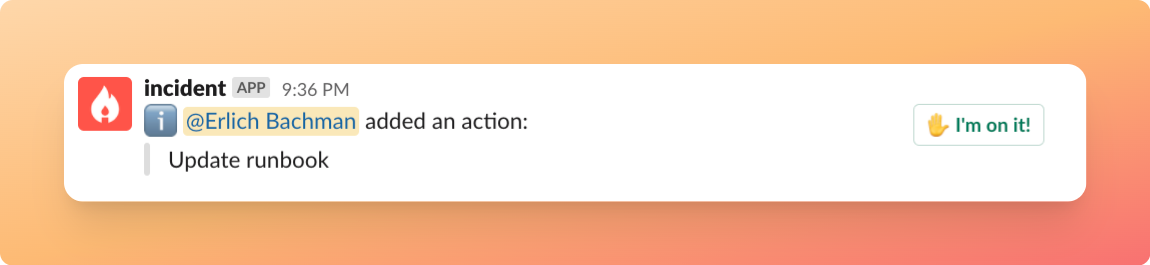
When an action is created, we show the whole channel an `I'm on it!` button, allowing teammates to quickly assign the action to themselves.
 ***
## Getting a quick overview of who's doing what
Key in `/incident actions` to quickly list and edit all actions/follow-ups, their status, owners, and more.
***
## Getting a quick overview of who's doing what
Key in `/incident actions` to quickly list and edit all actions/follow-ups, their status, owners, and more.
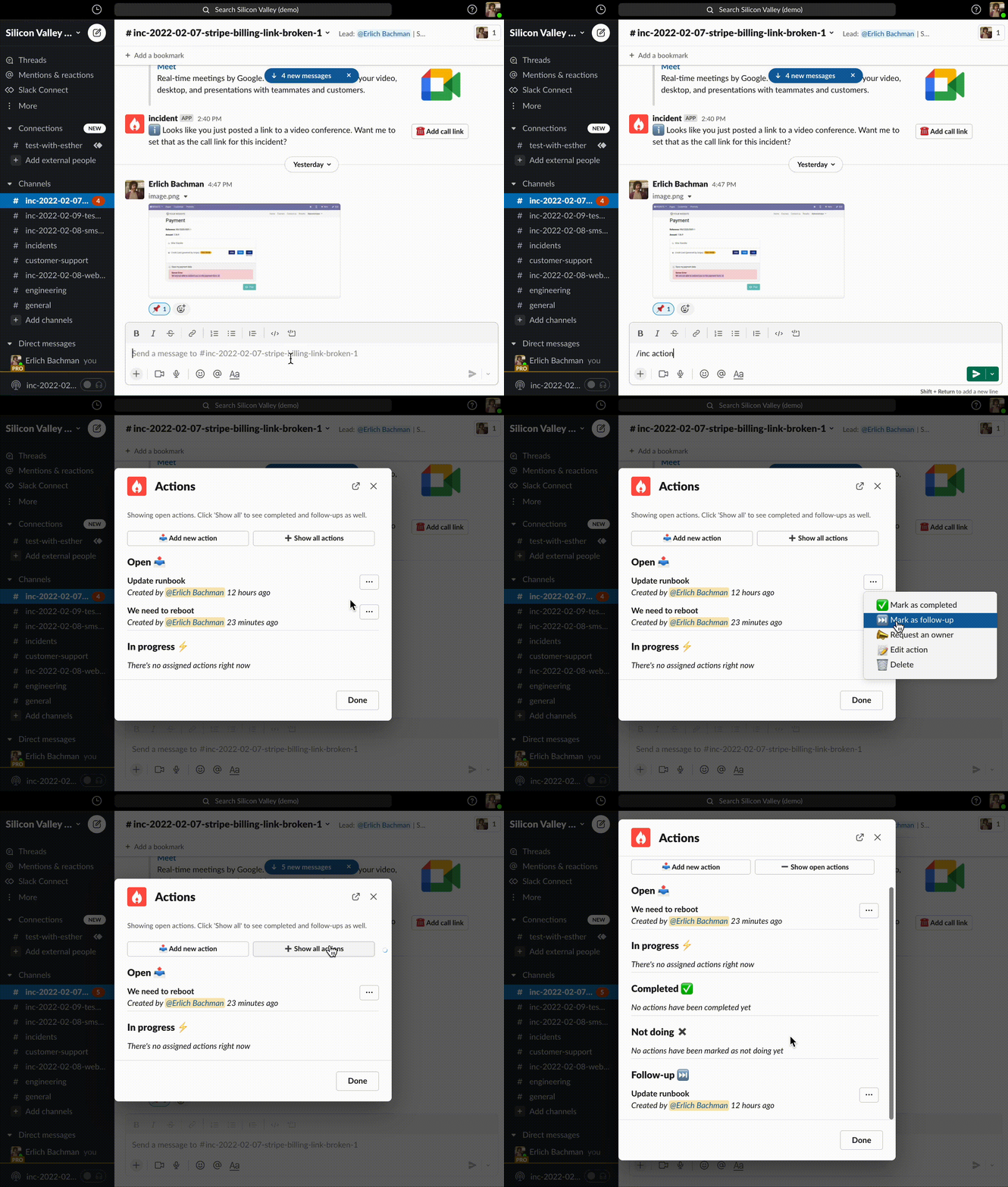 *Every interaction with your incident actions appears on your incident* [timeline](/post-incident/timeline) *, too.*
***
## Exporting to issue trackers
Although issue trackers are not *quite* what you need when you're looking for some fast lightweight coordination in the middle of an incident, they should be (and probably are!) your central hub for to-dos.
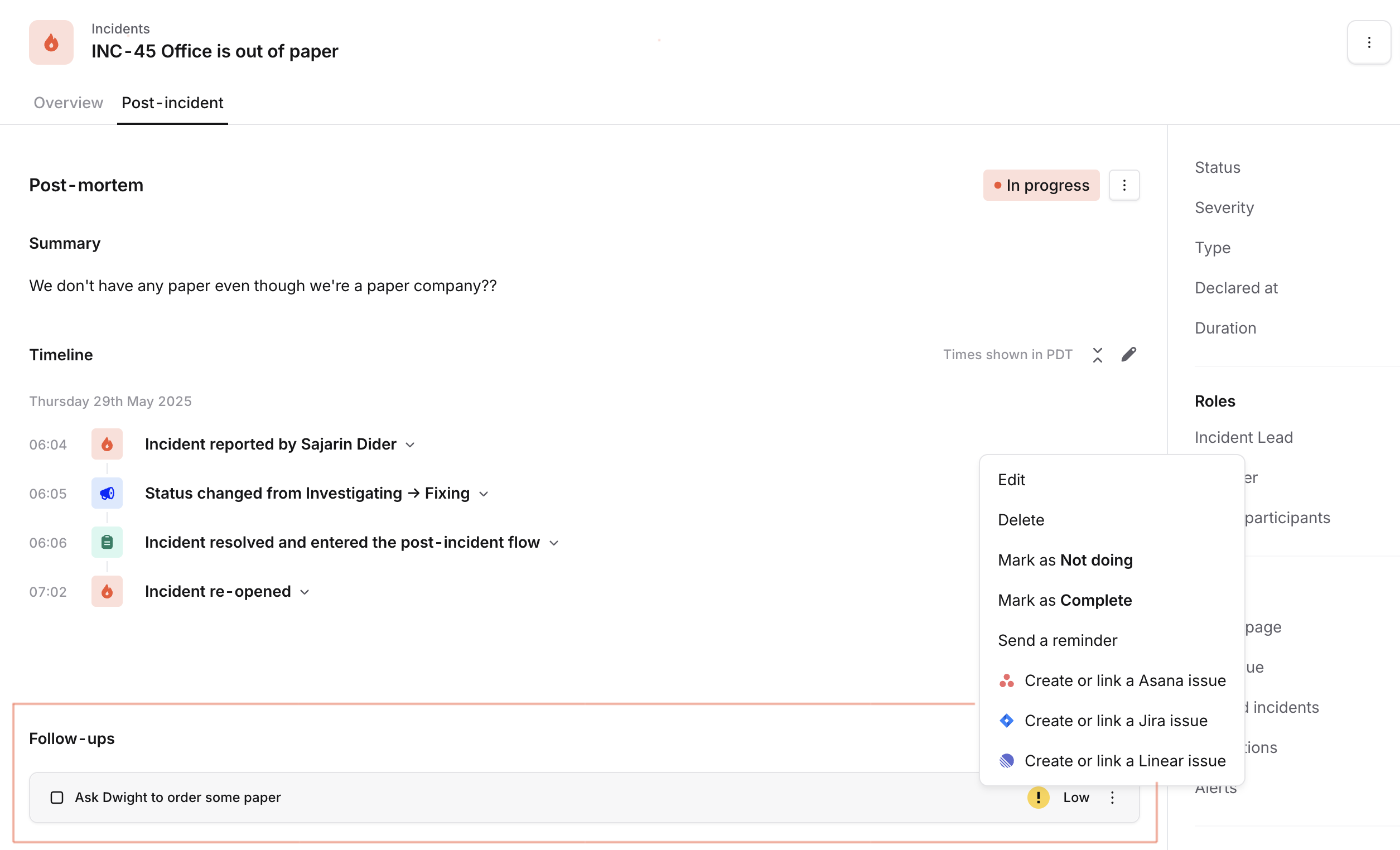
Once you've added the [integrations](https://app.incident.io/~/settings/integrations), you can export follow-ups from [incident.io](http://incident.io/) to your issue trackers ( [Jira](/integrations/jira), [GitHub](/integrations/github), [Linear](/integrations/linear) and [Shortcut](/integrations/shortcut) presently), from the Post-incident tab
**We will sync the status of your follow-ups**, so you don't need to worry about updating that manually in incident.io!
*Every interaction with your incident actions appears on your incident* [timeline](/post-incident/timeline) *, too.*
***
## Exporting to issue trackers
Although issue trackers are not *quite* what you need when you're looking for some fast lightweight coordination in the middle of an incident, they should be (and probably are!) your central hub for to-dos.
Once you've added the [integrations](https://app.incident.io/~/settings/integrations), you can export follow-ups from [incident.io](http://incident.io/) to your issue trackers ( [Jira](/integrations/jira), [GitHub](/integrations/github), [Linear](/integrations/linear) and [Shortcut](/integrations/shortcut) presently), from the Post-incident tab
**We will sync the status of your follow-ups**, so you don't need to worry about updating that manually in incident.io!
 ***
***