> ## Documentation Index
> Fetch the complete documentation index at: https://docs.incident.io/llms.txt
> Use this file to discover all available pages before exploring further.
# Subscribing to Incidents
## What are incident subscriptions?
Incident subscriptions are a way to stay up-to-date with changes to an incident, without having to dig through the noise happening in its slack channel. Once you're subscribed, when the incident gets an update you'll be notified through whichever channels you've chosen: a Slack direct message, an email, a mobile app push notification, or an SMS.
 ## How do I subscribe to an incident?
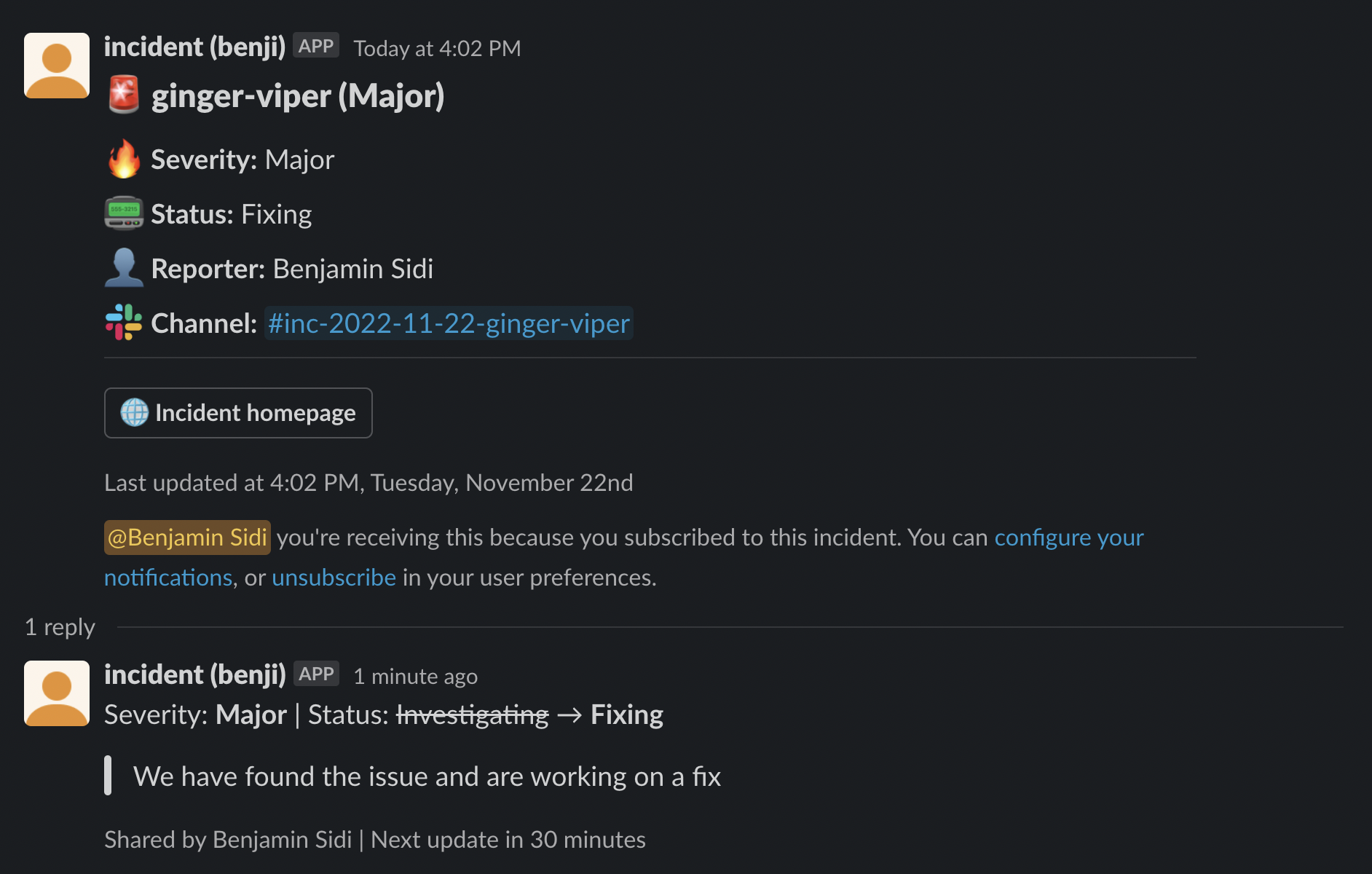
There are two places you can subscribe to an incident: on the web (via the **incident homepage** ) and in Slack (in the incident **announcement post** ). Click the "subscribe" button in the dashboard, the incident slack channel, or an announcement post and you'll be notified of any future updates on that incident.
## How do I subscribe to an incident?
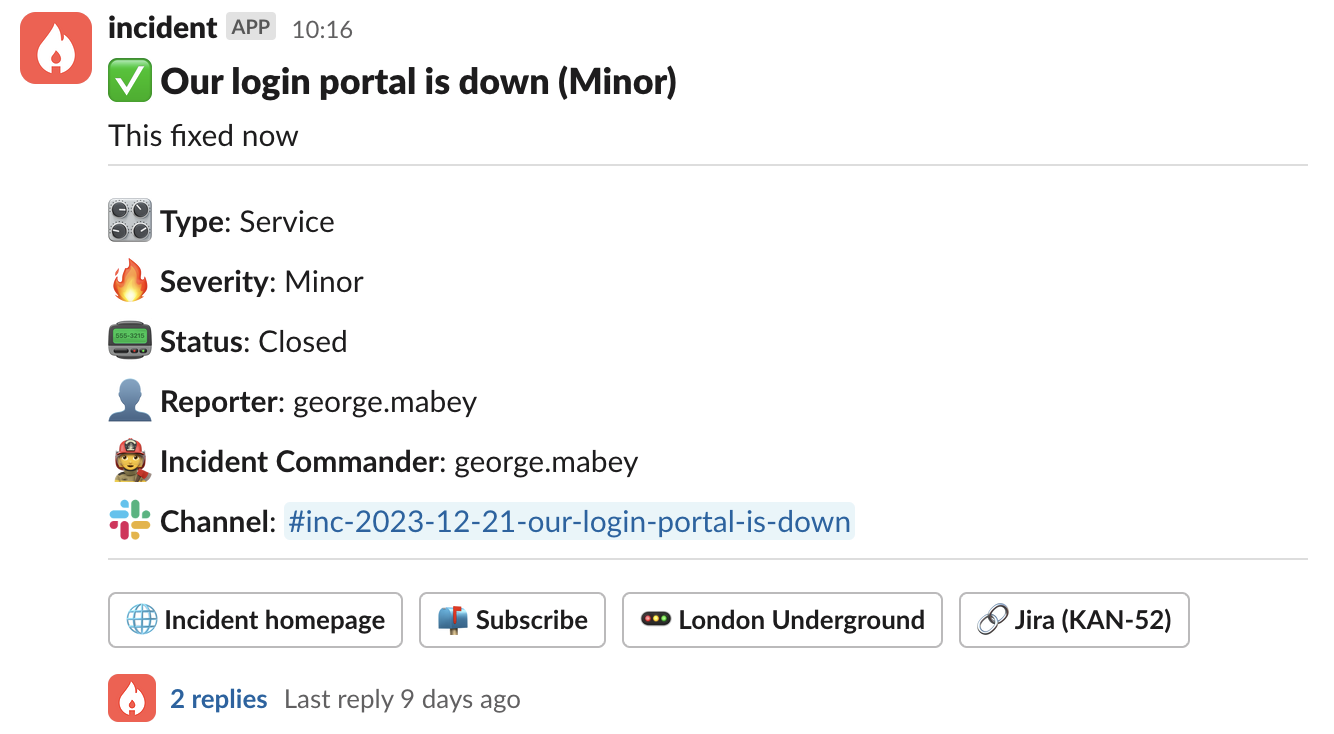
There are two places you can subscribe to an incident: on the web (via the **incident homepage** ) and in Slack (in the incident **announcement post** ). Click the "subscribe" button in the dashboard, the incident slack channel, or an announcement post and you'll be notified of any future updates on that incident.

 The first time you do this, you'll be prompted to configure how you want to receive notifications. You can choose any combination of a Slack direct message, an email, a mobile app push notification, or an SMS.
To receive notifications via the mobile app, you'll need the incident.io app installed and signed in. To receive them
via SMS, you'll need a verified phone number set on your [User
Preferences](https://app.incident.io/~/user-preferences) page.
## Can you subscribe me to certain incidents automatically?
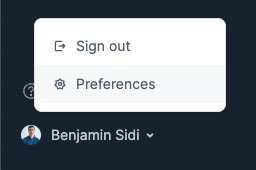
Yes! You can set up a variety of auto-subscription rules on the [User Preferences](https://app.incident.io/~/user-preferences) page, which you can find by clicking on your avatar in the dashboard.
The first time you do this, you'll be prompted to configure how you want to receive notifications. You can choose any combination of a Slack direct message, an email, a mobile app push notification, or an SMS.
To receive notifications via the mobile app, you'll need the incident.io app installed and signed in. To receive them
via SMS, you'll need a verified phone number set on your [User
Preferences](https://app.incident.io/~/user-preferences) page.
## Can you subscribe me to certain incidents automatically?
Yes! You can set up a variety of auto-subscription rules on the [User Preferences](https://app.incident.io/~/user-preferences) page, which you can find by clicking on your avatar in the dashboard.
 Click "add auto-subscribe rule" and configure which conditions should auto-subscribe you to an incident.
You can add as many rules as you'd like, and if an incident matches any of them, you'll be subscribed automatically.
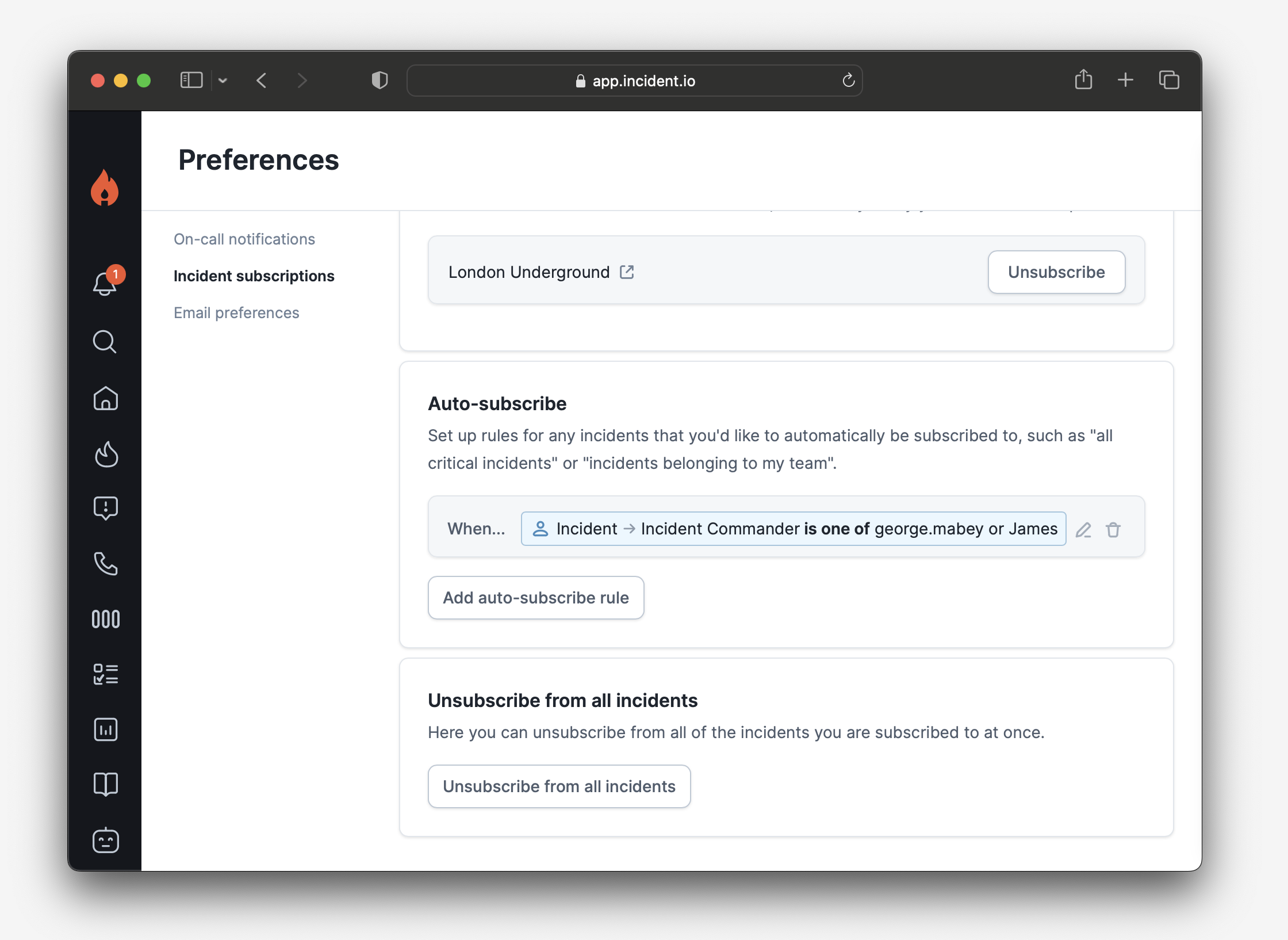
Click "add auto-subscribe rule" and configure which conditions should auto-subscribe you to an incident.
You can add as many rules as you'd like, and if an incident matches any of them, you'll be subscribed automatically.
 ## What if I change my mind about how I want to receive subscriptions?
The [User Preferences](https://app.incident.io/~/user-preferences) page allows you to choose how you receive subscription notifications — via Slack direct message, email, mobile app push notification, SMS, or any combination of these.
## I want to remove all of my subscriptions. Is there a convenient way to do that?
The bottom section of the [User Preferences](https://app.incident.io/~/user-preferences) page contains an "Unsubscribe from All" button that will remove all your subscriptions at once. Bear in mind that if you have auto-subscription rules set up, you will still be subscribed to any new incidents that match their criteria.
## What if I change my mind about how I want to receive subscriptions?
The [User Preferences](https://app.incident.io/~/user-preferences) page allows you to choose how you receive subscription notifications — via Slack direct message, email, mobile app push notification, SMS, or any combination of these.
## I want to remove all of my subscriptions. Is there a convenient way to do that?
The bottom section of the [User Preferences](https://app.incident.io/~/user-preferences) page contains an "Unsubscribe from All" button that will remove all your subscriptions at once. Bear in mind that if you have auto-subscription rules set up, you will still be subscribed to any new incidents that match their criteria.