> ## Documentation Index
> Fetch the complete documentation index at: https://docs.incident.io/llms.txt
> Use this file to discover all available pages before exploring further.
# Sharing status updates with your team
Good incident response is about good communication. Sharing updates regularly to keep your stakeholders ( [and customers](/incidents/customer-updates) !) updated is a great practice to get into.
We built **Updates** to make this easy. Updates are a lightweight way to keep people in the loop, and progress the state of an incident.
***
## Adding an update
To create an update, simply type `/incident update` in an incident channel.
You'll be presented with a modal that:
* Asks if there's any changes with the severity or the status of the incident
* Allows you to provide a **short message** to update people with what's going on (' *Can you share any more details* ')
* Lets you **set a** [reminder](/incidents/reminders) for your next update: no need to remind yourself manually! We will come back and remind you when an update is due.
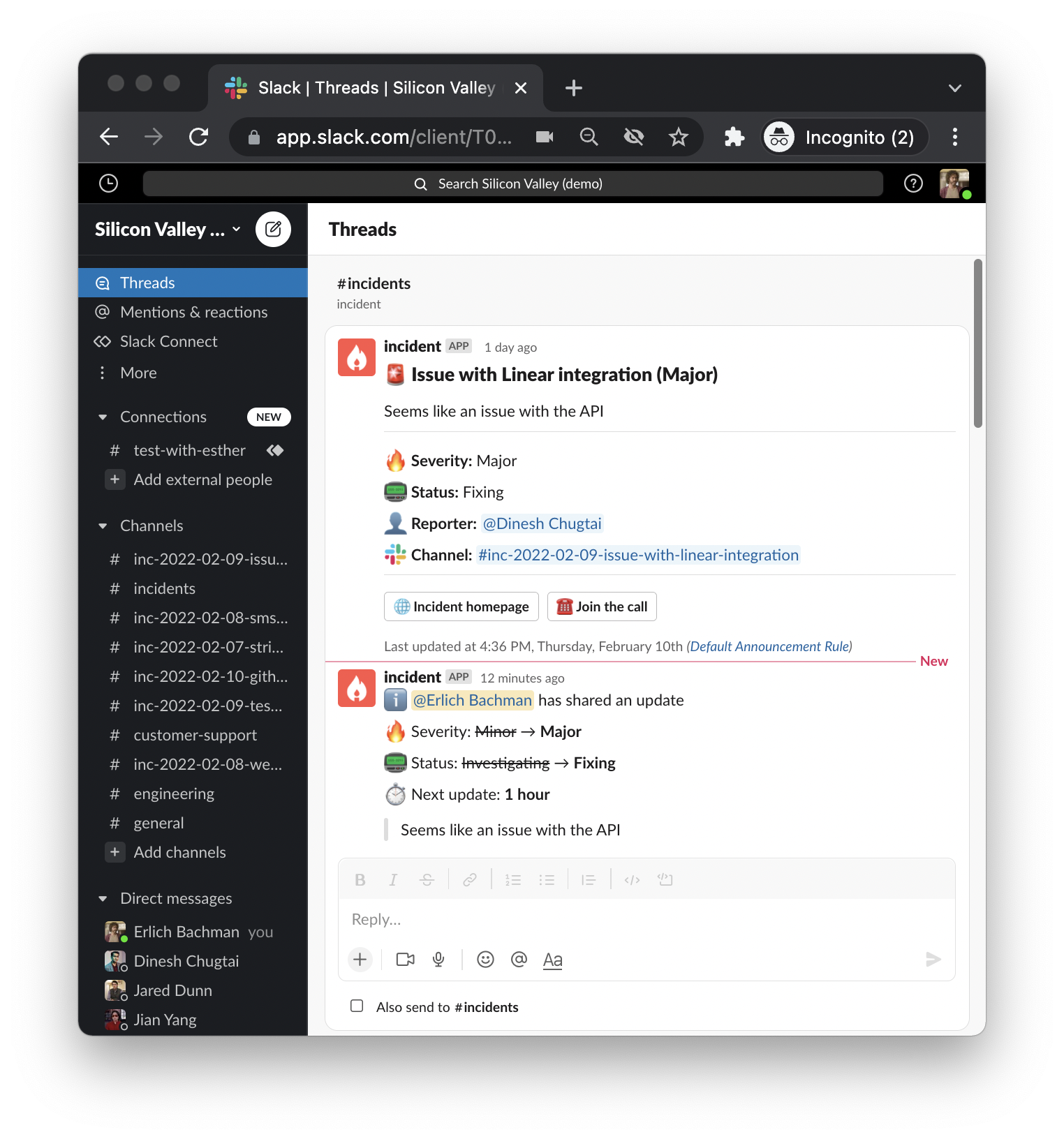
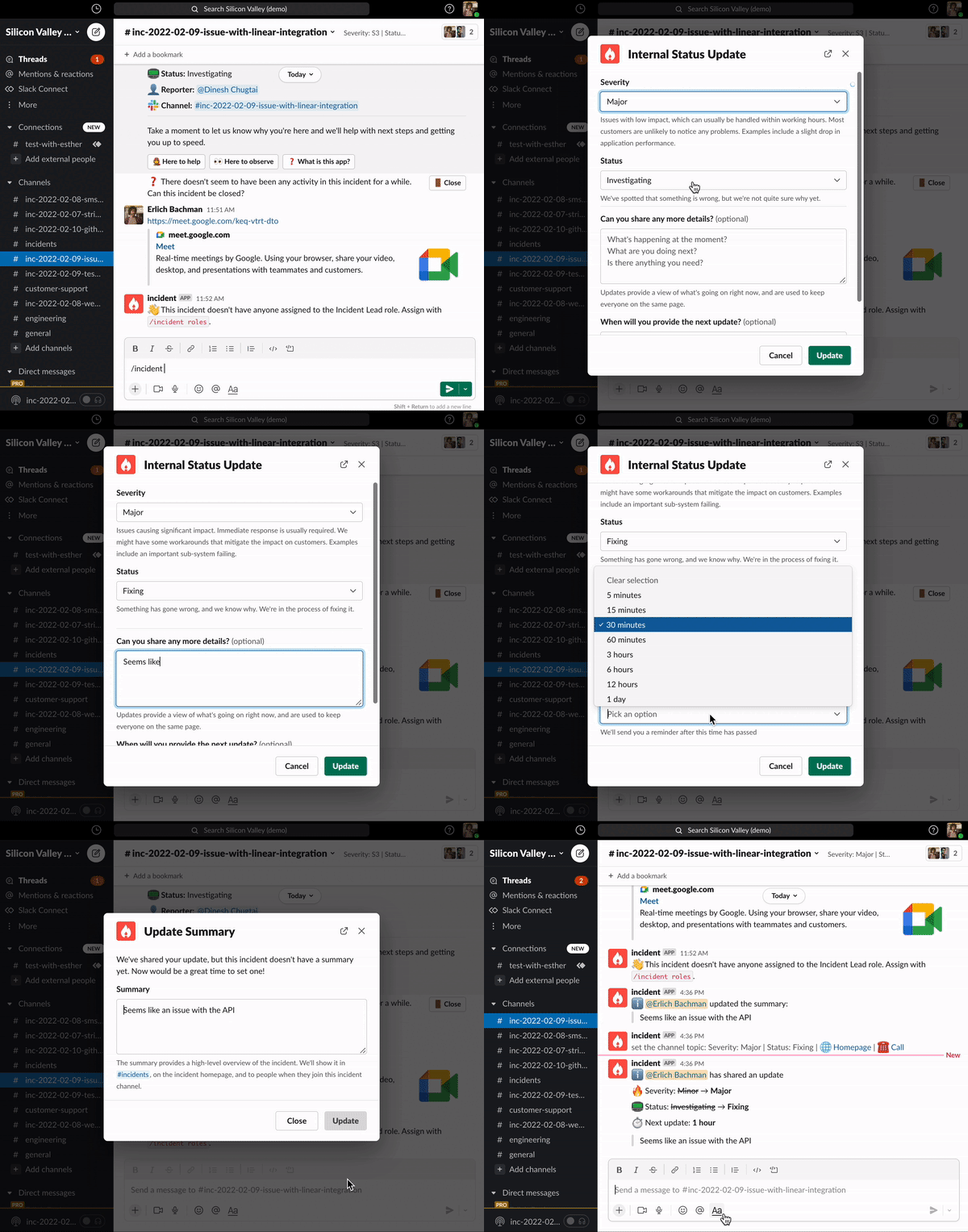 Updates will get posted in the incident's channel (see GIF), and as a thread on the original announcement post .
 ***
## Using Updates to trigger automations
You might want to automatically send an email enclosing your update to, say, senior management, affected partners or the Account Executive of the affected client.
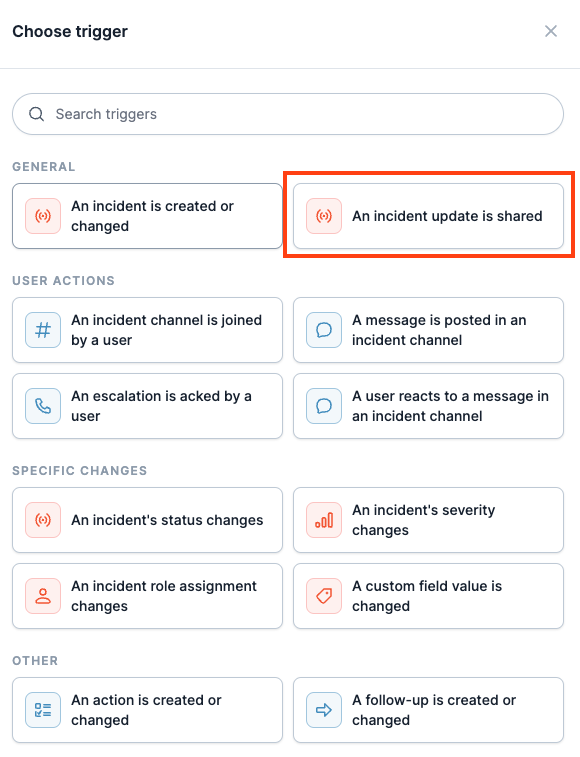
You can do all this (and more) with a [Workflow](https://app.incident.io/~/workflows) - just select ' *An incident update is shared* ' as a trigger!
***
## Using Updates to trigger automations
You might want to automatically send an email enclosing your update to, say, senior management, affected partners or the Account Executive of the affected client.
You can do all this (and more) with a [Workflow](https://app.incident.io/~/workflows) - just select ' *An incident update is shared* ' as a trigger!