> ## Documentation Index
> Fetch the complete documentation index at: https://docs.incident.io/llms.txt
> Use this file to discover all available pages before exploring further.
# Can I create retrospective incidents?
Sometimes, you may want to record an incident after it has happened, to include it in your reporting and help inform your post-incident processes.
You can choose whether you'd like to announce a retrospective incident so you don't need to worry about worrying folks unnecessarily! By default, workflows don't run on retrospective incidents, but this can be configured in advanced settings.
***
The quickest way to create a retrospective incident is with `/inc retro` in Slack, which opens a dedicated Retrospective form. You can customize this form in **Settings > Forms**. If you're using Microsoft Teams, you can create retrospective incidents from the incident.io tab in your Teams channel.
You can also create one from the dashboard:
1. Head to [your incident.io dashboard](https://app.incident.io/~/dashboard) and hit **Declare incident.**
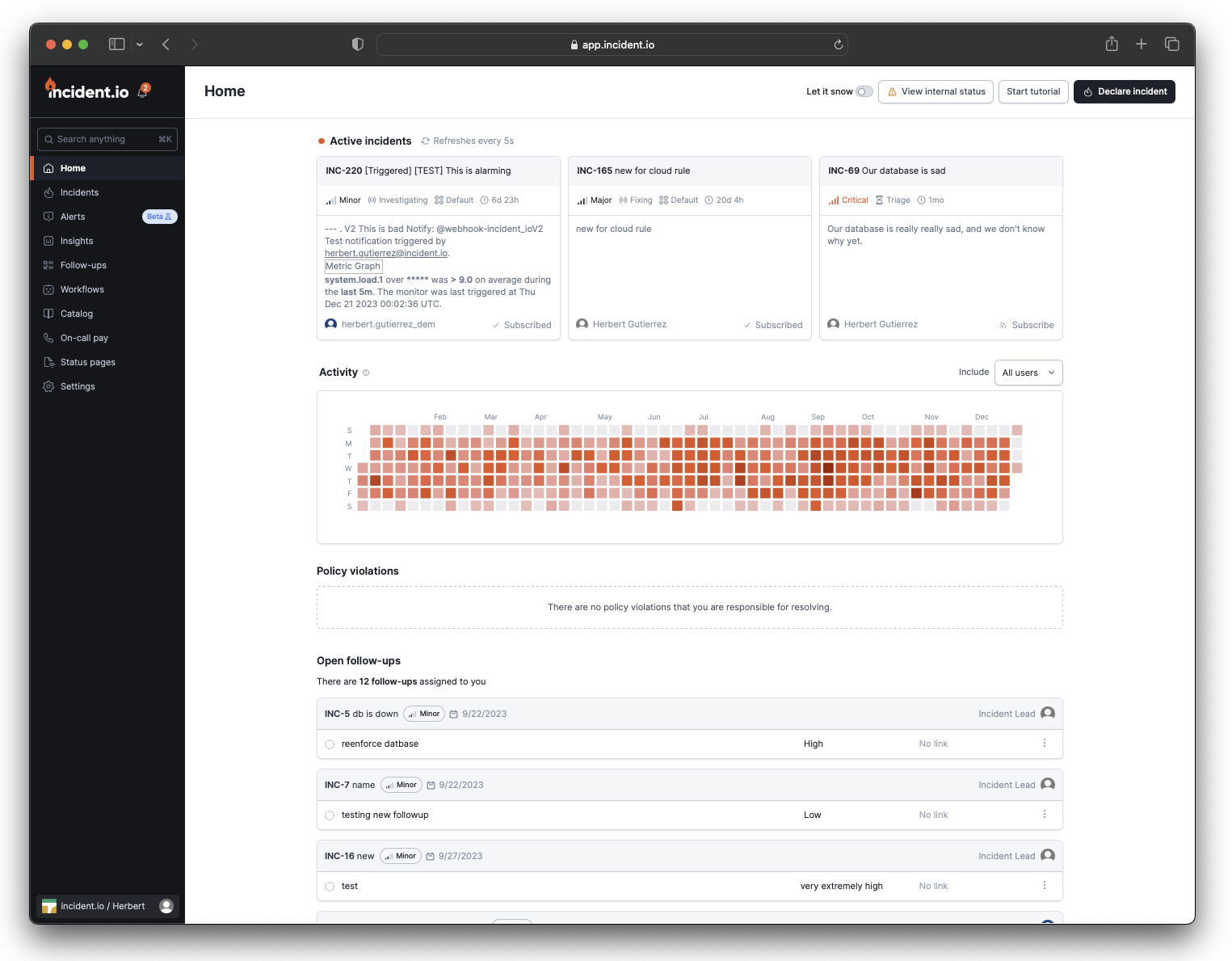 2. You'll then choose what type of incident at the top of the form, and select **Retrospective incident.**
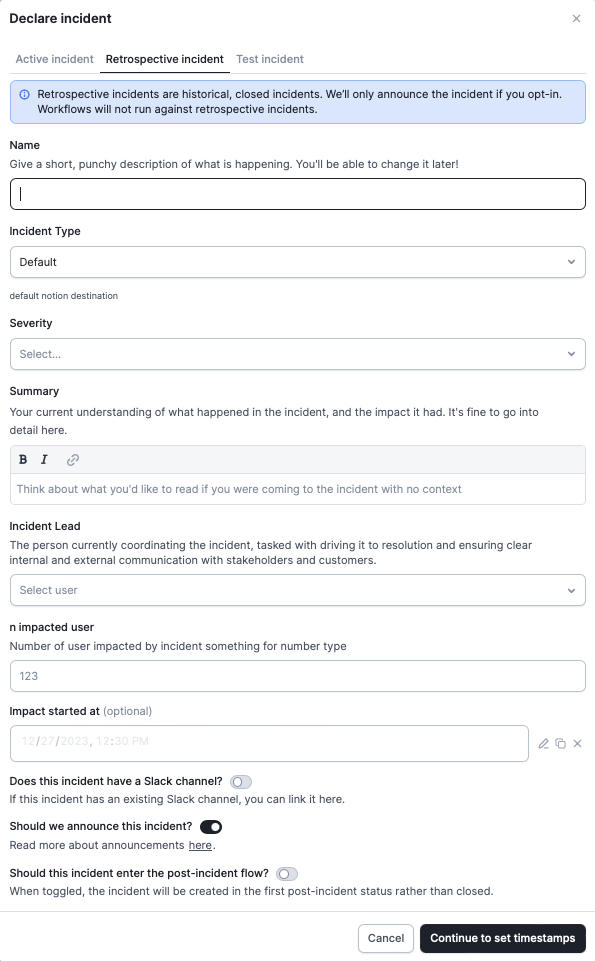 3. At this point, you'll be asked to supply some information about the retrospective incident. This will include any custom fields associated with incident types that you have set.
You can also choose whether you'd like to announce the incident by checking the box at the bottom of the modal.
3. At this point, you'll be asked to supply some information about the retrospective incident. This will include any custom fields associated with incident types that you have set.
You can also choose whether you'd like to announce the incident by checking the box at the bottom of the modal.
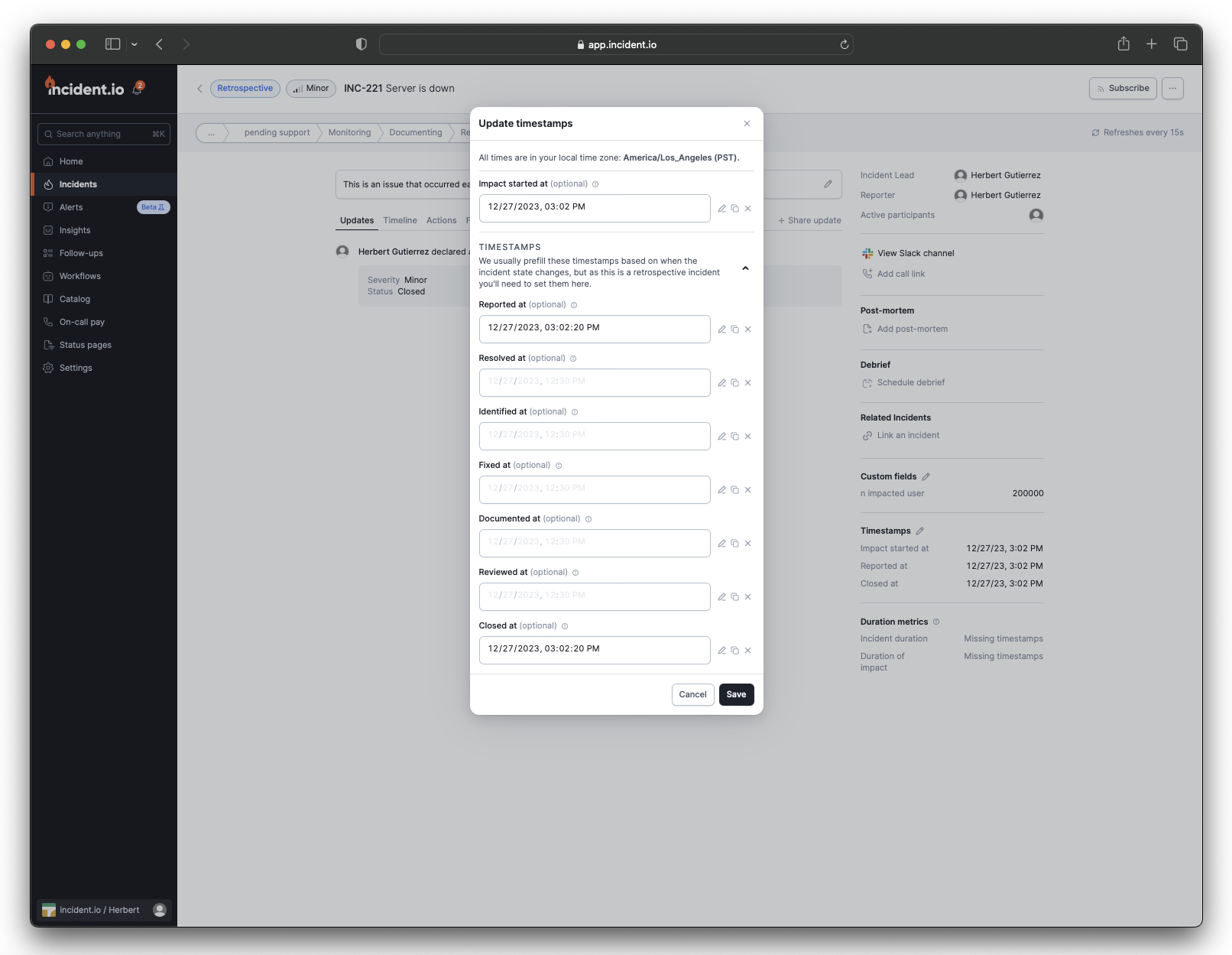 4. You will then be able to add in any timestamps (you'll be able to see any custom timestamps here too!) that will help you in your post-incident process and contribute to your incident analytics.
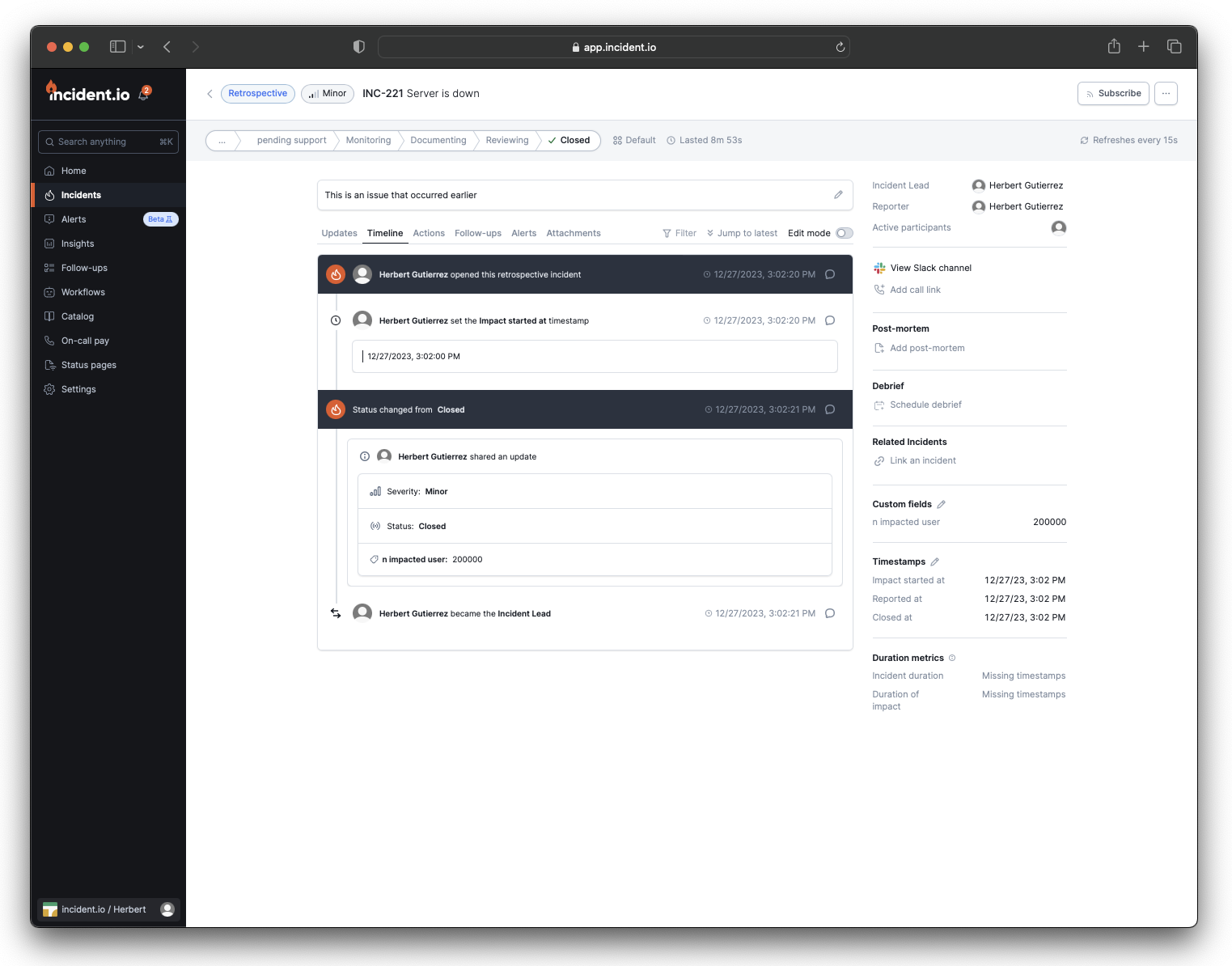
It will be reflected in your incident.io dashboard that this is a retrospective incident, for any folks who are looking into recent incidents!
4. You will then be able to add in any timestamps (you'll be able to see any custom timestamps here too!) that will help you in your post-incident process and contribute to your incident analytics.
It will be reflected in your incident.io dashboard that this is a retrospective incident, for any folks who are looking into recent incidents!
 We'd love any feedback you have on this feature or any issues, you can always get in touch with us at [help@incident.io](mailto:help@incident.io) !