> ## Documentation Index
> Fetch the complete documentation index at: https://docs.incident.io/llms.txt
> Use this file to discover all available pages before exploring further.
# Incident Modes
incident.io offers four incident modes to help your team effectively manage and respond to various situations. These are different to [Incident types](/incidents/incident-types), which can be used to tailor your response process to the situation you're responding to e.g. you could create a security incident type with a completely different incident lifecycle & form to your standard default incidents.
Below, we'll explore the details of each incident mode:
## Tutorial Incident
The Tutorial Incident mode is a quick 5-minute guide to cover the basics of using incident.io and is an excellent way for users to familiarize themselves with the platform and its features. To initiate a Tutorial Incident, simply type `/inc tutorial` in any of your Slack channels.
Learning is free at incident.io. Everyone in your company can - and should! - learn the ropes of incident.io without you getting penalized by it and billed.
So, don't worry: your teammates [won't be considered Responders](/admin/seat-types) (paid users) if they go through our tutorial flow
## Test Incident
The [Test Incident mode](/incidents/sandbox-incidents) is designed for testing new automations and conducting dry runs with your configuration without affecting production systems or unnecessarily bothering your colleagues. To create a Test Incident, type `/incident test` from any Slack channel or use the declare incident button in our dashboard and switch to the Test incident tab.
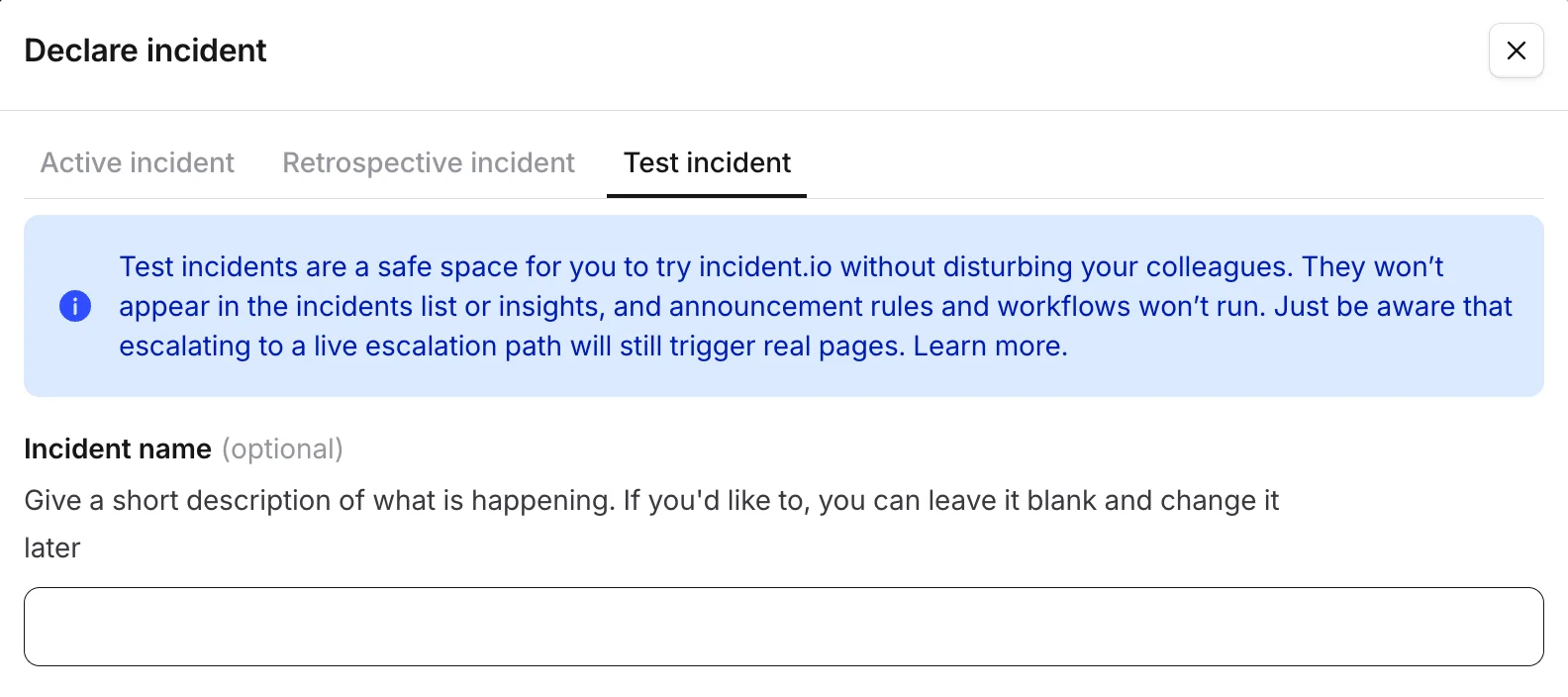 While Test Incidents share similarities with normal incidents, they are distinguished by the fact that they won't be announced in the `#incidents` channel, won't be included in your incident library, and won't be calculated as part of Insights.
## Real Incident
The Real Incident mode is used for live incidents when something has gone wrong, and immediate response is required. There are three ways to manually declare a Real Incident:
**Slack Command** : Type `/incident` or `/inc` from any Slack channel.
**Slack Message** : Turn a Slack message into an incident by clicking the three built-in dots and selecting 'create an incident.'
**Dashboard** : Create an incident directly from the incident.io dashboard.
## Retrospective Incident
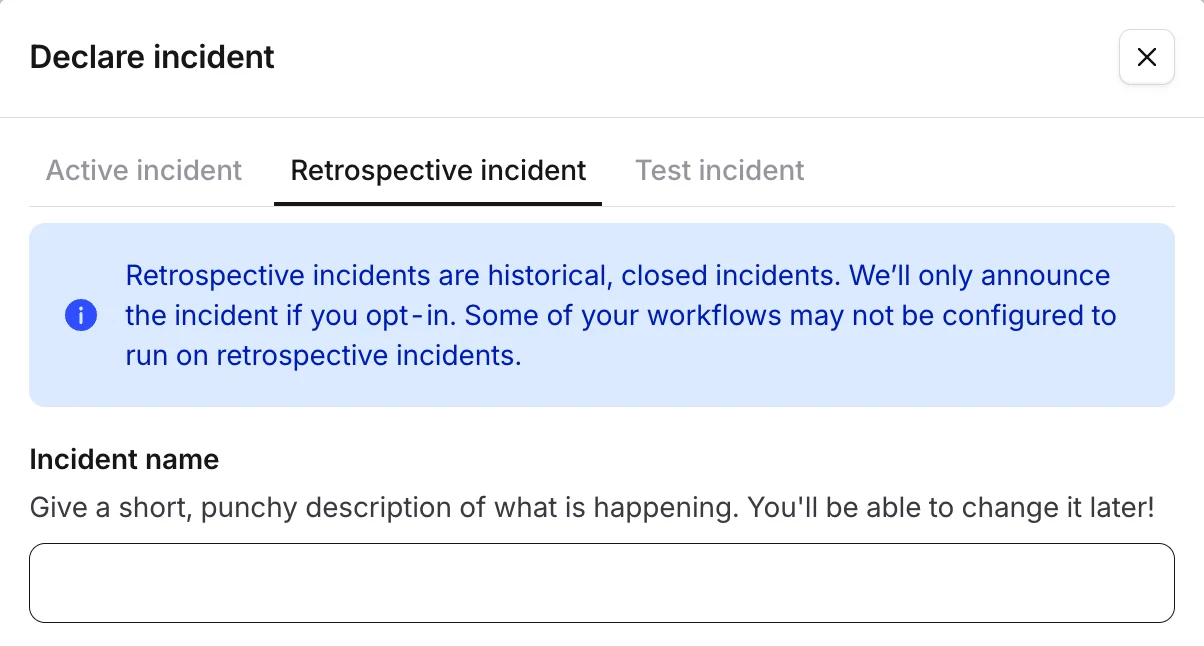
[Retrospective Incidents](/incidents/retrospective-incidents) are used to record incidents after they have occurred. You can declare them from Slack using `/inc retro`, from [the dashboard](https://app.incident.io/~/declare), or [via the API](https://docs.incident.io/api-reference/incidents-v2/create).
There's a dedicated Retrospective form that you can customize in **Settings > Forms** — this is separate from the Resolve form.
While Test Incidents share similarities with normal incidents, they are distinguished by the fact that they won't be announced in the `#incidents` channel, won't be included in your incident library, and won't be calculated as part of Insights.
## Real Incident
The Real Incident mode is used for live incidents when something has gone wrong, and immediate response is required. There are three ways to manually declare a Real Incident:
**Slack Command** : Type `/incident` or `/inc` from any Slack channel.
**Slack Message** : Turn a Slack message into an incident by clicking the three built-in dots and selecting 'create an incident.'
**Dashboard** : Create an incident directly from the incident.io dashboard.
## Retrospective Incident
[Retrospective Incidents](/incidents/retrospective-incidents) are used to record incidents after they have occurred. You can declare them from Slack using `/inc retro`, from [the dashboard](https://app.incident.io/~/declare), or [via the API](https://docs.incident.io/api-reference/incidents-v2/create).
There's a dedicated Retrospective form that you can customize in **Settings > Forms** — this is separate from the Resolve form.
 ## FAQs
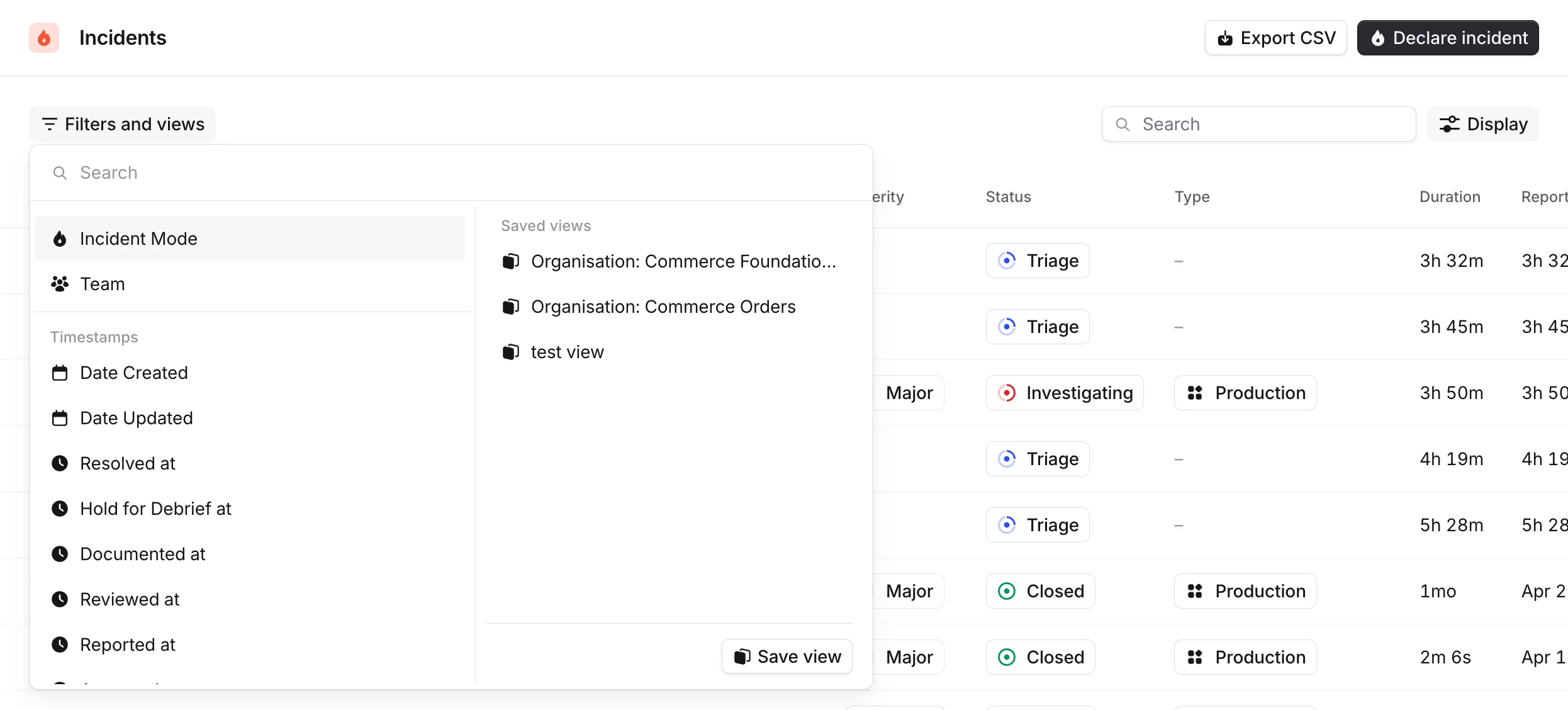
To keep things tidy, we only show your real incidents by default within the incidents section of the dashboard. To view a list of incidents in any other mode, you can simply filter by incident mode wherever appropriate:
## FAQs
To keep things tidy, we only show your real incidents by default within the incidents section of the dashboard. To view a list of incidents in any other mode, you can simply filter by incident mode wherever appropriate:
 You can create an incident in any of these modes [via the API](https://docs.incident.io/api-reference/incidents-v2/create) by passing the `mode` parameter.