> ## Documentation Index
> Fetch the complete documentation index at: https://docs.incident.io/llms.txt
> Use this file to discover all available pages before exploring further.
# Creating custom incident roles
Incident Lead not enough? Want to add and create your own roles, like Incident Manager, or Communications Lead?
You can!
***
1. **Go to Settings >** [Incident Roles](https://app.incident.io/~/settings/incident-roles)
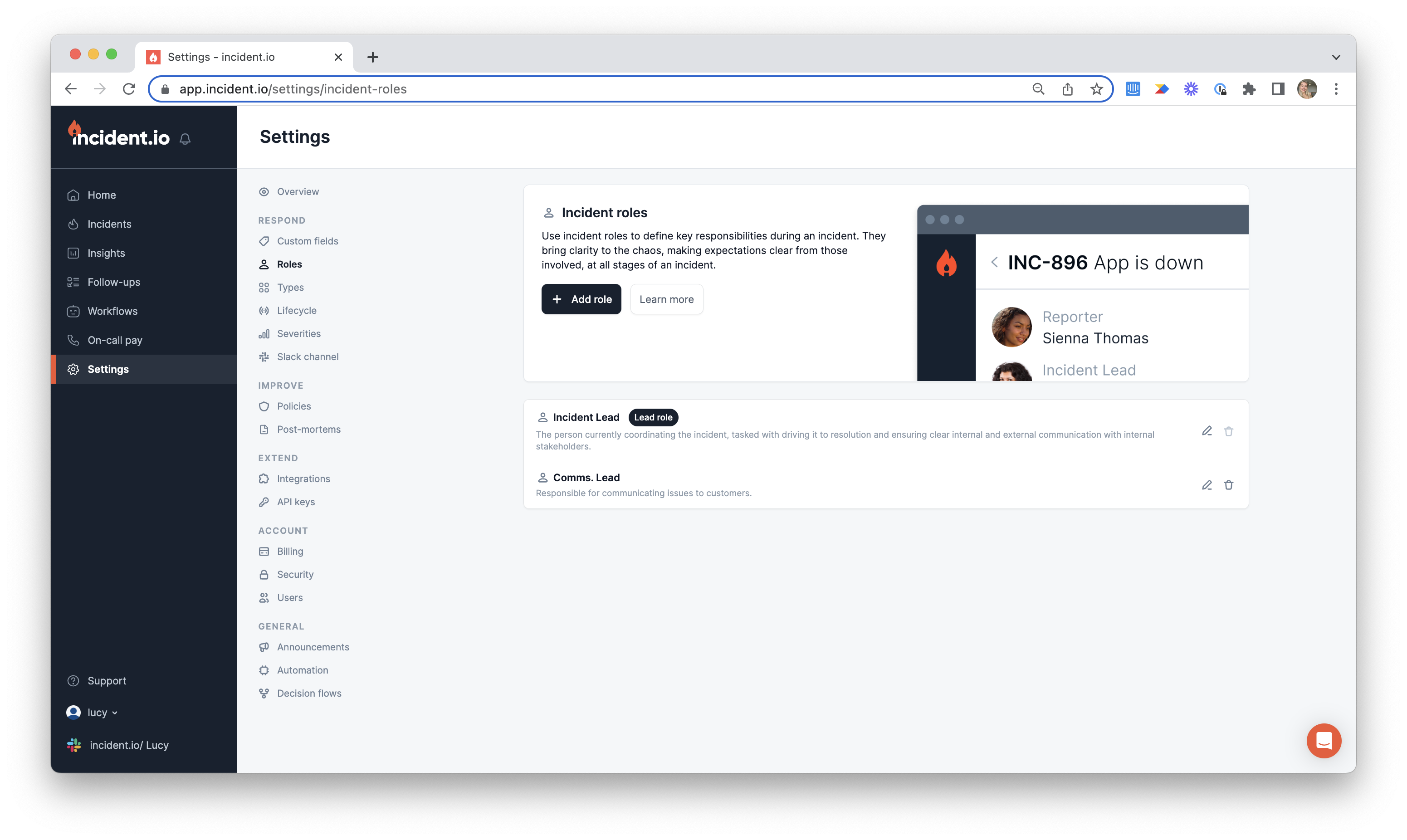 2. **Click** `Add Role`
This will pop up the Role creation modal
`Name`
What role are you creating? For example, ' *Communications Lead* '.
`Slack reference`
Set the Slack command that will assign this role. For example, `/inc role lead @dinesh` sets \[Dinesh] as the \[Lead]. The Communication Lead's could be `comms`, such that `/inc role comms @Erlich` assigns Erlich to the Communication Lead role.
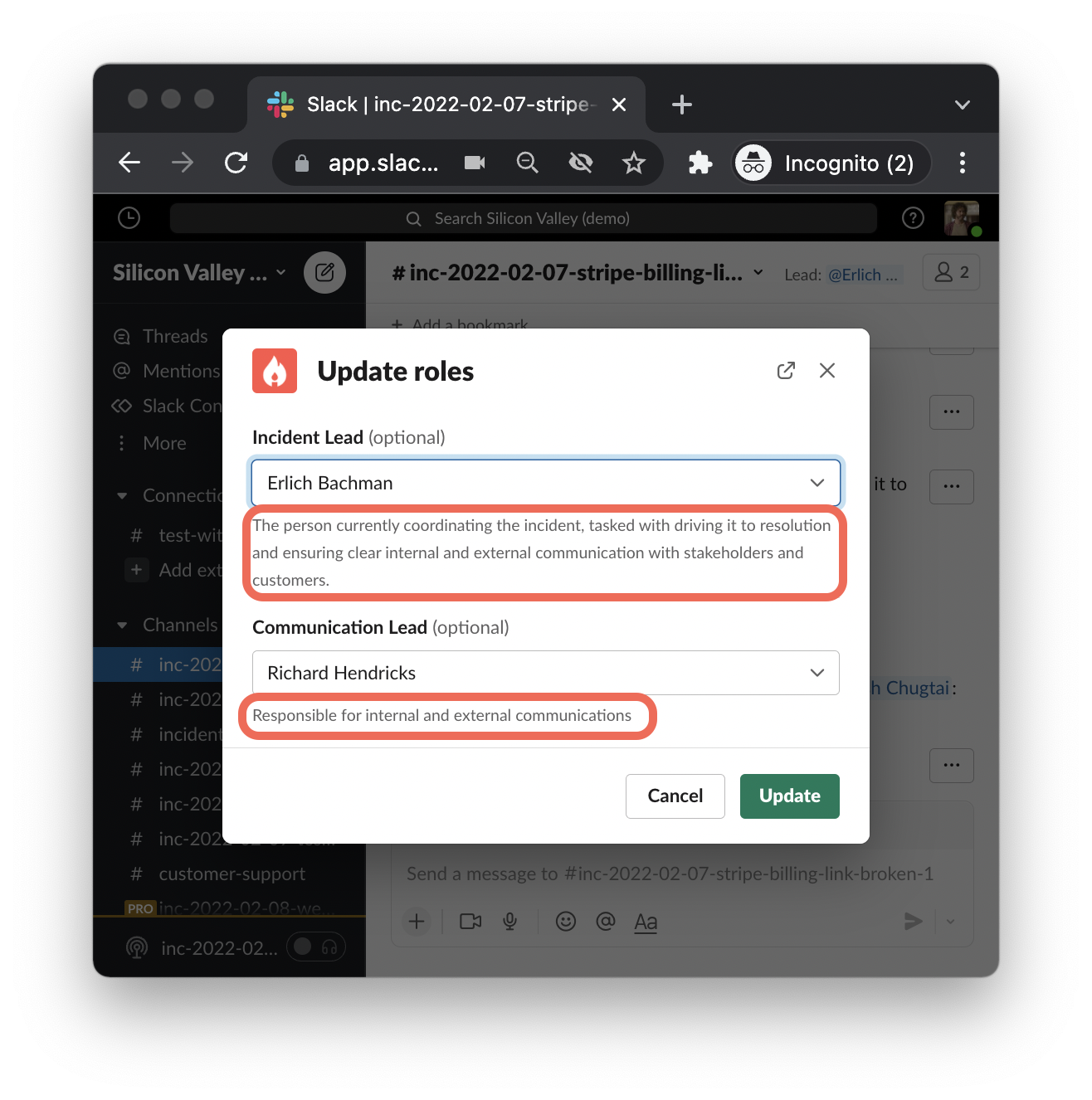
`Description`
This is the sub-text that will appear to guide your team in the Roles modal.
2. **Click** `Add Role`
This will pop up the Role creation modal
`Name`
What role are you creating? For example, ' *Communications Lead* '.
`Slack reference`
Set the Slack command that will assign this role. For example, `/inc role lead @dinesh` sets \[Dinesh] as the \[Lead]. The Communication Lead's could be `comms`, such that `/inc role comms @Erlich` assigns Erlich to the Communication Lead role.
`Description`
This is the sub-text that will appear to guide your team in the Roles modal.
 `Instructions`
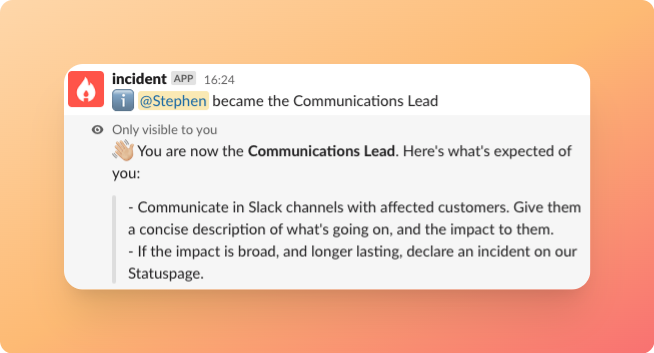
This is the instructions we'll send to the person that has been assigned to the role, letting them know what they should do.
`Instructions`
This is the instructions we'll send to the person that has been assigned to the role, letting them know what they should do.
 `Require this role to be assigned before an incident is resolved`
When ticked , we won't allow an incident to be marked as resolved without someone having been assigned this role. This is key for debriefs and reporting/compliance.
*The Incident Lead is compulsory by default in incident.io, and thus always required.*
`Require this role to be assigned before an incident is resolved`
When ticked , we won't allow an incident to be marked as resolved without someone having been assigned this role. This is key for debriefs and reporting/compliance.
*The Incident Lead is compulsory by default in incident.io, and thus always required.*