> ## Documentation Index
> Fetch the complete documentation index at: https://docs.incident.io/llms.txt
> Use this file to discover all available pages before exploring further.
# Can we create incidents or actions from an existing Slack message?
Yes!
***
## Creating incidents from a Slack message
You might have some messages that come through in e.g. :
* your *#customer-support* or *#legal* channels;
* a Slack Connect channel with your customers; or
* a direct message from a colleague or client
that should actually be the basis of declaring an incident.
To turn a message into an incident, simply **click on the 3 dots in the top-right corner of the message** and select '*Create an incident*'.
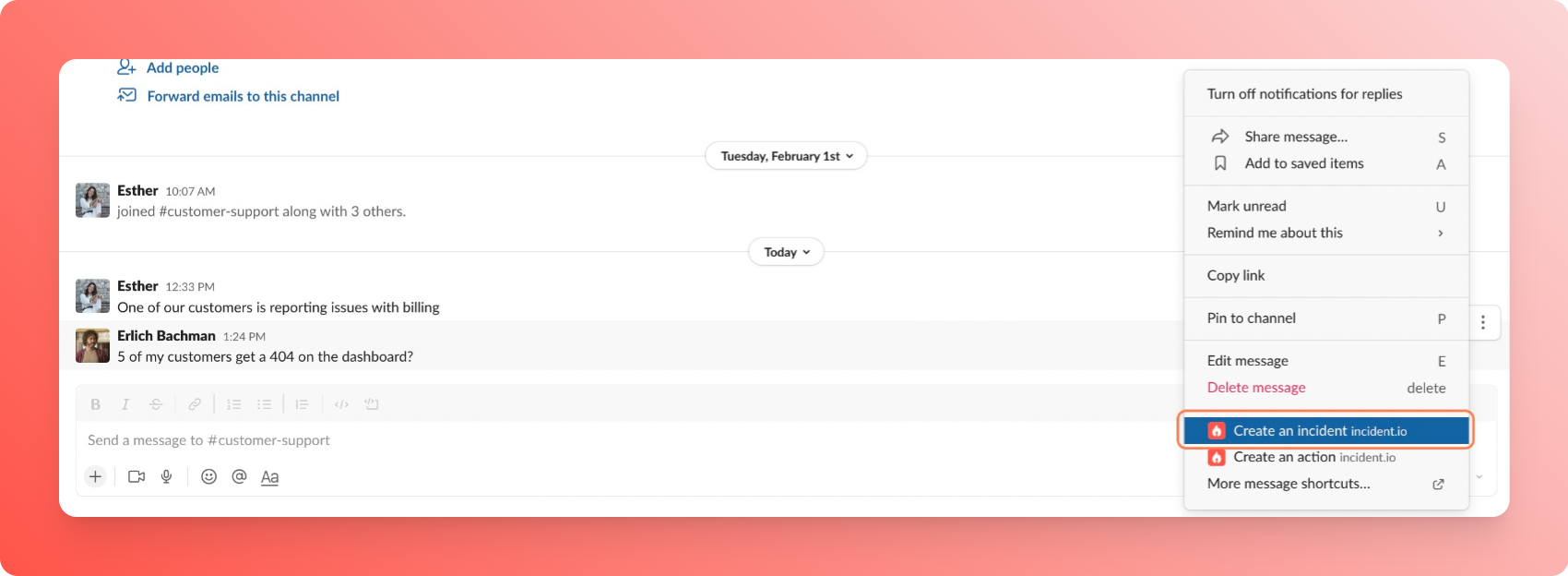 *Note: If this option does not show, you might need to click on 'More message shortcuts' (Slack orders your shortcuts based on usage, so incident shortcuts will become visible only if they're in your most-used).*
***
## Creating actions from a Slack message
In the heat of the incident, responders will usually quick-fire Slack messages you might want to turn into to-dos.
From the incident's channel ( *#inc-...* ), all you need to do is **react with the :boom: emoji** to that message, and it'll automatically create an action out of the message.
*Note: If this option does not show, you might need to click on 'More message shortcuts' (Slack orders your shortcuts based on usage, so incident shortcuts will become visible only if they're in your most-used).*
***
## Creating actions from a Slack message
In the heat of the incident, responders will usually quick-fire Slack messages you might want to turn into to-dos.
From the incident's channel ( *#inc-...* ), all you need to do is **react with the :boom: emoji** to that message, and it'll automatically create an action out of the message.
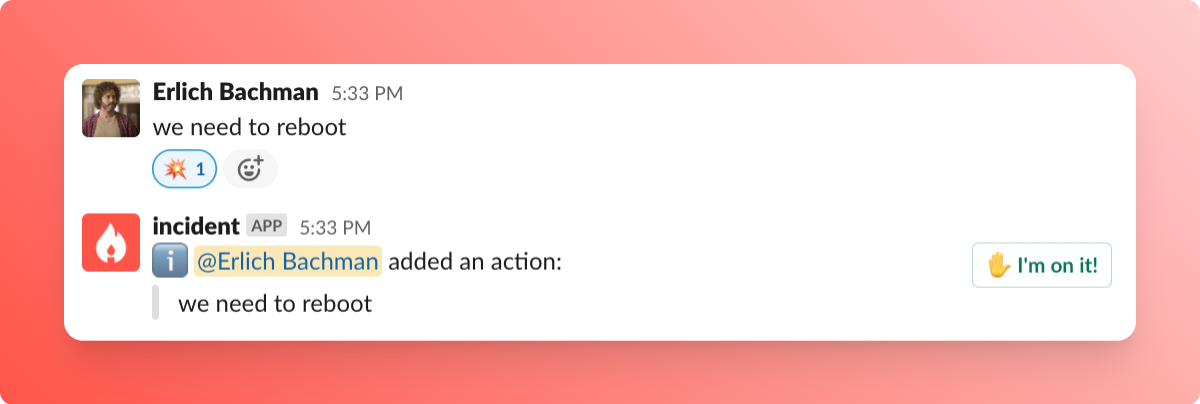 Alternatively, you can use the same 3 dots shown in the previous section: just select ' *Create an action* ' instead of ' *Create an incident'* !
Remember you can also export those actions to your favorite issue tracker (Jira, GitHub, Linear etc.).
Alternatively, you can use the same 3 dots shown in the previous section: just select ' *Create an action* ' instead of ' *Create an incident'* !
Remember you can also export those actions to your favorite issue tracker (Jira, GitHub, Linear etc.).