> ## Documentation Index
> Fetch the complete documentation index at: https://docs.incident.io/llms.txt
> Use this file to discover all available pages before exploring further.
# Actions
We believe there are two types of action you create during an incident – those that **need doing now**, and those that should be **followed-up** after an incident has been closed.
Actions that **need doing now** might be:
* Reboot that server
* Send some comms to an affected customer
While **follow-ups** could be:
* Improve test coverage of a given codepath
* Do some investment to make a service more stable
You can learn more about follow-ups [here](/post-incident/follow-ups).
## How do I create actions?
There's two ways you can do this:
1. **React** with the `:boom:` emoji to any Slack message within the incident channel
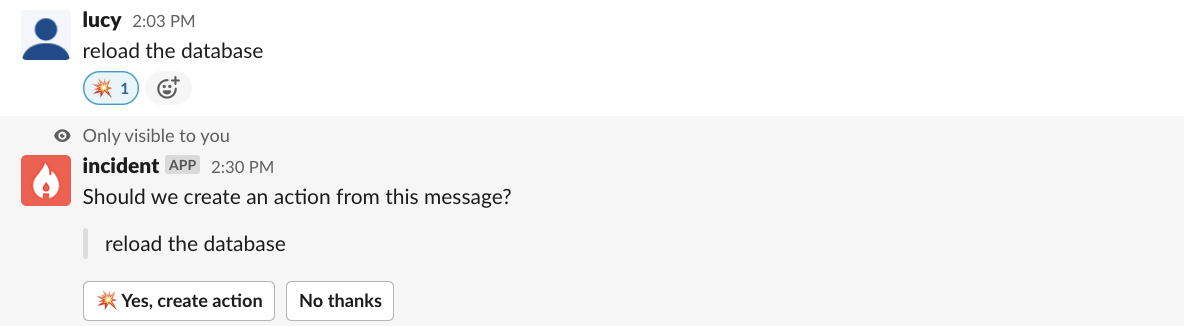 You can then either assign this action to yourself, or to someone else and they'll be notified.
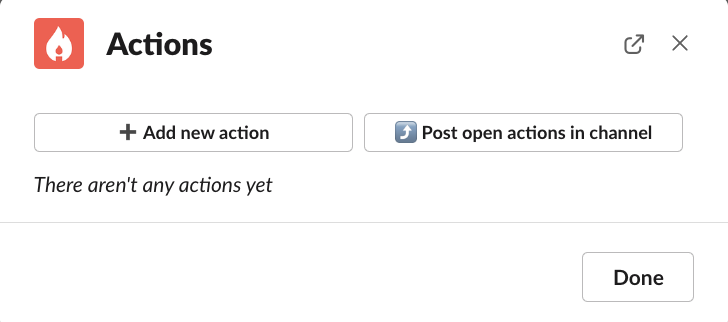
 2. Use the command **/inc action,** to create new actions and post any open actions within the channel
 ## What can I do with actions?
After you've assigned actions to either yourself or someone else, you can:
* Edit the action
* Mark it as completed
* Reassign it to yourself
* Unassign it from a team member
## What can I do with actions?
After you've assigned actions to either yourself or someone else, you can:
* Edit the action
* Mark it as completed
* Reassign it to yourself
* Unassign it from a team member
 ## What if I want to do these actions after an incident?
If you want to complete these actions after an incident, they will become **follow-ups** and can even be exported to issue trackers such as Jira or Linear (add links in for these here).
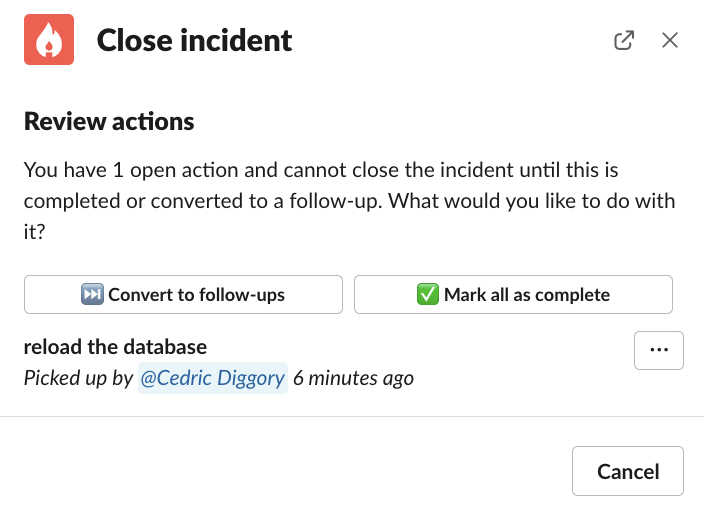
When you go to mark the incident as resolved, any uncompleted actions will appear in the modal, and you'll be able to convert these to follow-ups.
## What if I want to do these actions after an incident?
If you want to complete these actions after an incident, they will become **follow-ups** and can even be exported to issue trackers such as Jira or Linear (add links in for these here).
When you go to mark the incident as resolved, any uncompleted actions will appear in the modal, and you'll be able to convert these to follow-ups.
 You can also use the *:fast\_forward:* emoji on any Slack message to convert it to a follow-up too!
***
Any questions, we'd love to hear from you at [hello@incident.io](mailto:hello@incident.io)
You can also use the *:fast\_forward:* emoji on any Slack message to convert it to a follow-up too!
***
Any questions, we'd love to hear from you at [hello@incident.io](mailto:hello@incident.io)